
123 Photo Viewer is a straightforward and user-friendly application designed for viewing photos on Windows systems. Its simplicity is its strength, making it an ideal choice for users who prioritize ease of use over advanced features. This review will delve into the application’s functionalities, strengths, weaknesses, and overall user experience.
User Interface and Functionality
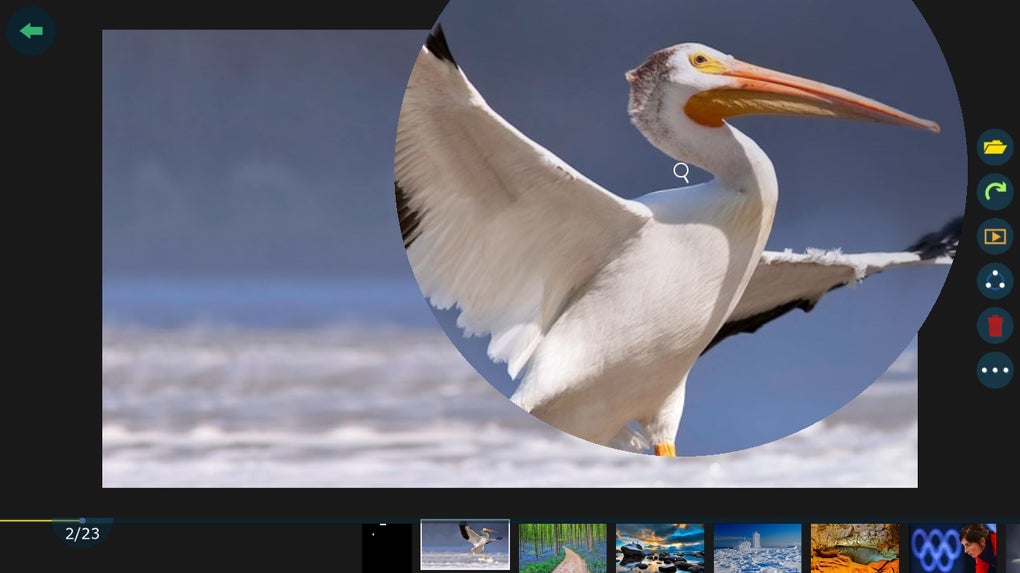
The 123 Photo Viewer boasts a minimalist design. Upon launch, users are presented with a clean, black background interface displaying thumbnails of their images. This uncluttered aesthetic allows the photos to take center stage, providing a distraction-free viewing experience. Each thumbnail is accompanied by its filename, providing clear identification. The arrangement of photos can be customized; users can opt to sort their images by date, name, or retain the default order. This flexibility caters to different organizational preferences.
The core function of 123 Photo Viewer is the display of images, and it executes this task effectively. It supports a range of image formats, including JPEG, PNG, and GIF, ensuring compatibility with most commonly used image files. Furthermore, surprisingly, user reviews indicate support for video formats such as MP4 and MKV, exceeding the basic expectations of a photo viewer. This unexpected versatility adds significant value to the application, making it a surprisingly powerful media viewing tool. The ability to cast to another device, as mentioned by one user, further enhances its utility.
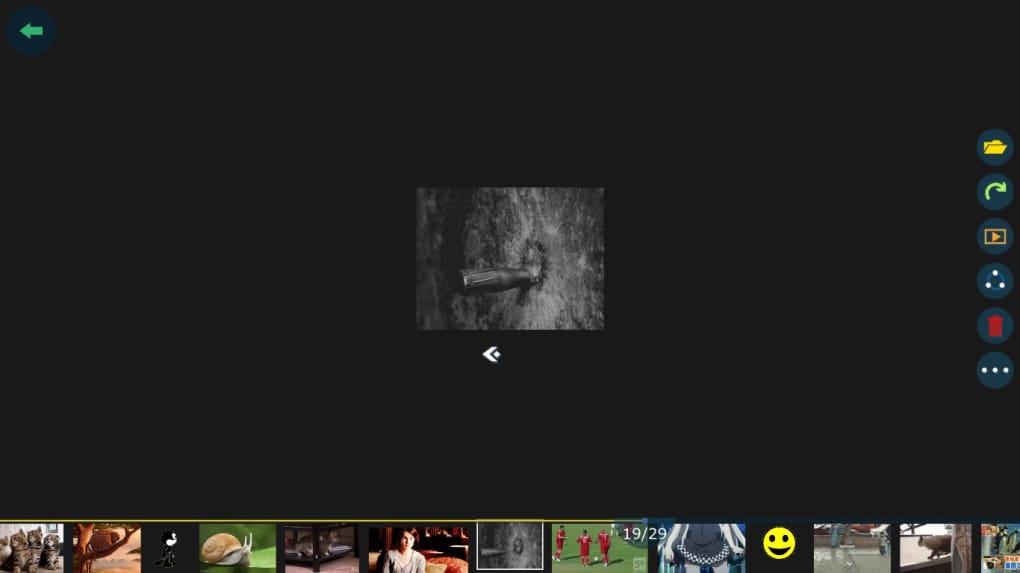
Navigation within the viewer is intuitive. Users can easily browse through their image collection using standard keyboard shortcuts or mouse clicks. The lack of overly complex features means there’s little learning curve; the program is immediately accessible to users of all technical skill levels.
Strengths of 123 Photo Viewer
Several key aspects contribute to the appeal of 123 Photo Viewer:
-
Simplicity and Ease of Use: The application’s streamlined interface and straightforward functionality make it exceptionally easy to use. Even users unfamiliar with photo viewing software can quickly navigate and utilize its features. This simplicity is a major advantage, particularly for users who prefer a hassle-free experience.
-
Quick Installation: The installation process is seamless and rapid. Users can download the application from the Microsoft Store and begin using it within minutes. This quick and easy installation makes it a convenient option for users who want to quickly access their photos without lengthy setup procedures.
-
Support for Diverse Image and Video Formats: The unexpected compatibility with popular video formats (MP4, MKV) and image formats like PSD and GIF significantly expands its practical applications. This extends its functionality beyond a simple photo viewer to a versatile media player.
-
Free and readily available: The software is free to download and use, making it an accessible option for users on a budget or those unwilling to commit to a paid subscription. Its availability through the Microsoft Store makes access convenient and removes the risk associated with downloading from less reputable websites.
-
Minimal System Resources: The application is lightweight, consuming minimal system resources. This is especially beneficial for users with older or less powerful computers, ensuring a smooth and lag-free experience.
Weaknesses of 123 Photo Viewer
While 123 Photo Viewer excels in its simplicity, it also has some limitations:
-
Lack of Advanced Features: The program’s focus on simplicity means it lacks the advanced editing and organizational tools found in more comprehensive photo viewers or image management software. Users seeking features such as image editing, batch processing, or extensive metadata management will need to look elsewhere. This limited feature set might be a drawback for those who need more comprehensive image management solutions.
-
Limited Customization: The user interface is quite basic, and there’s minimal opportunity for customization. Users cannot alter the appearance or layout beyond choosing the sorting method. This lack of flexibility might limit its appeal for users who desire a more personalized experience.
-
No Built-in Search Functionality: Finding specific images within a large collection can be challenging, as there’s no built-in search functionality. Relying solely on visual browsing or sorting is inefficient for larger photo libraries.
-
Potential for Improved Error Handling: Although user reviews are generally positive, potential improvements could be made to error handling, perhaps providing more informative messages when encountering issues with incompatible files.
Comparison with Alternative Applications
Several alternative photo viewers are available for Windows. Some popular options include:
- FastStone Image Viewer: This free viewer offers a wider range of features than 123 Photo Viewer, including basic editing capabilities, batch processing, and more extensive file format support. However, it also has a more complex interface.
-
Imagine Picture Viewer: This viewer offers a similar level of simplicity to 123 Photo Viewer, but with slightly more advanced features.
-
Photo Viewer for Win 10 and 11: This option focuses primarily on high-quality image display, without adding complexity.
The choice between these applications depends largely on individual needs and preferences. Users prioritizing ease of use and minimal resource consumption may prefer 123 Photo Viewer. Users who need advanced features may find other applications more suitable.
Conclusion
123 Photo Viewer is a solid, functional photo viewer, particularly for those who value simplicity and ease of use above all else. Its clean interface, quick installation, and surprisingly broad file format support make it a convenient and efficient tool for viewing images and videos. While lacking advanced features found in more sophisticated applications, its straightforward nature is its defining strength, offering a refreshingly uncomplicated approach to viewing photo collections. It is a highly recommended option for users who want a no-frills, yet highly effective photo viewing experience on their Windows computers. The unexpected ability to handle video playback further enhances its value, offering considerable versatility within its minimalistic design. Ultimately, whether or not 123 Photo Viewer is the right choice depends on the individual user’s specific requirements and preferences. If simplicity and ease of use are the primary priorities, then 123 Photo Viewer is a strong contender.
File Information
- License: “Free”
- Version: “2024.3.8.0”
- Latest update: “October 2, 2024”
- Platform: “Windows”
- OS: “Windows 11”
- Language: “English”
- Downloads: “245.3K”


