
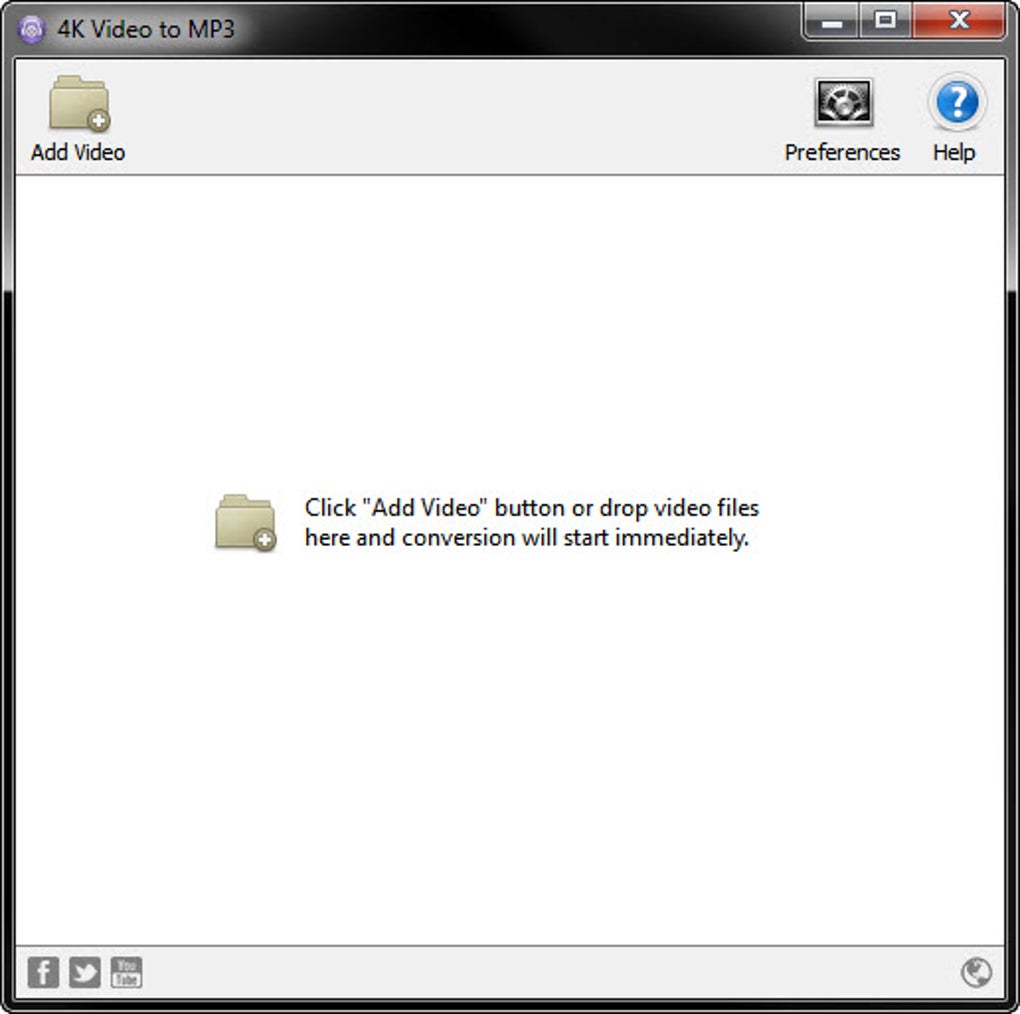
4K Video to MP3 is a free, user-friendly Windows application designed for extracting audio from video files. Its simple interface and straightforward functionality make it a popular choice for users seeking a quick and easy method to convert their video files into MP3 format. This comprehensive guide explores the software’s features, usability, alternatives, and more.
Ease of Use and Functionality
The core strength of 4K Video to MP3 lies in its simplicity. The program boasts a clean and intuitive interface, deliberately minimizing complex settings and options. This design philosophy targets users of all technical skill levels, ensuring a seamless experience from initial launch to final MP3 export. The process is straightforward: add your video file, select the output format (primarily MP3, but potentially others depending on the version), and initiate the conversion. The software handles the technical intricacies, ensuring a high-quality MP3 output with minimal user intervention. This “add-and-convert” approach is incredibly user-friendly, making it an ideal solution for those seeking a hassle-free audio extraction experience. No extensive knowledge of audio codecs, bitrates, or sample frequencies is required. The program handles all the technical aspects behind the scenes, allowing users to focus on the task at hand: converting their videos to audio.

This ease of use extends beyond the conversion process itself. The program’s small size and quick installation ensure minimal impact on system resources. This lightweight design is a considerable advantage, particularly for users with older or less powerful computers, making it accessible to a wider range of users.
Features and Capabilities
While its core function is simple – extracting audio from videos – 4K Video to MP3 offers additional features that enhance its versatility. While the exact features may vary slightly depending on the version, many versions offer the ability to directly transfer converted audio files to iTunes. This functionality streamlines the process of integrating extracted audio into existing music libraries, eliminating the need for manual file transfers. This integration directly with iTunes adds a layer of convenience for users heavily invested in the Apple ecosystem. Additionally, the software often supports the conversion of audio to formats beyond MP3, such as M4A and OGG, allowing users to tailor their audio output to their specific needs and preferred playback devices.
The program’s ability to handle various video formats is another key feature. It supports a wide range of video file types, eliminating the need to pre-convert files before extraction. This broad compatibility enhances the software’s practicality, saving users time and effort by removing an additional conversion step. The software automatically detects the audio streams within the video files and extracts them efficiently. The speed of the conversion process also contributes to the user experience, with the software typically handling conversions rapidly, especially for shorter videos. This efficiency minimizes waiting times and enhances the overall user experience.
Comparison with Alternative Software
Several alternative applications offer similar functionality, each with its own strengths and weaknesses. Direct comparisons can highlight the specific advantages of 4K Video to MP3. Some alternatives might offer a wider array of supported audio formats or advanced editing capabilities, but often at the cost of increased complexity. 4K Video to MP3 stands out through its focus on simplicity and ease of use, a deliberate design choice that differentiates it from competitors. While other programs might boast more features, the simplicity of 4K Video to MP3 makes it highly accessible to users who prioritize ease of use over advanced functionality.
Other software options might offer batch processing, allowing multiple videos to be converted simultaneously. This feature is not consistently found across all versions of 4K Video to MP3. If batch processing is a necessity, exploring alternative solutions would be beneficial. Some competitors might also include additional features such as audio editing capabilities or the ability to adjust audio parameters like bitrate or sample rate. These functionalities would cater to more advanced users. The choice between 4K Video to MP3 and an alternative depends largely on the user’s specific needs and technical proficiency.
Several open-source and freeware applications also exist, offering similar audio extraction functionality. However, these often come with a steeper learning curve and may require more technical knowledge to use effectively. This contrast once again underscores the appeal of 4K Video to MP3, with its accessible interface serving as a key selling point for users seeking a straightforward solution.
System Requirements and Compatibility
4K Video to MP3 is designed primarily for Windows operating systems, with compatibility extending back to Windows XP and later versions. This broad compatibility ensures accessibility for a wide range of users and systems, even older ones. The system requirements are typically minimal, allowing for use on machines with modest specifications. The software’s lightweight nature ensures smooth operation on most Windows systems without substantial resource consumption, allowing it to run efficiently alongside other applications.
User Reviews and Community Feedback
Gathering information from user reviews offers invaluable insights into the real-world experiences with 4K Video to MP3. These reviews frequently highlight the software’s ease of use and its effectiveness in converting videos to MP3 format. Positive feedback often emphasizes the speed of the conversion process and the high quality of the resulting audio. Any negative feedback usually relates to minor inconveniences or issues encountered in specific scenarios. A critical analysis of these reviews helps in determining whether the software effectively meets the needs of its target audience and helps to manage expectations.
The absence of extensive community support forums or a dedicated user base might be a limitation. This relative lack of community engagement might indicate a smaller and less active user base compared to other, more established audio extraction tools.
Conclusion
4K Video to MP3 provides a simple, efficient, and user-friendly solution for extracting audio from video files. Its straightforward interface and minimal system requirements make it an excellent choice for users seeking a hassle-free method for converting videos to MP3 or other supported audio formats. While it may not offer the advanced features of some alternative solutions, its emphasis on simplicity and ease of use is a considerable strength, making it an ideal choice for users who prioritize ease of use over extensive functionality. The lack of extensive community forums is a minor drawback, but the program’s inherent simplicity and straightforward functionality largely mitigate this limitation. Ultimately, the effectiveness of 4K Video to MP3 is measured not only by its technical capabilities but also by its ability to successfully fulfill its core objective: providing a user-friendly solution for converting videos to audio.
File Information
- License: “Free”
- Latest update: “July 11, 2023”
- Platform: “Windows”
- OS: “Windows XP”
- Language: “English”
- Downloads: “4.7K”
- Size: “886.83 KB”


