
7Stacks is a free Windows utility promising a Mac-style interface enhancement for managing files and folders. This review delves into its functionality, ease of use, strengths, and weaknesses, providing a comprehensive assessment for potential users. The software aims to improve file access by offering visually distinct and organized folder stacks, but does it deliver on this promise? Let’s explore.
Interface and Functionality: A Mac-Inspired Approach
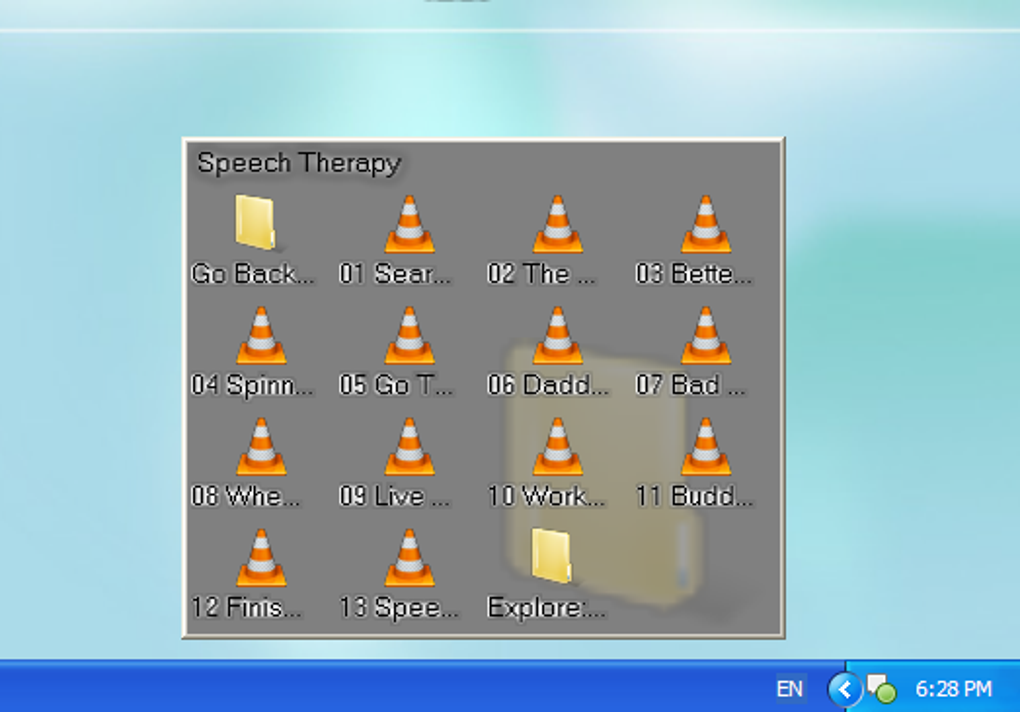
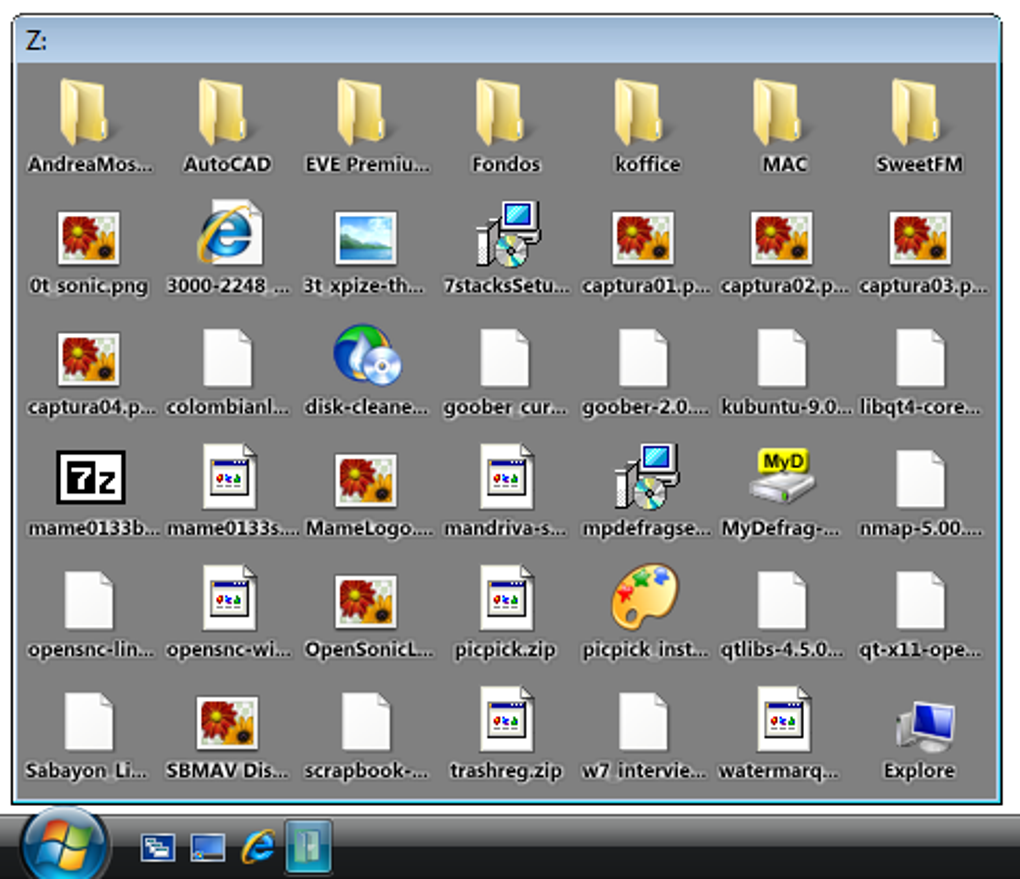
7Stacks presents a simple yet potentially appealing concept: transforming the standard Windows folder view into visually distinct stacks, mirroring the aesthetic often associated with macOS. The program allows users to select a folder and then apply one of three stack styles: Grid, Vertical, or Menu. This choice dictates how the folder’s contents are displayed, offering a degree of customization. The size of the stack can also be adjusted. Once a stack is created, users can access the folder from its original location, move it freely, or pin it to the taskbar for convenient access.
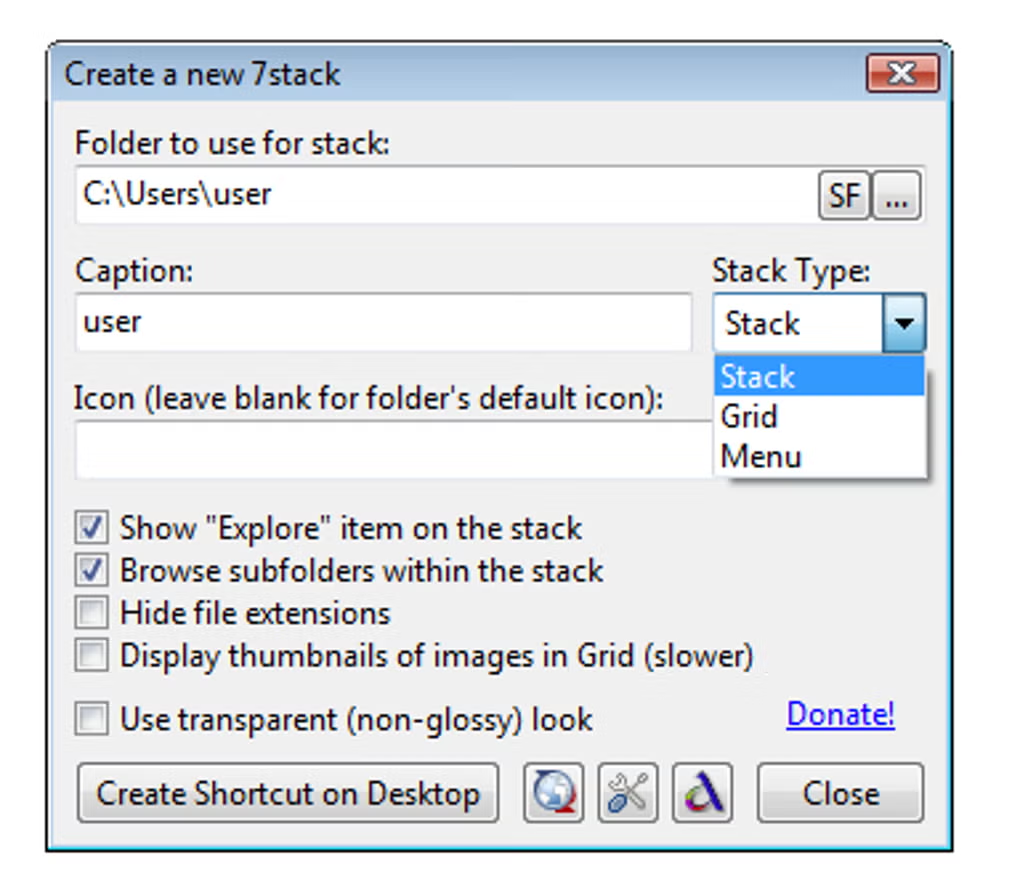
The process of creating a stack is straightforward and intuitive. The core functionality is simple and easy to grasp, even for users unfamiliar with similar file management tools. However, this simplicity also reveals a significant limitation: the lack of editing capabilities for existing stacks. Once a stack is created, users cannot modify its layout, style, or other parameters. This rigidity restricts the level of customization available, potentially limiting its appeal to users seeking a high degree of control over their visual file organization.
Performance and Resource Usage: A Trade-off for Aesthetics?
While 7Stacks offers a visually appealing alternative to standard Windows file management, its performance leaves room for improvement. User reports and observations suggest that the program can be relatively resource-intensive, which may impact the overall system responsiveness, particularly on lower-spec machines. This is a crucial consideration, especially given that the core functionality—improved file access—doesn’t demonstrably outperform the native Windows explorer in terms of speed or efficiency. The visual enhancement comes at the cost of potentially higher system resource consumption, which might not be justified for all users.
Customization Options: Limited but Straightforward
7Stacks offers a limited range of customization options, primarily focusing on the visual styling of the stacks. Users can choose from the three aforementioned layouts: Grid, Vertical, and Menu. Further visual options include toggling a glossy effect (though this functionality is not available on all Windows versions). However, a notable omission is the inability to customize the background color; it remains a consistent gray regardless of user preference. This limitation restricts the level of personalized aesthetics that users might desire, hindering its ability to fully integrate with diverse user interface preferences. The lack of background color customization, coupled with the fixed glossy effect, makes it difficult to harmonize 7Stacks’ appearance with other desktop elements.
Strengths and Weaknesses: A Balanced Perspective
7Stacks presents a mixed bag of advantages and drawbacks. On the plus side, it’s undeniably user-friendly. The process of creating and using stacks is intuitive and requires minimal technical expertise. The three visual styles provide a degree of personalization, offering a departure from the standard Windows folder appearance. Furthermore, the stacks remain fully functional, allowing for seamless interaction with the folder contents. The program’s small size also contributes to its positive aspects.
However, the limitations are equally significant. The most prominent weakness is the inability to modify existing stacks. This restricts the program’s flexibility and adaptability to evolving user needs. The resource intensity and the lack of background color customization also detract from the overall user experience. The minimal impact on file access speed compared to standard Windows file browsing is another noteworthy consideration.
Comparison with Alternative File Management Tools
Compared to other file management tools available for Windows, 7Stacks occupies a niche position. While it provides a unique visual style, it lacks the advanced features and customization options present in many alternatives. Dedicated file management applications often offer more robust functionality, including tagging, advanced search capabilities, and extensive customization options that go far beyond simply changing the visual layout of folders. 7Stacks’ strength lies in its simplicity and the distinct visual appeal it offers, but it falls short when compared to the feature-rich alternatives in the market.
Conclusion: Who Should Use 7Stacks?
7Stacks may appeal to users who primarily seek a simple visual change to their Windows file management experience and appreciate the Mac-inspired aesthetic. Its ease of use and intuitive interface are undeniable strengths. However, the limitations regarding stack modification, resource usage, and customization options mean that it’s not a suitable replacement for more comprehensive file management tools. Users seeking advanced features, extensive customization, and optimal performance should explore other applications. 7Stacks serves as a niche solution for users who prioritize a clean, visually distinct folder organization with minimal complexity and are willing to accept the limitations in customization and potential performance trade-offs. If you are simply looking for a quick and visually appealing way to organize some folders, 7Stacks may suffice, but users with more sophisticated needs should seek out more advanced software. It’s a tool best considered as a stylistic enhancement rather than a core improvement to file management efficiency.
File Information
- License: “Free”
- Latest update: “May 24, 2023”
- Platform: “Windows”
- OS: “Windows XP”
- Language: “English”
- Downloads: “15.7K”
- Size: “2.85 MB”


