
9 ZIP is a free file compression utility available for Windows PCs. Designed primarily for compressing and decompressing large amounts of data to save storage space, it offers a convenient solution for managing files efficiently. Beyond basic ZIP file handling, 9 ZIP boasts the ability to handle various other compression formats, making it a versatile tool for a range of users. However, its free status comes with certain drawbacks, primarily intrusive advertising and potentially unnecessary permissions requests. This review will delve into the details of 9 ZIP, examining its features, performance, pros, cons, and alternatives.
Features and Functionality
9 ZIP’s core functionality revolves around its ability to create and extract ZIP archives. This basic functionality is executed reliably, allowing users to quickly compress multiple files into a single, smaller ZIP file, or to extract the contents of existing ZIP archives. This ease of use is a significant advantage, making it accessible to both novice and experienced computer users. Beyond the standard ZIP format, the application supports several other popular compression formats, including RAR, 7Z, JAR, and TAR. This broad compatibility sets 9 ZIP apart from some simpler compression tools that only handle ZIP files. This multi-format support is particularly beneficial for users who frequently work with files compressed using various methods. The ability to handle a range of archive types streamlines the file management process, avoiding the need for multiple applications to handle different file formats.
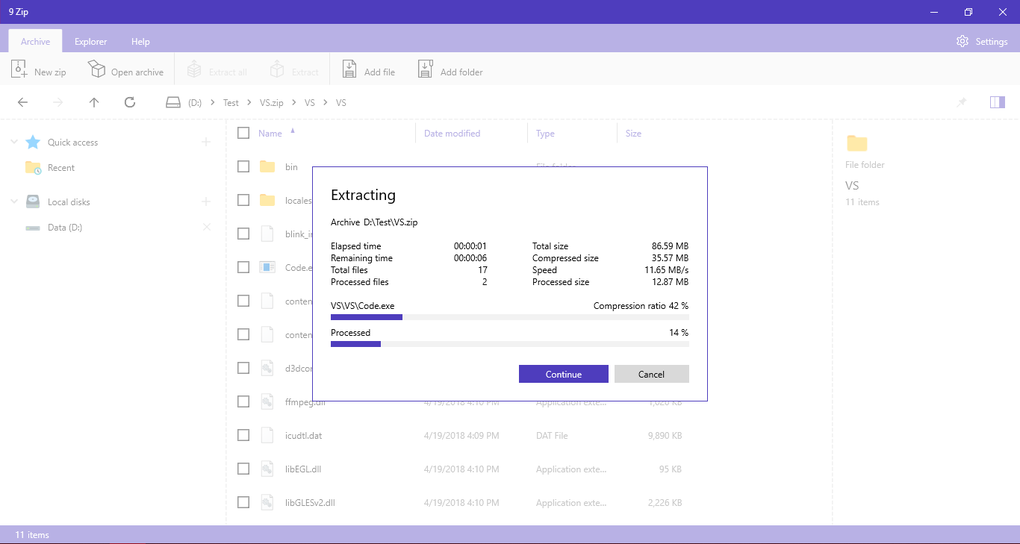
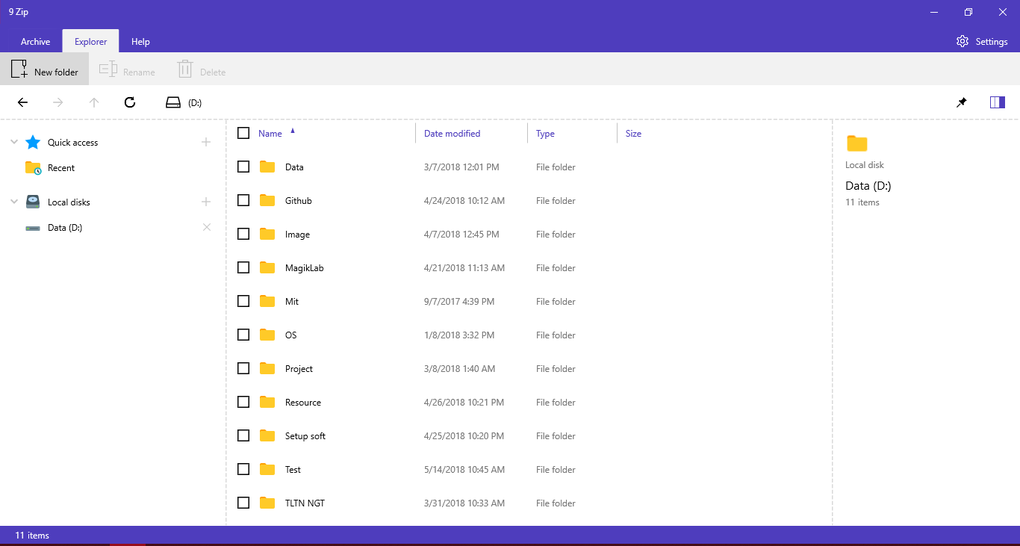
The application’s interface is designed to be intuitive and user-friendly. While not visually striking, the simplicity of the layout ensures ease of navigation and quick access to core functions. The straightforward design prioritizes functionality over aesthetics, making it easy to find the tools needed to compress or decompress files without unnecessary complications. While advanced features are absent, the focus on core functionality makes 9 ZIP a practical choice for everyday file compression needs. The simplicity also contributes to the application’s relatively low system resource consumption, ensuring smooth performance even on less powerful machines.
Performance and User Experience
While 9 ZIP handles basic compression and decompression tasks effectively, user reviews highlight some inconsistencies in performance. Some users report slow processing times for larger files, potentially indicating limitations in optimization. This performance variation may depend on factors such as the size and type of files being compressed, as well as the overall system resources available. However, for users dealing with smaller files or less computationally demanding compression tasks, the performance is generally deemed adequate.
The user experience is a mixed bag. The simplicity of the interface is appreciated by many users, while others find the lack of advanced options limiting. However, the most significant criticism revolves around the intrusive in-app advertising. The frequency and prominence of the ads significantly detract from the user experience, often disrupting workflow and causing irritation. This aggressive monetization strategy compromises the otherwise positive aspects of the software’s ease of use and functionality.
Pros and Cons
Pros:
- Free to Use: The most significant advantage of 9 ZIP is its free availability. This eliminates the cost barrier that can be associated with other commercial compression utilities. This makes it an attractive option for users on a budget or those who only require basic file compression functionality.
- Multi-Format Support: The ability to handle various archive formats beyond ZIP (including RAR, 7Z, JAR, and TAR) enhances its versatility and makes it a one-stop solution for managing diverse file types. This saves users the trouble of installing multiple applications to deal with different compression formats.
- User-Friendly Interface: The simple and intuitive interface is easy to navigate, even for users with limited technical expertise. This straightforward design minimizes the learning curve associated with using the application.
- Low System Resource Usage: 9 ZIP is relatively lightweight and doesn’t consume excessive system resources, ensuring smooth operation even on less powerful computers. This efficiency makes it suitable for use on a variety of machines, without impacting overall system performance.
Cons:
- Intrusive Advertising: The presence of numerous in-app advertisements is a significant drawback, frequently interrupting the user experience. This aggressive advertising approach can be extremely disruptive and detracts from the otherwise positive aspects of the application.
- Questionable Permissions: Some users have raised concerns about the permissions requested by the application, with some permissions appearing unrelated to its core functionality. This raises potential privacy concerns that users should carefully consider before installation.
- Performance Inconsistencies: While generally adequate for smaller files, some users report slow processing times for larger archives. This performance variation could stem from various factors, but it highlights a potential limitation in the application’s optimization.
- Lack of Advanced Features: 9 ZIP lacks the advanced features found in some commercial compression utilities. Users requiring more sophisticated compression options or specific functionalities may find it insufficient.
Alternatives to 9 ZIP
Several excellent alternatives to 9 ZIP offer comparable or superior functionality, often with a more polished user experience and fewer drawbacks. These alternatives cater to varying needs and preferences, from simple file compression to more advanced archiving functionalities. Some noteworthy alternatives include:
- 7-Zip: A highly popular and powerful open-source file archiver known for its exceptional compression ratios and wide format support. 7-Zip is free and open-source, offering a strong alternative without the intrusive advertising found in 9 ZIP.
- WinRAR: A widely used commercial archiver with an extensive feature set and strong performance. While not free, WinRAR offers a trial period allowing users to evaluate its capabilities before purchasing a license. It offers a more robust and feature-rich solution compared to 9 ZIP.
- PeaZip: A free, open-source archiver that provides a balance between ease of use and advanced features. PeaZip also handles a broad range of archive formats, providing a strong free alternative to 9 ZIP.
Conclusion
9 ZIP offers a basic, free solution for compressing and decompressing files. Its multi-format support is a significant advantage, but the intrusive advertising and questionable permissions significantly detract from the user experience. For users who prioritize a free option and can tolerate the advertisements, 9 ZIP might suffice for simple compression tasks. However, for users seeking a more polished experience, superior performance, and enhanced features, exploring alternatives like 7-Zip, WinRAR, or PeaZip is strongly recommended. These alternatives provide better value, either through superior functionality or a more user-friendly experience without the distracting advertisements that plague 9 ZIP. The choice ultimately depends on the user’s individual needs and tolerance for potential compromises.
File Information
- License: “Free”
- Version: “varies-with-device”
- Latest update: “November 24, 2021”
- Platform: “Windows”
- OS: “Windows 11”
- Language: “English”
- Downloads: “17.3K”


