
The pursuit of a smoother, more immersive mobile experience is a constant one. Whether you’re a casual gamer, a productivity power user, or simply someone who appreciates a visually crisp interface, the limitations of screen size and frame rate can often detract from enjoyment. 90 FPS & iPad View (GL, KR, IN), an Android application developed by TQTech, aims to address these limitations by providing a way to boost your device’s frame rate and simulate a larger screen experience. This review delves into the app’s capabilities, its strengths, and its shortcomings, helping you determine if it’s the right tool to enhance your Android device’s performance.
Enhanced Visual Fidelity: 90 FPS and Beyond
One of the primary draws of 90 FPS & iPad View is its promise of a higher frame rate. Many Android devices, even high-end models, may not consistently deliver a smooth 60 FPS experience, especially when running demanding applications or games. This app aims to push that limit to 90 FPS, resulting in visibly smoother animations, more responsive gameplay, and a generally more fluid user interface. However, it’s crucial to understand that achieving a consistent 90 FPS depends heavily on the hardware capabilities of your specific device. While the app strives to optimize performance, it cannot magically overcome the inherent limitations of a less powerful processor or GPU.
The app’s ability to boost frame rates is not universally guaranteed. The effectiveness of the 90 FPS enhancement may vary significantly depending on the specific application or game. Some apps or games may be optimized to take full advantage of the boosted frame rate, while others might be less responsive, showing minimal or no improvement. User feedback often highlights this variability, emphasizing the need to test the app’s performance on a per-application basis.
Expanding the Display: Simulating a Larger Screen
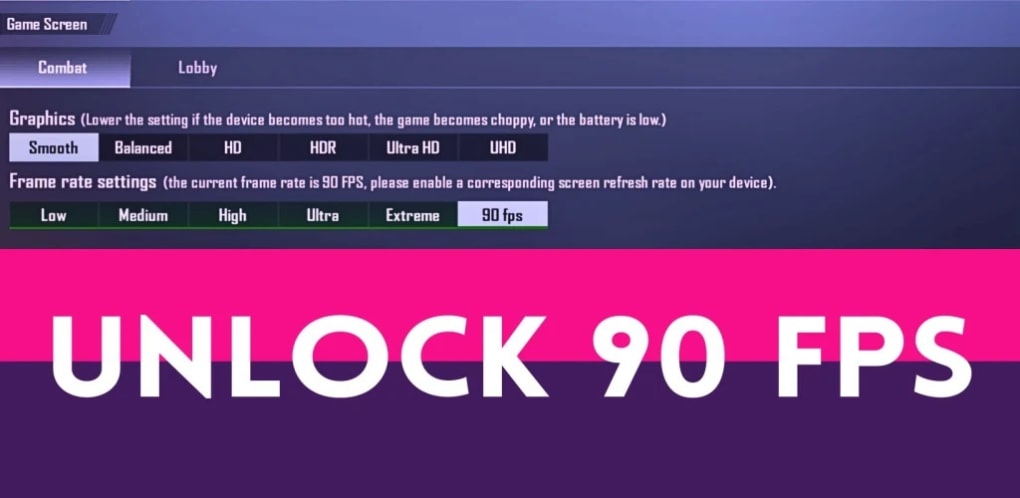
In addition to the frame rate boost, 90 FPS & iPad View offers a “larger screen” mode, emulating the experience of using a tablet or larger display device. This feature is particularly beneficial for users who find their phone’s screen too small for comfortable gaming, media consumption, or productivity tasks. The simulated larger screen provides a more expansive viewing area, making text easier to read and visuals more immersive. This feature is especially advantageous for applications that benefit from a larger screen real estate such as spreadsheets, eBooks, or graphic design apps.
However, like the frame rate boost, the success of the simulated larger screen feature depends on several factors. The quality of the scaling and the overall user experience may vary based on the aspect ratio of the original application or game. Some applications might experience stretching or distortion when enlarged, hindering the visual experience rather than improving it. The application’s developers should focus on providing customizable scaling options to mitigate this issue.
User Interface and Ease of Use
90 FPS & iPad View is designed with user-friendliness in mind. The app features a clean, intuitive interface that is easy to navigate, even for users unfamiliar with similar tools. The key settings, such as frame rate and screen size adjustments, are prominently displayed and easily accessible, minimizing the learning curve. This straightforward design makes it a suitable option for both novice and experienced Android users. The lack of complicated options and settings makes the user experience seamless, allowing users to focus on the improved visual experience rather than navigating a cluttered settings menu.
However, while simplicity is an advantage, it could also be perceived as a limitation. More advanced users might desire more granular control over specific settings, allowing for more precise adjustments tailored to individual application needs. More extensive customization options could potentially lead to an enhanced user experience, satisfying the needs of a broader range of users.
Compatibility and Limitations
One significant point to consider is the app’s compatibility. While 90 FPS & iPad View aims for broad compatibility, it’s not guaranteed to work flawlessly with every single app or game on the Android market. Some applications may be incompatible, resulting in instability, crashes, or unexpected behavior. Users have reported instances of disconnections and app crashes when attempting to launch other games or applications while 90 FPS & iPad View is active. This highlights the importance of thoroughly testing the app with your frequently used applications to ascertain compatibility. The app’s developers should continuously work to improve compatibility and address reported issues.
Furthermore, the app’s reliance on system resources means that its effectiveness can be influenced by the device’s overall performance. On devices with less powerful processors or limited RAM, the 90 FPS enhancement might be less noticeable or even lead to performance degradation. The app could benefit from incorporating a resource management system that optimizes performance based on the device’s capabilities. This could prevent potential instability or crashes on lower-end devices.
Alternative Applications and Comparisons
The market offers several alternative apps with similar functionalities, promising frame rate boosts and screen size adjustments. These alternatives often cater to specific games or target particular user preferences. Some focus solely on frame rate optimization, while others might prioritize features such as graphics customization or in-game overlays.
Comparing 90 FPS & iPad View to its competitors reveals both advantages and disadvantages. While the ease of use and straightforward interface of 90 FPS & iPad View stand out, the lack of advanced features or customization options might make it less appealing to advanced users who prefer granular control. Conversely, more feature-rich competitors might offer more robust control but might have a steeper learning curve. Ultimately, the best choice depends on individual needs and priorities.
Conclusion: Is 90 FPS & iPad View Worth It?
90 FPS & iPad View offers a compelling proposition for Android users seeking a smoother, more immersive experience. Its user-friendly interface and straightforward operation make it easy to use, even for beginners. The potential for improved frame rates and a larger simulated screen can significantly enhance the enjoyment of games and various applications. However, it’s essential to be aware of the app’s limitations, including its compatibility issues and potential for performance variations across different devices and applications.
The app’s effectiveness varies, and users should manage their expectations accordingly. Not all devices or applications will benefit equally from the 90 FPS boost or larger screen simulation. Prior to downloading and using the app, users should research its compatibility with their specific device and applications. A thorough understanding of the app’s capabilities and limitations is crucial for determining if 90 FPS & iPad View aligns with your needs and expectations. The app provides a simple solution to improve visual experience but doesn’t offer the advanced customization options found in similar applications. Therefore, the decision of whether to utilize 90 FPS & iPad View remains contingent on individual preferences and the specific requirements of the user.
File Information
- License: “Free”
- Latest update: “October 24, 2024”
- Platform: “Android”
- OS: “Android 13.0”
- Language: “English”
- Downloads: “265.4K”
- Download Options: “Google Play”


