
AbiWord is a free and open-source word processing program that offers a lightweight yet capable alternative to commercial options like Microsoft Word. While it may lack the extensive feature set of its more established counterparts, AbiWord excels in simplicity, ease of use, and its surprisingly robust compatibility with various document formats. This makes it a compelling choice for users who prioritize a straightforward, resource-efficient word processor, particularly those working on older or less powerful machines.
AbiWord’s Strengths: Simplicity and Compatibility
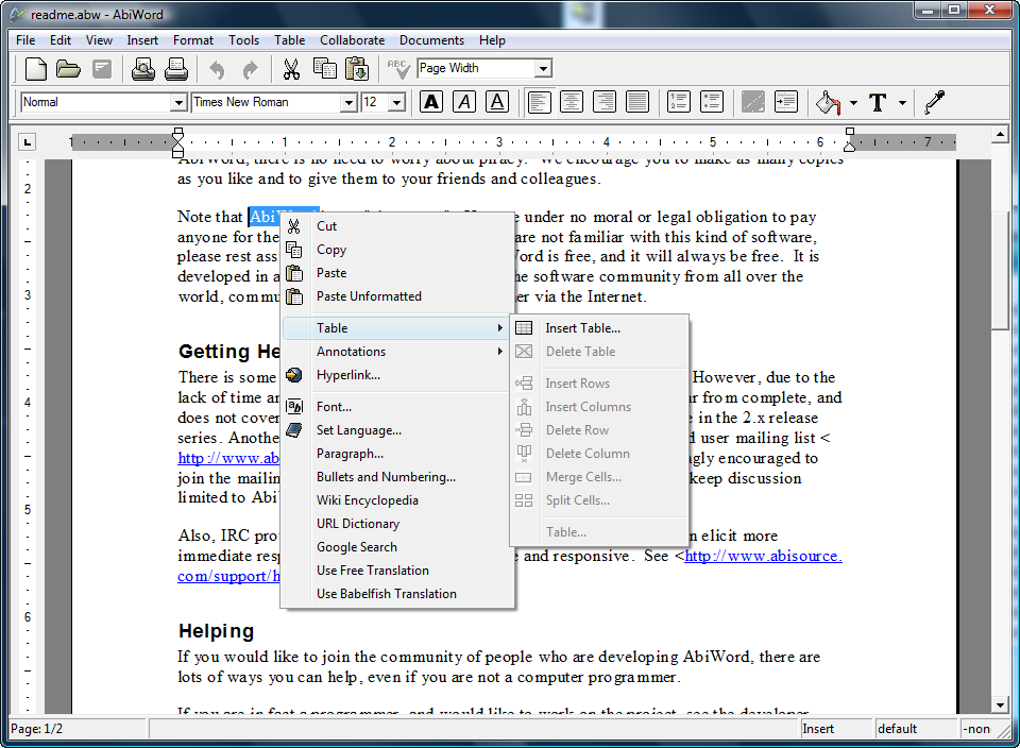
One of AbiWord’s most significant advantages is its minimalistic design. The interface is clean and intuitive, making it easy for even novice users to quickly grasp the fundamentals of document creation and editing. This simplicity translates to a remarkably small program footprint, requiring minimal system resources. This is a significant benefit for users with older computers or those working with limited processing power and memory. Unlike resource-intensive programs that can slow down system performance, AbiWord operates efficiently, allowing for smooth and responsive document editing.
Beyond its streamlined interface, AbiWord boasts impressive compatibility with a wide array of document formats. It seamlessly reads and writes files created in OpenOffice, Microsoft Word, and WordPerfect, as well as supporting Rich Text Format (RTF) and HTML. This broad compatibility eliminates the need for format conversions, streamlining the workflow and ensuring seamless collaboration with users employing different software. The ability to handle various formats ensures that AbiWord can be integrated into a diverse range of work environments and projects, without the limitations often imposed by proprietary software.
The program’s compatibility extends beyond common file types. AbiWord’s architecture is designed to integrate seamlessly with the operating system it runs on, taking advantage of inherent system functionalities such as image loading and printing capabilities. This integration fosters a more fluid user experience, creating a cohesive link between the word processor and the computer’s overall functionality.
AbiWord’s Functionality and Features
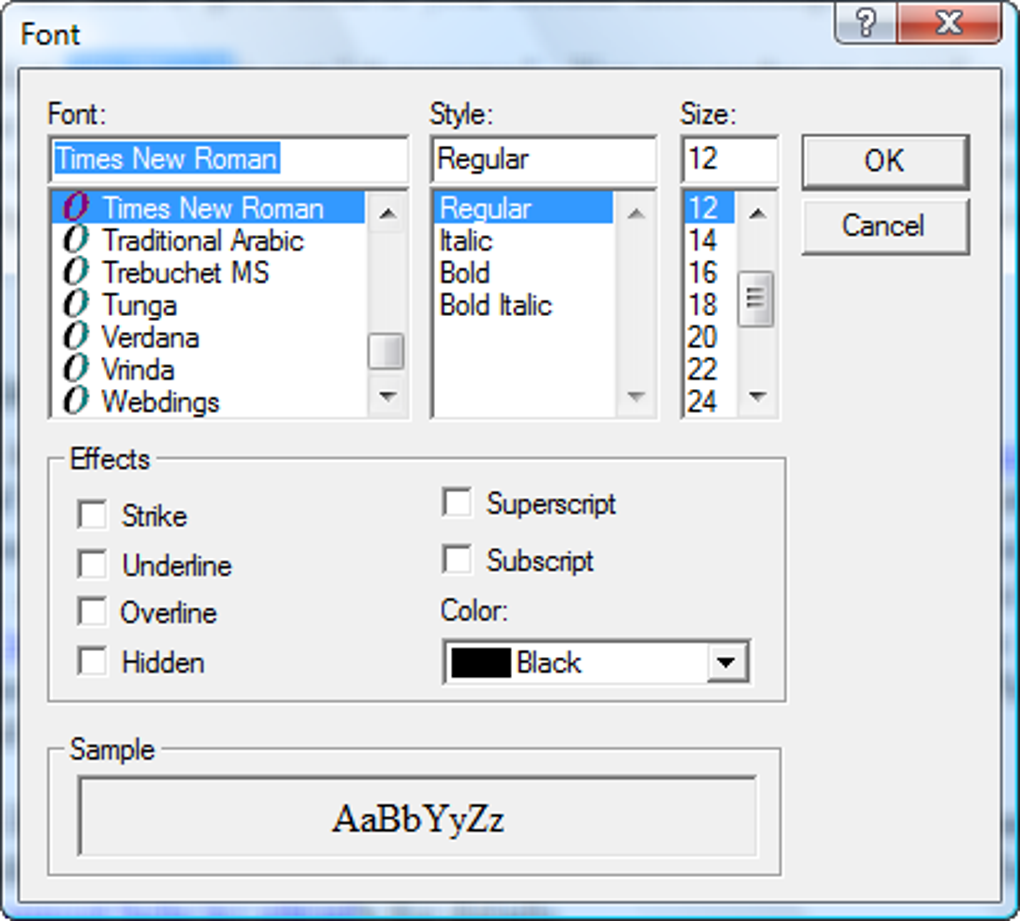
While AbiWord prioritizes simplicity, it still provides a solid foundation of features necessary for everyday word processing tasks. Basic text formatting options are readily available, allowing users to adjust font styles, sizes, and colors, along with the ability to create numbered and bulleted lists, indentations, and tables. While the extent of formatting options may not match the depth provided by commercial software, AbiWord offers sufficient tools for creating clean and well-structured documents.
AbiWord also supports the insertion of images and other multimedia elements, adding visual appeal to documents where needed. This functionality further enhances the program’s versatility, making it suitable for a wider range of document types, from simple letters to more visually engaging reports and presentations. However, the image editing capabilities within AbiWord are basic, offering minimal control over image placement and formatting.
Furthermore, AbiWord’s extensibility is a significant feature. The program supports plugins, offering users the opportunity to expand its functionality based on their specific needs. These plugins can range from spell checkers and thesauruses to specialized format converters and document importers, effectively addressing some of the limitations of the core application. This plugin-based system makes AbiWord highly customizable, enabling users to tailor the program to fit their unique work styles and demands.

AbiWord’s Limitations and Areas for Improvement
Despite its strengths, AbiWord does have some limitations that users should be aware of. The program’s range of advanced editing features is less comprehensive compared to commercial options like Microsoft Word. This includes limitations in features like advanced formatting options, sophisticated layout tools, and collaborative editing capabilities. While the basic tools are sufficient for many users, users accustomed to the breadth of features in commercial software may find AbiWord somewhat lacking.
The reliance on plugins to extend AbiWord’s functionality can also be seen as both an advantage and a disadvantage. While plugins add flexibility, finding and installing reliable plugins can sometimes be cumbersome. The program’s core functionality doesn’t include advanced features like integrated spell checking or advanced track changes, requiring the installation of plugins to gain access to these features. This reliance on external components can add complexity to the overall user experience, especially for less tech-savvy users.
AbiWord Compared to Other Word Processors
AbiWord occupies a unique niche in the word processing landscape. While it doesn’t compete with the feature-rich capabilities of Microsoft Word or Google Docs, it distinguishes itself by offering a streamlined, lightweight, and highly compatible solution. For users seeking a simple and efficient word processor without the overhead of complex features, AbiWord stands out. Its ease of use and small system footprint make it suitable for users with older or less powerful machines, where resource-intensive programs would hinder performance.
Unlike subscription-based services, AbiWord is entirely free and open-source, eliminating recurring costs and offering users greater control over the software. This freedom is appealing to many users who prefer avoiding software licensing fees and appreciate the transparency associated with open-source projects. However, the lack of direct corporate support might be a concern for some users who rely on immediate technical assistance for troubleshooting issues.
Conclusion: Is AbiWord Right for You?
AbiWord is a valuable tool for users seeking a simple, lightweight, and highly compatible word processor. Its strengths lie in its ease of use, resource efficiency, and robust support for various document formats. This makes it an ideal choice for users with less powerful machines, those prioritizing simplicity over advanced features, or those who prefer free and open-source software.
However, it is crucial to acknowledge its limitations. AbiWord lacks some of the advanced features found in commercial options, and its reliance on plugins might introduce complexities for some users. The best fit for AbiWord is amongst users who prioritize simplicity, compatibility, and a small system footprint. For those needing advanced features and extensive formatting options, other, more feature-rich word processors might be better suited. Ultimately, the choice depends on individual needs and priorities. AbiWord offers a compelling alternative for specific user profiles, providing a worthy and free alternative in a landscape dominated by commercial giants.
File Information
- License: “Free”
- Latest update: “May 24, 2023”
- Platform: “Windows”
- OS: “Windows 98 SE”
- Language: “English”
- Downloads: “274.3K”
- Size: “11.08 MB”


