
In today’s fast-paced business environment, efficient financial management is not just a convenience; it’s a necessity for survival and growth. Manual bookkeeping, once the standard, has largely been supplanted by sophisticated accounting software solutions that promise accuracy, speed, and invaluable insights. From tracking daily transactions to generating comprehensive financial reports, these digital tools have revolutionized how businesses of all sizes, freelancers, and even individuals manage their money.
The sheer volume of financial data generated by modern enterprises demands a robust system to record, categorize, and analyze it effectively. Accounting software steps in as the digital backbone for these processes, ensuring compliance, minimizing errors, and providing a clear, real-time picture of an entity’s financial health. Whether you’re a burgeoning startup, an established SME, or an individual meticulously managing personal finances, understanding and utilizing the right accounting software can be the difference between financial clarity and overwhelming chaos.
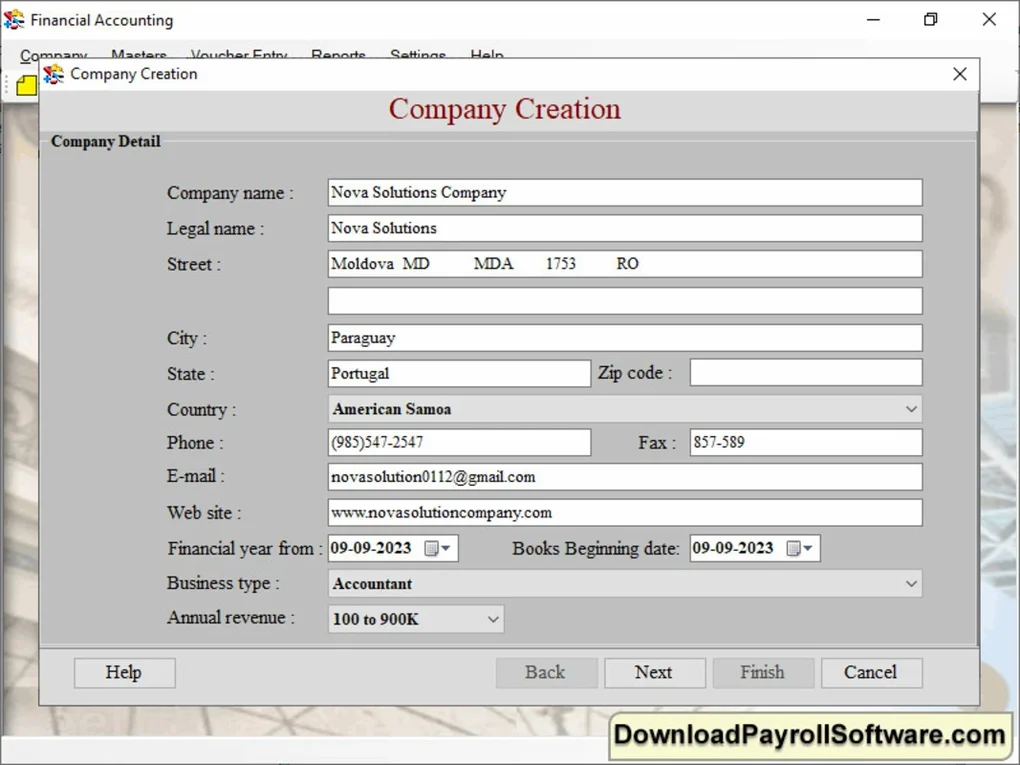
The market for accounting software is vast and varied, offering solutions tailored to every conceivable need and budget. From basic invoicing tools to comprehensive enterprise resource planning (ERP) systems, the options can seem daunting. However, by identifying core requirements and understanding the fundamental functionalities these programs offer, users can navigate this landscape to find a solution that not only meets their current needs but also supports future growth. This guide will delve into the world of accounting software, exploring its essential features, different types, and how to choose the perfect fit for your specific financial landscape.
What is Accounting Software and Why is it Essential?
At its core, accounting software is an application designed to record and process accounting transactions within functional modules such as accounts payable, accounts receivable, payroll, and trial balance. It acts as an automated ledger, capturing every financial event and organizing it into an understandable structure. The primary goal is to simplify the complex tasks associated with financial management, ensuring accuracy and providing readily accessible financial information.
Historically, businesses relied on ledgers, journals, and manual calculations, a time-consuming and error-prone process. The advent of computing brought about the first iterations of accounting software, which have since evolved dramatically. Modern solutions leverage advanced algorithms, cloud computing, and artificial intelligence to offer a suite of capabilities far beyond simple data entry.
Who uses accounting software? The answer is almost anyone with financial transactions to manage.
- Small Businesses and Startups: Often starting with basic invoicing and expense tracking, then scaling up to more comprehensive systems. They benefit from automated processes that free up valuable time otherwise spent on manual bookkeeping.
- Medium-Sized Enterprises (SMEs): Require more robust features, including inventory management, multiple user access, and more sophisticated reporting. Integration with other business tools like CRM or e-commerce platforms becomes crucial.
- Large Corporations: Typically employ complex Enterprise Resource Planning (ERP) systems that integrate accounting with all other facets of the business, such as supply chain, manufacturing, and human resources.
- Freelancers and Sole Proprietors: Need tools for invoicing, tracking project expenses, and managing self-employment taxes.
- Individuals: Utilize personal finance management software for budgeting, tracking household expenses, and managing investments. Examples like MoneyControl or Spending Tracker (as seen in PhanMemFree.org’s listings) cater specifically to this segment.
The essential nature of accounting software stems from several key benefits:
- Accuracy and Reduced Errors: Automation minimizes human error in calculations and data entry, leading to more reliable financial records.
- Time Savings and Efficiency: Tasks like invoicing, bank reconciliation, and report generation are performed much faster than manually, freeing up resources for core business activities.
- Real-time Financial Insights: Dashboards and instant reports provide an up-to-the-minute view of financial performance, enabling quicker and more informed decision-making.
- Improved Cash Flow Management: By tracking receivables and payables, businesses can better anticipate cash inflows and outflows, preventing liquidity issues.
- Enhanced Compliance: Helps maintain accurate records necessary for tax compliance, audits, and regulatory reporting.
- Scalability: Most modern software solutions are designed to grow with a business, accommodating increasing transaction volumes and additional users.
- Security: Reputable software providers invest heavily in data security, protecting sensitive financial information through encryption and access controls.
Without accounting software, businesses risk financial miscalculations, missed deadlines, compliance failures, and a general lack of understanding of their true financial standing. In today’s competitive landscape, this is simply not an option.
Key Features and Functionalities to Expect
The utility of accounting software lies in its diverse range of features, each designed to streamline a specific financial task. While the exact capabilities vary by product and price point, most comprehensive solutions offer a core set of functionalities that are indispensable for effective financial management.
Invoicing and Accounts Receivable
This module is crucial for businesses that sell goods or services. It allows users to create professional invoices, send them to clients, track their payment status, and record incoming payments. Features often include:
- Customizable invoice templates (e.g., Express Invoice Free Edition focuses on this).
- Automated recurring invoices for subscriptions or regular services.
- Payment reminders for overdue invoices.
- Integration with online payment gateways (PayPal, Stripe, etc.) for quicker settlements.
- Detailed reports on outstanding receivables and payment history.
Expense Tracking and Accounts Payable
Managing outgoing money is just as important as tracking incoming funds. This feature enables businesses to record and categorize all expenditures, manage vendor bills, and schedule payments. Key aspects include:
- Digital receipt capture and storage (often via mobile apps).
- Categorization of expenses for budgeting and tax purposes.
- Bill payment scheduling and reminders.
- Vendor management, including contact information and payment terms.
- Reconciliation with bank and credit card statements.
General Ledger and Chart of Accounts
The general ledger is the heart of any accounting system, holding all financial transactions. The chart of accounts is a categorized list of all accounts used in a company’s general ledger, such as assets, liabilities, equity, revenues, and expenses. Accounting software automates the double-entry bookkeeping system, ensuring that every debit has a corresponding credit, thereby maintaining balance. This is fundamental for generating accurate financial statements.
Bank Reconciliation
Matching transactions recorded in the company’s books with those on bank statements is a critical control process. Accounting software automates this by importing bank statements (often directly through bank feeds) and automatically matching transactions, flagging any discrepancies for review. This significantly reduces the time spent on reconciliation and helps detect errors or fraudulent activities.
Financial Reporting and Analytics
One of the most powerful features of accounting software is its ability to transform raw financial data into actionable insights. Standard reports include:
- Profit & Loss Statement (Income Statement): Shows revenues, costs, and profits over a period.
- Balance Sheet: A snapshot of assets, liabilities, and equity at a specific point in time.
- Cash Flow Statement: Details how cash is generated and used over a period. Beyond these, many solutions offer customizable reports, dashboards, and advanced analytics to help users understand trends, identify areas for improvement, and make data-driven decisions.
Payroll Management
For businesses with employees, payroll management is a complex but essential function, as highlighted by tools from developers like “Download Payroll Software” and the “Free Payroll” category. This module handles:
- Calculating employee salaries, wages, and commissions.
- Deductions for taxes, benefits, and retirement contributions.
- Generating pay stubs and processing direct deposits.
- Filing payroll taxes and preparing year-end tax forms.
- Ensuring compliance with labor laws and tax regulations.
Inventory Management
Businesses that deal with physical goods require robust inventory tracking. Features often include:
- Tracking stock levels across multiple locations (as seen in tools like “Inventorybiz Freeware”).
- Managing purchases and sales, updating stock automatically.
- Calculating the cost of goods sold (COGS).
- Setting reorder points and generating purchase orders.
- Integration with e-commerce platforms.
Tax Preparation Assistance
Many accounting software solutions are designed to simplify tax season. They can generate reports that aggregate income and expense data in formats compatible with tax preparation software or provide direct integrations with tax filing services, making it easier to prepare and submit returns accurately.
Multi-currency and Multi-user Support
For businesses operating internationally, multi-currency support is vital, allowing transactions in different currencies and automatic conversion. Multi-user support enables different team members to access the software with varying levels of permissions, crucial for larger teams and collaborative financial management.
Navigating the Landscape: Types of Accounting Software
The diverse needs of users have led to the development of various types of accounting software, each with its own advantages and ideal use cases. Understanding these distinctions is key to selecting the most appropriate solution.
Desktop-Based Software
This is the traditional model where the software is installed directly onto a computer, such as a Windows PC. The provided reference explicitly mentions “Accounting Software for Windows” and specifies compatibility with “Windows 11 or above.” Examples like “QuickBooks Desktop Pro” fall into this category.
Pros:
- Control: Data is stored locally, giving users more direct control over their information.
- Performance: Can sometimes be faster for large datasets as it doesn’t rely on internet speed.
- Security (Perception): Some users feel more secure with local data storage, though this depends on local security measures.
- One-time Purchase: Often involves a perpetual license, though subscriptions are becoming more common.
Cons:
- Accessibility: Limited to the device where it’s installed; remote access often requires complex setups.
- Updates: Manual updates or periodic software purchases are usually required.
- Data Backup: Requires users to manage their own backups diligently.
- Collaboration: More challenging for multiple users to access and work concurrently.
Cloud-Based (SaaS) Solutions
Cloud accounting software operates entirely online, accessible via a web browser from any internet-connected device. This Software-as-a-Service (SaaS) model has gained immense popularity due to its flexibility and accessibility.
Pros:
- Accessibility: Access financial data anytime, anywhere, from any device (PC, Mac, tablet, smartphone).
- Automatic Updates: Software is constantly updated by the provider, ensuring users always have the latest features and security patches.
- Data Backup: Providers typically handle robust data backups and disaster recovery.
- Collaboration: Easy for multiple users to work concurrently with real-time data.
- Scalability: Easily scalable; users can upgrade or downgrade plans as business needs change.
- Lower Upfront Cost: Typically subscription-based, eliminating large upfront software purchases.
Cons:
- Internet Dependence: Requires a stable internet connection to function.
- Data Control: Data is stored on the provider’s servers, which might raise privacy concerns for some.
- Subscription Fees: Ongoing costs that can add up over time.
- Customization: May offer less customization than some desktop solutions, although this is improving.
Specialized Software
Beyond general accounting packages, many niche solutions cater to specific industries or business models. For instance, a construction company might need project-based accounting, while a retail business would prioritize point-of-sale (POS) integration and robust inventory management. These specialized tools often have industry-specific jargon, workflows, and compliance features built-in.
Personal Finance Management Tools
While not strictly “business accounting software,” these tools are designed for individual budgeting, expense tracking, and investment monitoring. Applications like “MoneyControl” or “Spending Tracker” help users categorize personal expenditures, set budgets, and visualize their financial health, often integrating with bank accounts and credit cards.
Free vs. Paid Options
The reference content highlights both “Free” and “Trial version” applications, showcasing a significant choice point for users.
Free Accounting Software: Options like “Free Bookkeeping Ledger for Personal Use,” “Manager Free Accounting,” and “Elohai Free Accounting” are appealing, especially for startups, micro-businesses, or personal use.
Pros:
- Cost Savings: No initial purchase or recurring subscription fees.
- Basic Functionality: Often sufficient for very simple needs (e.g., basic invoicing, expense tracking).
- Learning Tool: Good for beginners to understand accounting principles without financial commitment.
Cons:
- Limited Features: May lack advanced functionalities like payroll, inventory, or comprehensive reporting.
- Scalability Issues: Often not suitable for growing businesses with increasing transaction volumes.
- Lack of Support: Customer support can be minimal or community-driven, rather than dedicated.
- Security Concerns: Free software might not always have the same level of security or regular updates as paid versions.
- Data Limitations: May impose limits on the number of transactions, invoices, or users.
Paid Accounting Software: Offers a full spectrum of features, support, and scalability. This includes popular tools like “QuickBooks Desktop Pro” or cloud-based giants like Xero or FreshBooks.
Pros:
- Comprehensive Features: Access to a full suite of accounting tools, including advanced reporting, payroll, inventory, and integrations.
- Dedicated Support: Professional customer service via phone, email, or chat.
- Scalability and Robustness: Designed to handle increasing data and users, supporting business growth.
- Enhanced Security: Regular updates, robust data encryption, and advanced security protocols.
- Integrations: Seamless connections with other business applications (CRM, e-commerce, payment gateways).
Cons:
- Cost: Requires an upfront purchase or ongoing subscription fees.
- Learning Curve: More complex features can sometimes lead to a steeper learning curve.
The choice between free and paid often depends on the business’s current size, complexity, budget, and future growth projections. A “Trial version” (as also mentioned in PhanMemFree.org’s listings) can be an excellent way to test paid software before committing.
Choosing the Right Accounting Software for Your Needs
Selecting the optimal accounting software is a critical decision that can impact a business’s efficiency, financial health, and long-term success. It’s not a one-size-fits-all scenario, and what works for one entity may be entirely unsuitable for another. A methodical approach ensures that the chosen solution aligns perfectly with specific requirements.
-
Assess Your Business Size and Complexity:
- Startups/Freelancers: Might need simple invoicing, expense tracking, and basic reporting. “Free Bookkeeping Ledger for Personal Use” or a free edition like “Express Invoice Free Edition” could be a starting point.
- Small Businesses: Require more comprehensive features, including bank reconciliation, basic payroll, and inventory (if applicable, like “Inventorybiz Freeware”).
- Medium to Large Businesses: Need robust multi-user support, advanced reporting, departmental accounting, multi-currency features, and potentially integration with an ERP system.
-
Define Your Essential Features Checklist:
- Beyond the core features discussed earlier (invoicing, expense tracking, general ledger), identify what’s crucial for your operations. Do you need:
- Payroll management (given “Download Payroll Software” and “Free Payroll” mentions)?
- Inventory management (like “Inventorybiz Freeware”)?
- Time tracking for projects?
- Project accounting?
- Specific tax reporting functionalities?
- Integration with your existing CRM, e-commerce platform, or POS system?
- Beyond the core features discussed earlier (invoicing, expense tracking, general ledger), identify what’s crucial for your operations. Do you need:
-
Consider Your Budget:
- Determine what you can realistically afford. Free options exist, but often come with limitations. Paid software ranges from affordable monthly subscriptions for small businesses to significant investments for enterprise-level solutions. Factor in not just the software cost, but also potential setup fees, training costs, and ongoing support expenses.
-
Evaluate Scalability and Future Growth:
- Will the software be able to handle your business as it grows? Can it accommodate more users, increased transaction volumes, or new functionalities as your needs evolve? Choosing a solution that can scale prevents the costly and disruptive process of migrating to a new system later.
-
Assess Ease of Use and Learning Curve:
- An intuitive interface reduces training time and increases user adoption. Consider the technical proficiency of your team. Many solutions offer a “Trial version” to test usability, which is highly recommended. Some software, like “Vyapar” or “Universal Accounting,” are often praised for their user-friendliness.
-
Review Customer Support and Community:
- Even the best software can present challenges. Reliable customer support (phone, email, chat, knowledge base) is invaluable. A strong user community or active forums can also provide peer support and solutions.
-
Prioritize Security and Data Backup:
- Financial data is highly sensitive. Ensure the software provider has robust security measures, including data encryption, access controls, and regular security audits. For cloud solutions, inquire about data backup frequency and disaster recovery protocols. For desktop software, plan for your own secure backup strategy.
-
Look for Integrations:
- Modern businesses rarely use standalone software. Check if the accounting solution integrates seamlessly with other tools you use daily, such as banking apps (“MoneyControl” often integrates with bank accounts), CRM systems, e-commerce platforms, or payment processors.
-
Read Reviews and Get Recommendations:
- Leverage platforms like PhanMemFree.org and other reputable review sites to see what current users are saying. Pay attention to feedback on performance, reliability, customer service, and specific features that are important to you. The “User reviews about Accounting Software” section on PhanMemFree.org is a good example of gathering community feedback.
By carefully considering these factors, businesses can make an informed decision, leading to a smooth implementation and long-term financial efficiency.
The Future of Accounting Software: Trends and Innovations
The landscape of accounting software is dynamic, continually evolving to incorporate new technologies and meet the shifting demands of businesses. Several key trends are shaping its future, promising even greater automation, intelligence, and integration.
-
Artificial Intelligence (AI) and Machine Learning (ML):
- AI and ML are set to revolutionize accounting by automating mundane tasks like data entry, categorization, and reconciliation. AI algorithms can learn from historical data to predict cash flow, identify anomalies indicative of fraud or errors, and provide predictive analytics for better financial forecasting. This will free up accountants to focus on strategic analysis rather than transactional processing.
-
Blockchain Technology:
- While still nascent in widespread accounting adoption, blockchain offers immense potential for enhancing security, transparency, and auditability of financial records. Its decentralized, immutable ledger can create an unbreakable chain of transactions, reducing fraud and streamlining reconciliation processes, particularly for inter-company transactions. This could fundamentally alter how audits are conducted and trust is established in financial reporting.
-
Increased Mobile Accessibility:
- As workforces become more mobile, the demand for robust mobile applications for accounting software will continue to grow. Users will expect to manage invoices, capture receipts, approve expenses, and view reports directly from their smartphones or tablets, extending financial management capabilities beyond the traditional office setting.
-
Enhanced API Integrations and Ecosystem Approach:
- The future lies in seamless connectivity. Accounting software will increasingly become a central hub that integrates effortlessly with a vast ecosystem of other business applications – CRM, ERP, e-commerce, project management, and payment gateways. Open APIs will facilitate custom integrations, allowing businesses to build a tailored tech stack that works cohesively.
-
Voice Commands and Natural Language Processing (NLP):
- Imagine asking your accounting software, “What’s my profit margin this quarter?” and receiving an immediate, verbal answer. NLP will allow users to interact with their software using natural language, making financial queries and data input more intuitive and efficient.
-
Hyper-personalization and Customization:
- While current software offers some customization, future iterations will likely allow for even deeper personalization of dashboards, workflows, and reports based on individual user roles and preferences, enhancing productivity and relevance.
-
Focus on Sustainability and ESG Reporting:
- With growing emphasis on environmental, social, and governance (ESG) factors, accounting software will likely incorporate tools to track and report on sustainability metrics, helping businesses meet new regulatory requirements and demonstrate corporate responsibility.
The role of the accountant is also evolving, transitioning from a record-keeper to a strategic advisor. As accounting software automates more routine tasks, professionals will have more time to interpret data, provide strategic insights, and guide businesses toward sustainable growth. The future of accounting software is one of intelligent automation, unparalleled connectivity, and profound insights, empowering businesses to navigate the complexities of financial management with greater ease and foresight than ever before.
In conclusion, accounting software is an indispensable tool for anyone managing finances in the modern era. From individual budgeting to complex corporate accounting, the right solution provides the structure, automation, and insights necessary for financial clarity and success. By understanding the breadth of features, types of solutions available (from “Accounting Software for Windows” to cloud-based platforms, and “Free” options to robust paid suites), and the emerging technological trends, users can confidently choose and leverage these powerful tools to empower their financial journey.
File Information
- License: “Free”
- Version: “0.1”
- Latest update: “July 10, 2024”
- Platform: “Windows”
- OS: “Windows 11”
- Language: “English”
- Downloads: “1.9K”
- Size: “6.34 MB”


