
Ace Media Player is a free media player application designed for Windows operating systems. While it claims to support a wide range of media formats, its functionality and user experience fall significantly short of expectations when compared to more established and feature-rich alternatives. This review delves into the strengths and weaknesses of Ace Media Player, examining its capabilities, interface, and overall performance to determine its suitability for the average user.
Interface and User Experience
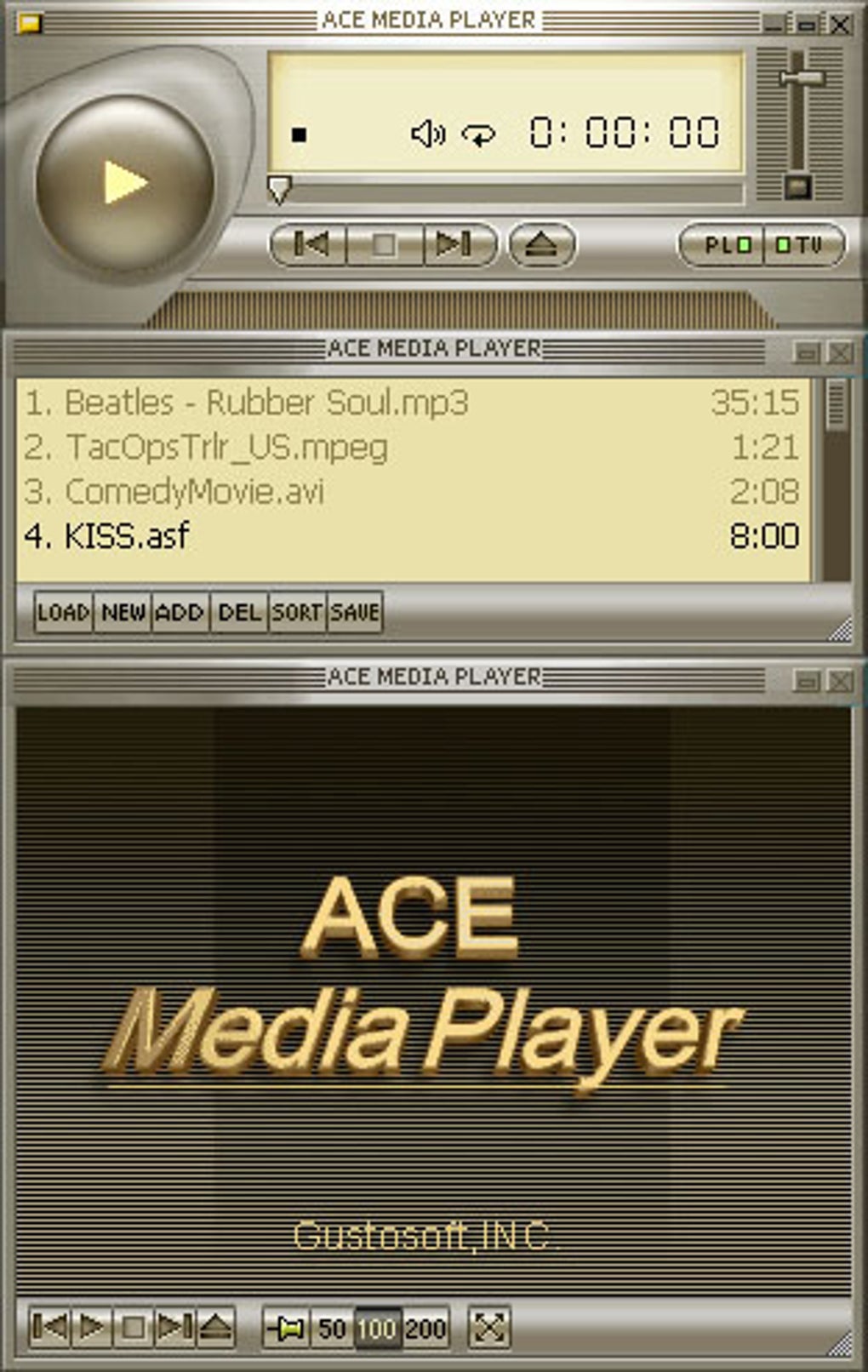
Ace Media Player’s interface presents a stark contrast to the sleek and modern designs of contemporary media players. Its appearance is dated, lacking the intuitive design and visually appealing elements found in popular alternatives. The absence of drag-and-drop functionality severely hampers usability, forcing users to navigate through menus and file explorers to load media files. This cumbersome process significantly impacts the overall user experience, making it a less-than-ideal choice for users seeking a streamlined and efficient media playback solution. The limited system explorer capability further exacerbates this issue, particularly for users with disorganized media libraries. Finding and playing specific files becomes a time-consuming task, undermining the convenience that a media player should provide.
The lack of visual appeal extends beyond the basic layout. The program lacks the customization options that allow users to personalize the appearance to match their preferences. This lack of flexibility contributes to the overall feeling of datedness and limits the appeal for users seeking a more aesthetically pleasing media player. In short, the user interface of Ace Media Player is a significant drawback, impacting the overall user experience in a negative way.

Functionality and Supported Formats
Ace Media Player claims to support a wide variety of audio and video formats. However, in practical usage, the actual range of supported formats and the reliability of playback can be inconsistent. While it may successfully play some common formats, its compatibility with less frequently used formats can be unreliable, leading to playback errors or complete failure to load certain files. This inconsistency undermines the player’s advertised versatility. The lack of comprehensive codec support contributes to these issues. Users may find themselves needing to install additional codecs to play certain files, adding an extra layer of complexity to the process. This contrasts sharply with media players that boast built-in support for a vast range of codecs, providing a more seamless and frustration-free user experience.
Furthermore, the absence of crucial features common to modern media players further diminishes its functionality. Features such as playlist creation, subtitle support, and advanced audio/video settings are conspicuously absent. This limited feature set significantly restricts the player’s capabilities, making it unsuitable for users who require advanced controls or customization options. The lack of these features highlights Ace Media Player’s overall lack of development and attention to modern media player standards.
Performance and System Resources

Ace Media Player’s performance is another area where it falls short. While it may adequately play simple audio and video files, its performance with high-resolution or large files can be subpar. Users may experience buffering issues, lag, and occasional crashes, particularly when dealing with demanding media content. This sluggish performance negatively impacts the viewing experience, making it unsuitable for users who require smooth and consistent playback, especially for high-definition videos. The program’s relatively small size (1.59 MB) suggests limited optimization and could contribute to its performance limitations.
The resource consumption of Ace Media Player also warrants consideration. While not excessively demanding, its performance can strain system resources, especially on older or less powerful machines. This can lead to slowdowns in other applications and overall system instability. A lighter footprint and improved resource management would enhance the user experience, especially on less powerful computers. The dated nature of the application suggests a lack of modern performance optimizations commonly found in newer applications.
Comparison with Alternative Media Players
Ace Media Player pales in comparison to established media players such as VLC Media Player and others. VLC, for example, boasts comprehensive codec support, a wide range of features, a user-friendly interface, and superior performance. The vast difference in functionality and user experience underscores Ace Media Player’s shortcomings. Choosing Ace Media Player over readily available alternatives like VLC, MPC-HC, or even Windows Media Player offers little to no advantage.
The absence of essential features, the dated interface, and the inconsistent performance render Ace Media Player a less attractive option for most users. The readily available, highly functional, and regularly updated alternatives simply overshadow Ace Media Player’s limited capabilities. This leads to the question of why one would choose this program over more powerful and versatile alternatives.
Conclusion
Ace Media Player offers limited functionality, a dated interface, and inconsistent performance, ultimately making it a less-than-ideal choice for most users. Its outdated design and lack of key features fall significantly short of the standards set by modern media players. The presence of significantly better alternatives renders Ace Media Player unnecessary and unsuitable for everyday use. While the program might play basic media files, its deficiencies outweigh any perceived advantages, making it a less-than-ideal solution in a market filled with robust and feature-rich alternatives. Users seeking a reliable and feature-packed media player should look elsewhere for a more satisfactory experience. The overall lack of modern features, coupled with its poor performance and outdated interface, makes it difficult to recommend Ace Media Player to any user except perhaps for the most basic media playback needs on extremely limited systems, even then, the drawbacks significantly outweigh any slight advantages. The developer’s apparent lack of updates since 2014 further reinforces the notion that this is a legacy application that has been left behind by technological advancements in the media player market.
File Information
- License: “Trial version”
- Version: “2.8.398”
- Latest update: “May 7, 2014”
- Platform: “Windows”
- OS: “Windows 2000”
- Language: “English”
- Downloads: “53K”
- Size: “1.59 MB”


