
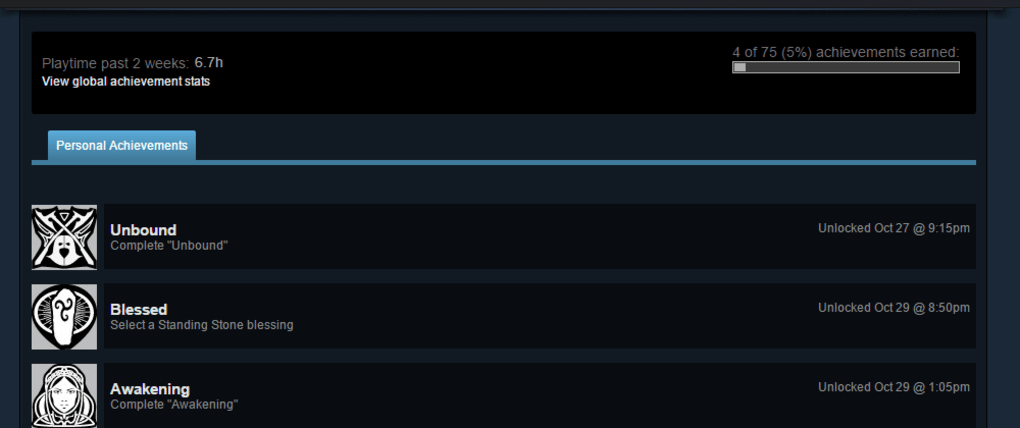
The world of modding offers limitless possibilities for enhancing gaming experiences. However, for players of Bethesda titles like The Elder Scrolls V: Skyrim Special Edition and Fallout 4, enabling mods often came with a significant drawback: the disabling of achievement unlocks. This meant that players who enjoyed using mods to customize their gameplay were often prevented from earning in-game achievements, a key component for many players’ sense of completion and progression. This is where the Achievements Mods Enabler steps in, providing a solution to this problem, allowing players to enjoy both the benefits of modding and the satisfaction of achievement completion.
Understanding the Achievement-Mod Conflict in Skyrim and Fallout 4
Bethesda’s decision to disable achievements when mods are detected stems from a desire to maintain the integrity of the achievement system. The use of mods, especially those that alter gameplay mechanics or add significant content, could be seen as circumventing the intended challenges and experiences designed for achievement unlocking. While modding itself isn’t inherently cheating, the potential for exploitation of game mechanics through mods necessitates this preventative measure. This presented a significant challenge for players who value both the immersive possibilities of modding and the reward system of achievements.
The original design of the games didn’t account for widespread modding, leading to an incompatibility between the achievement system and the modding community’s creations. Therefore, the straightforward solution of allowing mods and achievements simultaneously was not immediately available. This created a divide among players, forcing them to choose between enhanced gameplay through modding or the satisfaction of completing the achievement list. The Achievements Mods Enabler is designed to bridge this gap, providing a means to enjoy both.
Introducing Achievements Mods Enabler: A Solution for Modding Enthusiasts
Achievements Mods Enabler is a free, lightweight mod designed specifically to address the achievement lockout in Skyrim Special Edition and Fallout 4. Developed by xSHADOWMANX (also known as Sumwunn on GitHub), this mod allows players to utilize mods without sacrificing the ability to earn achievements. It’s a crucial tool for those who want to personalize their gaming experience while still maintaining the ability to track their progress and unlock achievements. The mod acts as a compatibility layer, resolving the conflict between the game’s achievement tracking system and the presence of external modifications.
Instead of altering the core game files or directly manipulating the achievement system, Achievements Mods Enabler works by essentially “tricking” the game into believing that no mods are present. This allows players to enjoy a modified gameplay experience while still receiving achievement credits for completing objectives. The mod accomplishes this without using any exploits or cheats, making it a safe and reliable option for players who want to keep their accounts in good standing.
Installation and Usage: A Straightforward Process
The installation process for Achievements Mods Enabler is designed to be straightforward and user-friendly, even for players with limited modding experience. While compatibility with the Skyrim Script Extender (SKSE64) is supported, it’s not a mandatory requirement. The author provides an alternative DLL loader which allows users to bypass SKSE64 entirely, simplifying the installation process for those who wish to avoid installing additional software. This feature greatly expands the accessibility of the mod for a wider audience.
Using either the SKSE64 plugin or the author-provided loader, installation usually involves placing the mod files into the appropriate directory within the game’s installation folder. The specific directory will depend on the chosen method: ‘Skyrim Special Edition/Data/Plugins/Sumwunn’ for the author’s loader, or ‘Skyrim Special Edition/Data/SKSE/Plugins’ for SKSE64. Users should carefully follow the instructions provided with the download to ensure correct installation. Cleaning up older files from previous SKSE versions is crucial to avoid potential conflicts.
After installation, the mod’s efficacy can be quickly verified. The absence of achievement warnings and the lack of the “[M]” designation (indicating a modified save) on the save files confirms successful operation. However, it’s crucial to understand that pre-existing modded saves will require resaving to remove the “[M]” marker. Furthermore, achievements for content already completed in older saves won’t be retroactively awarded. New game starts or playthroughs of relevant content might be necessary to unlock achievements for previously played sections.
One potential issue that users might encounter is the disappearance of saved games after installation. This is easily rectified by selecting the “show all saves” option within the game. This ensures that all saved game files are visible and accessible, preventing the loss of progress.
The creator’s decision to make Achievements Mods Enabler version-independent is a significant advantage. This minimizes the need for continuous updates, as the mod remains compatible with various versions of Skyrim SE. Should any issues arise, the developer, Sumwunn, is known for their responsiveness in addressing and resolving reported problems.
Compatibility and Alternative Options
While Achievements Mods Enabler provides a convenient solution, it’s essential to consider its limitations and alternatives. The mod becomes obsolete if a user chooses to use SSE Engine Fixes, another popular SKSE64 plugin that incorporates achievement enabling alongside various other bug fixes. SSE Engine Fixes offers a more comprehensive approach, addressing multiple issues simultaneously, and potentially negating the need for Achievements Mods Enabler.
However, Achievements Mods Enabler still holds its own advantages. Its simplicity and lack of dependency on SKSE64 make it accessible to a wider range of players. This simplicity is particularly valuable for those who are new to modding or prefer a less complex approach.
Addressing Concerns: Security and Cheating
A valid concern for many players is the potential for repercussions from using mods, particularly regarding bans or penalties. However, Skyrim Special Edition does not employ anti-cheat mechanisms like Valve Anti-Cheat (VAC). Therefore, using Achievements Mods Enabler carries no risk of a VAC ban on Steam. While modding can be perceived as a form of cheating in competitive scenarios, in the context of single-player games like Skyrim SE and Fallout 4, it is primarily considered a form of personalization and enhancement.
Achievements Mods Enabler, specifically, avoids any actions that could be considered cheating. It doesn’t alter game data to artificially inflate achievements; instead, it simply removes the barrier preventing achievement unlocking while using mods.
Conclusion: A Powerful Tool for Skyrim and Fallout 4 Completionists
Achievements Mods Enabler is a valuable tool for completionists and modding enthusiasts playing Skyrim Special Edition and Fallout 4. It elegantly solves the problem of achievement lockout caused by using mods, allowing players to fully customize their gameplay experience without sacrificing the satisfaction of earning achievements. Its easy installation, minimal maintenance requirements, and lack of association with cheating make it a safe and highly recommended addition for players seeking to maximize their enjoyment of these titles. While alternatives exist, Achievements Mods Enabler’s straightforward approach and compatibility make it an excellent choice for a broad spectrum of users, fostering a more inclusive and customizable modding experience.
File Information
- License: “Free”
- Version: “1.0.1.1”
- Latest update: “September 21, 2021”
- Platform: “Windows”
- OS: “Windows 10”
- Language: “English”
- Downloads: “130”
- Size: “163.57 KB”


