
Acoustica Mixcraft is a premium digital audio workstation (DAW) designed for music recording, mixing, and mastering. Boasting a powerful feature set within an intuitive interface, Mixcraft offers a compelling alternative to industry giants, catering to both beginners and seasoned professionals. This review delves into the software’s capabilities, exploring its strengths and weaknesses to provide a comprehensive understanding of its value proposition.
A Feature-Rich Recording Environment
Mixcraft’s core functionality centers around its robust multi-track recording capabilities. The software seamlessly handles both audio and MIDI tracks, allowing users to integrate live instruments, synthesizers, and sampled sounds into their productions. The interface, while initially appearing straightforward, reveals a depth of functionality that empowers users to craft intricate musical arrangements. The software’s 32-bit and 64-bit compatibility ensures smooth operation across a wide range of system configurations.
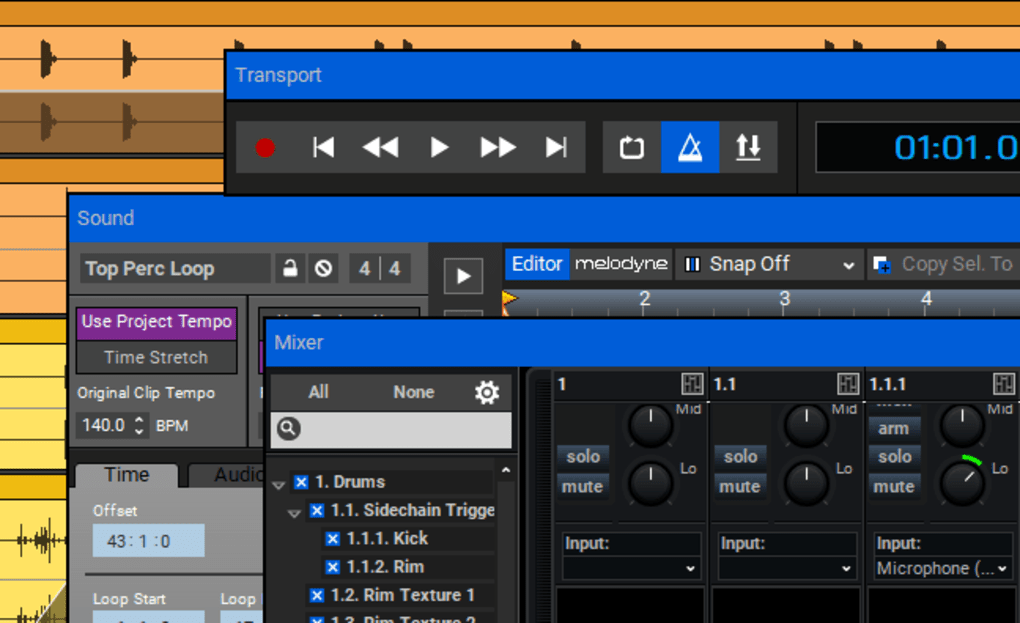
One of Mixcraft’s standout features is its lightning-fast sound engine. This ensures minimal latency during recording and playback, a critical factor for professional workflows where real-time performance and responsiveness are paramount. The integration of advanced audio warping and quantizing tools allows for precise timing adjustments and creative manipulation of audio, enabling users to refine their recordings to perfection. Further enhancing its appeal to musicians is the comprehensive control surface support, allowing seamless integration with external hardware controllers for a more tactile and intuitive recording experience.
Beyond its core recording functions, Mixcraft provides a vast library of pre-loaded content to inspire creativity. This includes an extensive collection of professionally-produced loops, music beds, sound effects, and percussion samples spanning a diverse range of genres. The sheer volume of these resources empowers users to quickly build the foundation for their tracks, providing ready-made elements that can be easily incorporated into their compositions. Complementing this vast internal library is the integrated Freesound.org browser, enabling users to directly search and import sounds from this extensive online repository. This functionality significantly expands the sonic palette available to Mixcraft users, offering access to a virtually limitless collection of royalty-free audio resources.
The inclusion of a substantial suite of virtual instruments and effects further enhances Mixcraft’s versatility. Users have access to emulations of classic synthesizers, electric pianos, and rock organs, adding authentic vintage tones to their productions. In addition, the bundled ToneBoosters plugins provide a comprehensive collection of high-quality reverbs, compressors, filters, and equalizers, providing granular control over the sonic character of individual tracks and the overall mix. This comprehensive collection of processing tools allows for intricate sound shaping and ensures the user has the means to meticulously refine every aspect of their music production.
Streamlined Workflow and Intuitive Interface
Mixcraft’s design prioritizes ease of use, ensuring a smooth and efficient workflow for users of all experience levels. The intuitive interface simplifies complex tasks, enabling users to quickly navigate the software’s various features and tools. The software’s layout is meticulously organized, with all essential functions readily accessible, reducing the learning curve for new users and maximizing productivity for seasoned professionals.
A notable enhancement is Mixcraft’s innovative curved automation feature. This facilitates intuitive and precise control over the parameters of instruments, effects, and mixing elements. The automation editing tools are similarly designed for efficiency and precision, allowing for detailed adjustments and subtle modifications. This combination of intuitive interface design and advanced control features ensures a compelling workflow for users seeking both effortless ease-of-use and high-precision control over the nuances of their productions.
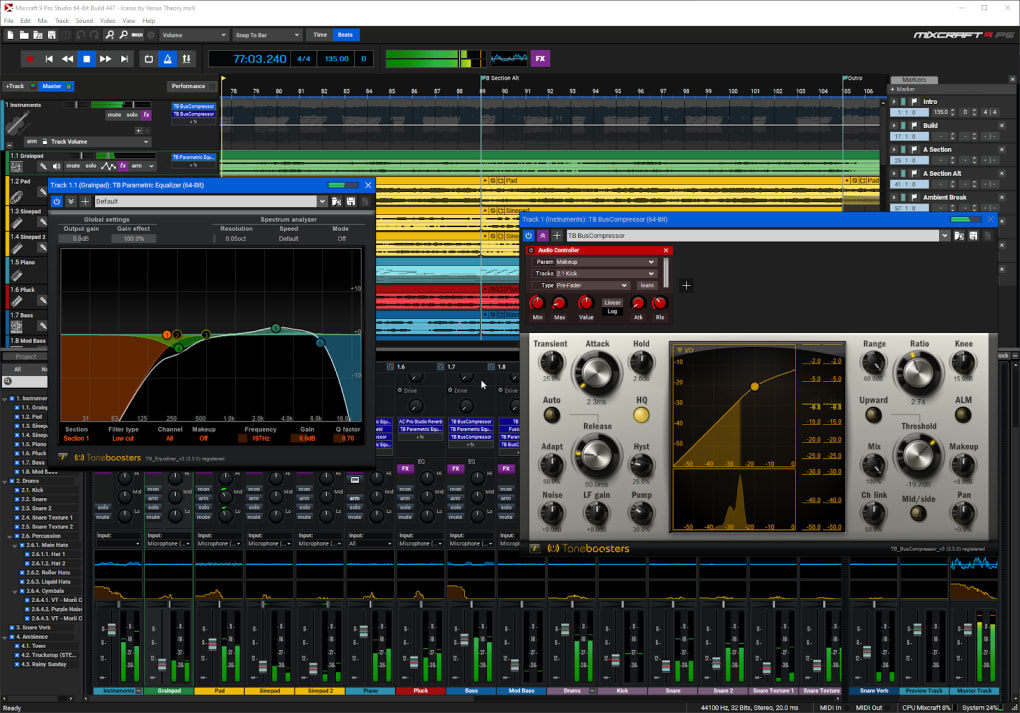
The software also includes a dedicated performance panel designed to aid users in managing live performances. This simplifies the process of triggering samples and loops in real-time, providing a seamless transition from studio production to live performance settings. The incorporation of this performance-focused feature underscores Mixcraft’s ambition to cater to a wide range of musical applications, bridging the gap between studio creation and live performance.
Beyond Audio: Video Editing Capabilities
Mixcraft transcends its function as a purely audio-centric DAW. The software incorporates powerful video editing capabilities, transforming it into a comprehensive multimedia production suite. Users can readily edit and arrange video clips, perform basic tasks such as cropping and crossfading, and seamlessly integrate titles and transitions. This added functionality extends its appeal to content creators seeking a unified platform for combining audio and video elements into cohesive productions. For those involved in film scoring or music video production, Mixcraft’s integrated video editing functions provide a unique and time-saving solution, streamlining the workflow and allowing for rapid iteration and experimentation. The inclusion of this feature sets Mixcraft apart from many competitors, offering a truly integrated and comprehensive workflow for both audio and visual content.
Mixcraft’s Strengths and Weaknesses
Mixcraft presents a compelling array of advantages. Its comprehensive feature set, powerful sound engine, intuitive interface, and extensive library of instruments and effects make it a formidable choice for both amateur and professional musicians. The integrated video editing capabilities further broaden its appeal, making it a versatile tool for a wide range of users. The relatively affordable price point adds significant value, making advanced music production accessible to a wider audience than many competing professional-grade DAWs.
However, some minor drawbacks exist. While the majority of the virtual instruments are high-quality, some might appear visually outdated compared to modern software. Additionally, the rip and burn features could benefit from further refinements to enhance their usability and efficiency. These are relatively minor criticisms, however, considering the overall capabilities and affordability of the software.
Conclusion: A Powerful DAW for Diverse Needs
Acoustica Mixcraft is a highly capable multi-track recording studio that delivers a professional-grade experience within an approachable and intuitive framework. Its comprehensive feature set, extensive library of sounds and effects, and powerful sound engine make it a compelling choice for musicians of all levels. The added benefit of integrated video editing further expands its functionality and appeal. While minor improvements could be made, the software’s strengths far outweigh its weaknesses, establishing Mixcraft as a strong competitor in the digital audio workstation market. Its value proposition is undeniable, making it a worthy investment for aspiring and professional musicians alike who seek a powerful, versatile, and user-friendly DAW for their creative endeavors.
File Information
- License: “Trial version”
- Latest update: “May 24, 2023”
- Platform: “Windows”
- OS: “Windows Vista”
- Language: “English”
- Downloads: “369.9K”
- Size: “253.48 MB”


