
Active Typing Tutor is a Windows-based typing tutor program designed to significantly improve typing speed and accuracy. While a relatively older program, last updated in September 2005, its core functionality remains relevant for users seeking to enhance their keyboard skills. This review delves into its features, strengths, weaknesses, and compares it to modern alternatives.
Key Features and Functionality
Active Typing Tutor boasts a comprehensive curriculum structured into 14 chapters, guiding users through the fundamentals of touch typing. This structured approach is a key strength, providing a methodical progression from basic keystrokes to more complex word and sentence formations. Unlike some typing tutors that rely solely on repetitive drills, Active Typing Tutor incorporates diverse learning methods to maintain engagement and prevent monotony.
Beyond the core touch typing course, the program offers a supplementary numpad course, catering to those requiring proficiency in numerical input. This additional feature broadens its appeal to users across various professional fields.
Furthermore, Active Typing Tutor integrates fun typing games to alleviate the sometimes tedious nature of typing practice. These games provide a welcome break from the structured lessons, allowing users to reinforce their skills in a more engaging and less formal environment. The gamified approach is crucial in maintaining user motivation, a common challenge encountered in skill-building software.
A crucial element of effective learning lies in identifying and addressing weaknesses. Active Typing Tutor recognizes this by including a smart review wizard. This tool analyzes user performance, pinpointing problem keys or areas requiring further practice. This personalized feedback loop is essential for targeted improvement, accelerating the learning process and improving efficiency.
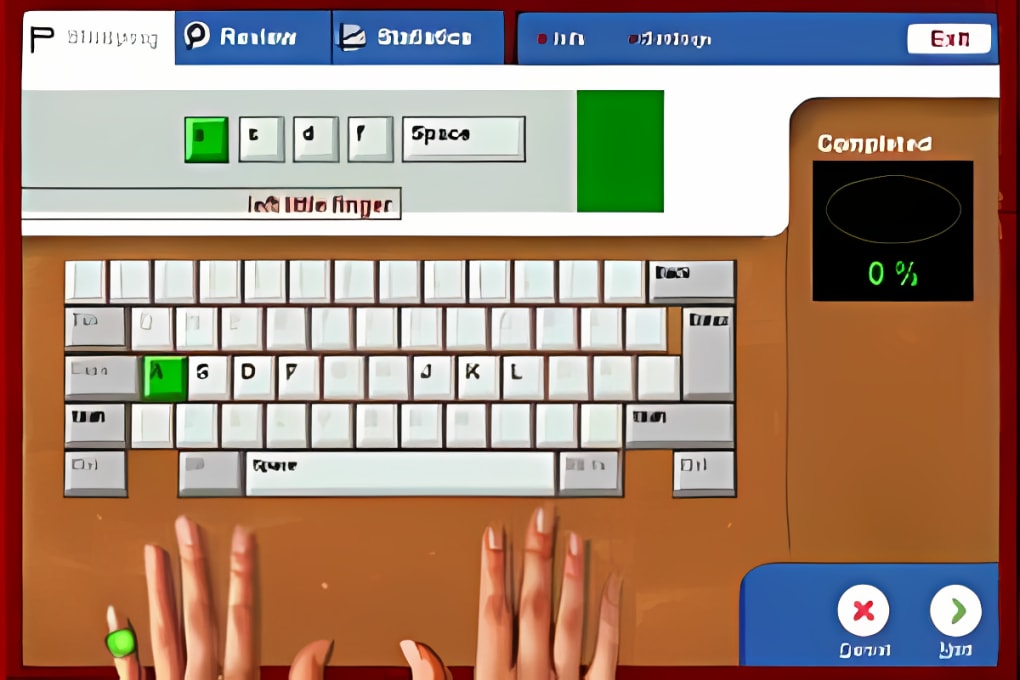
The program also provides graphical progress statistics, offering a visual representation of the user’s improvement over time. These graphs provide a motivational boost, allowing users to track their advancements and set new goals. This visual feedback is instrumental in maintaining consistency and encourages continued engagement. The ability to generate a printable progress report further enhances the value for users who need to document their progress for educational or professional purposes.
Active Typing Tutor allows for an unlimited number of users, making it ideal for households or educational settings where multiple individuals may share the same computer. This feature is particularly useful for families or classrooms, eliminating the need for individual licenses.
Finally, a crucial test of typing proficiency lies in real-world application. Active Typing Tutor incorporates a “Story Typing” mode that evaluates typing speed in a more realistic context. This feature allows users to test their skills beyond isolated drills, simulating the challenges encountered in actual typing situations.
User Interface and Experience
While the program’s last update was over a decade ago, its interface is generally intuitive and easy to navigate. The layout is straightforward, allowing users to easily access different modules and features. However, users accustomed to modern software design might find the visual presentation somewhat dated. The lack of recent updates could mean a missed opportunity to integrate more modern UI elements and design choices, which may enhance user engagement.
The lack of a robust online community or forums could also impact user support. While the program’s functionality is generally straightforward, encountering specific issues or needing assistance with certain aspects might be challenging in the absence of ample online resources.
System Requirements and Compatibility
Active Typing Tutor is designed for Windows 95 and earlier versions. This limited compatibility significantly restricts its potential user base. The inability to run on modern Windows operating systems severely hinders its accessibility. The lack of compatibility updates represents a significant drawback, preventing many potential users from benefiting from the program’s features.
Furthermore, the relatively small file size (2.11 MB) suggests a lightweight program that shouldn’t overly burden system resources. However, this smaller size could also indicate limitations in functionality or features compared to more modern, resource-intensive alternatives.
Comparison with Modern Alternatives
The typing tutor market has seen significant advancements since Active Typing Tutor’s last update. Modern alternatives often incorporate advanced features such as adaptive learning algorithms, gamified lessons with more engaging visuals, and cross-platform compatibility. While Active Typing Tutor’s structured approach and comprehensive course are strengths, the lack of adaptive learning means it cannot adjust its difficulty based on individual progress, which can lead to either frustration (if too hard) or boredom (if too easy).
Many modern applications offer more sophisticated feedback mechanisms, providing detailed analytics beyond simple progress graphs. These often include heatmaps highlighting problem keys, detailed error analysis, and personalized learning paths based on individual weaknesses. Active Typing Tutor’s features, while functional, are comparatively less advanced in this regard.
Furthermore, the lack of cross-platform support is a major disadvantage in today’s multi-device world. Modern typing tutors often offer apps for desktop and mobile platforms, allowing users to practice on the go. This flexibility enhances user engagement and allows for more consistent practice.
Conclusion
Active Typing Tutor offers a structured and comprehensive approach to learning touch typing, and its features, particularly the smart review wizard and varied lesson types, were likely innovative for its time. However, its age shows in its dated interface, limited compatibility with modern operating systems, and the lack of features found in modern alternatives. While it might still be suitable for users with older Windows systems and a preference for a straightforward, structured approach, most users would likely benefit from exploring newer options offering more advanced features, adaptive learning, and cross-platform compatibility. The lack of updates and the absence of an active developer community render it less viable in today’s dynamic software landscape. Considering the numerous alternatives offering comparable or superior functionality with modern interfaces and broader compatibility, it’s difficult to recommend Active Typing Tutor to most users.
File Information
- License: “Trial version”
- Version: “4.70”
- Latest update: “September 20, 2005”
- Platform: “Windows”
- OS: “Windows NT”
- Language: “English”
- Downloads: “67.6K”
- Size: “2.11 MB”


