
ActiveInspire, developed by Promethean, is a free interactive lesson planning and delivery suite designed for Windows users. This powerful tool offers educators a user-friendly platform to craft engaging and dynamic lessons for students of all ages and learning styles. From its intuitive interface to its vast library of resources, ActiveInspire empowers teachers to transform their classrooms into interactive learning environments. This guide delves into the features, functionalities, and overall usability of ActiveInspire, exploring its strengths and limitations to help educators determine if it’s the right tool for their needs.
Understanding ActiveInspire: Features and Functionality
ActiveInspire’s core purpose is to facilitate the creation and delivery of interactive lessons. It achieves this through a combination of intuitive design, readily available resources, and robust functionality. At its heart, the software acts as a digital whiteboard and presentation tool, allowing teachers to incorporate a wide variety of multimedia elements into their lessons. This includes images, videos, audio clips, animations, and interactive activities.
The software’s adaptability is one of its key strengths. Teachers can tailor the interface to their specific needs and preferences, adjusting toolbars and layouts to optimize workflow. This customization extends to the creation of multiple profiles, allowing educators to maintain separate settings for different subjects, grade levels, or even individual students. This flexibility ensures that the software remains relevant and effective across a range of teaching styles and educational contexts.
Promethean consistently updates ActiveInspire with new features and improvements, ensuring the software remains current and relevant to the evolving needs of educators. This commitment to ongoing development is a testament to the company’s dedication to providing teachers with the most effective tools available. ActiveInspire seamlessly integrates with other Promethean products, such as ActivBoards and interactive whiteboards, creating a cohesive and streamlined learning experience.
Utilizing ActiveInspire: A Practical Approach to Lesson Creation
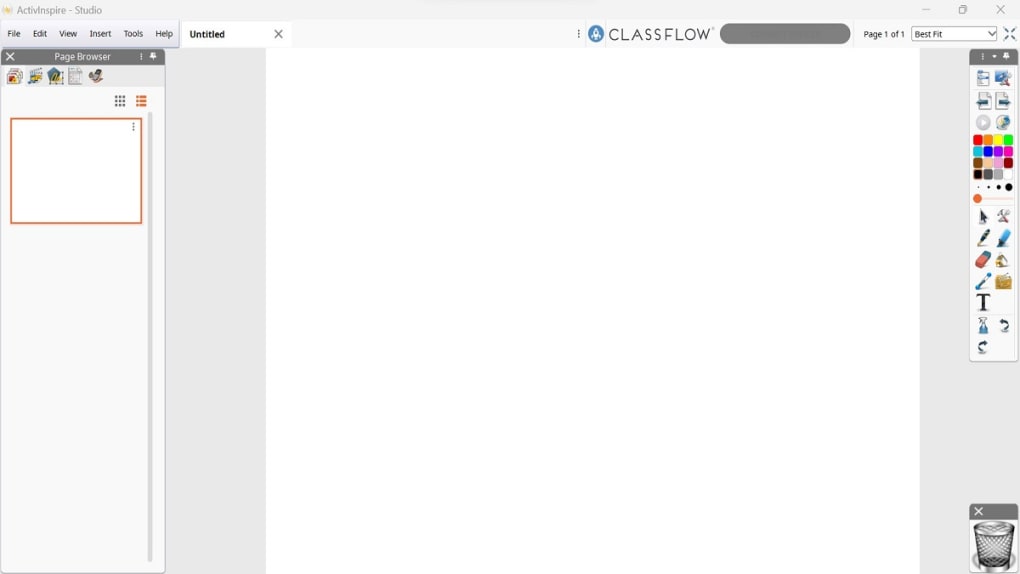
ActiveInspire’s ease of use is a significant advantage. Upon launching the software, users are presented with an intuitive dashboard providing access to a comprehensive suite of features. One noteworthy feature is “Magic Ink,” which allows teachers to create interactive activities with hidden elements. Students can reveal these hidden aspects using the designated tool, adding an element of discovery and engagement to the learning process. This feature is particularly beneficial for subjects like biology, where labeled diagrams can be initially hidden, encouraging students to actively participate in the identification process.
ActiveInspire also facilitates seamless integration of online content directly within its dashboard. This eliminates the need to switch between applications, saving valuable teaching time. Teachers can easily incorporate videos, news feeds, or other online resources into their lessons without disrupting the flow of instruction. This streamlined approach ensures a more focused and efficient learning experience for both teachers and students.
The Power of Resources: Flipcharts, Activities, and Beyond
ActiveInspire boasts an extensive library of pre-made resources, significantly reducing the time and effort required for lesson planning. These resources include a vast collection of Flipcharts—interactive presentations designed for delivering lessons—available through the myPromethean Library. This library contains over thirty thousand Flipcharts created by educators worldwide, offering a wealth of ready-to-use materials and inspiring new ideas. Users can easily filter and preview these Flipcharts, ensuring they find resources tailored to their specific needs.
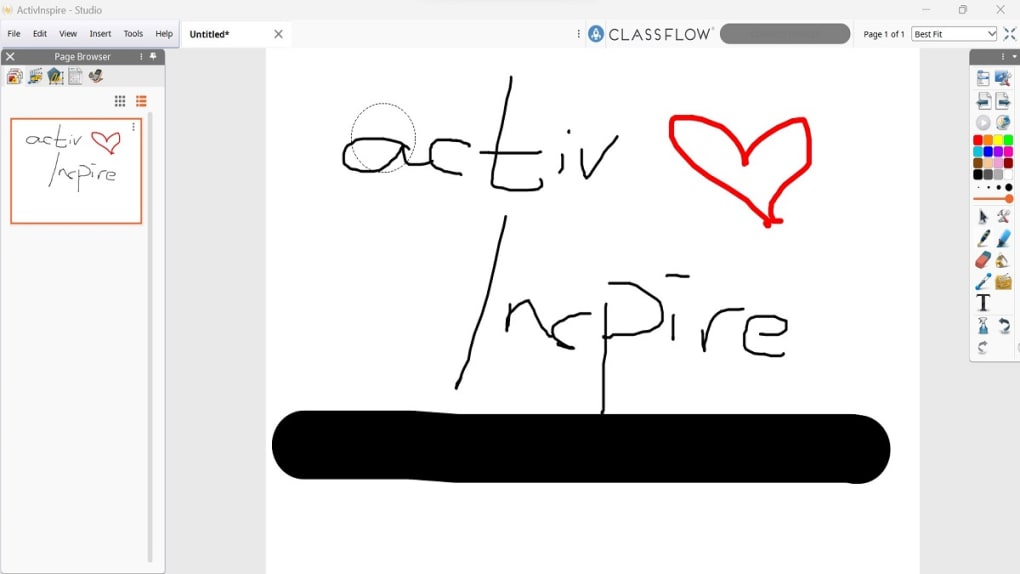
In addition to Flipcharts, ActiveInspire provides a wide array of customizable activity templates. These templates cater to various learning styles and subject matters, encompassing games such as matching, crossword puzzles, memory games, and flashcards. Educators can easily adapt these templates to their specific curriculum, enhancing engagement and promoting interactive learning. This adaptability is a cornerstone of ActiveInspire’s design, allowing teachers to tailor activities to their students’ individual learning needs and preferences.
Leveraging Existing Resources and Enhancing Interactivity
ActiveInspire’s strength lies in its capacity to integrate existing resources into interactive lessons. Teachers can readily incorporate a wide range of files, including PDFs, multimedia files, PowerPoint presentations, and Google Slides, maximizing the use of pre-existing materials. This integration not only simplifies lesson planning but also allows teachers to build upon their existing resources, streamlining the process of lesson development.
Further enhancing interactivity, ActiveInspire allows users to seamlessly integrate audio, video, and images from both internal and external sources. This expansive capability empowers teachers to create dynamic and engaging lessons that cater to various learning styles, fostering a more enriching learning environment. This multi-faceted approach to resource integration is a crucial element in making ActiveInspire a versatile and powerful tool for educators.
Support and Training: Empowering Educators Through Resources
Promethean recognizes the importance of providing comprehensive support and training to its users. The company offers a dedicated Training Hub on its website, providing users with access to a wealth of resources, including tutorials, documentation, and guides. This extensive support system ensures that educators can effectively utilize all of ActiveInspire’s features and capabilities. The company’s commitment to providing readily available support reflects its understanding of the needs of educators and their commitment to empowering them with the tools and knowledge to succeed.
Pricing and Alternatives: Weighing the Options
ActiveInspire offers a free Personal Edition, providing access to a substantial suite of features. However, educators seeking access to the full range of functionalities, including advanced tools like screen recording and handwriting recognition, will need to opt for the paid Professional Edition. While the free version offers a solid foundation for lesson planning, the paid version unlocks a more comprehensive set of tools and capabilities, potentially enhancing the overall teaching experience.
Several alternative lesson planning and delivery tools exist in the market, including Smart Notebook, Google Classroom, and Teach2020. Each of these platforms offers unique features and capabilities, and the optimal choice will depend on the specific needs and preferences of the educator. A thorough comparison of these alternatives is crucial in determining which platform best suits individual requirements.
Should You Download ActiveInspire?
ActiveInspire is a powerful tool for educators seeking to create interactive and engaging lessons. Its user-friendly interface, extensive resource library, and seamless integration capabilities make it a compelling option for teachers of all experience levels. The availability of both free and paid versions caters to a wide range of budgets and needs. However, potential users should carefully consider their specific requirements and compare ActiveInspire to alternative platforms before making a decision. The decision to download ActiveInspire depends on individual needs and priorities within the context of available resources and alternative options. A careful evaluation of the software’s features against those of competitors is advisable.
Pros:
- Extensive resource library
- Customizable interface
- Suitable for all age groups
- Offers comprehensive tutorials and support
Cons:
- Can be slightly complex for absolute beginners
The ultimate decision of whether or not to utilize ActiveInspire rests on a thorough assessment of individual needs and preferences. Considering the pros and cons, along with a careful comparison to alternative options, will guide educators toward the most effective and appropriate tool for enhancing their teaching practices.
File Information
- License: “Trial version”
- Latest update: “May 23, 2023”
- Platform: “Windows”
- OS: “Windows 7”
- Language: “English”
- Downloads: “164.4K”
- Size: “248.23 MB”


