
Adblock Plus is a widely popular and free browser extension designed to enhance your online browsing experience by eliminating intrusive advertisements. Primarily known for its effectiveness on Mozilla Firefox, it’s also available for other popular browsers like Chrome, Internet Explorer, Safari, Opera, and even Android devices. This review delves into its features, functionality, ease of use, pros and cons, and overall value proposition.
Effortless Ad Blocking: A Seamless User Experience
Adblock Plus for Firefox seamlessly integrates into your browser, residing discreetly in the top right corner of your navigation bar. Its unassuming red icon belies the powerful ad-blocking capabilities beneath. A simple click reveals a list of blockable items on the current webpage, allowing for granular control over which advertisements are filtered. A dropdown menu provides access to a wealth of additional features and customizable settings, making it exceptionally user-friendly for both novice and experienced users.

The effectiveness of Adblock Plus hinges on the selection of an appropriate ad filter. While the initial choice might seem daunting, the program’s website offers extensive guidance to ensure you choose a filter that perfectly aligns with your needs and preferences. Alternatively, for users who prefer a more hands-on approach, the extension provides the option to manually select ads for blocking, offering maximum customization.
At its core, Adblock Plus functions by identifying and preventing advertising content from loading on webpages. While there’s a theoretical risk of accidentally blocking legitimate website elements, our testing revealed that this was not a prevalent issue. Furthermore, the program’s comprehensive documentation provides clear instructions on how to handle any such instances if they do arise, underscoring the developer’s commitment to user support and problem-solving.
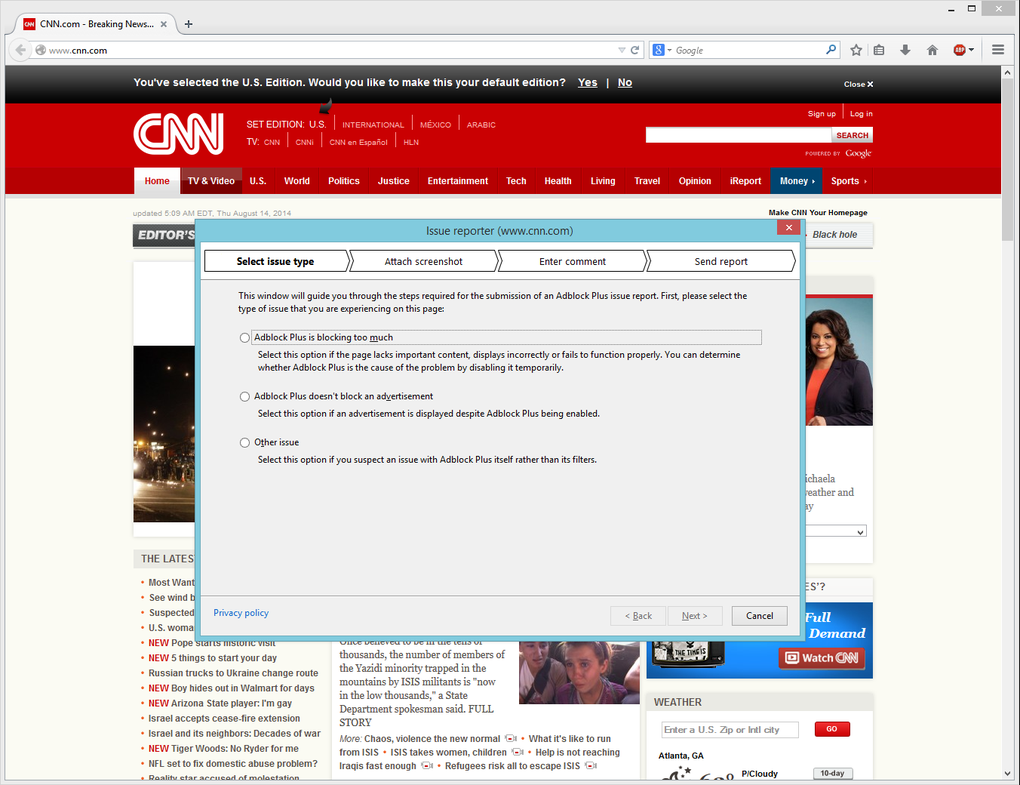
The difference in browsing experience with and without Adblock Plus is striking. The absence of ads can feel initially disorienting, as you might find some familiar webpages appearing somewhat bare. However, the increased speed, reduced distractions, and enhanced browsing clarity are undeniable benefits that quickly outweigh any initial strangeness.
Customization and Advanced Features: Tailoring Adblock Plus to Your Needs
Beyond its core ad-blocking function, Adblock Plus boasts a remarkable level of customization, allowing users to tailor their online experience to their preferences. This extensive configurability is a key strength of the extension. The options menu offers a wealth of features extending far beyond simple ad removal. For example, users can fine-tune the level of ad blocking, choosing between aggressive filtering of all ads or a more permissive approach that allows for less intrusive advertisements. This ‘Acceptable Ads’ initiative, a cornerstone of Adblock Plus’s philosophy, allows for the support of websites that utilize non-intrusive advertising formats. Users can easily adjust this setting according to their individual preferences, ensuring that the extension aligns with their personal values regarding online advertising.
Another noteworthy feature is the ability to selectively disable social media buttons. These buttons, often embedded within websites, can track user activity even without direct interaction. This tracking protection adds another layer of privacy enhancement to the already impressive feature set.
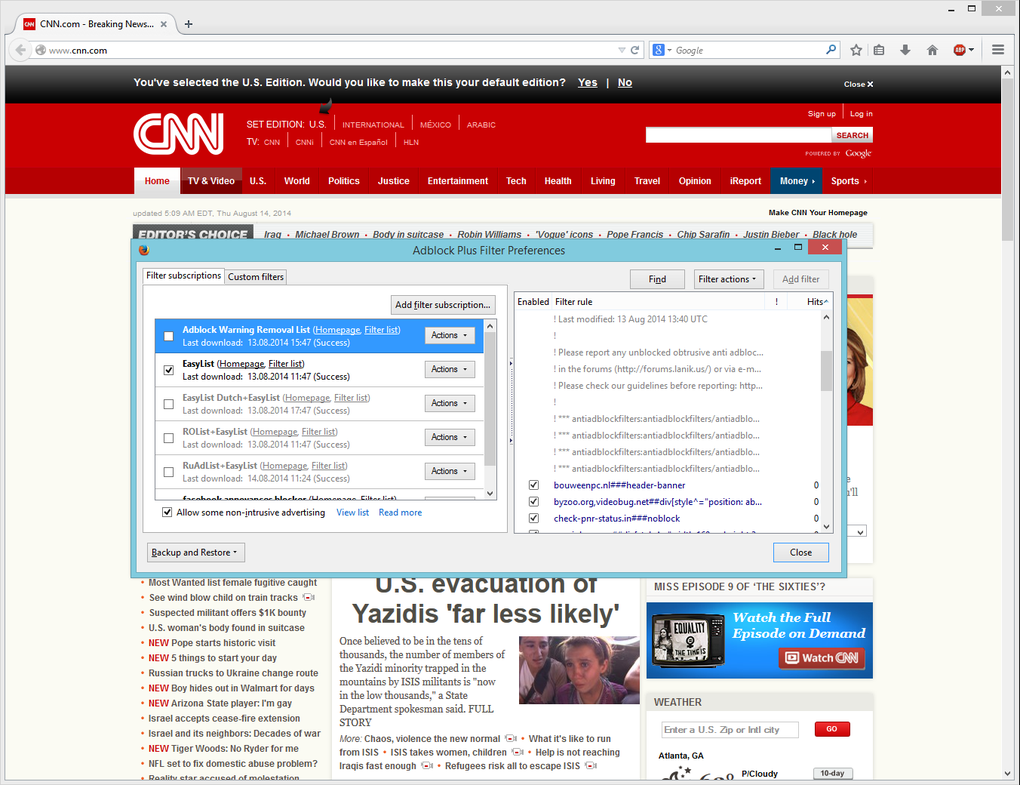
Further adding to the extension’s adaptability, Adblock Plus supports a vast number of filter lists, exceeding 40 at the time of writing. This extensive selection allows users to fine-tune their ad-blocking preferences and customize their experience to meet their specific requirements. Users can easily add, remove, or adjust filter lists to create a personalized ad-blocking environment. The program’s intuitive interface ensures that these advanced features remain accessible, even for users unfamiliar with the technical aspects of ad blocking.
The program’s versatility extends to its compatibility with a wide range of operating systems, including Windows, Linux, and macOS. This broad compatibility makes Adblock Plus a highly accessible choice for users across various platforms.
Performance and Impact on Browsing Speed
While Adblock Plus significantly enhances the browsing experience by eliminating annoying ads, it’s crucial to address any potential impact on browsing speed. In our tests, we observed a minimal performance overhead, suggesting that the extension doesn’t significantly impede page load times. While some users might experience slight slowdowns, especially on resource-intensive websites, these effects are generally negligible. The benefits of a cleaner and faster browsing experience typically outweigh any minor performance compromises. Additionally, the developers continually work on optimizing the extension for performance, ensuring its efficient operation while maintaining its powerful ad-blocking capabilities.
The developers’ commitment to continuous improvement is also evident in their regular updates. These updates not only incorporate new features and improvements but also address any potential bugs or vulnerabilities, ensuring the stability and security of the extension.
Community and Support: A Collaborative Approach to Ad Blocking
Adblock Plus is more than just a piece of software; it’s a testament to the power of open-source collaboration. Downloaded hundreds of millions of times, this massive project is sustained by a global community of volunteers who contribute to its development, maintenance, and ongoing improvement. This active community provides a substantial layer of support, guaranteeing that issues are addressed promptly and ensuring the long-term health of the project. The collaborative nature of Adblock Plus fosters a sense of shared responsibility, leading to continuous improvement and ensuring the ongoing relevance of the software.
This collaborative ecosystem extends to the creation and maintenance of the numerous filter lists supported by the extension. The contribution of volunteers from around the world helps keep these lists current and comprehensive, ensuring that the ad-blocking remains effective against the ever-evolving landscape of online advertising.
This strong community presence translates directly into user support. The vast knowledge base available online, coupled with the responsiveness of the development team, provides users with excellent resources for troubleshooting any issues they may encounter.
Pros and Cons of Adblock Plus for Firefox
Pros:
- Free and Open Source: Adblock Plus is entirely free to use, with its source code openly available for inspection and contribution.
- Effective Ad Blocking: It reliably blocks a wide array of ads, including video ads, pop-ups, banners, and more subtle forms of advertising.
- Customizable: Offers extensive customization options, allowing users to fine-tune their ad-blocking preferences.
- Easy to Use: The intuitive interface makes it accessible for users of all technical skill levels.
- Strong Community Support: Backed by a large and active community, providing excellent support and resources.
- Regular Updates: Continuously updated to maintain effectiveness and address any issues.
- Cross-Platform Compatibility: Works seamlessly across multiple operating systems.
- Privacy Enhancements: Offers optional protection against malware and tracking, along with social media button disabling.
Cons:
- Potential for Accidental Blocking: There is a small possibility of legitimate website elements being accidentally blocked.
- Slight Performance Impact: While generally minimal, some users might experience minor slowdowns on resource-intensive websites.
- Acceptable Ads Initiative: While customizable, the default setting allows some non-intrusive ads, which might not appeal to all users.
Conclusion: Adblock Plus – A Must-Have Browser Extension?
Adblock Plus for Firefox is a powerful, customizable, and effective ad-blocking extension that significantly enhances the browsing experience. Its easy-to-use interface, extensive features, and strong community support make it a compelling choice for users seeking a clutter-free and efficient online experience. While the potential for accidental blocking and minor performance impacts exist, these drawbacks are largely outweighed by the benefits of reduced distractions, increased privacy, and a more enjoyable browsing experience. For those seeking to reclaim control over their online environment and eliminate intrusive ads, Adblock Plus for Firefox remains a highly recommended browser extension.
File Information
- License: “Free”
- Latest update: “June 25, 2025”
- Platform: “Windows”
- OS: “Windows 2000”
- Language: “English”
- Downloads: “684.6K”


