
Minecraft, the globally renowned sandbox game, offers endless possibilities for creativity and adventure. But what if you could enhance your Minecraft experience even further? That’s where add-ons come in. These digital enhancements unlock new dimensions within the game, allowing you to customize your world with unique maps, skins, textures, and more. This article explores the world of Minecraft add-ons, focusing on their accessibility, features, and the impact they have on the gameplay experience. We will specifically delve into a popular add-on app available for iPhone, analyzing its functionalities, cost, and user reviews.
Exploring the World of Minecraft Add-ons
The beauty of Minecraft lies in its flexibility. Its open-world nature allows players to build, explore, and create almost anything imaginable. However, this foundational freedom can be further expanded upon through the strategic integration of add-ons. These aren’t just simple modifications; they are powerful tools that can fundamentally alter the game’s mechanics, aesthetics, and overall feel.
Add-ons can take many forms:
-
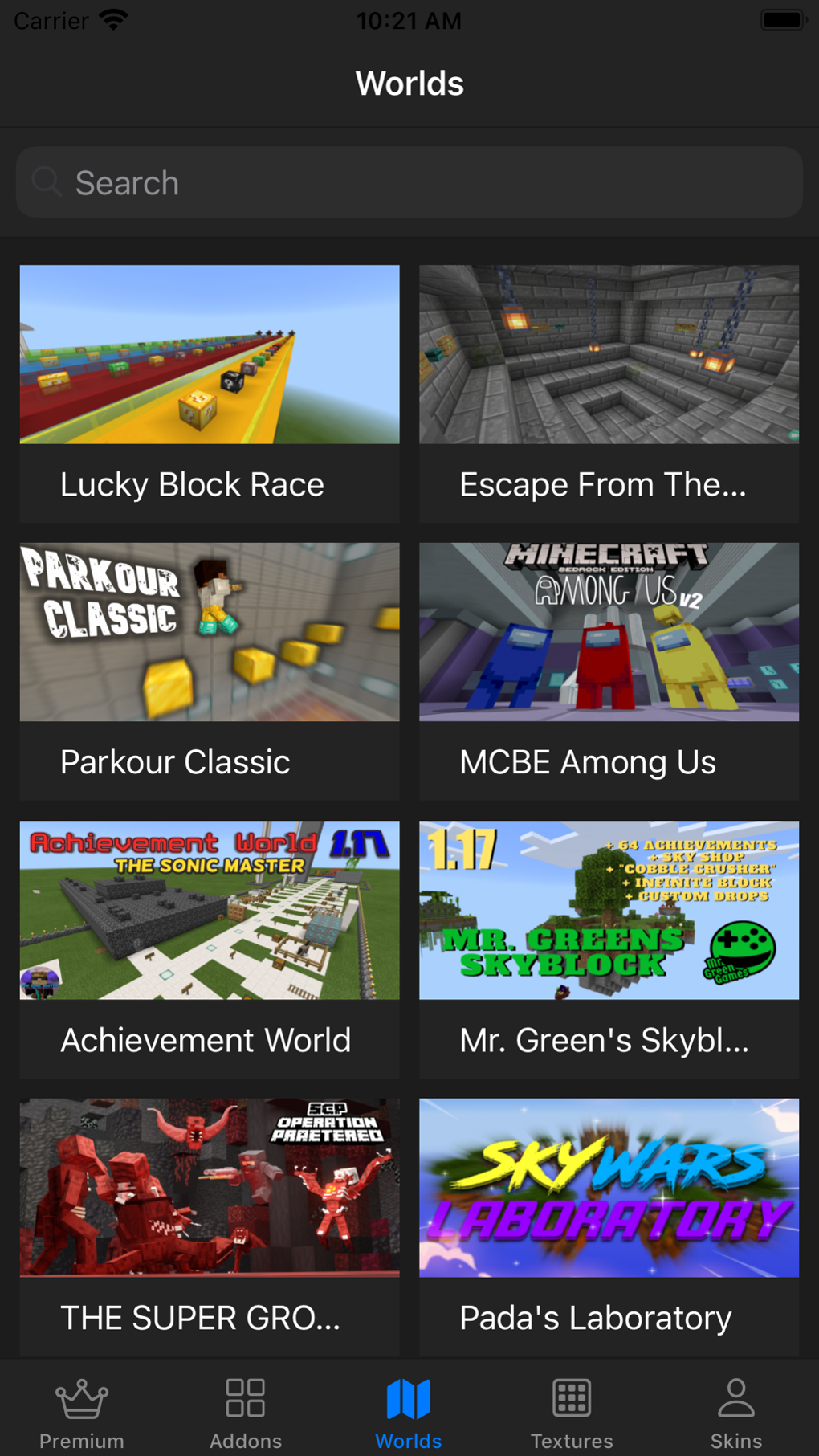
World Maps: These add-ons introduce entirely new landscapes to explore, from lush forests and towering mountains to treacherous deserts and mysterious underwater caves. Each map offers unique challenges and opportunities for building and exploration.
-
Skins: Personalize your Minecraft avatar with custom skins. Choose from a vast library of pre-designed skins or even create your own unique character designs. From fantastical creatures to realistic human representations, the possibilities are virtually endless.
-
Textures: Modify the visual appearance of the game’s inherent textures. This could range from subtle improvements to dramatic overhauls, enhancing the game’s overall aesthetic appeal and creating a more immersive playing environment.
- Mods: Mods are more advanced add-ons that introduce new gameplay elements, such as new items, blocks, creatures, and even entirely new mechanics. They can dramatically alter the game’s core mechanics, adding complexity and challenge to your gameplay.
The availability of such a wide range of add-ons contributes significantly to Minecraft’s enduring popularity. It allows players to continuously explore new content, fostering a sense of ongoing discovery and preventing the game from feeling stale. This constant evolution keeps the game fresh and exciting, attracting both new and returning players.
Addons for Minecraft for iPhone: A Dedicated Application
One prominent application dedicated to simplifying the process of accessing and integrating Minecraft add-ons is “Addons for Minecraft” available on iPhone. This application aims to provide a centralized hub for users to easily browse, download, and implement various add-ons into their Minecraft game.
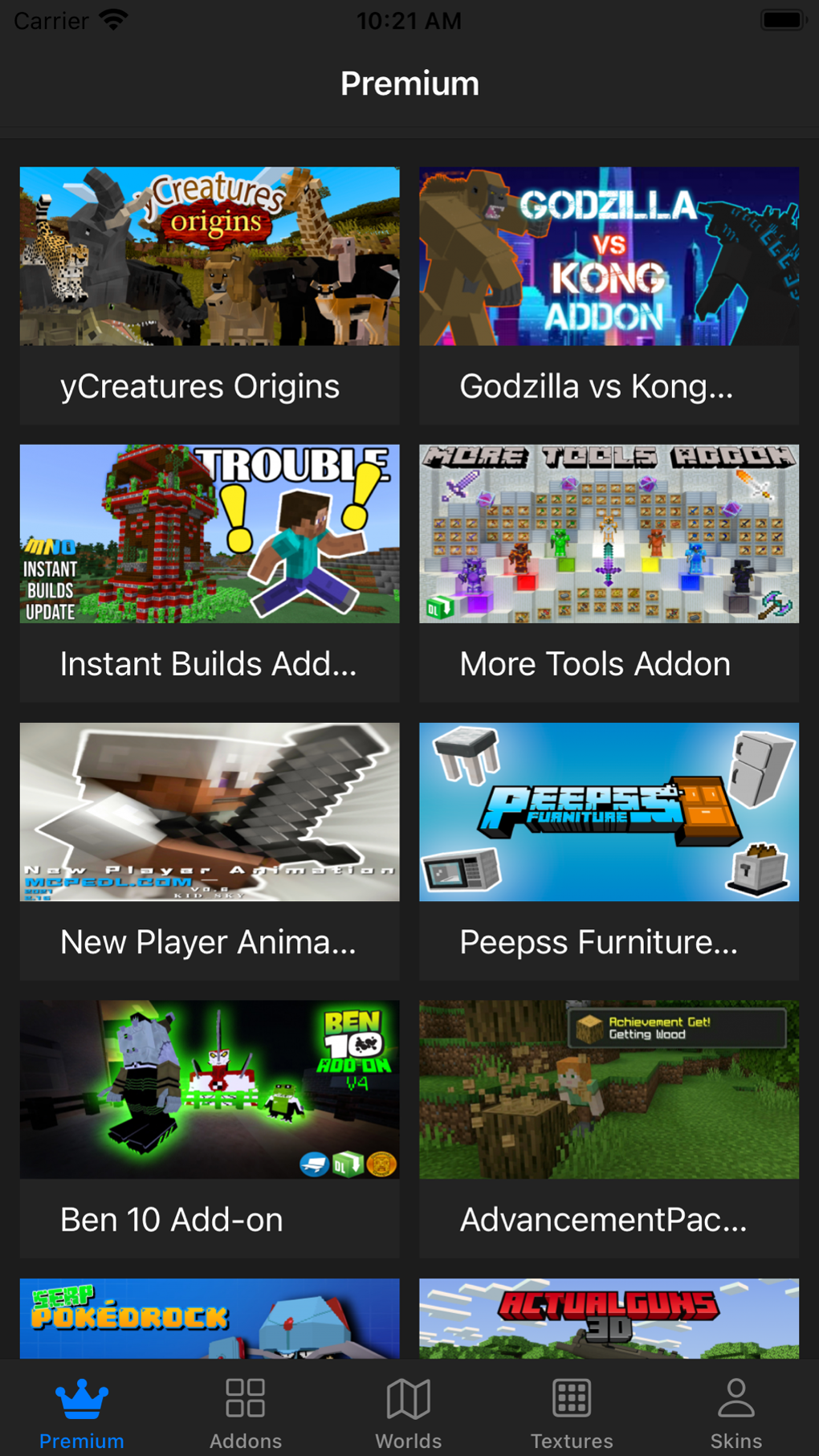
The app boasts a user-friendly interface, allowing even novice users to effortlessly navigate its extensive library of add-ons. This eliminates the need for users to search across multiple websites, significantly reducing the time and effort required to find and install their desired modifications. Its clean layout ensures a simple, straightforward user experience.
The application provides a wide variety of add-ons categorized for easier selection. Users can filter by type (maps, skins, textures, mods), ensuring they find exactly what they’re looking for. This curated selection process streamlines the decision-making process, saving users valuable time spent sifting through irrelevant content.
The app is free to download and offers a free trial period for its premium features. While the free version provides access to a selection of add-ons, subscribing to the premium version unlocks the full catalog. This tiered approach caters to a wide range of users, providing both free and paid options to suit individual budgets and needs. The cost is approximately $5.99 for a yearly subscription or $19.99 for a five-year subscription. For users hesitant to commit to a subscription, a three-day free trial is available, allowing them to explore the app’s premium features before committing financially.
User Experience and App Features
The “Addons for Minecraft” app for iPhone is designed with user experience in mind. Its intuitive interface ensures seamless navigation through its extensive library of add-ons. The app provides detailed descriptions for each add-on, including screenshots and user reviews, allowing users to make informed decisions before downloading.
The in-app download process is optimized for speed and efficiency, ensuring a smooth and trouble-free installation experience. This seamless process minimizes any interruptions to the user’s overall workflow. The application also integrates directly with Minecraft, further simplifying the installation and activation of add-ons.
The developers of the application prioritize regular updates, ensuring that the app remains compatible with the latest versions of Minecraft and that its database of add-ons is constantly refreshed with the newest content. This regular maintenance ensures the application’s continued functionality and relevance to its user base.
Further emphasizing the user-centric design, the developers incorporate user reviews and ratings. This fosters transparency and allows users to leverage the collective experience of their peers when making selections. The integrated rating system helps to highlight popular and high-quality add-ons.
Pricing and Subscription Model
The “Addons for Minecraft” app adopts a freemium model, offering a free version alongside a paid subscription. The free version provides access to a curated selection of add-ons, allowing users to experience the app’s core functionalities without any financial commitment. This approach allows potential users to test the application and assess its value before committing to a paid subscription.
The premium subscription offers full access to the application’s vast library of add-ons, unlocking a wider range of options for customizing the Minecraft experience. This tiered pricing strategy allows for greater flexibility, catering to users with varying budgets and needs. The subscription costs are competitive within the market, offering value for the amount of content and functionality provided. The long-term subscription option (five years) offers significant savings compared to purchasing yearly subscriptions repeatedly.
The three-day free trial offers a risk-free way for users to fully evaluate the premium features. This trial period is a valuable tool for users who are uncertain about committing to a paid subscription. It allows users to determine whether the premium content and functionalities justify the cost, encouraging informed purchase decisions.
Conclusion: Enhancing Your Minecraft Adventure
Add-ons for Minecraft significantly enhance the gaming experience, opening up avenues for creativity, personalization, and extended gameplay. The “Addons for Minecraft” app for iPhone streamlines the process of accessing and integrating these add-ons, providing a user-friendly platform for enhancing your Minecraft adventures. Whether you’re a seasoned Minecraft player or just starting your journey, exploring the world of add-ons can inject new life and excitement into your gameplay. The app’s free version offers a taste of what’s possible, while the premium subscription opens the door to a vast library of content. Consider taking advantage of the free trial to explore the possibilities and decide if a subscription suits your gaming needs and budget.
File Information
- License: “Free”
- Version: “1.6”
- Latest update: “June 30, 2023”
- Platform: “iPhone”
- OS: “iOS 12.1.2”
- Language: “English”
- Downloads: “1K”


