
Adobe Acrobat X Pro Update, as its name suggests, is a crucial update for the popular Adobe Acrobat X Pro software for Windows. This free update addresses several critical issues, enhances security, improves stability, and optimizes system resource utilization. It’s a recommended download for anyone using Acrobat X Pro, offering significant improvements without the need to install a completely new version. This review delves into the details of this update, exploring its features, benefits, and potential drawbacks.
Addressing User Complaints and Improving Functionality
The Adobe Acrobat X Pro Update is a compilation of improvements and bug fixes, addressing many issues reported by users. A prominent problem resolved by this update was the frequent crashing of the application, either upon startup or during the editing of large PDF files. This instability significantly hampered productivity, but the update effectively resolves this, ensuring a smoother and more reliable user experience, even when working with extensive documents.
Beyond resolving crashes, the update incorporates several features aimed at improving workflow and enhancing the overall user experience. These improvements range from subtle enhancements to the user interface to more substantial changes affecting how users interact with PDF documents. The update simplifies previously complex tasks, making Acrobat X Pro more accessible and efficient for a broader range of users.
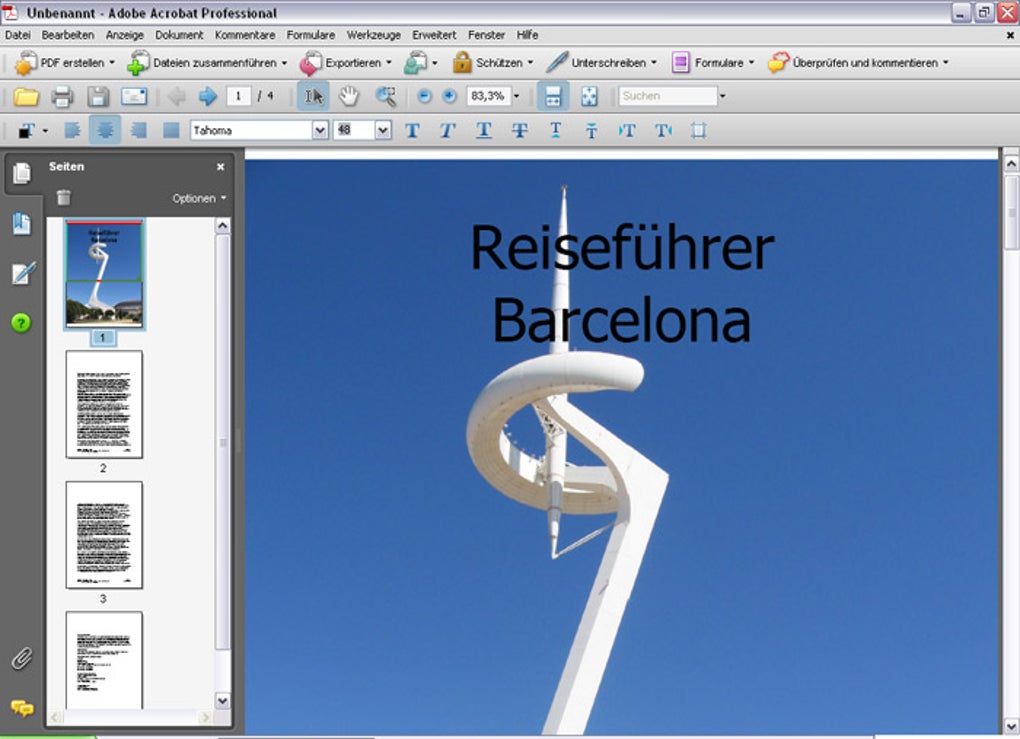
The Versatility of Adobe Acrobat X Pro: More Than Just a PDF Reader
Adobe Acrobat X Pro is more than just a PDF reader; it’s a comprehensive suite of tools designed for professional PDF management. Its capabilities extend far beyond simple viewing, encompassing creation, editing, conversion, annotation, and collaboration features. Users can leverage Acrobat X Pro to convert various file formats, such as Microsoft Word documents and PowerPoint presentations (including embedded images and videos), into interactive PDF portfolios. This functionality is invaluable for creating visually appealing and easily shareable presentations or reports.
The software’s “Action Wizard” streamlines the process of combining multiple PDF files into a single document, a function particularly useful for organizing large collections of related documents. Furthermore, the integration with Microsoft SharePoint enables seamless collaboration on PDF projects, allowing multiple users to contribute and edit documents simultaneously, facilitating efficient teamwork. The “Reading Mode” simplifies the viewing and presentation of PDF files by optimizing the display for readability and minimizing distractions. This makes it ideal for presenting documents on larger screens, such as projectors. This comprehensive set of features places Acrobat X Pro among the leading professional PDF management software.
Key Features of the Adobe Acrobat X Pro Update
Adobe regularly updates its software suite, and Acrobat X Pro is no exception. Users with automatic updates enabled would have received this update automatically. However, for those who haven’t, the update is readily available as a free download. The update includes several notable features, enhancing both security and usability.
One significant improvement is enhanced security for PDF files, making them more resistant to unauthorized access and modification. The update also allows users to modify PDF files directly from within other applications, such as Microsoft Word, eliminating the need to constantly switch between programs. This seamless integration enhances workflow and productivity.
Performance improvements are another key aspect of this update. It increases processing speed, leading to quicker loading times and faster overall responsiveness. The update also strengthens firewall protection and safeguards user data, ensuring that sensitive information within PDF documents remains secure. The ability to open PDF links online without prior download is a considerable advantage, providing instant access to content and saving storage space and download time.
Obtaining and Installing Adobe Acrobat X Pro Update
While the Adobe Acrobat X Pro Update itself is free, it’s important to note that it only works with the licensed version of Acrobat X Pro. It is not a standalone application; it requires the pre-existing software to function. Users who have already purchased Acrobat X Pro can download and install the update at no additional cost.
The installation process is straightforward. While automatic updates are ideal, manual installation is also simple. Ensure all open applications are closed before initiating the download and installation. Once the download is complete, simply run the installer, and the update will be applied.
The update file size is relatively substantial. During installation, there’s a slight chance of system slowdown or temporary freezing. In the unlikely event of a crash during installation, simply restart the process by re-downloading and re-installing the update.
Adobe Acrobat Pro vs. Standard: Understanding the Differences
Adobe offers various versions of its Acrobat software, tailored to different user needs and levels of expertise. The “Pro” version is designed for professional use, offering advanced features not found in the standard edition. One key difference lies in the ability to convert scanned documents into editable PDFs. The Pro version excels in this area, allowing users to transform paper documents into easily manipulated digital files.
Editing capabilities are also significantly enhanced in the Pro version. Users have access to a wider range of editing tools and functionalities compared to the standard version, providing much greater control over PDF content. Another notable distinction is platform compatibility. The standard version is exclusively available for Windows, while the Pro version supports both Windows and macOS, offering greater flexibility for users across different operating systems. Users seeking a free, basic PDF viewer might consider Adobe Reader DC instead, or the more feature-rich, but subscription-based Adobe Acrobat Pro DC.
Should You Download the Adobe Acrobat X Pro Update?
For existing users of Adobe Acrobat X Pro, downloading the update is strongly recommended. The update offers significant improvements to security, stability, and performance, enhancing the overall user experience. The inclusion of new features and bug fixes ensures that Acrobat X Pro continues to function efficiently and reliably. Since the update is freely available, there’s no downside to improving the software’s capabilities and security posture.
Pros and Cons of Adobe Acrobat X Pro Update
Pros:
- Enhanced Security: Improves the security of PDF files, protecting sensitive information.
- Online PDF Access: Allows users to open PDF links online without downloading, saving storage space and time.
- Bug Fixes: Addresses multiple stability issues, including crashes, improving the overall reliability of the application.
- Improved Functionality: Enhances the overall functionality of Acrobat X Pro, making it more efficient and user-friendly.
- Free Upgrade: The update is available at no extra cost to licensed users.
- Seamless Integration: Allows modification of PDF files directly from other applications like Microsoft Word.
- Performance Enhancements: Improves processing speed, leading to faster loading times and better responsiveness.
Cons:
- Large File Size: The update file is substantial, potentially causing temporary system slowdown or freezing during installation.
- Requires Existing License: The update only works with a previously purchased license of Adobe Acrobat X Pro; it’s not a standalone program.
In conclusion, the Adobe Acrobat X Pro Update is a worthwhile download for anyone using this software. The numerous improvements to security, stability, and functionality significantly enhance the user experience, making it a must-have upgrade for all licensed users. While the large file size might present a minor inconvenience, the benefits far outweigh the temporary drawbacks.
File Information
- License: “Free”
- Version: “10.1.1”
- Latest update: “March 9, 2020”
- Platform: “Windows”
- OS: “Windows 8”
- Language: “English”
- Downloads: “1.6M”
- Size: “113.68 MB”


