
Adobe Authorware, once a prominent player in the multimedia authoring landscape, offered a unique approach to creating interactive learning experiences, presentations, and simulations. While largely superseded by newer technologies, its impact on the field of educational and corporate training remains significant. This article explores the history, features, and legacy of Adobe Authorware.
The Rise of Authorware: A Visual Approach to Multimedia Development
Released in the late 1980s, Adobe Authorware distinguished itself through its intuitive visual development environment. Unlike many programming-centric tools of the time, Authorware employed a flowchart-based interface. This allowed developers, even those without extensive programming expertise, to create complex interactive applications by visually arranging and connecting “icons” representing various media elements and actions. This visual approach greatly reduced the complexity of multimedia development, making it accessible to a broader range of users.
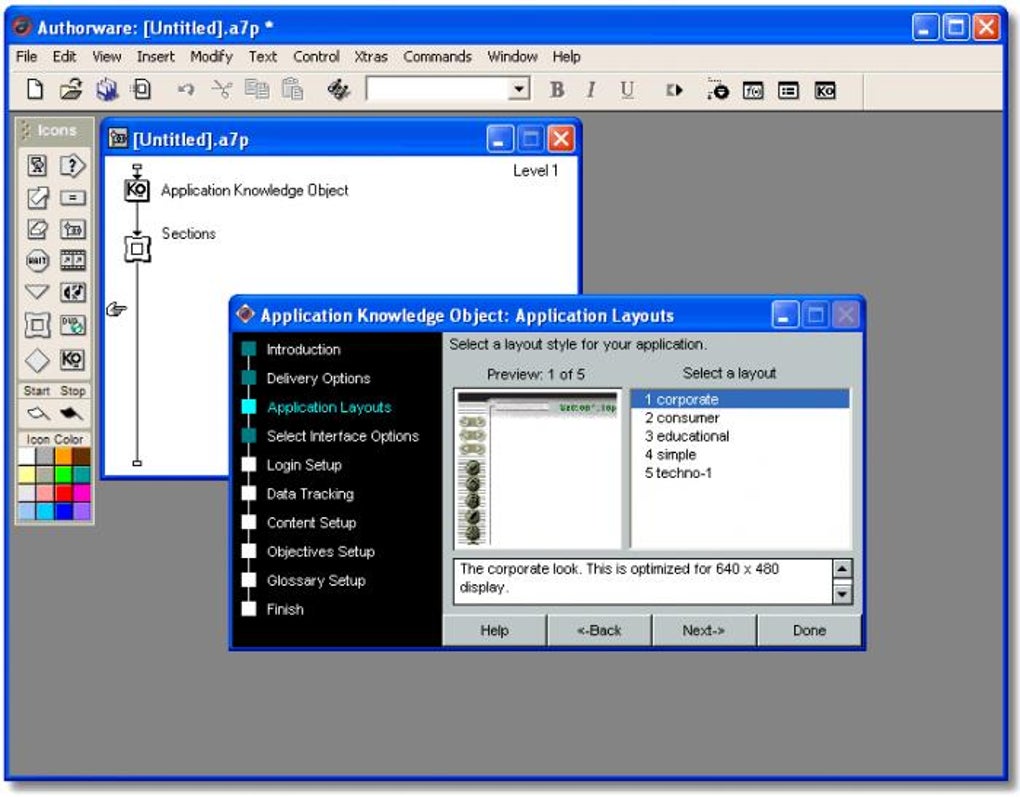
The software’s core functionality revolved around the concept of “flowlines,” which dictated the sequence and flow of events within an application. Developers could design interactive scenarios, branching narratives, and responsive systems by manipulating these flowlines and connecting them to various interactive elements, including text, images, audio, video, and external applications. This facilitated the creation of dynamic and engaging learning experiences, making Authorware a popular choice for educational institutions and corporate training departments.
One of Authorware’s key strengths lay in its robust scripting capabilities. While its visual interface simplified the development process, developers could leverage Authorware’s scripting language (similar to Pascal) to implement more advanced functionalities, customize interactions, and integrate external data sources. This blend of visual simplicity and powerful scripting options provided a flexible development environment suitable for both novice and experienced developers.
Key Features and Capabilities of Adobe Authorware
Authorware’s feature set catered to the specific needs of multimedia development, offering tools to handle various media types, manage user interactions, and track progress. Some of its notable capabilities include:
- Intuitive Visual Interface: The drag-and-drop interface simplified the creation of interactive content, eliminating the need for extensive programming knowledge.
-
Flowline-Based Development: The use of flowlines provided a clear and intuitive way to manage the sequence and logic of application events.
-
Robust Media Handling: Authorware could seamlessly integrate various media types, including text, images, audio, video, and animations.
-
Interactive Elements: Developers could incorporate a wide range of interactive elements, such as buttons, hot spots, text fields, and custom controls, to create engaging user experiences.
-
Scripting Capabilities: The built-in scripting language allowed for customization, complex interactions, and integration with external data sources.
-
Variable Management: Authorware provided mechanisms to manage and manipulate variables, allowing developers to create dynamic and responsive applications that adapted to user input and actions.
-
Assessment and Tracking: The software facilitated the creation of interactive assessments and provided tools to track user progress, providing valuable data for evaluating learning outcomes.
-
Cross-Platform Compatibility (to an extent): While primarily designed for Windows, certain versions offered some level of cross-platform compatibility, although this was often limited and could require significant adjustments.
Authorware’s Impact on Education and Training
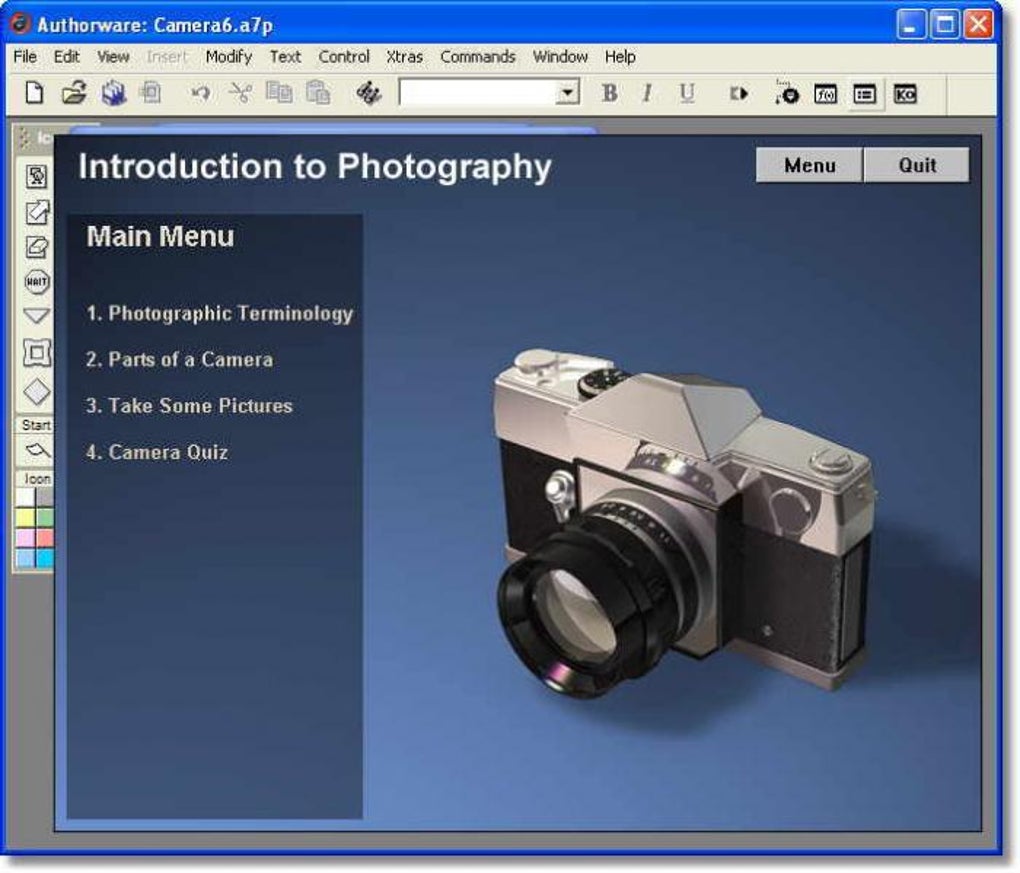
Authorware’s ease of use and robust capabilities made it a widely adopted tool for developing interactive educational materials and corporate training programs. Its visual approach allowed educators and trainers to focus on the content and pedagogy rather than the technical complexities of software development.
The ability to create branching scenarios and personalized learning paths enabled the creation of adaptive learning experiences tailored to individual student needs. This catered to diverse learning styles and allowed educators to create more effective and engaging learning materials. Similarly, in the corporate world, Authorware facilitated the development of interactive training simulations that provided employees with realistic, hands-on experiences in a safe and controlled environment. This allowed for more effective training and reduced the risk of costly errors during on-the-job learning.
Decline and Legacy of Adobe Authorware
Despite its initial success, Adobe Authorware faced challenges in the later stages of its life cycle. The rise of newer technologies, such as Adobe Flash and later HTML5, presented more flexible and widely accessible platforms for multimedia development. Flash, in particular, offered a more streamlined and visually sophisticated approach to creating interactive content, leading to a gradual decline in Authorware’s popularity.
Adobe’s decision to eventually discontinue Authorware further solidified its obsolescence. While the software’s visual development paradigm and robust features were advantageous, the lack of widespread support and the limitations in modern web integration rendered it less appealing compared to more modern tools.
Despite its eventual decline, Adobe Authorware left a lasting impact on the field of multimedia development and educational technology. It pioneered the use of visual development environments for creating interactive applications and made multimedia development accessible to a wider range of users. Its influence can still be seen in the design philosophies and features of many modern multimedia authoring tools. The emphasis on visual programming, the use of flowcharts to represent application logic, and the integration of various media types are all concepts that owe a debt to Authorware’s pioneering role. Many training materials and educational resources developed using Authorware remain in use today, a testament to the software’s enduring legacy.
Alternatives to Adobe Authorware
With the discontinuation of Adobe Authorware, developers and educators turned to several alternative tools, each offering unique strengths and weaknesses:
-
Adobe Captivate: A robust eLearning authoring tool that offers features similar to Authorware but with better integration with other Adobe products and stronger web support.
-
Articulate Storyline: A popular choice for creating interactive eLearning courses, known for its user-friendly interface and powerful features.
-
Lectora: Another strong contender in the eLearning market, providing a wide range of features and excellent output quality.
-
HTML5-based authoring tools: Several tools utilize HTML5 for creating interactive content, offering greater cross-platform compatibility and web accessibility. These tools often require more programming knowledge than Authorware but provide far greater flexibility and future-proofing.
The choice of alternative depends heavily on the specific needs and technical skills of the user. For those seeking a similar visual development experience to Authorware, Adobe Captivate might be the closest option. However, for those prioritizing web compatibility and advanced features, HTML5-based tools might be a more suitable choice.
In conclusion, Adobe Authorware holds a significant place in the history of multimedia development and educational technology. While its active development has ceased, its influence on the design and functionality of modern tools remains undeniable. Its legacy serves as a reminder of the power of visual programming and its potential to democratize the creation of interactive and engaging learning experiences.
File Information
- License: “Trial version”
- Version: “7”
- Latest update: “March 9, 2017”
- Platform: “Windows”
- OS: “Windows Vista”
- Language: “English”
- Downloads: “9.6K”
- Size: “53.98 MB”


