
Adobe Creative Suite 2 (CS2), released in 2005, holds a significant place in the history of graphic design and digital content creation. While considerably outdated by today’s standards, CS2 remains a noteworthy piece of software history, offering a glimpse into the evolution of Adobe’s creative tools and the digital landscape of the mid-2000s. This article will explore the suite’s composition, its strengths and weaknesses, and its continued relevance in a world dominated by subscription-based Creative Cloud.
The Applications Within Adobe Creative Suite 2
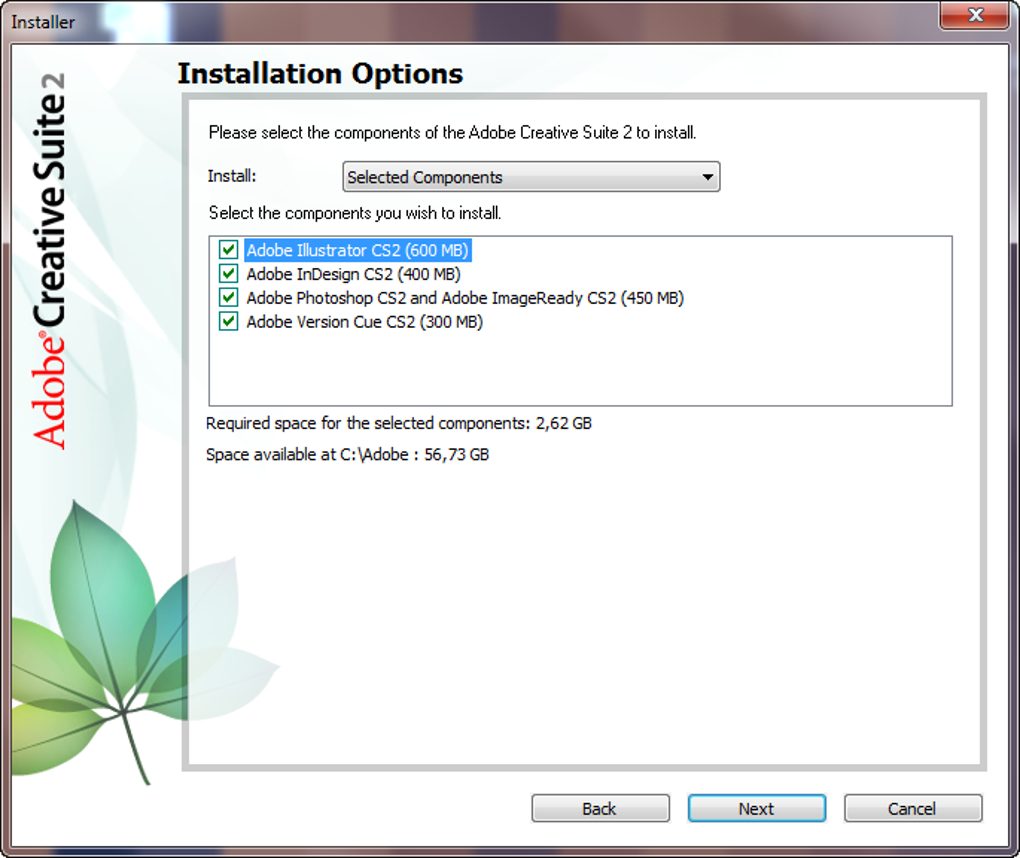
CS2 was a comprehensive suite boasting a wide array of applications catering to various creative needs. The Standard edition included a potent collection of tools, each designed to address specific aspects of design and production. Let’s delve into the key components:
-
Adobe Photoshop CS2: The cornerstone of the suite, Photoshop CS2 provided robust tools for image editing, manipulation, and creation. While lacking many of the advanced features found in later iterations, it offered a solid foundation for raster-based image work, including layer management, various selection tools, and a range of filters and effects. Its enduring legacy is evidenced by the continued use and appreciation by some designers who find its interface more intuitive or simply prefer the tools available in this particular version.
-
Adobe Illustrator CS2: Complementing Photoshop’s raster capabilities, Illustrator CS2 focused on vector graphics. This allowed for the creation of scalable images ideal for logos, illustrations, and typography. While the vector capabilities might seem less advanced compared to newer versions, CS2 still offered the fundamental tools for creating clean, precise artwork suitable for various applications.
-
Adobe InDesign CS2: This application played a pivotal role in page layout and publishing. InDesign CS2 allowed users to create professional-looking documents, brochures, magazines, and books with advanced typographic controls and layout options. Although simpler than its modern counterparts, it provided the core functionalities needed for creating well-structured and aesthetically pleasing print publications.
-
Adobe GoLive CS2: Before the rise of more modern web design tools, GoLive CS2 provided a platform for creating and managing websites. While now obsolete, it represented a crucial stage in the evolution of web design software, demonstrating Adobe’s commitment to this expanding digital medium.
-
Adobe Acrobat 7.0 Standard & Acrobat Pro 8.0: These applications served as essential tools for handling PDF documents. Standard offered basic PDF viewing and editing capabilities, while Pro 8.0 included more advanced features for creating, manipulating, and securing PDF files. While significantly outdated in comparison to current Acrobat Pro versions, they established Adobe’s dominance in the PDF space.
-
Adobe Audition 3.0: Audition 3.0 addressed the needs of audio editing and production. The software provided tools for recording, mixing, mastering, and manipulating audio tracks. Although less feature-rich than its successors, Audition 3.0 established itself as a foundational audio editing application.
-
Adobe Premiere Pro 2.0: Premiere Pro 2.0 was the video editing component of the suite. Users could edit video footage, add transitions, and apply various effects. While a simpler version than modern Premiere Pro, it laid the groundwork for Adobe’s video editing capabilities.
-
Adobe InCopy CS2: This collaborative editing application worked closely with InDesign, allowing multiple users to work on the same layout simultaneously. InCopy CS2 streamlined the workflow for publishing teams, reflecting a growing focus on collaborative projects.
-
Photoshop Elements 4.0/5.0: The consumer-friendly alternative to Photoshop, Elements provided a more streamlined approach to image editing, perfect for casual users and those less experienced in professional-grade image manipulation.
CS2’s Strengths and Limitations in the Modern Context
While CS2 is undoubtedly a product of its time, its legacy should not be dismissed entirely. Certain aspects still hold merit:
Strengths:
-
Ease of Use (for its time): Compared to modern, feature-rich applications, CS2’s interface might seem simpler and less cluttered. This can be advantageous for some users who prefer a less overwhelming experience, especially for beginners learning the ropes of professional design.
-
Core Functionality Remains Relevant: The fundamental principles of image editing, vector graphics, page layout, and audio/video manipulation haven’t changed dramatically. While the tools have become more advanced, the core concepts remain similar, allowing experienced CS2 users to easily transition to some extent to newer Adobe products.
- Simplicity and Stability: For basic tasks, CS2’s relative simplicity can lead to a more stable workflow, particularly on less powerful hardware where newer, more demanding software might struggle.
Limitations:
-
Outdated Features and Workflow: The lack of modern features, such as advanced AI-powered tools, non-destructive editing workflows, and cloud integration, significantly limits its competitiveness against current industry standards. Its workflow also differs substantially from contemporary design software, potentially causing confusion and inefficiencies for users accustomed to newer Adobe applications.
-
Compatibility Issues: Running CS2 on modern operating systems can present compatibility challenges, potentially requiring compatibility mode settings or workarounds. This limits its usability and adds to the complexity of using the software.
-
Lack of Updates and Support: As a legacy product, CS2 no longer receives updates, security patches, or technical support from Adobe. This leaves users vulnerable to potential security risks and without access to crucial assistance in case of technical difficulties.
Modern Alternatives to Adobe Creative Suite 2
The availability of numerous free and paid alternatives significantly diminishes the practical value of sticking with CS2. Several modern options provide comparable, or even superior, functionalities:
- GIMP (GNU Image Manipulation Program): A free and open-source alternative to Photoshop, GIMP offers a broad array of image editing capabilities. While it may have a steeper learning curve, GIMP’s power and flexibility make it a worthy competitor.
-
Inkscape: A free and open-source vector graphics editor similar to Illustrator. Inkscape’s features and capabilities, while continually improving, can serve as a viable alternative for many vector-based design tasks.
-
Scribus: A free and open-source page layout application that offers a comparable level of functionality to InDesign, especially for publishing projects.
-
Audacity: A free and open-source audio editor that provides a robust set of tools for audio recording, editing, and mixing. Audacity serves as an excellent free alternative to Adobe Audition.
Furthermore, subscription-based services like Adobe Creative Cloud provide access to the latest versions of Adobe’s creative applications, constantly updated with new features, performance enhancements, and security patches. While the cost is a factor, the comprehensive suite and ongoing support generally outweigh the disadvantages for professional users.
The Legacy of Adobe Creative Suite 2
Despite its obsolescence, Adobe Creative Suite 2 holds a significant place in the history of digital design and content creation. It served as a crucial stepping stone in the evolution of Adobe’s creative software and played a key role in shaping the digital landscape of the early 2000s. While its practical use in modern contexts is limited due to its age and lack of support, CS2’s impact on the industry and the experience of many designers should not be overlooked. Its availability via free download, though primarily for existing license holders, offers a fascinating look into the past for those interested in the history of design software and the evolution of digital tools. Its enduring presence, however limited, serves as a testament to the impact of this significant piece of software history.
File Information
- License: “Free”
- Latest update: “July 15, 2022”
- Platform: “Windows”
- OS: “Windows 8”
- Language: “English”
- Downloads: “501K”


