
Adobe Dreamweaver has long held its position as the industry-standard software for web design and development. This comprehensive guide explores its features, capabilities, pros and cons, and its place in the modern web development landscape. We’ll delve into its history, evolution, and its continued relevance in a constantly evolving technological world.
Dreamweaver’s Core Functionality: A WYSIWYG Approach to Web Development
Dreamweaver’s core strength lies in its WYSIWYG (What You See Is What You Get) interface. This allows users to visually design and manipulate web pages without needing to write extensive HTML, CSS, or JavaScript code directly. Users can drag and drop elements, adjust layouts, and modify styles with a level of visual immediacy that significantly speeds up the design process, especially for those less familiar with coding. This visual approach makes Dreamweaver accessible to both beginners and experienced developers alike.
However, Dreamweaver doesn’t restrict users to the visual editor. It offers a robust code editor, allowing for direct manipulation of the underlying HTML, CSS, and JavaScript. This dual functionality is one of Dreamweaver’s most significant advantages. Developers can seamlessly switch between the visual and code views, enabling a flexible and efficient workflow. This allows for a balance between intuitive visual design and precise code control, catering to a wide range of skill levels and project complexities. The split-view functionality allows for simultaneous viewing of both the visual representation and the underlying code, fostering a deep understanding of the connection between design and code.
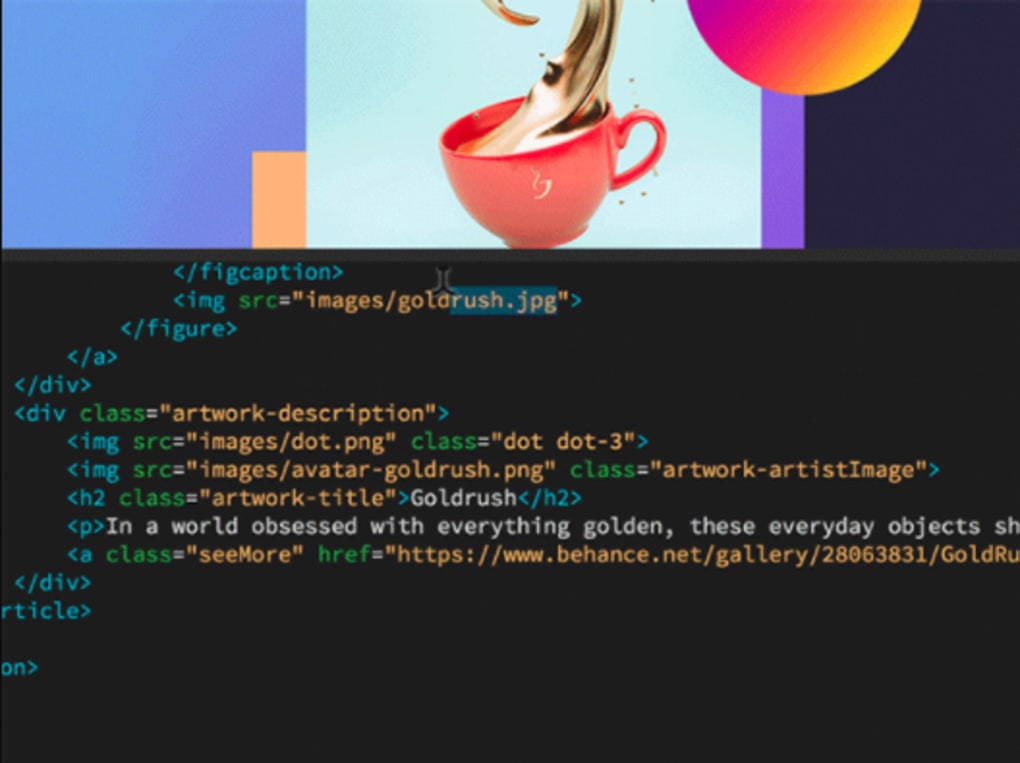
Dreamweaver simplifies the insertion of various multimedia elements. Adding images, videos, and audio is straightforward, with drag-and-drop functionality streamlining the process. The software facilitates easy rearrangement and adjustment of these elements, ensuring a precise and visually appealing layout. The software also provides readily available HTML and CSS templates, offering starting points for users to build upon. However, a fundamental understanding of CSS and HTML remains beneficial to fully harness the software’s capabilities and create custom designs.
Seamless Integration and Advanced Features
Dreamweaver’s integration within the Adobe Creative Cloud ecosystem is a significant advantage. This integration allows for a seamless workflow with other Adobe applications, such as Photoshop and Illustrator, although direct project exporting between them isn’t always straightforward. The Creative Cloud integration also offers advantages in terms of cloud storage, version control, and collaborative editing capabilities. This is particularly beneficial for teams working on large-scale web projects.
Over the years, Dreamweaver has incorporated numerous advanced features, continuously adapting to the evolving landscape of web technologies. Features such as Element Quick View provide a rapid way to inspect and modify HTML elements. Improved editing capabilities within the Live View enable real-time visual adjustments, enhancing the WYSIWYG experience. Live Insert allows for the insertion of HTML elements directly into the Live View, further enhancing the efficiency of the design process. A dedicated help center offers ample assistance and tutorials, supporting both novice and experienced users.
The software’s support extends beyond basic web development. Dreamweaver’s compatibility with popular content management systems (CMS) such as WordPress and Joomla! makes it an invaluable tool for website development within these frameworks. This simplifies the process of creating and managing dynamic websites with pre-built functionalities and intuitive interfaces. This integration streamlines the workflow for those utilizing these CMS platforms, offering a combined environment for design and content management.
Dreamweaver’s Strengths and Weaknesses: A Balanced Perspective
While Dreamweaver boasts an extensive array of powerful features, it’s crucial to acknowledge both its strengths and weaknesses.
Strengths:
- Intuitive WYSIWYG Editor: The visual editor significantly reduces the coding barrier for beginners, allowing for rapid prototyping and design iteration.
- Powerful Code Editor: Experienced developers appreciate the robust code editor, enabling precise control over the underlying HTML, CSS, and JavaScript.
- Multimedia Integration: Seamlessly integrating images, videos, and audio enhances the design and development process.
- Creative Cloud Integration: Facilitates cloud storage, version control, and collaboration, streamlining workflow for teams.
- CMS Compatibility: Supports popular CMS platforms like WordPress and Joomla!, simplifying website development within these frameworks.
- Extensive Feature Set: Provides a broad range of features catering to diverse design and development needs.
- Large Community and Support: A large and active community provides extensive support, tutorials, and extensions.
Weaknesses:
- Steep Learning Curve (for beginners): Despite the WYSIWYG interface, mastering Dreamweaver’s full functionality can require significant time and effort.
- Creative Cloud Subscription: Requires an ongoing subscription to Adobe Creative Cloud, adding to the overall cost.
- Resource Intensive: Can be resource-intensive, potentially impacting performance on older or lower-spec machines.
- Limited Direct Cross-Application Export: While integrated within Creative Cloud, direct project export to other Adobe applications may not always be seamless.
- Can Generate Bloated Code (for beginners): Improper use of the visual editor can sometimes result in unnecessarily complex or bloated code.
Dreamweaver’s Evolution and Future Relevance
Dreamweaver has undergone significant evolution throughout its history. From its origins as a web development tool focusing on basic HTML editing, it has transformed into a powerful suite encompassing a broad range of advanced features. Its continued relevance in the modern web development landscape hinges on its ability to adapt to the changing technology. The introduction of new features such as Live View enhancements and improved integration with various CMS platforms underscores its ongoing commitment to innovation.
However, the rise of other web development tools and the increasing popularity of code-centric approaches present challenges to Dreamweaver’s dominance. While its visual interface remains a considerable advantage for beginners, experienced developers often opt for more flexible and customizable code editors. The ongoing debate surrounding the merits of WYSIWYG editors versus pure code-based development will continue to shape Dreamweaver’s future trajectory.
Despite these challenges, Dreamweaver’s powerful feature set, extensive community support, and seamless integration within the Adobe Creative Cloud ecosystem ensure its continued relevance for a wide range of users, from beginners venturing into web design to experienced developers tackling complex projects. The software’s ability to cater to both visual and code-centric approaches will likely continue to be a key factor in its continued success. Its evolution will depend on its capacity to adapt to emerging web technologies, refine its user interface, and continue to provide a balance between visual ease and code-level control.
File Information
- License: “Trial version”
- Latest update: “July 11, 2023”
- Platform: “Windows”
- OS: “Windows 8.1”
- Language: “English”
- Downloads: “2M”


