
Adobe Animate CC, formerly known as Adobe Flash Professional, stands as a landmark achievement in animation software. Its legacy is deeply intertwined with the evolution of the internet itself, playing a pivotal role in making interactive content accessible to a global audience. This article delves into the capabilities, features, and historical significance of Adobe Animate CC, exploring its impact on web design, game development, and animation as a whole.
The Rise of Flash and the Power of Adobe Animate CC
Before the proliferation of HTML5 and other web technologies, Flash was the dominant force driving rich media experiences online. Its success stemmed from two key factors: a single, universally compatible format, and user-friendly software that empowered creators of all skill levels. Adobe Animate CC, inheriting this legacy, further refined the creative process, providing a robust and versatile toolset for crafting dynamic web content, applications, and games.
The software’s intuitive interface, built around a layered system and a straightforward timeline, makes animation creation more accessible. This ease of use, combined with powerful features, accounts for its enduring popularity among professionals and aspiring animators alike. While Adobe Animate CC provides a built-in set of graphic creation tools, it seamlessly integrates with other Adobe Creative Cloud applications like Photoshop and Fireworks, allowing users to import and manipulate pre-existing assets effortlessly.
ActionScript 3.0 and Dynamic Content Creation
Adobe Animate CC’s true power lies in its ability to create dynamic, interactive content. This is achieved through ActionScript 3.0, a relatively straightforward programming language tailored for web development. Even beginners can leverage this language effectively, thanks to a comprehensive library of pre-defined code snippets and functions. For more advanced users, the integration with Flash Builder offers a more structured and robust coding environment.
ActionScript 3.0 extends far beyond simple animations; it allows developers to build intricate interactive applications, games with complex gameplay mechanics, and data-driven experiences. The ability to seamlessly integrate external data sources, such as XML and BIN files, opens up a vast range of possibilities for personalized and dynamic content. The software’s capacity to export animations in multiple formats ensures broad compatibility, maximizing reach across different platforms and devices.
Advanced Features and Recent Updates
Over the years, Adobe Animate CC has consistently evolved, incorporating innovative features to enhance its capabilities and user experience. Recent updates have significantly broadened the software’s potential, adding a range of tools and improvements that streamline the animation workflow and expand creative possibilities.
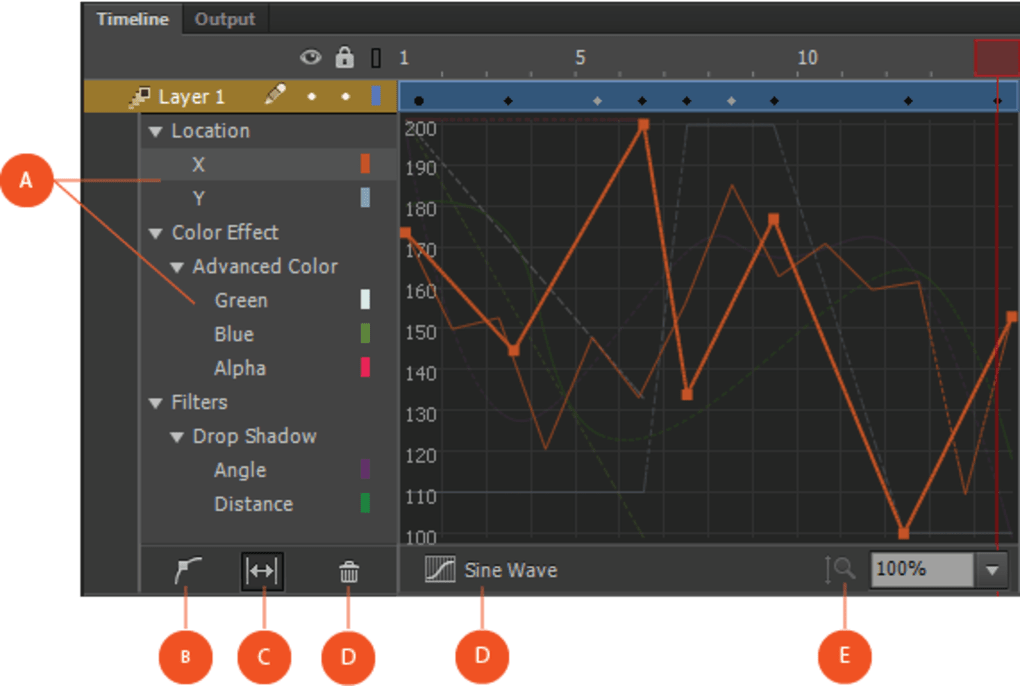
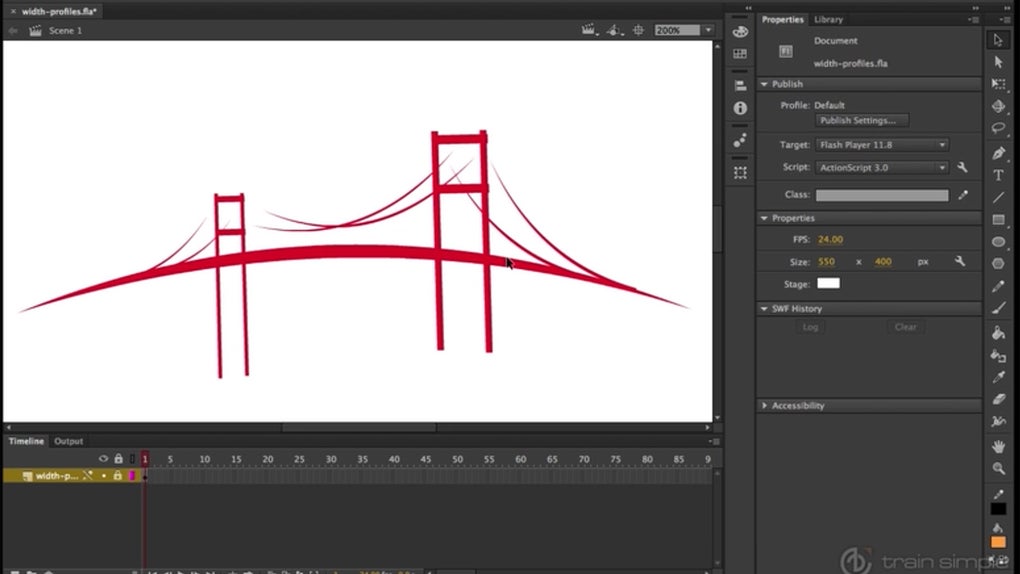
One noteworthy addition is the enhanced motion editor, which provides more intuitive and precise control over animation movements. The integration of WebGL support has unlocked new levels of performance for animations, enabling smoother playback and more complex visual effects. The introduction of variable-width outlines and interpolation capabilities offers greater flexibility in creating refined and detailed artwork. Features such as object cancellation simplify the editing process, allowing for quick corrections and revisions. The software’s expanded support for projection files and HTML5 extensions further enhances its versatility, enabling the creation of content optimized for modern web standards.
Learning Resources and Community Support
While Adobe Animate CC is targeted towards professional users, the software provides extensive resources for learning and support, catering to users of all experience levels. Adobe’s official website houses a wealth of tutorials, articles, and sample projects designed to guide users through the software’s features and techniques. These resources are readily accessible and cater to a wide range of skill levels, from absolute beginners to experienced animators. The extensive online community further supports learning, providing opportunities for collaboration, problem-solving, and sharing creative insights. This rich ecosystem fosters continuous learning and collaboration, strengthening the software’s user base.
Adobe Animate CC’s Continued Relevance
Despite the shift towards HTML5 and other technologies, Adobe Animate CC retains its prominence in the animation and web development landscape. While the dominance of Flash as the primary web animation format has diminished, Adobe Animate CC continues to be a valuable asset for professionals and hobbyists alike. Its strength lies in its mature feature set, its large and engaged community, and its integration with other Adobe Creative Cloud applications, making it a mainstay in many creative workflows.
The software’s adaptability and the growing demand for engaging interactive content ensure its continued relevance in the digital world. Whether creating interactive advertisements, educational simulations, or engaging online games, Adobe Animate CC provides the tools and flexibility to bring creative visions to life. It remains a cornerstone for those seeking to develop dynamic, interactive content that transcends the limitations of static media.
Comparison with Alternative Software
While Adobe Animate CC is a dominant player, it’s essential to consider alternatives. Some notable competitors include Macromedia Flash 8 (an older version of the software), Synfig Studio (a free and open-source option), and Toon Boom Studio (a professional-grade animation suite). Each program offers its own unique strengths and weaknesses, appealing to different user needs and preferences. Macromedia Flash 8, while outdated, remains relevant due to its compatibility with existing Flash content. Synfig Studio provides a powerful, open-source alternative for users seeking cost-effective solutions. Toon Boom Studio targets professionals with its comprehensive features and advanced capabilities. The choice of software ultimately depends on the user’s specific requirements, budget, and project scope.
Pros and Cons of Adobe Animate CC
Pros:
- Seamless integration with Adobe Creative Cloud: This allows for a streamlined workflow, enhancing efficiency and facilitating collaboration between various Adobe applications.
- Versatile format support: Adobe Animate CC outputs animations in multiple formats, ensuring broad compatibility and reach across a wide range of platforms and devices.
- Wide range of applications: The software is applicable to a vast spectrum of projects, from simple animations to complex interactive applications and games.
- Extensive learning resources and community support: Adobe provides ample tutorials, documentation, and community forums, aiding users in mastering the software and overcoming challenges.
- Powerful scripting capabilities (ActionScript 3.0): This allows for the creation of highly interactive and dynamic content, pushing the boundaries of what’s possible with animation.
- Regular updates and feature enhancements: Adobe actively develops and improves the software, ensuring it remains current with technological advancements and user needs.
Cons:
- Steep learning curve for beginners: While the interface is relatively intuitive, mastering advanced features and ActionScript 3.0 requires significant time and effort.
- Cost: As part of the Adobe Creative Cloud suite, it involves a subscription fee, potentially making it inaccessible for some users.
- Resource intensive: Creating complex animations can demand substantial system resources, potentially impacting performance on less powerful machines.
- Dependence on Adobe ecosystem: The software’s tight integration with Adobe’s ecosystem may limit flexibility for users who prefer working with other platforms or tools.
In conclusion, Adobe Animate CC (formerly Adobe Flash Professional) remains a powerful and versatile animation software, shaping how we interact with digital media. While alternatives exist, its robust feature set, seamless integration with other Adobe tools, and extensive support resources solidify its position as a leading choice for professionals and enthusiasts alike. Its history is inextricably linked to the internet’s evolution, showcasing its enduring impact on the digital landscape.
File Information
- License: “Trial version”
- Version: “2017”
- Latest update: “February 1, 2023”
- Platform: “Windows”
- OS: “Windows XP”
- Language: “English”
- Downloads: “1.3M”
- Size: “1.16 GB”


