
Adobe Photoshop Express offers a streamlined photo editing experience, designed for ease of use and accessibility. While it lacks the extensive features of its professional counterpart, Adobe Photoshop, Express provides a powerful and efficient toolset for casual users and those seeking quick, impactful edits. This review delves into the software’s capabilities, features, limitations, and overall value proposition.
User-Friendly Interface and Functionality
Adobe Photoshop Express prioritizes simplicity. The interface is intuitive, even for users with minimal photo editing experience. The absence of complex menus and overwhelming tool palettes ensures a smooth and straightforward editing workflow. This beginner-friendly approach makes it ideal for casual users, social media enthusiasts, and anyone looking to enhance their photos without needing extensive tutorials or prior knowledge. The software’s design effectively guides users through the editing process, providing a pleasant and productive experience.
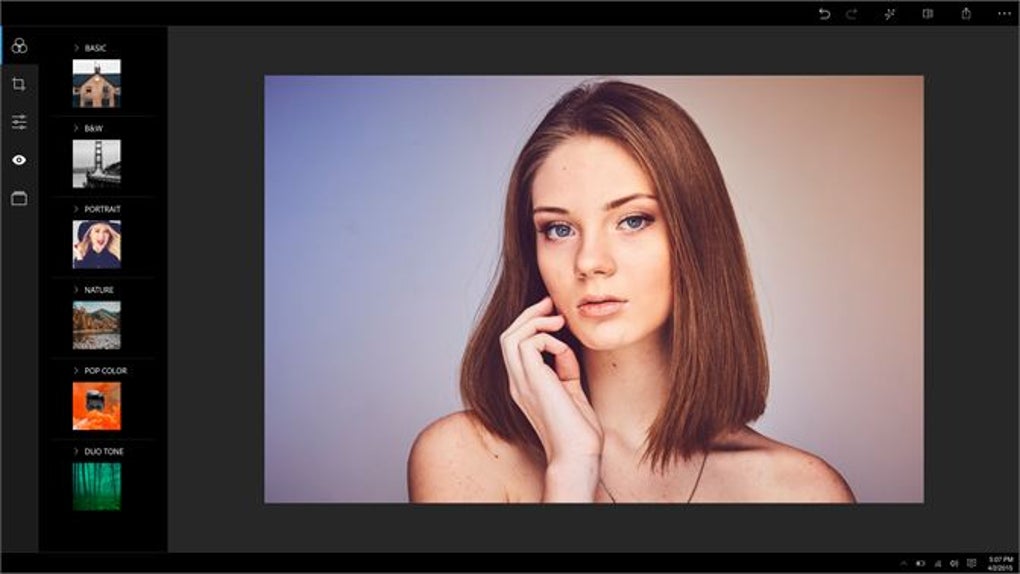
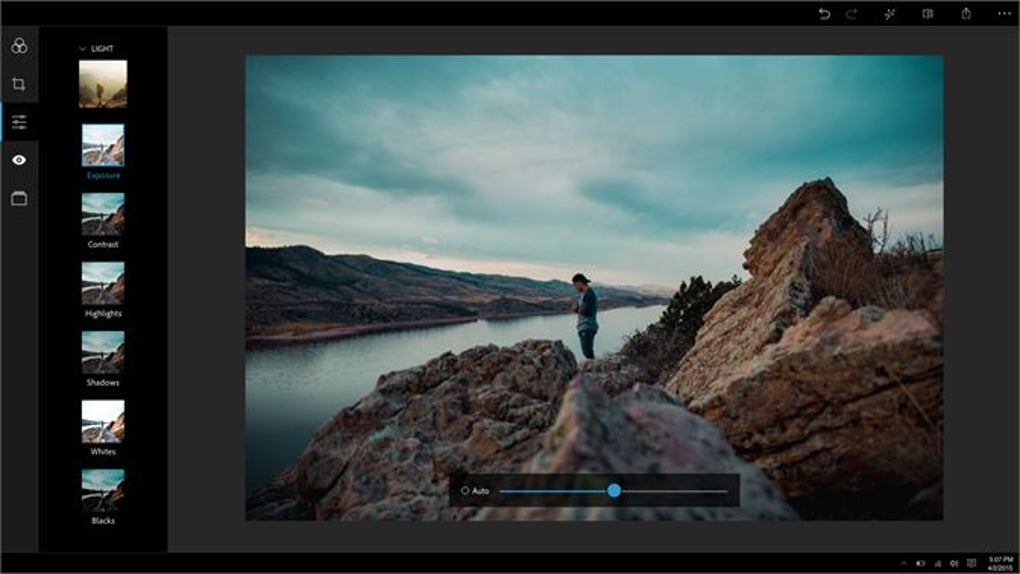
The core functionalities of Adobe Photoshop Express revolve around quick and effective image enhancements. Users can readily perform essential edits such as cropping, resizing (within limitations), adjusting brightness, contrast, saturation, and white balance. The software also incorporates advanced features like red-eye removal, noise reduction, and fill light adjustments, enabling users to address common photo imperfections.
Extensive Filter Options and Creative Tools
Adobe Photoshop Express provides a comprehensive collection of filters, aptly termed “Looks,” totaling over 45 distinct presets. These filters range from subtle enhancements to dramatic stylistic transformations, allowing users to quickly alter the mood and aesthetic of their images. This wide array of options caters to a diverse range of creative preferences, ensuring there’s a filter to match any envisioned outcome. The filters are easily applied and adjusted, offering a convenient way to experiment with different visual styles without significant technical expertise.
Beyond filters, Adobe Photoshop Express offers other creative tools to personalize images. Users can add borders from a selection of over 30 different styles, enhancing the overall presentation and adding a distinctive touch. The ability to control the intensity of applied filters and effects through adjustable sliders provides a nuanced level of control, enabling precise refinement of the final look. These creative elements transform simple edits into impactful visual statements.
Sharing and Printing Capabilities
Adobe Photoshop Express facilitates effortless sharing of edited images across various platforms. Users can directly share their work on popular social media channels like Facebook, Instagram, Twitter, and WhatsApp, streamlining the process of showcasing their creations. This seamless integration with popular social media networks aligns perfectly with the software’s target demographic of casual users and social media influencers.
Furthermore, the software allows for direct printing of edited images, offering a convenient method for producing physical copies of enhanced photos. This functionality eliminates the need for additional software or intermediary steps, simplifying the workflow from editing to physical output. The printing options are straightforward and easily accessible, ensuring a simple and efficient method for obtaining physical prints.
Limitations and In-App Purchases
While Adobe Photoshop Express provides a robust suite of free features, it does have limitations compared to its full-fledged counterpart and other professional-grade software. The most notable constraint is the file size limit. The software only supports JPEG files smaller than 8,191 pixels and less than 16MP. This restriction might pose a challenge for users working with high-resolution images or those requiring larger file sizes for professional purposes.
Some advanced features are available only through in-app purchases. While users can preview the results of premium tools, saving images with these enhancements requires a payment. This monetization strategy balances free accessibility with the revenue needed to sustain the software’s development. While the free version provides ample functionality for many users, the paid features expand the creative capabilities considerably.
The desktop application lacks certain features present in the mobile version, including the ability to create collages. This discrepancy between desktop and mobile functionalities might disappoint users accustomed to the broader feature set available on mobile devices. However, the desktop app prioritizes speed and ease of use, optimizing for quick edits and efficient sharing.
Comparison with Adobe Photoshop and Alternatives
Adobe Photoshop Express is distinctly different from the full Adobe Photoshop. Photoshop is a professional-grade image editing software renowned for its extensive capabilities and customizable controls. It caters to professional photographers, graphic designers, and other creative professionals requiring advanced tools and precise control over every aspect of image manipulation. In contrast, Photoshop Express is geared toward casual users and those seeking a simpler, more straightforward editing experience.
Numerous alternative free photo editing programs exist. PhotoScape, PC Image Editor, and PicsArt - Photo Studio for Windows 10 offer varying levels of functionality and ease of use. While these alternatives might offer some comparable features, Adobe Photoshop Express distinguishes itself through its seamless integration with Adobe’s ecosystem and its user-friendly interface. The software’s simplicity and intuitive design make it an attractive option for users prioritizing ease of use over a vast array of advanced, but potentially overwhelming, features.
Conclusion: A Valuable Addition to the Digital Toolkit
Adobe Photoshop Express provides a lightweight yet powerful photo editing experience, particularly well-suited for casual users and social media enthusiasts. Its intuitive interface, extensive filter options, easy sharing capabilities, and direct printing functionalities make it a valuable addition to the digital toolkit. While the file size limitations and premium features might restrict its utility for professional use, it remains a highly effective tool for quick, impactful image enhancements. The balance between free access to core functionalities and the availability of optional paid features makes it a compelling choice for those seeking a versatile and user-friendly photo editing solution. The software’s ease of use and focus on streamlining the editing process makes it accessible to a wide audience, regardless of their prior photo editing experience. Overall, Adobe Photoshop Express effectively bridges the gap between casual photo enhancement and professional-grade editing, offering a strong value proposition for many users.
File Information
- License: “Free”
- Version: “3.28.0.417”
- Latest update: “July 9, 2024”
- Platform: “Windows”
- OS: “Windows 11”
- Language: “English”
- Downloads: “4.9M”


