
Adobe Photoshop Lightroom, a name synonymous with professional-grade photo editing and organization, has seamlessly transitioned from desktop dominance to the mobile realm. Its Android application, available for free download, provides a powerful, yet streamlined, experience for managing and enhancing your photographic workflow directly from your smartphone or tablet. While lacking some advanced features found in its desktop counterpart, such as plugin support and certain workflow functionalities, Lightroom for Android offers a compelling suite of tools that make it a top contender in the mobile photo editing landscape. This article will delve into the features, capabilities, pros, cons, and overall user experience of Adobe Photoshop Lightroom on Android.
App Features and Functionality: Mobile Editing Redefined
Lightroom for Android provides a surprisingly comprehensive array of editing tools, rivaling many dedicated mobile photo editing applications. The app’s intuitive interface makes navigation straightforward, even for users unfamiliar with professional-level editing software. Upon launching the app, your device’s photos are instantly displayed in a grid format, facilitating easy selection and organization. This intuitive organization is further enhanced by Lightroom’s powerful AI-powered search mechanism, allowing users to quickly locate specific images based on content, subjects, or even facial recognition.
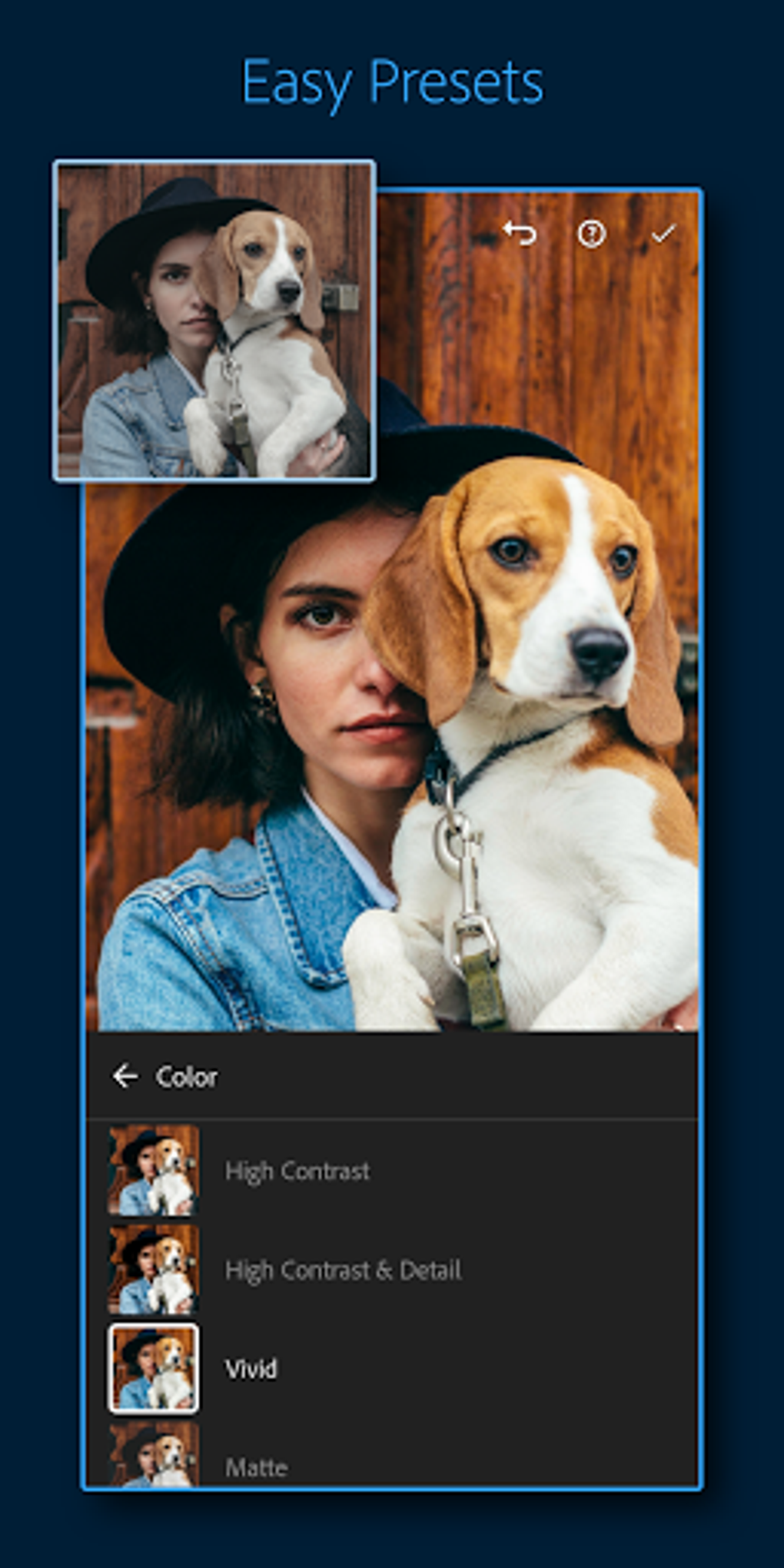
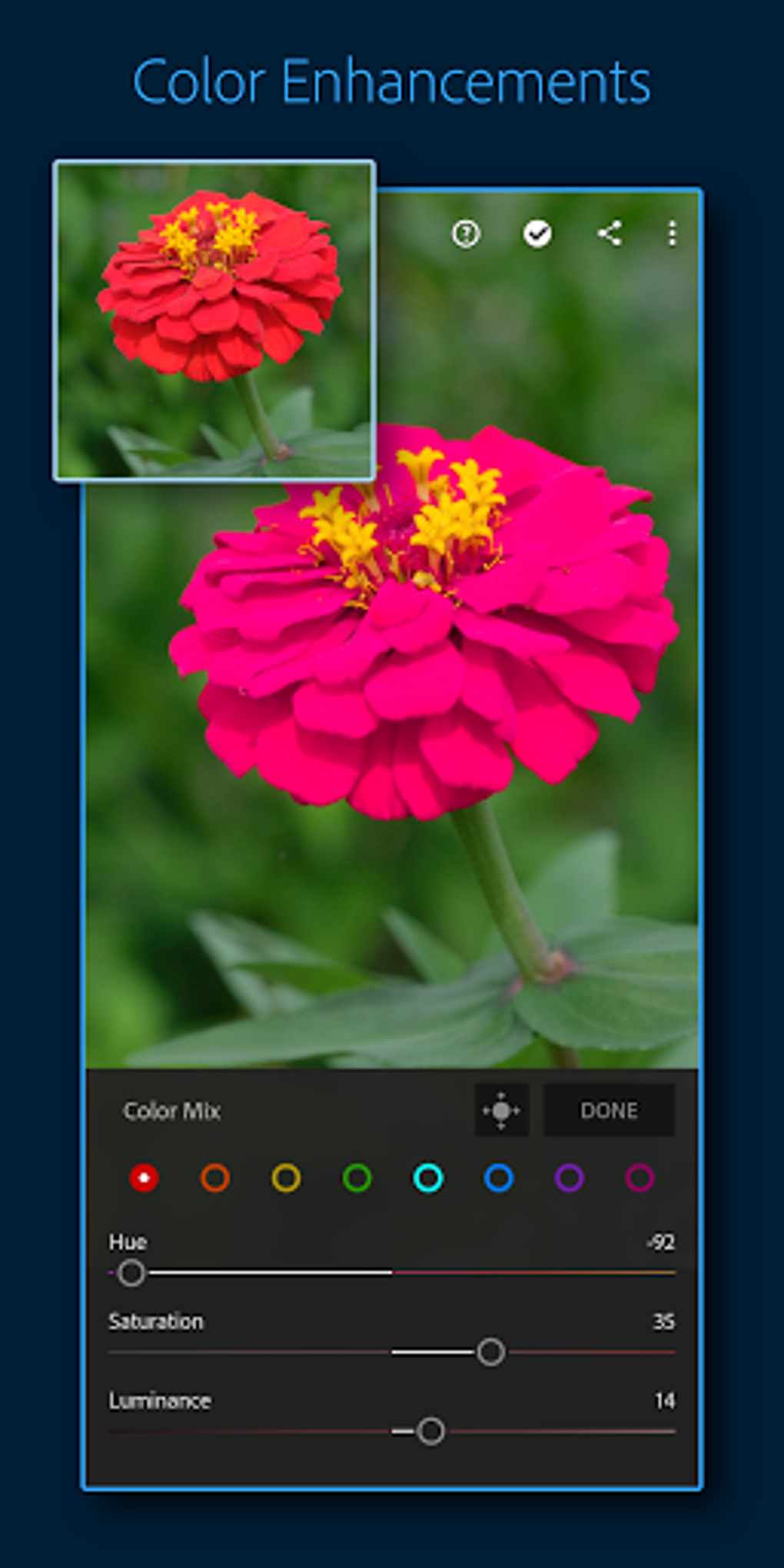
The editing tools themselves are both extensive and accessible. Basic adjustments, such as cropping, rotating, and straightening, are readily available. More advanced features, however, are where Lightroom truly shines. The “Curves” tool allows for precise tonal adjustments, offering unparalleled control over highlights, shadows, and mid-tones. The “Touch-input” mode enhances precision, enabling the use of tools like the local adjustment brush and healing brush for targeted edits. This mode is particularly beneficial when working with finer details or performing more intricate corrections. Linear and gradient adjustments further expand the creative possibilities, allowing for nuanced control over color and tone gradients within the image.
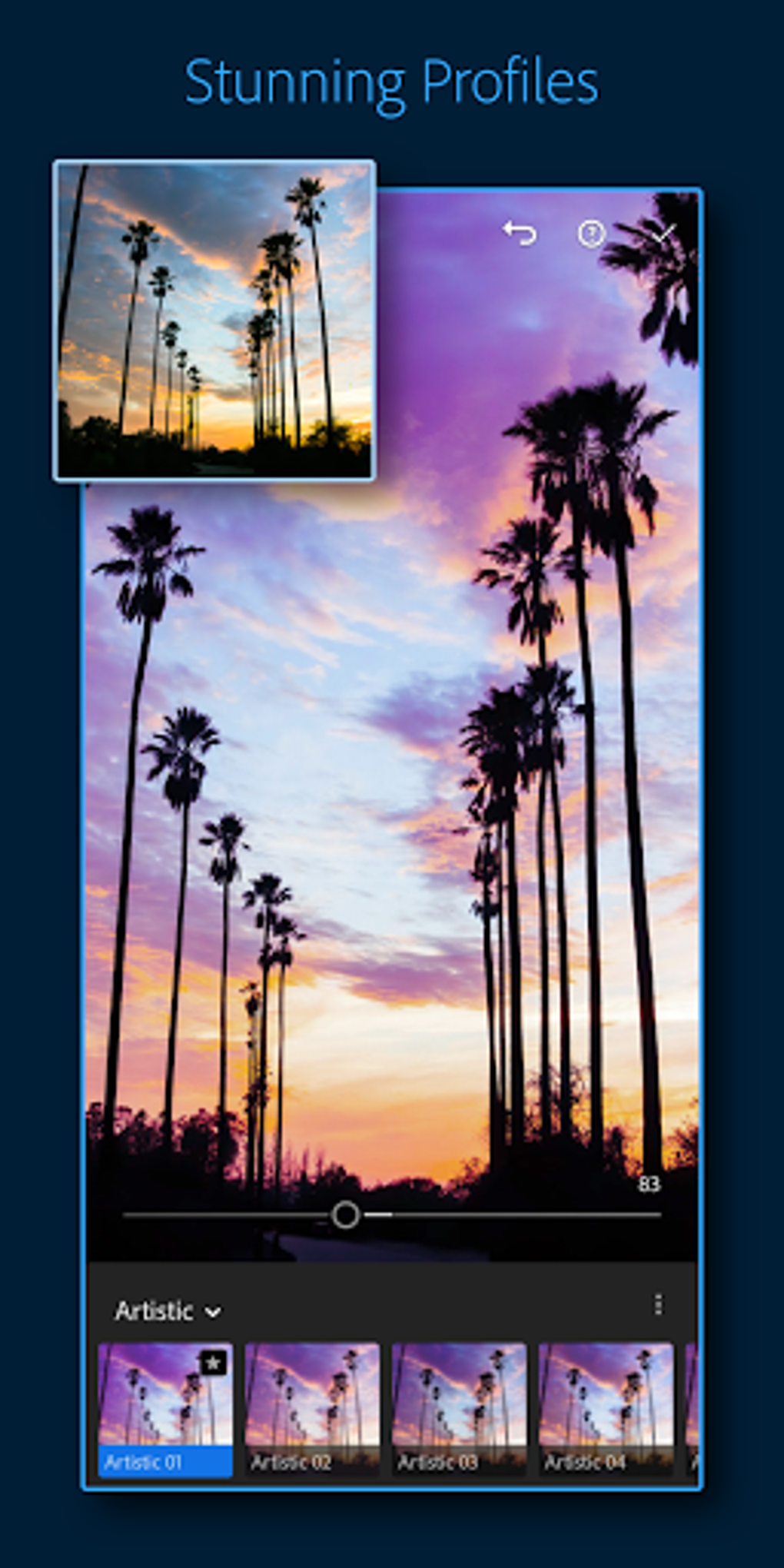
The “Profiles” section provides access to a variety of pre-set looks, akin to Instagram filters, offering a quick and easy way to apply artistic styles. However, unlike some filter-centric apps, Lightroom’s profiles are significantly more nuanced and customizable, allowing for adjustments and refinements to match your creative vision. While the app doesn’t support importing VSCO presets, the extensive built-in options often negate the need for external presets.
One notable aspect of Lightroom’s functionality is its seamless integration with Adobe’s Creative Cloud storage. While the Android version doesn’t offer the same level of synchronization as its desktop counterpart, it still provides smooth uploading, downloading, and storage of edited images. This is crucial for maintaining consistency across devices and facilitating collaboration, although it is important to note that Adobe’s cloud storage has a cost associated with it.
The app’s gesture controls further enhance usability. Simple gestures allow for easy navigation, zooming, and access to various tools and settings, creating a fluid and efficient workflow. The double-tap functionality to view metadata provides quick access to essential image information, enhancing the overall user experience.
Organization and Workflow: Beyond Editing
Beyond its robust editing capabilities, Lightroom excels at organizing vast photo collections. The app allows for the creation of albums and the application of keyword tags, making it remarkably easy to categorize and retrieve specific images. The AI-powered facial recognition feature is particularly noteworthy, simplifying the process of identifying and organizing photos based on individuals captured within the images. This feature is significantly more advanced than that of competing applications, allowing for easier organization of large photo collections.
The ability to share edited images directly to various platforms, including popular social media sites like Instagram, Facebook, and X (formerly Twitter), greatly simplifies the process of sharing your work with others. This seamless integration between editing and sharing is a key strength of the Lightroom mobile app.
Adobe Lightroom and the Creative Cloud Ecosystem
Lightroom’s seamless integration into the Adobe Creative Cloud ecosystem is a significant advantage. For users already subscribed to Creative Cloud, Lightroom provides a convenient mobile extension of their workflow. This integration allows for synchronization of projects and settings across multiple devices, enabling seamless transitions between mobile and desktop editing. The accessibility of cloud storage allows for easy backup and access to your images from virtually anywhere.
User Experience and Interface: Intuitive Design for Mobile
The Android version of Lightroom maintains a consistent and user-friendly interface. The app is remarkably intuitive, even for users unfamiliar with professional-level photo editing software. The well-organized options and streamlined workflow ensure that the editing process is efficient and straightforward. While the app’s simplicity might appear limiting to some advanced users, it is this simplicity that makes Lightroom so accessible to a wider audience, including casual users and those new to mobile photo editing.
The app’s performance is generally smooth, although performance might vary depending on the device and the size of the photo library being managed. The app is designed to run well on most modern Android smartphones, but it performs even better on tablets due to the larger screen real estate.
Drawbacks and Limitations: Considerations for Users
While Lightroom for Android offers a powerful suite of features, it’s not without its limitations. The most significant drawback is the lack of full synchronization with the desktop version. While the Creative Cloud integration allows for syncing of individual images, the synchronization of collections isn’t entirely seamless, potentially causing some frustration for users who rely heavily on collections for workflow management.
Another limitation is the absence of support for importing VSCO presets. While Lightroom’s own profiles are extensive, the inability to import external presets might be a deal-breaker for some users accustomed to working with specific presets from other applications. The cost of Adobe’s Creative Cloud storage, when compared to other options, also needs to be factored into the decision to adopt Lightroom.
Finally, the app, while generally reliable, has experienced occasional instances of syncing issues, prompting the need for manual intervention to resolve conflicts. However, these issues are relatively infrequent and often addressed in subsequent updates.
Conclusion: A Powerful and Versatile Mobile Photo Editor
Despite its limitations, Adobe Photoshop Lightroom for Android remains a leading mobile photo editing and organization application. Its combination of powerful editing tools, intuitive interface, and seamless integration with the Creative Cloud ecosystem makes it a compelling option for both professional photographers and casual users alike. While the cost of the Creative Cloud subscription and the limitations regarding collection synchronization and VSCO preset support must be considered, the overall benefits largely outweigh these drawbacks. For those seeking a comprehensive, user-friendly, and powerful mobile photo editing solution, Adobe Photoshop Lightroom for Android is a strong choice. Its capabilities, especially concerning AI-powered organization and advanced editing features, set it apart from many of its competitors, firmly establishing its position as a top-tier mobile application for photo enthusiasts and professionals.
File Information
- License: “Free”
- Latest update: “July 21, 2025”
- Platform: “Android”
- OS: “Android 13.0”
- Language: “English”
- Downloads: “2.1M”
- Download Options: “Google Play”


