
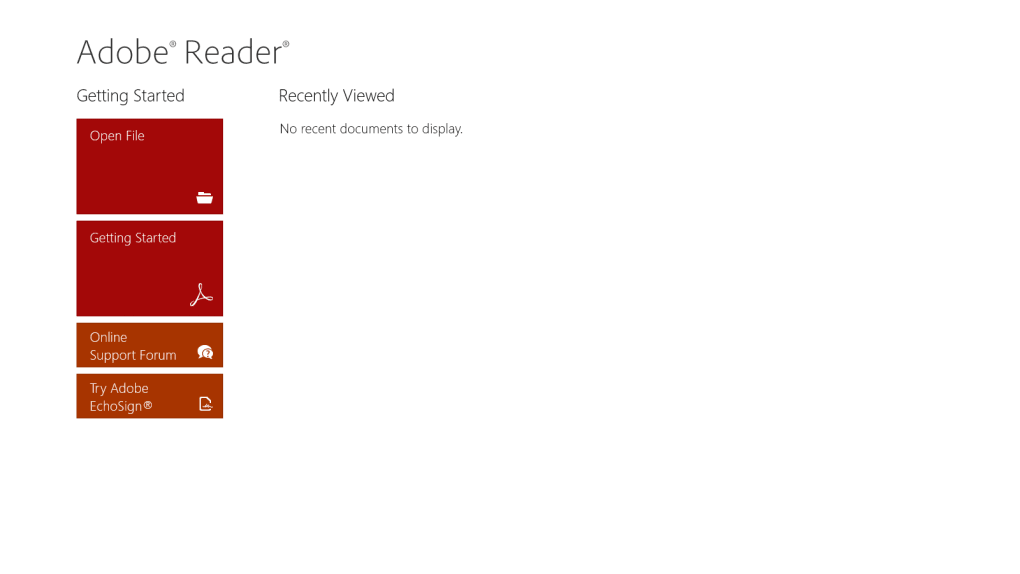
Adobe Reader, a staple in the world of PDF document viewing, has a long and storied history. Its Windows 10 iteration offers a robust, yet often debated, solution for handling Portable Document Format (PDF) files. This guide delves into the features, limitations, alternatives, and overall user experience of Adobe Reader for Windows 10, helping you decide if it’s the right PDF reader for your needs. While the original review focused on an older, simpler version (Adobe Reader for Windows 8), this expanded analysis will address the current capabilities and context of the software.
Understanding Adobe Reader’s Role in the Windows 10 Ecosystem
Adobe Reader for Windows 10 isn’t just a PDF viewer; it’s a gateway to a vast ecosystem of PDF-related functionalities. Its integration with other Adobe products like Acrobat Pro DC allows for seamless workflow transitions between viewing, editing, and collaborating on documents. For basic users, it provides a straightforward interface for opening, navigating, and printing PDFs. However, for those seeking advanced features, it might feel restrictive, leading many to explore alternatives. The application’s accessibility plays a crucial role in its broad appeal, catering to both casual users and professionals who require a consistent and reliable method of PDF management.
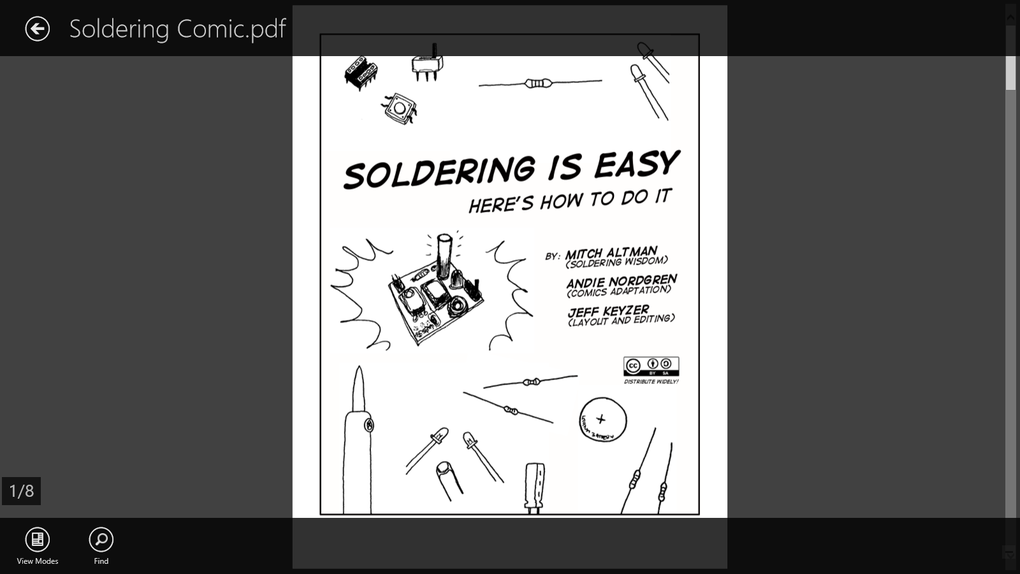
The software’s role has evolved alongside the Windows 10 operating system. Early versions were sometimes criticized for their resource consumption and occasional sluggishness. However, ongoing updates have addressed many of these issues, resulting in a generally improved performance profile on modern hardware. This evolution is significant, considering the increasing reliance on PDF documents across various sectors, from education and business to personal use.
Core Features and Functionality: What Adobe Reader Offers
Adobe Reader’s core strength lies in its reliability and widespread compatibility. It consistently opens a wide range of PDF documents, regardless of their source or complexity. This universal compatibility is a key factor in its enduring popularity. Essential features include:
- PDF Opening and Navigation: The software seamlessly opens PDF files from various locations, including local storage, network drives, and cloud services. Navigation tools provide easy access to specific pages, sections, and bookmarks. Users can easily zoom in and out, rotate pages, and switch between single-page and continuous scrolling modes.
-
Search Functionality: Quickly locate specific keywords or phrases within a PDF document using Adobe Reader’s robust search function. This feature allows users to efficiently find relevant information within large or complex documents.
-
Printing and Exporting: Print PDFs to various printers with options to customize print settings such as page range, scaling, and orientation. Export options allow users to convert PDFs into other formats, though this usually requires a subscription to Adobe Acrobat Pro.
-
Basic Annotation Tools (Limited): While not as extensive as dedicated editing software, Adobe Reader provides limited annotation capabilities. Users can add comments, highlight text, and underline important passages. However, more advanced editing features are generally restricted to paid versions.
-
Security Features: Adobe Reader incorporates security features to protect against malicious code embedded in PDFs. Regular updates ensure the software remains protected against the latest threats.
Limitations and Missing Features: Where Adobe Reader Falls Short
Despite its strengths, Adobe Reader for Windows 10 lacks certain features that are crucial for many users:
- Limited Editing Capabilities: While basic annotations are possible, editing the content of a PDF—such as modifying text, images, or adding new elements—requires a separate, usually paid, application like Adobe Acrobat Pro. This limitation can be frustrating for users who need to make significant changes to their documents.
-
Lack of Advanced Collaboration Tools: Unlike some competitors, Adobe Reader doesn’t offer integrated tools for collaborative editing or sharing. Sharing requires exporting the document in a different format or using other collaboration software alongside Adobe Reader.
-
Resource Consumption: Although improved from earlier versions, Adobe Reader can still be resource-intensive, particularly when handling very large or complex PDF files. This can lead to slower performance on older or less powerful machines.
-
Complex Interface (for Advanced Users): While the interface is straightforward for basic tasks, the advanced features can be buried within menus, making them less accessible for casual users. This complexity may not be user-friendly for those solely seeking a simple PDF viewing solution.
Alternatives to Adobe Reader for Windows 10: Exploring the Competition
The PDF reader market is highly competitive, offering a wide array of alternatives to Adobe Reader. These alternatives frequently provide comparable functionality, often with additional features or a more streamlined interface. Some notable options include:
-
Foxit Reader: A popular and powerful alternative known for its speed, efficiency, and extensive annotation tools. Foxit often offers a compelling blend of functionality and user-friendliness.
-
Nitro PDF Reader: This option provides a wider range of editing and collaboration tools compared to Adobe Reader, making it suitable for professional use.
-
Sumatra PDF: A lightweight and open-source option, ideal for users who prioritize speed and minimal resource consumption. It’s a great choice for those who only need a simple PDF viewer without any advanced features.
-
PDF-XChange Editor: A robust option offering a range of editing, annotation, and security features, making it suitable for both personal and professional use.
Choosing the right alternative depends on individual needs. If extensive editing capabilities are crucial, Nitro or PDF-XChange are excellent options. For a balance between speed and features, Foxit Reader is a strong contender. If simplicity and minimal resource use are paramount, Sumatra PDF is a great choice.
User Reviews and Overall Impression: A Balanced Perspective
User reviews for Adobe Reader are mixed. While many praise its reliability and compatibility, others criticize its limited features and resource consumption. The overall impression is that Adobe Reader serves as a reliable, if somewhat basic, PDF viewer. Its strengths lie in its compatibility and accessibility, while its limitations primarily stem from the lack of robust editing and collaboration tools found in competing software. The free nature of the software makes it an accessible choice for many, but users should carefully consider their specific needs before deciding if it’s the optimal PDF solution. For users who primarily need to view PDFs and occasionally make simple annotations, Adobe Reader remains a suitable option. However, professionals requiring advanced editing, collaboration, or security features should investigate the alternatives listed above. The decision ultimately hinges on balancing the software’s advantages with the limitations in the context of individual workflows and requirements.
File Information
- License: “Free”
- Version: “3.1.8.7675”
- Latest update: “July 11, 2023”
- Platform: “Windows”
- OS: “Windows 8”
- Language: “English”
- Downloads: “918.2K”


