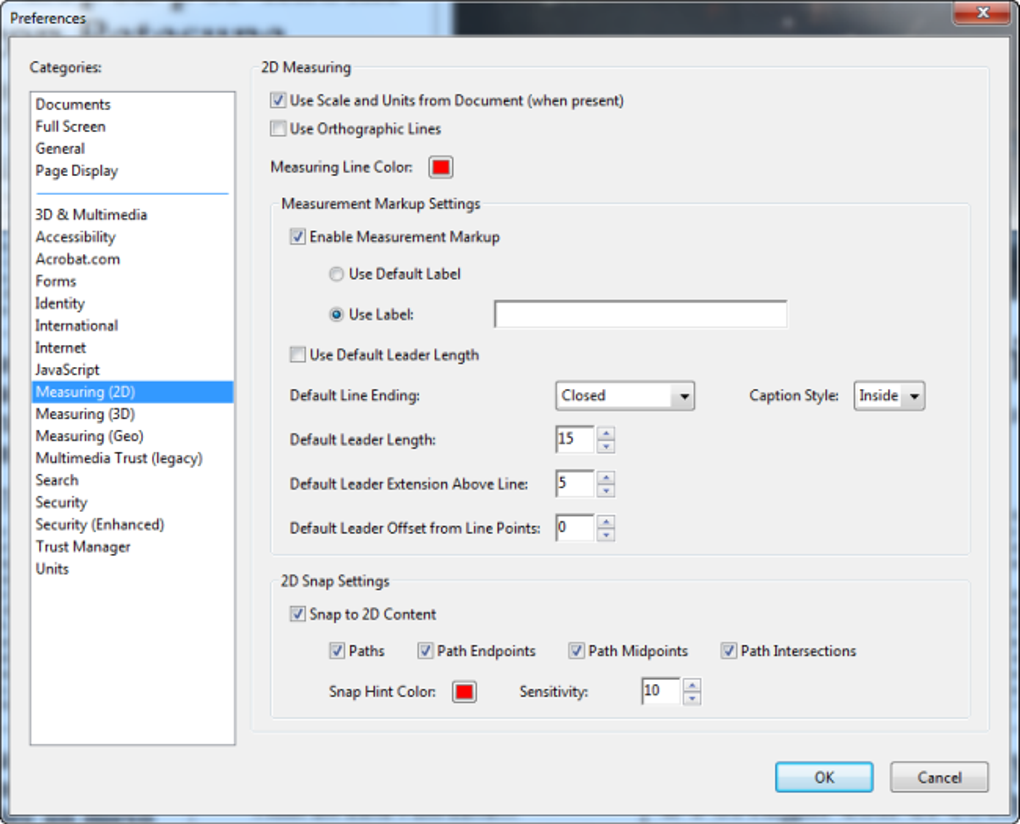
Adobe Reader Lite offers a streamlined approach to PDF viewing and editing, providing essential functionalities without the resource-intensive features found in its full-fledged counterpart, Adobe Reader DC. This lightweight version caters to users with limited system resources or storage space, allowing them to access and interact with PDF documents efficiently. This comprehensive review delves into the features, benefits, and potential drawbacks of Adobe Reader Lite.
Understanding Adobe Reader Lite: Functionality and Purpose
Adobe Reader Lite serves as a free, pared-down version of Adobe Reader DC, focusing on core PDF functionalities while minimizing its impact on system performance. Its primary purpose is to allow users to open, view, and interact with PDF files without the bloat often associated with full-featured PDF readers. This makes it an ideal choice for users with older computers, limited storage, or those who simply need a lightweight application for basic PDF tasks. The application prioritizes speed and efficiency, ensuring a smooth user experience even on less powerful machines. Key functionalities include the ability to open and view PDF documents, preserving original formatting, and enabling basic editing tools such as text highlighting and annotations.

Core Features and Capabilities of Adobe Reader Lite
While a simplified version, Adobe Reader Lite still provides a robust set of essential features, making it a practical solution for various user needs. Its streamlined design ensures quick loading times and minimal resource consumption, contrasting with the heavier demands of the full Adobe Reader DC application. The key features include:
-
Opening PDF Files: The fundamental function of Adobe Reader Lite is the seamless opening of PDF documents, maintaining the original formatting and layout without any performance compromises. It supports a wide range of PDF versions, ensuring compatibility with most documents.
-
Text Highlighting and Underlining: Adobe Reader Lite allows for basic text editing functions. Users can highlight or underline sections of text within a PDF, facilitating note-taking, studying, or review. This simple editing capability proves highly useful for students, researchers, or anyone needing to mark up documents digitally.
-
Form Filling: This feature allows users to complete fillable PDF forms directly within the application. This eliminates the need to print, fill out, and then scan forms, streamlining workflows and saving time and paper. The intuitive interface ensures easy navigation through forms, enabling efficient data entry.
-
Digital Signatures: Adobe Reader Lite incorporates Adobe’s digital signature feature. This functionality enables users to electronically sign documents, providing a legally binding alternative to handwritten signatures. This feature is invaluable for contracts, agreements, and other legally significant documents. The digital signature functionality ensures document authenticity and integrity.
-
Accessibility Features: Despite its lightweight nature, Adobe Reader Lite retains the accessibility features present in the full version. Users with visual or mobility impairments can customize settings to improve usability, such as adjusting font sizes, contrast levels, and navigation methods. This commitment to accessibility ensures inclusivity and makes the application usable for a broader audience.
Security Measures Implemented in Adobe Reader Lite
Given the potential security risks associated with opening PDF files from untrusted sources, Adobe Reader Lite includes built-in security measures to protect users from malicious software. This is a crucial aspect, as PDF files can be vectors for viruses and malware. The security features within Adobe Reader Lite work to mitigate these threats:
- Virus Detection: The application incorporates a mechanism to detect and isolate potentially harmful files disguised as PDFs. This proactive approach helps protect the user’s system from malicious code embedded within seemingly innocuous documents. The detection mechanisms are regularly updated to address emerging threats.
-
File Isolation: Suspicious files are isolated and quarantined to prevent them from infecting the system. This functionality significantly reduces the risk of malware spreading. The isolated files can be safely examined or deleted, ensuring system integrity.
-
Regular Updates: Adobe regularly releases updates to Adobe Reader Lite, improving security and addressing any discovered vulnerabilities. Keeping the application updated is vital to maintaining its protective capabilities.
Comparing Adobe Reader Lite to Alternative PDF Readers
While Adobe Reader Lite offers a valuable lightweight option, users should consider its features in comparison to other PDF readers available on the market. Some alternative readers may offer a more comprehensive feature set or even more optimized performance. Considerations include:
-
Foxit Reader: Often cited as a lightweight alternative, Foxit Reader provides a comparable level of functionality while boasting a smaller footprint than even Adobe Reader Lite. The performance difference can be significant, especially on older or less powerful systems.
-
PDF-XChange Editor: This reader offers a broader range of editing features than Adobe Reader Lite, making it suitable for users requiring more extensive document manipulation capabilities. However, it typically consumes more system resources than the Lite version.
- LibreOffice Draw: As part of the free and open-source LibreOffice suite, Draw can handle PDFs, offering good basic functionality. However, complex PDFs may not render correctly, and advanced editing capabilities are limited.
The choice between Adobe Reader Lite and competing applications depends on individual needs and priorities. Users primarily focused on basic PDF viewing and minimal editing may find Adobe Reader Lite sufficient. However, users needing advanced features or seeking maximum performance optimization might find other options more attractive.
Conclusion: Is Adobe Reader Lite the Right Choice?
Adobe Reader Lite provides a practical and efficient solution for users requiring a lightweight PDF reader. Its streamlined feature set, coupled with robust security measures, makes it an appealing option for individuals with limited system resources or those seeking a simple yet reliable application. While lacking some of the advanced functionalities of Adobe Reader DC or other competing products, its focus on core capabilities and minimal system impact makes it a strong contender in the lightweight PDF reader market. The application’s intuitive interface and ease of use further enhance its appeal. Ultimately, the suitability of Adobe Reader Lite depends on individual needs and priorities. For users satisfied with basic PDF viewing, annotation, and signing capabilities, and prioritizing speed and efficiency, Adobe Reader Lite presents a strong and reliable choice. However, users requiring advanced editing or a more comprehensive feature set might find more feature-rich alternatives more appropriate.