
Advanced Download Manager Torrent Downloader, developed by DimonVideo, is a robust download management application designed for Android devices. This comprehensive tool offers a user-friendly interface and a range of features aimed at simplifying and accelerating the download process for all file types. Unlike many download managers that are complex or slow, ADM offers a streamlined approach with impressive download speeds and flexibility, all entirely free of charge. This article provides a detailed exploration of its capabilities, advantages, and disadvantages.
Unpacking the Speed and Flexibility of Advanced Download Manager
The core strength of Advanced Download Manager lies in its speed and flexibility. The application boasts an ultra-fast download engine, capable of handling various file types and sizes with remarkable efficiency. This speed is not simply inherent; it’s a result of carefully implemented features designed to optimize downloads based on the user’s device and network conditions.
One key aspect is its intelligent bandwidth control. Instead of hogging your internet connection’s maximum bandwidth during downloads, ADM dynamically adjusts its usage. For instance, when downloading large files, it avoids consuming all available bandwidth, ensuring smoother overall internet performance. This is especially beneficial for users with limited data plans or those who need to continue using the internet for other tasks while a download is in progress.
Furthermore, the app exhibits remarkable resilience in unstable network environments. ADM offers a segmented download capability, breaking large files into smaller parts for individual downloads. This technique significantly reduces the risk of download failures due to interrupted connections. If the connection drops mid-download, only the affected segment needs to be redownloaded, saving considerable time and data compared to restarting the entire download.
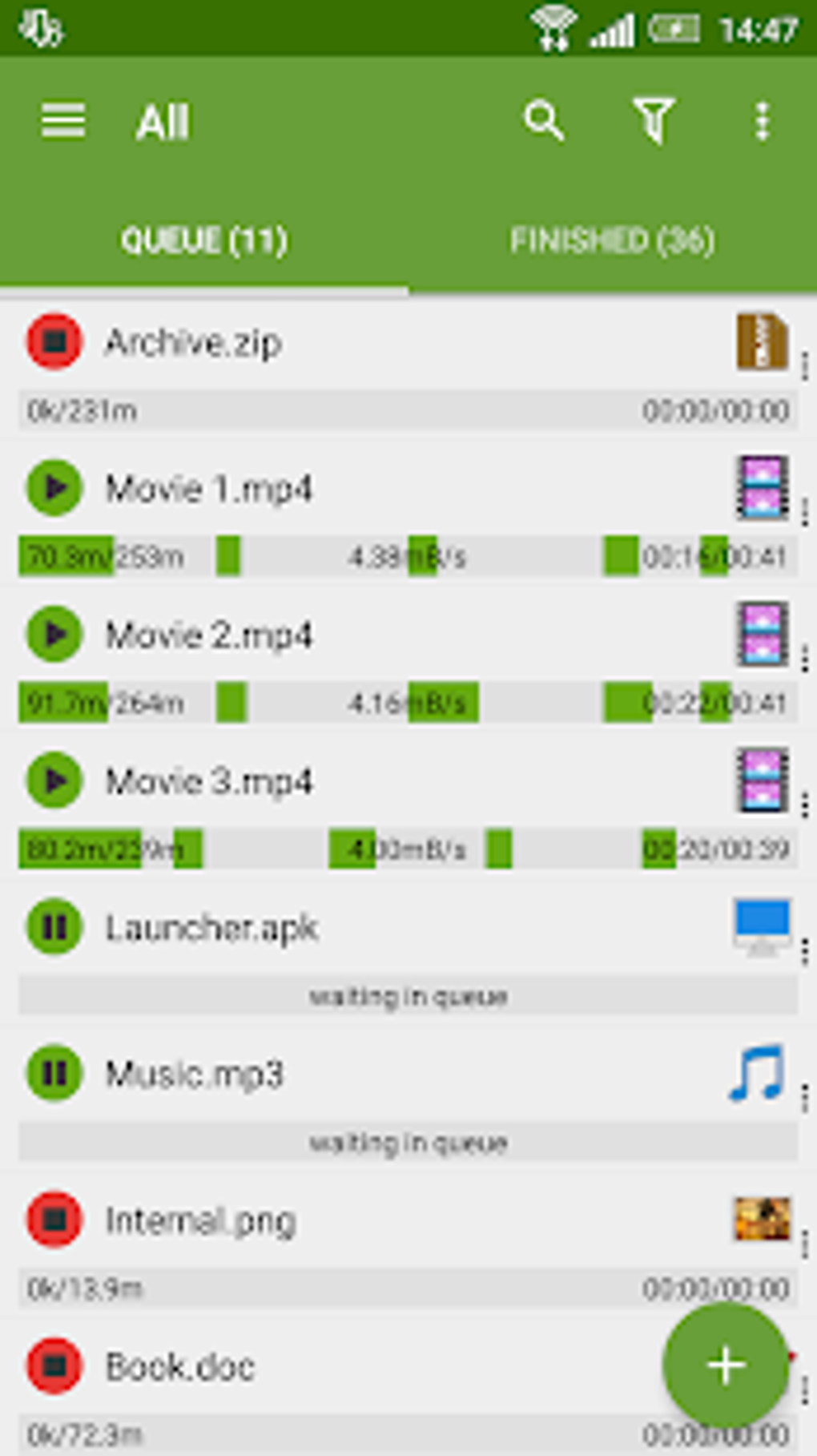
The app’s support for simultaneous downloads further enhances its efficiency. Leveraging smart multithreading algorithms, ADM efficiently manages multiple downloads concurrently. It prioritizes downloads based on user preferences, allowing you to focus on important files while others download in the background. Lower-priority downloads can be paused temporarily or scheduled to resume later, providing complete control over your download queue. This multi-tasking capability avoids the sluggishness often experienced with other download managers when handling several files simultaneously. This feature is critical for users needing to download multiple files efficiently, maximizing their time and bandwidth.
The app also proactively safeguards your data usage. When your device’s battery is low or you’re connected to a data network with limited bandwidth, ADM automatically pauses downloads to prevent unexpected interruptions or data overages. The user also has the ability to set file size limits, ensuring that downloads remain within pre-defined data usage boundaries, a very important function for those monitoring their data usage. This level of proactive management is a significant advantage for users concerned about data consumption and battery life.
Beyond Speed: A User-Friendly Experience
While download speed is paramount, a download manager’s usability is equally important. Advanced Download Manager excels in this area too, offering a clean and intuitive interface that’s easy to navigate, even for novice users. The application’s straightforward design eliminates the complexities often associated with other download managers, making it accessible to a broader user base.
The app’s management features extend beyond mere speed. Users can easily organize their downloads, pause, resume, or delete downloads at any time. The clear display of download progress, speed, and estimated completion time allows for easy monitoring of the download process. These straightforward controls, coupled with the intelligent download management features described earlier, create a highly efficient and stress-free download experience.
A Detailed Look at Advanced Download Manager’s Features
Beyond the core functionalities already mentioned, Advanced Download Manager offers a collection of additional features that enhance its versatility:
-
Torrent Support: As the name suggests, the application directly supports torrent downloads. This eliminates the need for a separate torrent client, streamlining the process of downloading torrent files.
-
File Type Compatibility: ADM is designed to handle a wide range of file types, including videos, audio, documents, and software. Its versatility allows users to manage all their download needs within a single application.
-
Download Scheduling: The ability to schedule downloads allows users to initiate downloads automatically at specific times. This is particularly useful for users who want to download large files overnight when their internet connection is typically less congested.
-
Resume Capability: Interrupted downloads can be effortlessly resumed without losing previously downloaded data. This resilience against network interruptions is crucial for downloading large files.
-
Support for Multiple Connections: ADM uses multiple connections to accelerate downloads significantly, a common technique used in efficient download managers.
-
HTTP, HTTPS, FTP and BitTorrent protocols support: ADM handles various internet protocols commonly used for downloading content, covering a very broad range of online resources.
Assessing the Pros and Cons of Advanced Download Manager
As with any software, Advanced Download Manager has both strengths and weaknesses. A balanced assessment considers both aspects for a fair evaluation.
Pros:
- Exceptional Download Speed: One of its most prominent advantages is its significantly fast download speed compared to many other applications.
- Flexible and Adaptable Downloads: The adaptive capabilities for bandwidth, segmented downloads and pausing features offer incredible flexibility and reliability.
- User-Friendly Interface: The simple, clean interface is easy to navigate and understand.
- Comprehensive Feature Set: ADM offers a robust set of features, including torrent support, download scheduling, and excellent management tools.
- Free to Use: The software is available free of charge, without hidden costs or subscription fees.
- Simultaneous Downloads: The ability to download multiple files at the same time saves a lot of time.
- Efficient Bandwidth Management: Intelligent bandwidth control optimizes downloads while preserving overall internet performance.
- Robust Resume Functionality: Interrupted downloads can be easily resumed, minimizing download time.
- Supports various download protocols: Covers a wide range of internet protocols for varied file sources.
Cons:
- Occasional Slowness in Loading File Details: While the download speeds are impressive, loading file and media details can be occasionally slow. This is a minor inconvenience compared to the overall advantages.
Conclusion: A Top Choice for Android Download Management
Advanced Download Manager Torrent Downloader stands as a powerful and versatile download management solution for Android users. Its impressive speed, robust feature set, intuitive interface, and free-of-charge availability make it a compelling option. While it has a minor drawback in occasionally slow loading of file details, this is greatly outweighed by its numerous advantages. Users seeking a reliable, efficient, and user-friendly download manager for their Android devices should seriously consider Advanced Download Manager. Its intelligent features and overall performance provide a significant upgrade over many other download management applications available.
File Information
- License: “Free”
- Latest update: “April 9, 2025”
- Platform: “Android”
- OS: “Android 13.0”
- Language: “English”
- Downloads: “14.8K”
- Size: “60.65 MB”
- Download Options: “APK, Google Play”
- Filename: “com.dv.adm_14.0.38.apk”


