
Advanced System Optimizer is a Windows-based utility suite designed to enhance PC performance, optimize system resources, and bolster security. It combines a range of tools—from system cleaners and registry optimizers to privacy protectors and customization options—to create a comprehensive solution for improving the overall user experience. This review delves into the features, pros, cons, and user experiences associated with Advanced System Optimizer, offering a balanced perspective on its capabilities and limitations.
Feature Overview: A Multifaceted Approach to PC Optimization
Advanced System Optimizer boasts a wide array of features targeting various aspects of PC health and performance. Its functionality extends beyond simple cleanup tasks, incorporating advanced optimization techniques and customization capabilities. The core features can be broadly categorized as follows:
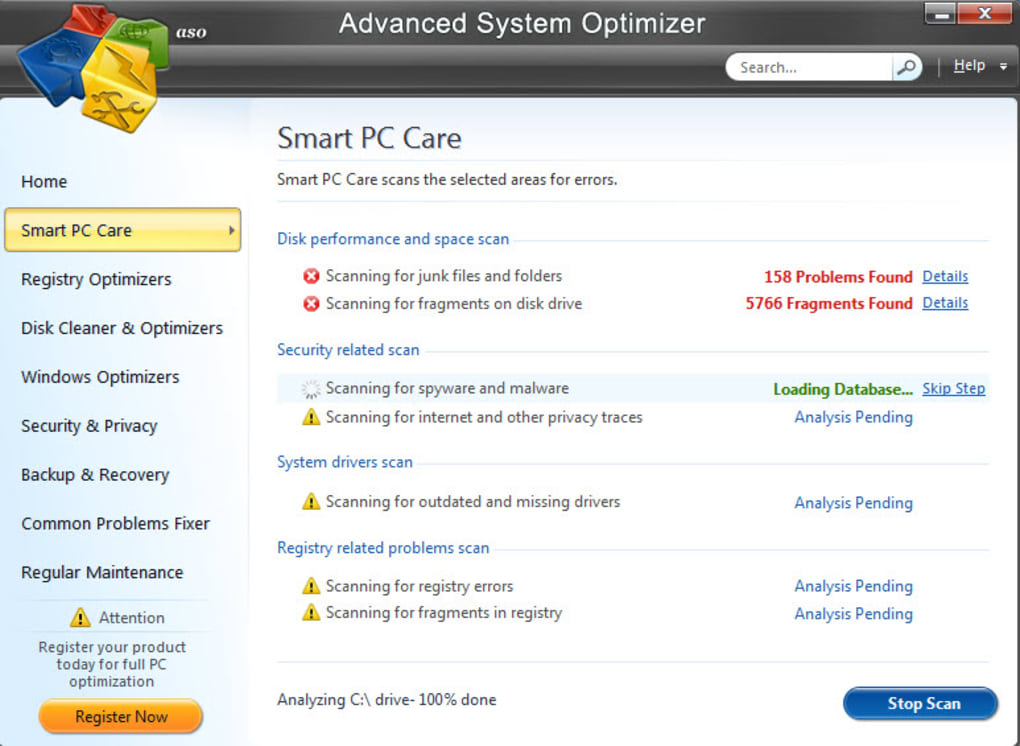
1. System Cleaning and Optimization: This suite includes tools designed to identify and remove junk files, temporary data, invalid registry entries, and other unnecessary files cluttering the system. These tools aim to free up disk space, improve boot times, and enhance overall system responsiveness. The software also includes a disk defragmenter to optimize file placement on the hard drive for faster access. The process, however, has been criticized by some users for being slow and potentially disruptive.

2. Registry Optimization: The Windows registry is a central database storing system settings and configurations. Advanced System Optimizer offers tools to scan the registry for errors, invalid entries, and outdated information, subsequently repairing or removing these issues to improve system stability and performance. This functionality, while potentially beneficial, also requires caution. Improper registry modifications can lead to system instability, so using a reliable and reputable tool like Advanced System Optimizer becomes crucial. However, users have noted that this process can be time-consuming and may necessitate a system reboot.
3. Privacy Protection: Privacy is paramount in today’s digital landscape. Advanced System Optimizer integrates tools to enhance user privacy by cleaning browsing history, cookies, and other tracking data. This feature aims to prevent third parties from monitoring online activities and collecting personal information. The effectiveness of this feature is contingent upon the comprehensiveness of its cleaning algorithms and its ability to address the constantly evolving tactics employed by trackers.
4. System Customization: Beyond performance enhancement, Advanced System Optimizer also allows for system customization. Users can adjust various Windows settings to optimize the visual appearance and user interface. This capability lets users personalize their desktops, customize menus, and tweak visual effects to enhance the overall aesthetic appeal and usability of their system. These options provide a level of control over the Windows environment that extends beyond the standard settings.
5. Driver Updater (A Point of Contention): A key feature, and a source of some negative user feedback, is the built-in driver updater. This tool scans for outdated or missing drivers, automatically updating them to the latest versions. While theoretically beneficial, users have reported instances of instability or conflicts arising after driver updates performed by Advanced System Optimizer. These reports highlight a crucial aspect: while driver updates can improve performance, incorrect or incompatible drivers can severely destabilize a system. This underscores the importance of exercising caution and potentially verifying any updates done automatically by the software.
User Experiences: A Spectrum of Opinions
User reviews of Advanced System Optimizer present a mixed bag. While some praise its comprehensive features and effectiveness in improving system performance, others express concerns about its aggressive marketing tactics, the time-consuming nature of its scans and optimizations, and even the potential for instability.
Positive Feedback: Users frequently highlight the software’s extensive toolset, its ability to identify and address a wide range of performance issues, and the ease of use of its user interface. The one-click scan and repair functionalities are frequently praised for their convenience, making system maintenance more accessible to users lacking technical expertise.
Negative Feedback: Recurring criticisms center on the length of scans and optimization processes. Some users report the software significantly slowing down their systems while running, affecting productivity. The aggressive prompting for updates and the perceived push toward purchasing the full version also detract from the user experience for some. Furthermore, reports of driver updater issues causing system instability highlight a potential drawback. The concern about being categorized as ransomware by certain antivirus programs is a significant issue that requires immediate attention from the developers. It’s critical for Systweak to address this thoroughly and provide a convincing resolution.
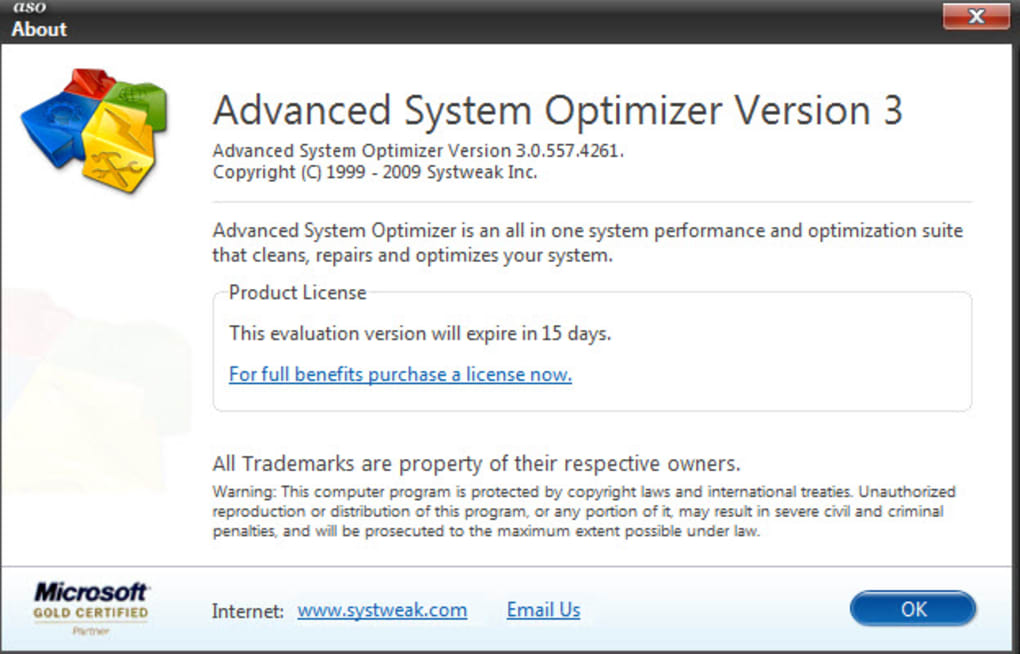
The Trial Version Conundrum: The 15-day trial version provides a glimpse into the software’s capabilities, but the limitations inherent in trial versions often prevent users from experiencing the full extent of its optimization potential. The constant reminders to upgrade to the full version can become intrusive, potentially overshadowing the benefits of using the trial.
Comparison with Alternatives: Navigating the Competitive Landscape
Advanced System Optimizer sits within a crowded marketplace of system optimization tools. Direct comparisons to competitors like CCleaner reveal both similarities and differences. While both aim to improve PC performance through cleaning and optimization, CCleaner generally receives a more positive reputation for its reliability and less intrusive marketing practices. However, Advanced System Optimizer offers a broader suite of features beyond simple cleaning, including advanced customization options and a driver updater (although the latter is a point of contention). The choice between these and other comparable software often boils down to individual preferences and priorities.
Conclusion: Weighing the Pros and Cons
Advanced System Optimizer provides a compelling set of tools for improving PC performance, enhancing security, and customizing the Windows experience. Its extensive feature set caters to a wide range of users, from those seeking basic system cleaning to those looking for more advanced optimization and customization. However, the reported instances of system slowdowns during scans, the aggressive upgrade prompts, and negative experiences with the driver updater warrant cautious consideration.
Ultimately, the decision of whether or not to use Advanced System Optimizer depends on individual needs and tolerance for potential drawbacks. Users seeking a comprehensive, all-in-one solution with advanced customization options might find it beneficial. However, those prioritizing speed, reliability, and a less intrusive user experience might prefer alternative options. The developer, Systweak, needs to address the significant concerns raised by users, especially the antivirus program flagging and the driver update issues, to improve the software’s overall reputation and user trust. Transparency and responsiveness to user feedback are critical for the long-term success of any software product.
File Information
- License: “Trial version”
- Version: “3.1.648.8773”
- Latest update: “March 12, 2019”
- Platform: “Windows”
- OS: “Windows 2003”
- Language: “English”
- Downloads: “67.5K”
- Size: “901.35 KB”


