
Aimersoft DVD Ripper was a popular DVD ripping software application offering users the ability to convert DVD content into various digital formats for playback on a wide range of devices. While the software is no longer actively developed or supported, a review based on its past functionalities and user feedback offers valuable insight into its capabilities and limitations. This review will explore the software’s features, pros and cons, and its place within the broader landscape of DVD ripping solutions.
Key Features and Functionality
Aimersoft DVD Ripper was designed to address the limitations of playing DVDs directly on portable devices and other non-standard players. Its primary function was to rip and convert the content of DVDs into a variety of digital video and audio formats compatible with a wide array of devices. This included popular portable media players like iPods, PSPs, Zunes, iPhones, and others such as Archos, Xbox, and even HP iPaqs. The software boasted a comprehensive list of supported output formats, covering both video and audio codecs.
The supported video formats included a wide array of choices, including MP4, AVI, M4V, MOV, 3GP, MPG, FLV, WMV, DV, AIFF, FLC, CAF, SD2, F4V, and TS. This broad selection ensured compatibility with nearly all devices and media players at the time of its release. The software’s audio output options were similarly extensive, supporting MP3, M4A, AAC, WAV, OGG, and APE formats. This versatility made Aimersoft DVD Ripper a flexible tool catering to users with diverse media playback needs.
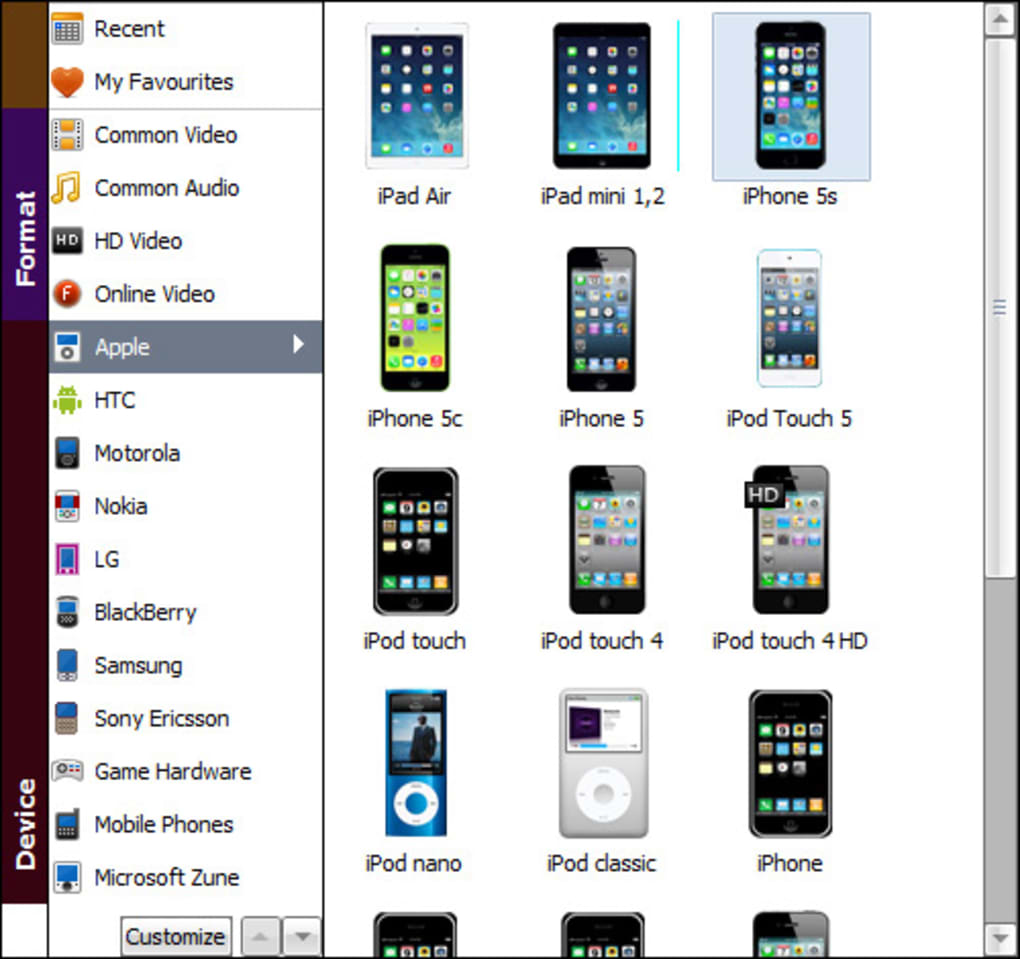
Beyond basic ripping and conversion, Aimersoft DVD Ripper offered additional features that enhanced the user experience and provided a level of control over the output. Users could selectively choose specific chapters, subtitles, audio tracks, and extras to include in the final output file. This allowed for customization and the creation of smaller, more manageable files, particularly important for portable devices with limited storage space. The software even allowed for basic video editing functions, such as trimming the borders of the video, further optimizing file size and enhancing the overall viewing experience.
User Interface and Ease of Use
Aimersoft DVD Ripper was designed with user-friendliness in mind. The interface was generally considered intuitive and straightforward, allowing users to easily navigate the software’s features and settings. The process of selecting a DVD, choosing an output format, and initiating the ripping process was typically straightforward and simple. This intuitive design made the software accessible to both novice and experienced users, minimizing the learning curve often associated with similar software applications. However, while user-friendly, the encoding process was noted for sometimes being slow, which could be a drawback for users needing quick conversions.
Performance and Limitations
While the software offered a wide range of functionalities and an easy-to-use interface, its performance was not without limitations. One common complaint from users revolved around the encoding speed. The conversion process, especially when dealing with larger DVD files or high-resolution outputs, could be noticeably slow. This was a significant drawback, especially for users seeking quick and efficient conversion solutions. Although the software strived for broad compatibility, some users reported occasional compatibility issues or encoding errors depending on the specific DVD and chosen output format. These issues, although not pervasive, served as a reminder of the complexities inherent in DVD ripping and format conversion.
Pros and Cons
Pros:
- Wide format support: Aimersoft DVD Ripper offered an extensive list of supported video and audio formats, ensuring broad compatibility with a wide variety of devices and media players.
- Ease of use: The software’s intuitive interface and straightforward workflow made it accessible to users of all skill levels.
- Customizable output: Users had a significant degree of control over the ripping process, allowing for selective inclusion of chapters, subtitles, audio tracks, and extras. Basic editing features further enhanced the user’s ability to tailor the final output.
- Multi-platform availability: The software was available for both Windows and Mac operating systems, expanding its reach and accessibility to a wider user base.
Cons:
- Slow encoding speed: The conversion process could be slow, particularly for large files or high-resolution outputs. This was a significant drawback for users needing quick results.
- Occasional compatibility issues: Some users reported occasional compatibility problems or encoding errors with certain DVDs or output formats.
- No longer supported: The software is no longer actively developed or supported, meaning updates, bug fixes, and technical assistance are unavailable. Security vulnerabilities may exist.
Conclusion: Aimersoft DVD Ripper in Retrospect
Aimersoft DVD Ripper, while no longer actively supported, served as a representative example of the evolution of DVD ripping software. Its extensive format support, user-friendly design, and customizable features made it a reasonably popular choice for users needing to convert DVD content to various digital formats for playback on different devices. However, its slow encoding speed and potential compatibility issues highlight some of the challenges involved in this type of software. While the software offers valuable lessons for modern DVD ripping solutions, users seeking a currently supported and maintained application should explore alternatives available on the market today. The software’s legacy lies in its contribution to making DVD content more accessible across a wide variety of devices, a crucial step in the transition from physical media to digital formats. However, users should always be aware of copyright laws and regulations when ripping and converting copyrighted material.
File Information
- License: “Trial version”
- Latest update: “November 13, 2015”
- Platform: “Windows”
- OS: “Windows Vista”
- Language: “English”
- Downloads: “7.7K”
- Size: “13.19 MB”


