
Airfoil is a powerful and user-friendly application that revolutionizes how you experience audio. It transcends the limitations of traditional wired audio setups, enabling you to wirelessly stream any audio playing on your computer to a variety of devices, including other computers (both PCs and Macs), Apple TVs, and Airport Express units. This versatility makes Airfoil a highly adaptable solution for enhancing your home audio experience.
Effortless Setup and Intuitive Interface
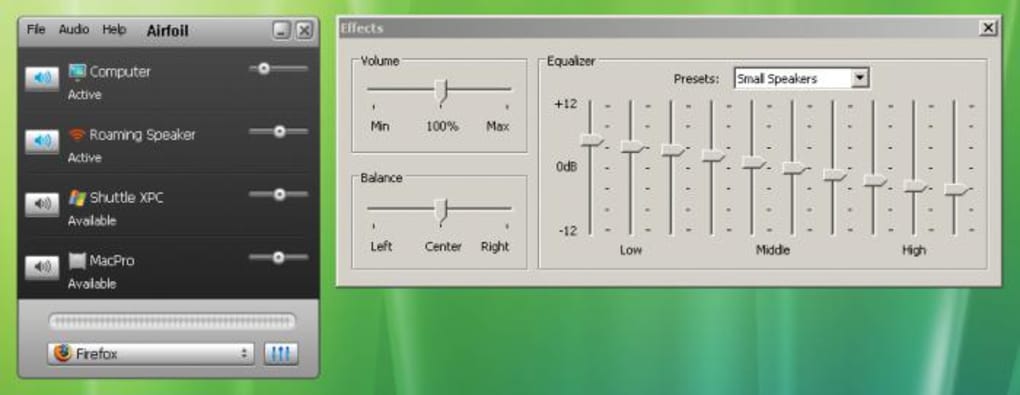
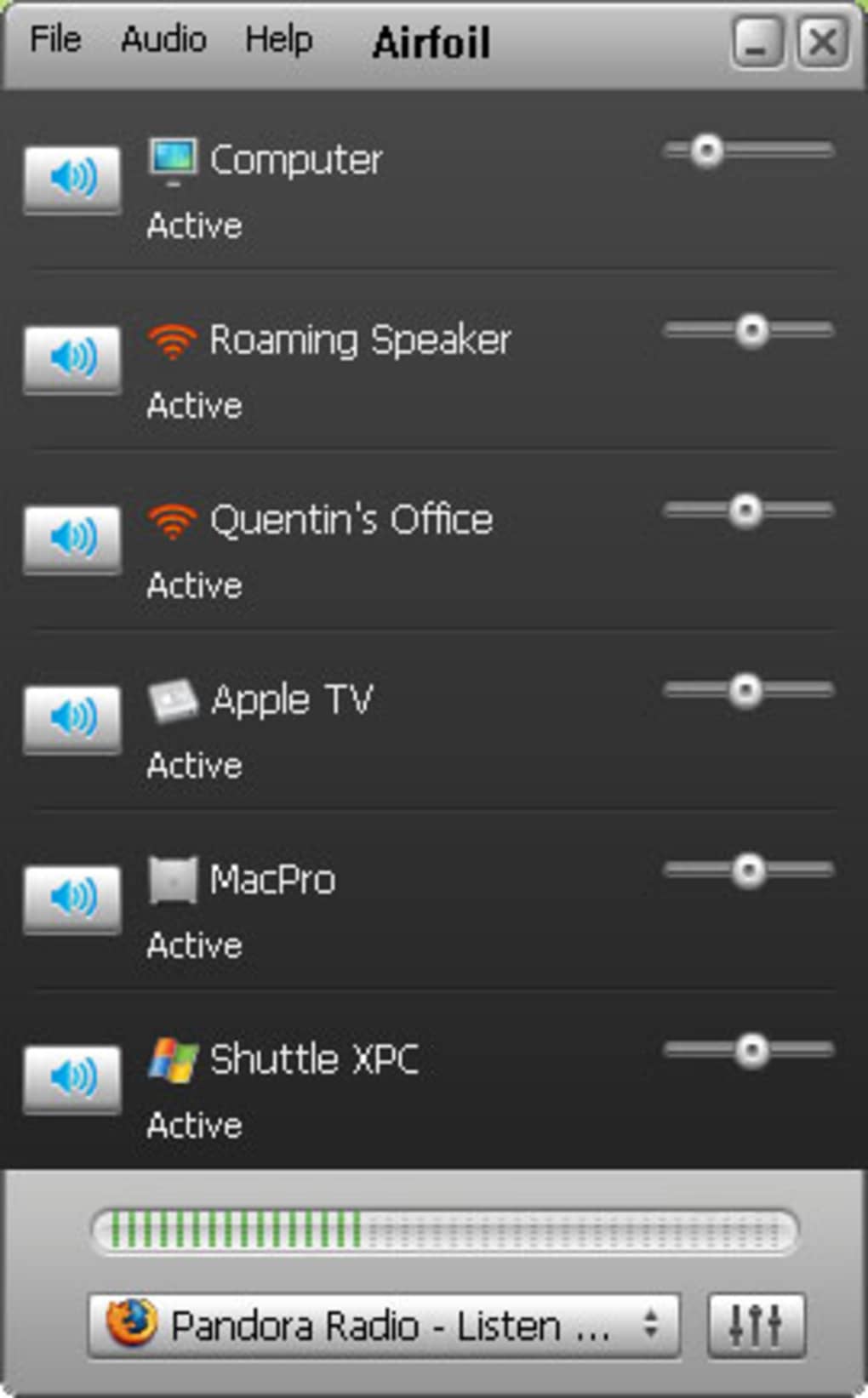
One of Airfoil’s greatest strengths lies in its simplicity. The application boasts a clean and intuitive graphical user interface (GUI) that is easily navigable, even for users with limited technical expertise. The GUI clearly displays all available devices within range, allowing you to effortlessly select your desired output. Once a device is selected, adjusting the volume and even applying equalization effects becomes a straightforward process. This ease of use is a significant advantage, particularly for those seeking a hassle-free audio streaming solution. The process of syncing your audio source to the chosen device is remarkably swift and efficient, minimizing any delay between selecting your output and enjoying your audio.
Broad Compatibility and Versatile Functionality
Airfoil’s remarkable compatibility extends across a wide range of applications and devices. It works seamlessly with practically any application capable of playing audio on your computer. This includes popular media players like RealPlayer and Windows Media Player, web browsers such as Safari, and even widgets and internet radios. The application’s flexibility extends beyond individual devices, allowing you to simultaneously stream audio to multiple Airport Express units. This transformative feature enables the creation of a whole-home audio system, effortlessly distributing sound throughout your living space. This multi-room audio capability is a significant advantage over systems requiring separate audio setups for each room.
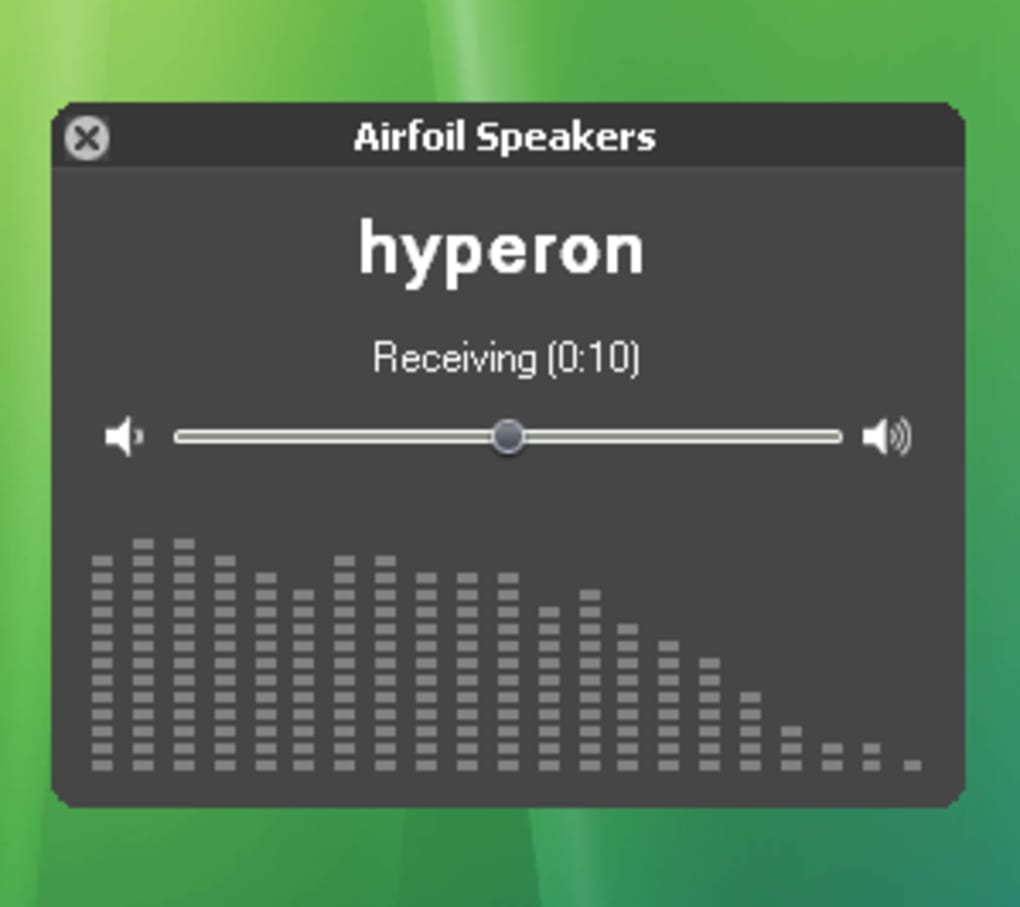
Airfoil’s functionality extends beyond simple audio transmission. The built-in equalizer allows for fine-tuning of the audio output to suit your preferences and the acoustics of your listening environment. Furthermore, the inclusion of Airfoil Speakers turns any PC or Mac into a receiver, essentially transforming it into an Airport Express unit capable of receiving audio streamed from other Airfoil-enabled computers. This functionality adds another layer of flexibility to the system, expanding its potential uses within a home network. The consistent support provided by Rogue Amoeba, the developers of Airfoil, adds another layer of confidence. Their reputation for responsive and helpful support ensures users can easily troubleshoot any issues and receive timely assistance when needed.
System Requirements and Performance Considerations
While Airfoil’s functionality is impressive, its performance is heavily reliant on the quality of your wireless network connection. A robust and stable WiFi connection is essential for optimal audio streaming. Any limitations or inconsistencies in your network’s performance will directly impact the quality and reliability of the audio stream. Therefore, ensuring your wireless network is properly configured and free from interference is crucial for a seamless audio experience. Slow or unstable connections can lead to interruptions, buffering, and a degradation in overall audio quality.
The system requirements for Airfoil are generally modest, ensuring compatibility with a broad range of computers. The application is designed to minimize its resource footprint, ensuring it won’t significantly impact the performance of your computer, even while handling multiple audio streams simultaneously. However, users with older hardware may experience some minor performance limitations depending on the complexity of their audio setup and the demands of the audio being streamed.
Advanced Features and Recent Updates
Airfoil has consistently evolved since its initial release, incorporating new features and improvements based on user feedback and technological advancements. Recent updates have included enhancements to Airfoil Speakers, providing full support for receiving audio from iOS 6 devices and metadata support. This means users can now stream audio from their iOS devices seamlessly to their Airfoil-enabled systems, including receiving relevant track information. Bug fixes have addressed issues that impacted usability and audio quality, enhancing the overall user experience. The introduction of an improved software update process, featuring automatic downloads and installation upon quitting the application, streamlines the maintenance process.
Furthermore, updates have addressed compatibility issues with various operating systems and applications, particularly enhancing compatibility with newer versions of macOS and resolving issues related to audio capture from web browsers. The removal of welcome windows and their replacement with readily accessible manual pages improves the user’s workflow and simplifies finding assistance. Finally, a more informative error message for Airfoil Video Player when a DVD drive is missing enhances the user experience by providing clearer guidance when encountering hardware limitations. This commitment to continuous improvement ensures Airfoil remains a relevant and adaptable audio streaming solution in a constantly evolving technological landscape.
Airfoil vs. Alternative Solutions
Airfoil competes with several other audio streaming applications, each offering its own set of features and advantages. Solutions like SoundWire Server provide audio streaming between Windows PCs and Android devices, catering to a specific user segment. Other options, such as Stream What You Hear, focus on sending audio to UPnP/DLNA devices, offering a different range of compatible devices. AirPlay provides a streamlined approach to streaming audio from Apple devices, while other applications may focus on specific niche functions or platforms.
The choice of which application is best often hinges on the user’s specific needs and preferences. Airfoil’s strength lies in its broad compatibility, its ease of use, and the powerful features it offers. The ability to stream to various devices simultaneously and its compatibility with a wide range of applications set it apart from many competitors. However, users with more limited requirements might find alternative solutions perfectly adequate for their audio streaming needs.
Conclusion: Airfoil’s Lasting Impact on Wireless Audio Streaming
Airfoil has established itself as a reliable and versatile solution for wireless audio streaming, simplifying the process of sharing audio throughout a home or office environment. Its intuitive design, broad compatibility, and consistent updates ensure it remains a leading option for users seeking a seamless and high-quality wireless audio experience. The ability to seamlessly integrate with various devices, including Macs, PCs, Apple TVs, and Airport Express units, significantly broadens its appeal. The application’s efficiency and ease of use minimize the technical complexities frequently associated with setting up wireless audio systems, allowing even novice users to quickly and easily enjoy the benefits of wireless audio streaming. While the dependence on a stable WiFi network remains a consideration, the advantages of Airfoil’s versatility and ease of use outweigh this limitation for many users. Therefore, for users seeking a robust, versatile, and user-friendly solution for wireless audio streaming, Airfoil remains a highly recommended and effective option.
File Information
- License: “Trial version”
- Latest update: “July 12, 2023”
- Platform: “Windows”
- OS: “Windows 8”
- Language: “English”
- Downloads: “36.9K”
- Size: “44.19 MB”


