
AirParrot is a versatile screen-sharing application designed for both Windows and macOS systems. Its primary function is to enable effortless wireless transmission of your computer screen’s content to other devices within the same network. This eliminates the need for cumbersome cables or adapters, streamlining the process of sharing presentations, media, or simply displaying your screen on a larger monitor. Whether you’re in a classroom setting, a boardroom presentation, or simply enjoying a movie on a larger screen at home, AirParrot offers a convenient and efficient solution.
Effortless Screen Sharing: Collaboration Redefined
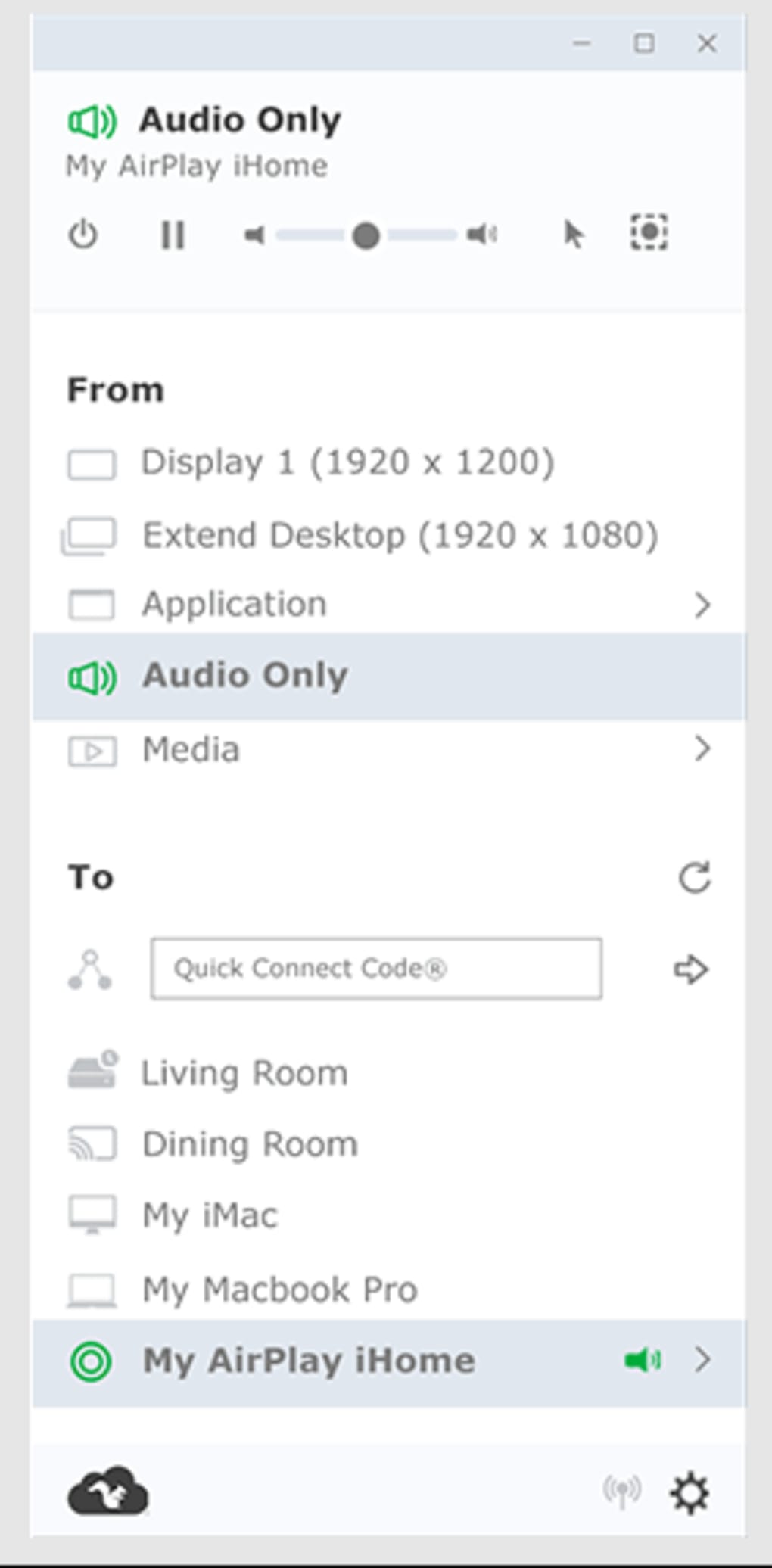
AirParrot revolutionizes screen sharing by providing a completely wireless experience. Imagine the convenience of instantly sharing your screen with colleagues during a meeting, students during a lecture, or family members during a movie night—all without the hassle of physical connections. This feature is particularly beneficial in collaborative environments, where the ability to quickly and easily share information is paramount. The intuitive nature of AirParrot makes it accessible to users of all technical skill levels. Simply launch the application, select your desired receiver device, and your screen’s content is instantly mirrored.
The wireless nature of AirParrot extends its usefulness beyond traditional office and classroom settings. For instance, consider the scenario of a family gathering where you want to share photos and videos from your laptop on a larger television screen. AirParrot eliminates the need to fumble with HDMI cables or memory cards. Instead, you can seamlessly mirror your laptop’s display onto the television, instantly transforming your living room into a home theater. Furthermore, this capability extends to sharing media from mobile devices such as smartphones and tablets, further broadening its applications in various home entertainment scenarios.
The ease of use is one of AirParrot’s most significant advantages. The application’s straightforward interface requires minimal technical expertise to navigate and operate. This is especially valuable in settings where participants may have varying levels of technological proficiency. The streamlined process ensures that the focus remains on the content being shared rather than on the technical complexities of the sharing process itself. This user-friendly design contributes to a seamless and efficient experience.
Remote Control: Expanding the Possibilities
AirParrot enhances its utility even further by offering remote control functionality via a companion mobile app. This feature is especially valuable in presentation scenarios, allowing the presenter to move freely while controlling the displayed content. Imagine the presenter walking around a classroom, using a tablet to navigate through slides or highlighting key aspects of a presentation without being tethered to their computer. This flexibility allows for a more dynamic and engaging presentation style.
The remote control aspect of AirParrot transcends simple slide navigation. It allows for more interactive presentations, enabling presenters to better engage with their audience by moving around the room, making eye contact, and fostering a more informal atmosphere. This feature can significantly improve the audience’s comprehension and engagement. The accessibility afforded by the remote control capability allows for a more natural and less restrictive presentation experience, freeing the presenter to focus on their delivery and interaction with the audience.
The benefits of remote control extend to other contexts as well. In a collaborative work environment, team members can use the mobile app to contribute to a shared screen, making the collaborative process more fluid and natural. This feature is particularly helpful for brainstorming sessions or collaborative design projects. This shared control capability enables a more dynamic and intuitive teamwork experience.
Beyond the Basics: Applications and Compatibility
AirParrot’s capabilities are not limited to simple screen mirroring. Its versatility extends to various applications and scenarios. The software’s ability to seamlessly integrate with various devices and operating systems adds to its value. The compatibility of AirParrot with a wide range of devices ensures its usability across diverse environments and needs.
AirParrot’s applications extend beyond the immediate context of screen mirroring. Its potential benefits can be observed in several key areas:
-
Education: Instructors can seamlessly share presentations, interactive exercises, or even live demonstrations with students, enhancing the learning experience. The remote control feature allows for a more dynamic and engaging classroom environment.
-
Business: During meetings and presentations, AirParrot allows for easy sharing of crucial information and data, enhancing collaboration and communication. The ability to remotely control the presentation further aids in a more professional and engaging presentation.
-
Home Entertainment: The ability to stream movies, photos, and videos from your computer or mobile device to a larger screen enhances the home entertainment experience. This eliminates the need for complicated setup and cable management.
-
Gaming: While not its primary function, AirParrot can be used to stream game footage to a larger screen, allowing for a more immersive gaming experience.
The compatibility of AirParrot extends beyond individual devices. Its integration with various operating systems, including Windows and macOS, makes it a versatile solution for a wide array of users. This broad compatibility significantly broadens its potential user base, emphasizing its value as a cross-platform screen-sharing tool.
AirParrot: Strengths and Limitations
While AirParrot offers significant advantages in terms of ease of use, wireless capabilities, and remote control options, it’s important to consider its limitations. A notable limitation is the requirement of a license for use. It is not a free application, which might be a barrier for some users. While the cost may be justifiable for its functionality and convenience in professional settings, it could be a deterrent for casual users seeking a free alternative.
Another important consideration is the reliance on wireless connectivity. For AirParrot to function correctly, both the sender and receiver devices must have wireless or Bluetooth capability. This poses a potential challenge in environments with unreliable or limited wireless connectivity. Users should ensure a stable network connection for optimal performance. In scenarios with poor wireless signal strength or network interruptions, the performance of AirParrot may be compromised, resulting in lag, dropped frames, or disconnections.
Furthermore, while user reviews are generally positive, some users have reported issues with compatibility, specifically with older devices or certain operating systems. It’s crucial to review system requirements and compatibility information before purchase to ensure seamless functionality.
Despite these limitations, the ease of use, wireless flexibility, and remote control features make AirParrot a powerful tool for screen sharing. Its value proposition lies in its ability to simplify a complex process, enhancing collaboration and engagement in various settings. The convenience and efficiency it provides often outweigh the cost and potential limitations for many users.
Alternatives to AirParrot
Several alternative screen-sharing applications exist in the market, offering various features and functionalities. Some alternatives are free, while others offer premium features at a cost. Evaluating these options based on specific needs and budget is essential for making an informed decision. Factors to consider include compatibility with different devices and operating systems, the quality of the streaming experience, additional features such as remote control, and cost. A comparative analysis of available alternatives helps users identify the best solution based on individual requirements. Some popular alternatives include AirServer, Wondershare MirrorGo, and Intel Wireless Display.
Choosing the right screen-sharing application depends on individual needs and preferences. While AirParrot offers a robust and user-friendly experience, users might find other options better suited to their specific requirements. A comprehensive comparison of the available alternatives helps users make informed decisions based on factors like cost, compatibility, features, and performance.
File Information
- License: “Trial version”
- Latest update: “June 23, 2025”
- Platform: “Windows”
- OS: “Windows 10”
- Language: “English”
- Downloads: “29.7K”
- Size: “76.65 MB”


