
AirPlay, Apple’s proprietary wireless streaming technology, has revolutionized how users share audio and video content between Apple devices and compatible speakers, smart TVs, and other receivers. While initially limited to the Apple ecosystem, AirPlay’s functionality and accessibility have expanded over time, although challenges and limitations remain. This article delves into the intricacies of AirPlay, exploring its capabilities, limitations, and alternatives.
Understanding AirPlay Functionality
AirPlay allows seamless streaming of audio and video from Apple devices (iPhones, iPads, Macs) to compatible devices on the same Wi-Fi network. This eliminates the need for cumbersome cables and provides a convenient way to share content across different screens and speakers. Originally conceived as a one-to-one protocol similar to Bluetooth audio streaming, AirPlay leverages Wi-Fi for significantly improved audio quality and the ability to stream video. Apple has continuously improved AirPlay’s capabilities, integrating it deeply into iOS and macOS.
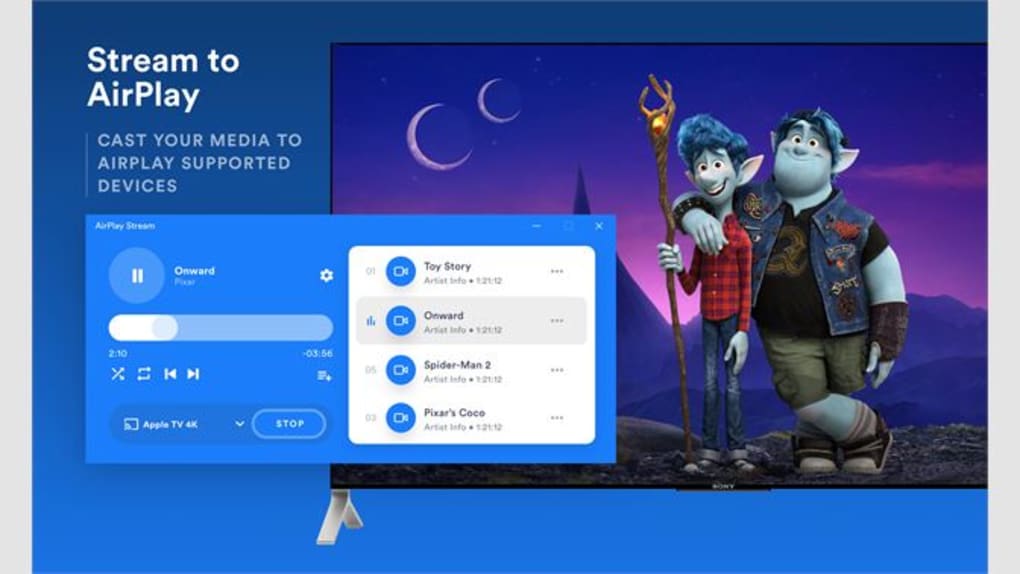
One of AirPlay’s key strengths is its ease of use. The process typically involves a simple tap or click to initiate the streaming connection, automatically identifying compatible devices within the network range. Once connected, users can effortlessly control playback from their source device, adjusting volume, pausing, and skipping tracks without interruption. The seamless integration with Apple Music and other third-party apps enhances user experience. Users can set up and control music playback on multiple AirPlay-compatible speakers throughout their home. This multi-room audio feature provides remarkable flexibility and convenience.
However, AirPlay’s reliance on Wi-Fi introduces limitations. The quality of the streaming experience is directly impacted by the strength and stability of the Wi-Fi network. Network congestion, interference, or weak signals can lead to buffering, interruptions, and a degraded streaming experience. Furthermore, AirPlay necessitates that all devices be on the same Wi-Fi network, restricting its use outside home networks unless a portable router is used to create a temporary connection. This limitation differentiates it from some alternative technologies that offer broader connectivity options.
AirPlay’s Compatibility and Device Support
While AirPlay’s primary focus has been on Apple’s ecosystem, the technology’s reach has extended to some third-party devices and applications. Many smart TVs, soundbars, and speakers now incorporate AirPlay 2 support, expanding the range of compatible receivers. However, not all devices are equipped with AirPlay functionality, particularly those manufactured by non-Apple companies. This can restrict the use of AirPlay for users who own a diverse mix of devices from different brands.
The integration of AirPlay 2 introduced significant improvements in terms of compatibility and functionality. AirPlay 2 enhanced multi-room audio support, allowing users to synchronize audio playback across multiple AirPlay 2-enabled speakers. This feature provides a more immersive and controlled listening experience.
Furthermore, AirPlay’s reliance on a specific hardware and software configuration within the Apple ecosystem often excludes devices that lack the necessary components to interact with the technology. This limitation can cause frustration for users seeking to stream content from their Apple devices to non-compatible devices. Users encountering compatibility issues may need to explore alternative streaming solutions or upgrade their hardware to support AirPlay. It’s crucial to check device specifications to confirm AirPlay compatibility before purchasing a new speaker, TV, or other receiver.
AirPlay Alternatives and Comparisons
Given the limitations of AirPlay, especially concerning its reliance on the Apple ecosystem and Wi-Fi networks, users often explore alternative streaming technologies. Miracast, for example, provides a similar wireless screen mirroring capability but with broader compatibility across different operating systems and devices. Miracast also facilitates screen mirroring without the need for a dedicated app or specific software. However, Miracast’s performance can be affected by network congestion and may not offer the same level of seamless integration as AirPlay.
Other alternatives include Chromecast (Google), which works well with Android devices and supports a wide range of streaming services. Chromecast operates on a different underlying technology, relying primarily on a dedicated Chromecast device connected to the TV or audio system. While Chromecast offers superior cross-platform compatibility compared to AirPlay, the need for a separate Chromecast device can be considered a drawback.
Furthermore, technologies like DLNA (Digital Living Network Alliance) provide a standard for streaming media across various devices on a home network. DLNA supports a wider array of devices and operating systems, offering more flexibility but potentially sacrificing the ease of use and seamless integration found in AirPlay.
The choice of streaming technology ultimately depends on individual needs and preferences. AirPlay excels in ease of use and seamless integration within the Apple ecosystem, while alternatives offer broader compatibility and potentially improved flexibility. Users should consider the compatibility of their devices and the streaming experience they seek before opting for a particular technology.
AirPlay for Windows: A Look at Third-Party Solutions
While AirPlay is primarily designed for Apple devices, several third-party applications aim to bring AirPlay functionality to Windows PCs. These applications typically act as AirPlay receivers, enabling Windows users to stream audio and video from their Apple devices. However, the performance and reliability of these third-party solutions can vary significantly. Some applications may offer limited functionality, while others may suffer from compatibility issues or performance limitations.
The availability of these third-party applications highlights the demand for extending AirPlay’s functionality beyond Apple’s ecosystem. However, users should proceed cautiously when installing third-party applications, carefully examining user reviews and security ratings before download. The potential risks associated with using unofficial applications include malware or security vulnerabilities, so it’s crucial to exercise due diligence before installing any such software.
It’s important to note that the official AirPlay application for Windows is no longer available for download. This discontinuation may be due to several reasons, including security concerns, discontinuation of the software, or other unforeseen circumstances. Users should therefore carefully evaluate the alternatives mentioned above when selecting an AirPlay solution for their Windows PC. It’s crucial to explore the available options thoroughly to choose the most appropriate and secure solution.
Conclusion: AirPlay’s Strengths and Ongoing Evolution
AirPlay has undeniably transformed wireless streaming, offering a remarkably intuitive and seamless experience within the Apple ecosystem. Its ease of use, integration with Apple Music and other apps, and support for multi-room audio have cemented its position as a leading wireless streaming technology. However, the limitations concerning cross-platform compatibility, Wi-Fi dependency, and the absence of an official Windows application have motivated users to explore alternative technologies.
The continuous evolution of AirPlay and the emergence of alternative solutions reflect the dynamic nature of the wireless streaming landscape. As technology advances, we can anticipate further refinements in AirPlay’s functionality, broader compatibility, and perhaps solutions that eliminate some of its current limitations. The future of AirPlay and the broader wireless streaming market will undoubtedly be shaped by the ongoing advancements in technology, user demands, and the competitive landscape of various streaming solutions.
File Information
- License: “Full”
- Version: “1.0”
- Latest update: “July 22, 2025”
- Platform: “Windows”
- OS: “Windows 11”
- Language: “English”
- Downloads: “20.1K”


