
AlacrityPC is a free Windows utility designed to optimize system performance by managing running processes and freeing up system resources. It’s particularly useful for users experiencing slowdowns on lower-specification machines, allowing them to temporarily prioritize resource-intensive applications while minimizing the impact on overall system responsiveness. While not a replacement for upgrading hardware, AlacrityPC offers a straightforward solution for managing resource allocation, effectively addressing performance bottlenecks caused by unnecessary background processes.
How AlacrityPC Works: Prioritizing Resource Allocation
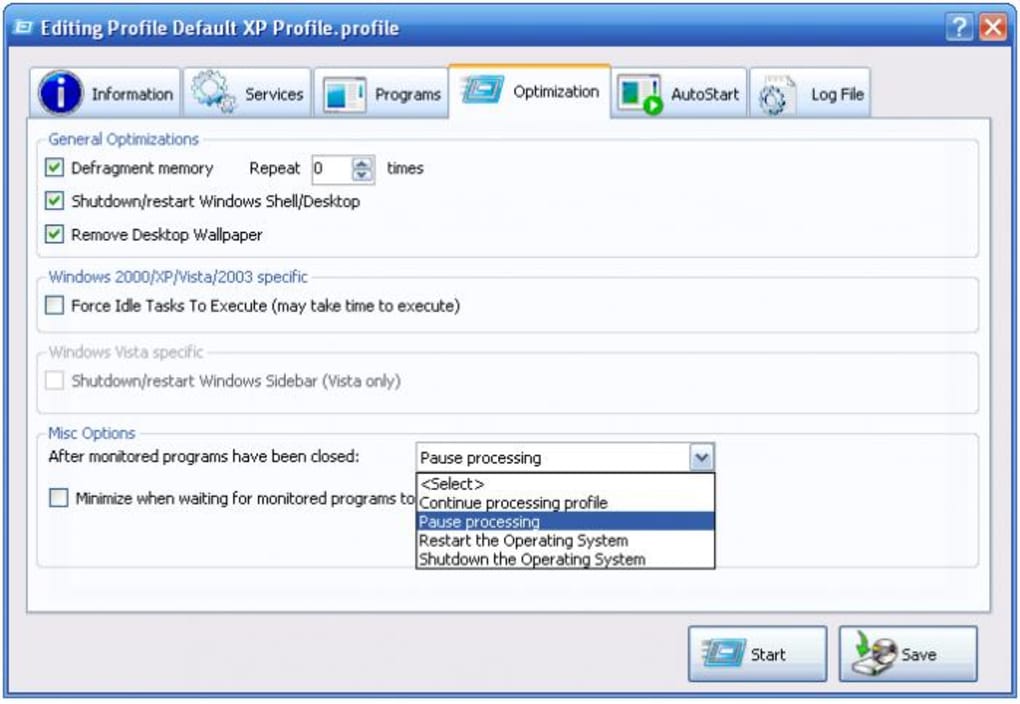
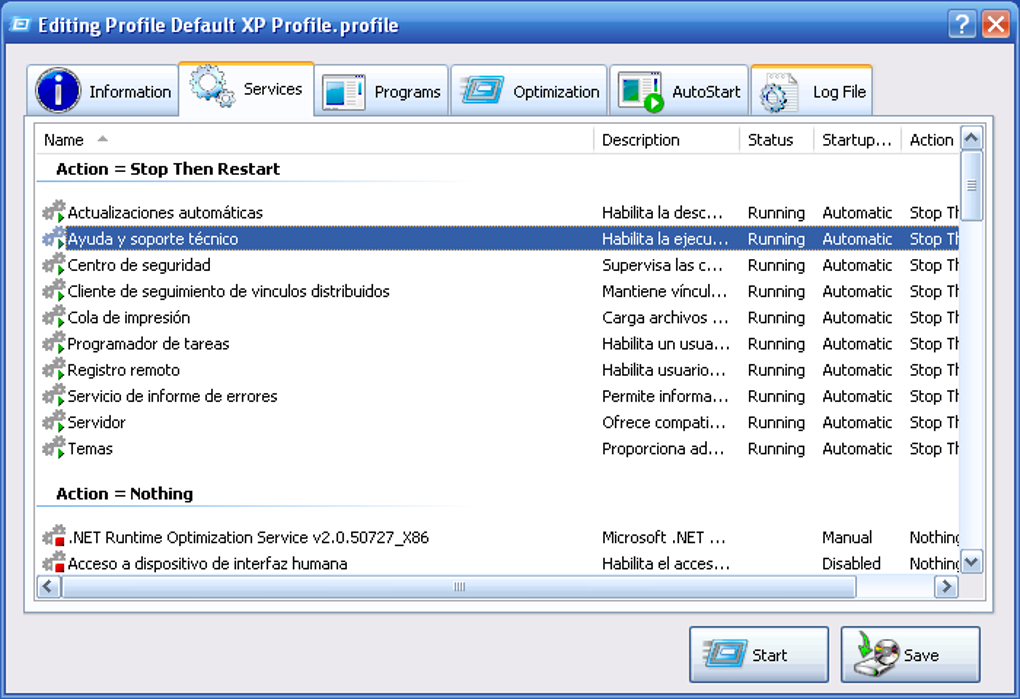
AlacrityPC operates on a simple principle: intelligent resource management. Instead of permanently terminating processes, it temporarily suspends unnecessary services and applications before launching a resource-intensive program, such as a video game or a video editing application. This ensures that the demanding program receives the necessary resources to function optimally without causing system freezes or slowdowns. Upon completion of the resource-intensive task, AlacrityPC automatically restarts the previously suspended processes, restoring the system to its original state. This dynamic approach to resource allocation allows users to seamlessly switch between different activities without experiencing performance degradation.
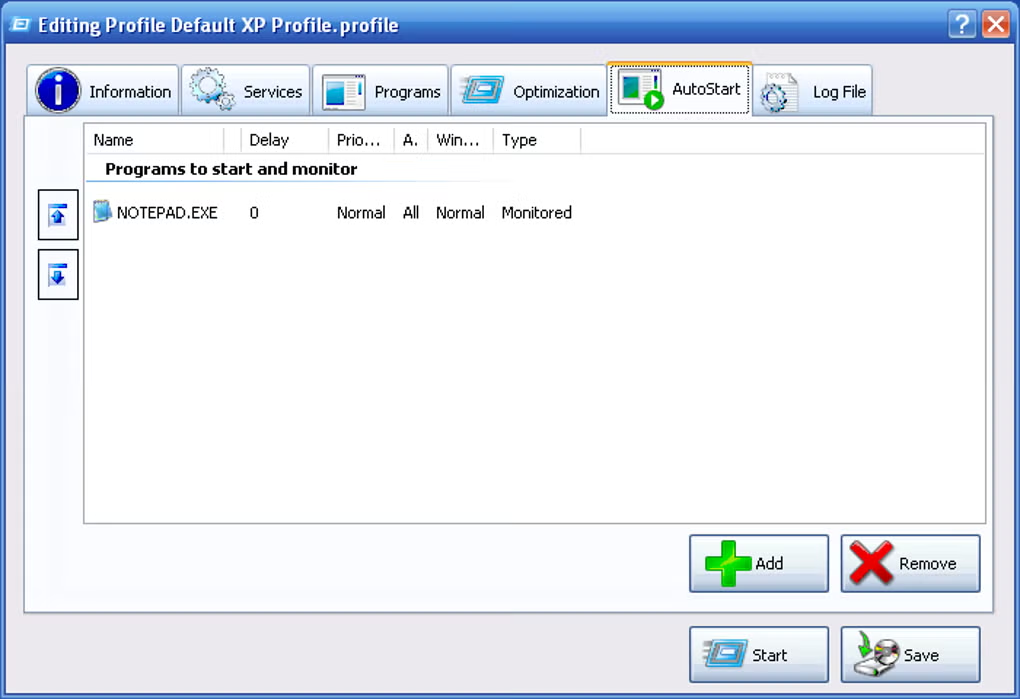
The utility identifies unnecessary processes based on a predefined set of criteria. While the specifics of this identification process aren’t explicitly detailed, it likely involves analyzing system resource utilization and identifying processes consuming significant resources without providing immediate user benefits. By temporarily suspending these processes, AlacrityPC effectively frees up RAM, CPU cycles, and potentially disk I/O, allowing the prioritized application to operate smoothly. This targeted approach differs from more aggressive methods, such as simply ending all non-essential processes, which can disrupt ongoing tasks or cause unexpected application behavior.
Addressing Performance Bottlenecks: Beyond Simple Process Management
While its core functionality revolves around process management, AlacrityPC also incorporates a basic disk defragmentation tool. However, user reviews and the software’s description highlight that this feature’s effectiveness is limited, and in some cases, may even negatively impact system performance. Therefore, users are advised to rely on more robust defragmentation utilities available for Windows if they require this functionality. The inclusion of this less effective feature suggests a broader aim to offer a single solution addressing several potential performance issues, though its practical benefits are questionable.
User Experience and Interface: Simplicity and Ease of Use
AlacrityPC is praised for its ease of use. The user interface is intuitive, requiring minimal technical knowledge to operate. The lack of detailed information about its inner workings emphasizes the focus on user-friendliness, rather than technical complexity. The program’s straightforward functionality avoids an overly complicated interface, ensuring users can quickly understand and utilize its resource management capabilities without needing extensive training or prior experience with similar software. This user-centric design makes it accessible to a wide range of users, regardless of their technical expertise.
Comparing AlacrityPC to Alternative Solutions: A Niche Utility
AlacrityPC occupies a specific niche within the broader category of system optimization tools. Unlike comprehensive system cleaners or registry optimizers, it focuses solely on resource management during the execution of resource-intensive tasks. While other utilities offer similar process management capabilities, often as part of a larger suite of features, AlacrityPC’s simplicity and targeted approach distinguish it. Competitor tools may include broader functionalities such as disk cleanup, registry cleaning, and startup manager, potentially leading to more system-wide optimization, but at the cost of increased complexity and system resource utilization during their operation. Therefore, AlacrityPC is a compelling option for users seeking a lightweight and straightforward solution specifically for temporary resource allocation management.
Alternatives such as Robolinux Cinnamon offer a far more comprehensive solution by proposing a complete switch to a Linux-based operating system, eliminating the resource limitations inherent in Windows. While this represents a radical change, the potential increase in performance, particularly on older hardware, is considerable. Similarly, other utilities mentioned, such as nCleaner, focus on cleaning system files and optimizing the registry, addressing underlying issues that can affect performance. Wise Game Booster, specifically tailored for gaming performance, provides more targeted optimization, focusing on aspects relevant to game performance, unlike the more general approach of AlacrityPC. The choice between AlacrityPC and these alternative solutions depends entirely on the user’s needs and technical aptitude.
Conclusion: AlacrityPC’s Place in the System Optimization Landscape
AlacrityPC provides a simple yet effective solution for managing system resources, temporarily prioritizing resource-intensive applications. Its ease of use and targeted approach make it an attractive option for users experiencing performance bottlenecks on lower-specification machines. However, its limitations, particularly the less-effective defragmentation tool, suggest it’s not a comprehensive solution for all system optimization needs. Users seeking more in-depth performance enhancements might benefit from exploring more robust alternatives. Ultimately, AlacrityPC’s value lies in its simplicity and ability to provide a quick fix for temporary performance issues related to resource contention, making it a useful utility for a specific segment of users. Its niche focus, combined with its user-friendly interface, positions AlacrityPC as a valuable addition to the toolkit of users seeking a straightforward solution for temporary resource allocation. The trade-off between its simple interface and lack of broad functionality makes it suitable for those prioritizing ease of use over comprehensive system optimization.
File Information
- License: “Free”
- Version: “1.0”
- Latest update: “January 31, 2023”
- Platform: “Windows”
- OS: “Windows XP”
- Language: “English”
- Downloads: “16.6K”
- Size: “1.57 MB”


