
The tactile experience of vinyl records, the satisfying weight in your hand, the crackle of the needle – these are elements often romanticized by music lovers. But beyond the nostalgic appeal, there’s another aspect of the vinyl experience that often gets overlooked: the album art. Those large, captivating covers were an integral part of the listening experience, adding a visual dimension to the music itself. While CDs attempted to maintain this tradition, the digital revolution has largely relegated album art to small thumbnails, often barely visible, lost in the shuffle of digital music libraries. Album Art Downloader aims to restore some of that lost visual splendor, bringing the vibrant world of album art back to your digital music collection.
How Album Art Downloader Works: A Deep Dive
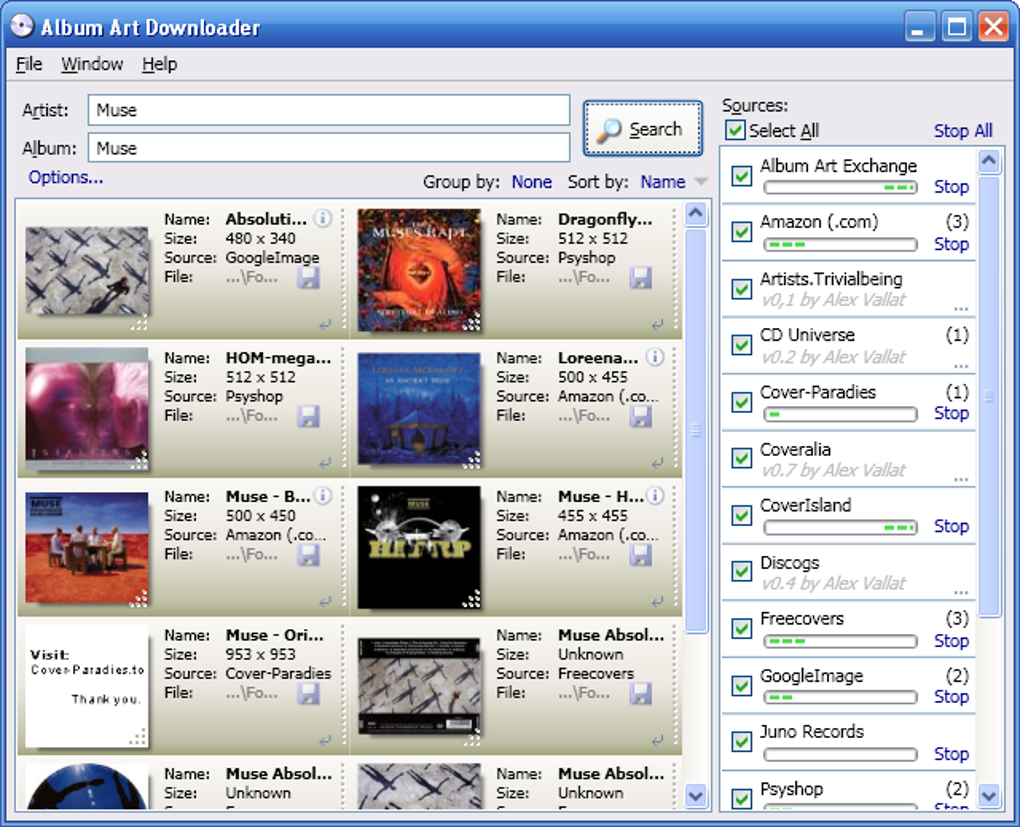
Album Art Downloader is a Windows-based application designed to simplify the process of locating and adding album art to your digital music files. Unlike many simpler solutions that rely on built-in features or limited databases, Album Art Downloader boasts a powerful, multi-source approach. It leverages a network of online resources, including Amazon, Coveralia, and Google Images, to maximize the chances of finding the correct artwork for your albums. This extensive network translates into a remarkably comprehensive database, capable of retrieving album information and cover art for a vast range of musical releases, both contemporary and classic.
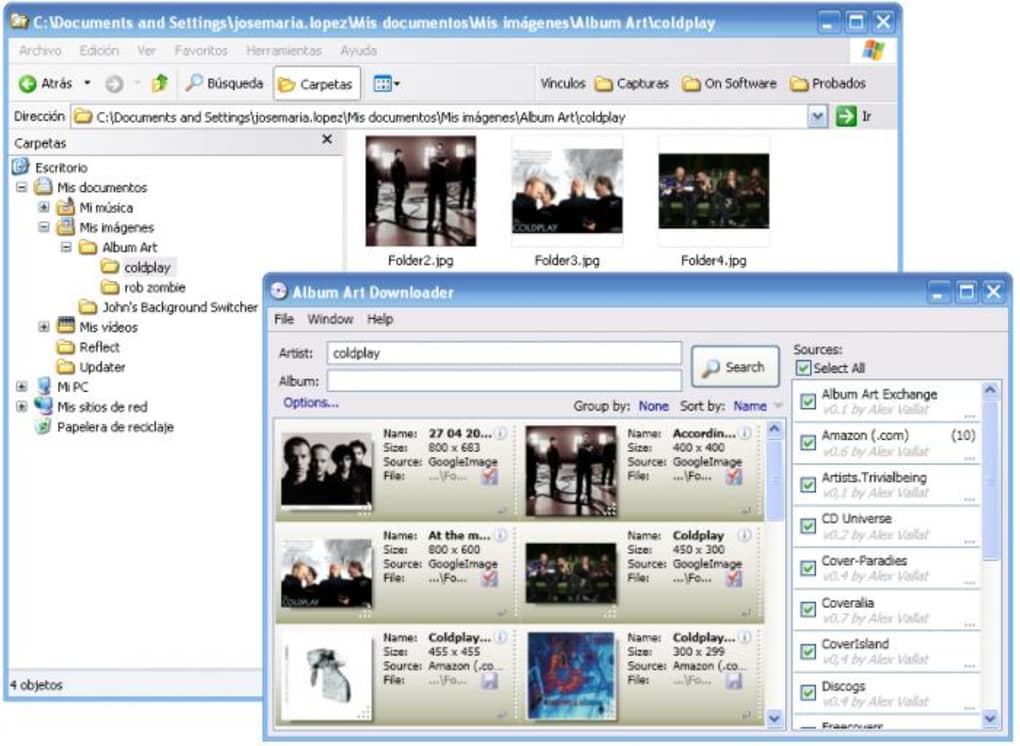
The process is conceptually straightforward: you input the name of the artist and album, and the program searches its expansive database. Once a matching image is found, you can download it. The program is designed to organize your newly acquired album art automatically. Downloaded images are stored in a dedicated “Album Art” folder, with subfolders created for each artist and album, ensuring a well-structured and easily navigable collection.
However, the user experience is not as simple as a point-and-click affair. The application’s functionality depends heavily on user-created scripts. While the core program handles the searching and downloading of images, the precise selection and customization of sources require users to write scripts. This requires a degree of scripting knowledge, primarily for users who want to customize the source selection or finely tune the search parameters. This can be a significant hurdle for users unfamiliar with scripting languages. Nevertheless, the developer’s website provides helpful hints, code samples, and documentation to guide users through the process, reducing the learning curve for those with some prior scripting experience.
Strengths and Weaknesses of Album Art Downloader
Album Art Downloader offers a compelling proposition for music enthusiasts seeking to enhance their digital libraries with visually engaging album art. Its strengths lie in its comprehensive database and efficient download speeds. The large number of sources tapped by the program significantly improves the probability of finding the artwork for even obscure or older albums. The speed at which the program downloads images is a significant advantage, helping users efficiently build their visual music collection.
However, the program is not without its drawbacks. The most significant limitation is the requirement for scripting knowledge. This is a major barrier to entry for many users who might otherwise benefit from the program’s capabilities. The reliance on scripts makes the application less accessible to the average user, requiring a certain level of technical proficiency.
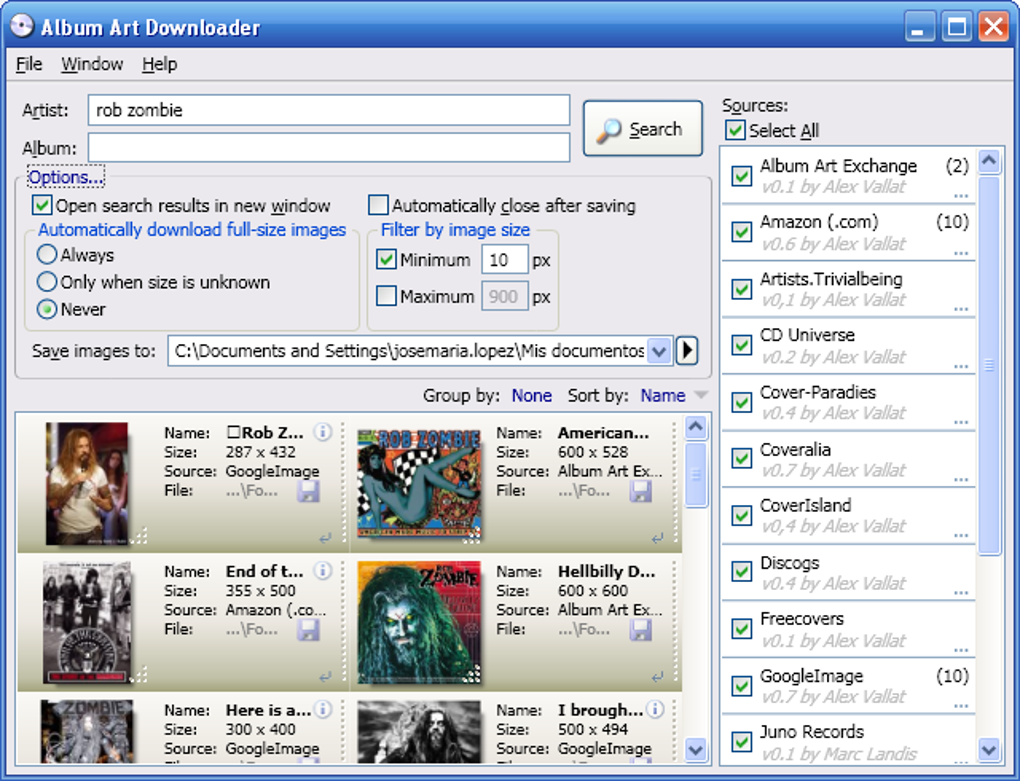
Another potential issue is the variability in image quality. While the program accesses a vast database of images from multiple sources, the quality of the images can vary considerably. Some downloaded images may be low-resolution thumbnails, while others are high-resolution, providing a visually satisfying addition to the collection. This inconsistency adds an element of unpredictability to the download process, which some users might find frustrating. Users may need to manually inspect and replace low-quality images, adding extra time to the overall process.
Alternatives and Comparisons
The market offers a range of alternative applications designed to address the need for automated album art retrieval. Some simpler options provide a more user-friendly interface, eliminating the need for scripting. These applications, however, may have more limited databases or may not offer the same breadth of sources as Album Art Downloader. This trade-off between user-friendliness and comprehensive functionality is a key consideration when choosing an album art downloader.
Other applications may focus on specific music platforms or libraries, integrating directly with popular music players. These applications often streamline the album art addition process, but may be less versatile in their compatibility with various music sources.
While Album Art Downloader might not be the best choice for users lacking scripting experience, its comprehensive database and efficient download speeds provide a considerable advantage for those willing to invest the time in learning the necessary scripting skills. Ultimately, the best choice depends on the user’s technical skills, preferences, and the specific requirements of their music collection.
The User Experience: Scripting and Beyond
The core functionality of Album Art Downloader is simple in concept, but the implementation is where the complexity lies. The program’s reliance on custom scripts significantly impacts the user experience. While this approach offers flexibility and customization, it introduces a learning curve that could discourage casual users.
The development team provides documentation and examples to assist users in crafting these scripts. However, the documentation assumes a basic level of familiarity with scripting, making it potentially challenging for users who lack this background. The need to write or modify scripts adds an extra layer of complexity to the process of adding album art, potentially slowing down the workflow.
The user interface itself, however, is fairly intuitive. Basic functionalities, such as entering artist and album names, are straightforward. The program provides clear feedback regarding the search process, informing the user of the status of the search and the results obtained. The organization of downloaded images within the dedicated folder structure is also commendable, contributing to a well-organized digital music library.
Conclusion: A Powerful Tool with a Steep Learning Curve
Album Art Downloader represents a powerful solution for those who need a robust and highly customizable tool for retrieving album art. Its ability to draw upon multiple online resources ensures a comprehensive search, greatly increasing the likelihood of finding artwork for a wide range of albums. The speed of the download process further enhances its efficiency, streamlining the addition of album art to large music collections.
However, the requirement for scripting knowledge poses a significant obstacle for many potential users. The necessity of writing or modifying scripts to customize sources and search parameters represents a steep learning curve that may deter those unfamiliar with scripting languages.
For users comfortable with a degree of technical complexity, Album Art Downloader can be an invaluable tool. The powerful features and extensive database outweigh the learning curve for experienced users. However, for casual users seeking a simpler, more intuitive solution, alternative applications with simpler interfaces may be a better fit. Ultimately, the decision of whether or not to use Album Art Downloader hinges on a careful assessment of one’s technical skills and the desired level of customization.
File Information
- License: “Free”
- Latest update: “April 25, 2024”
- Platform: “Windows”
- OS: “Windows 8”
- Language: “English”
- Downloads: “32.7K”
- Size: “894.61 KB”


