
Alcohol 120% is a veteran in the world of CD and DVD burning software, offering a robust suite of features for both casual users and professionals. While it’s a trial version, its capabilities extend beyond simple burning, encompassing virtual drive emulation, image creation and manipulation, and even Blu-ray and HD DVD support (though compatibility with newer operating systems might be limited, as noted later). This review will delve into the strengths and weaknesses of Alcohol 120%, examining its functionality, ease of use, and overall value proposition.
Core Functionality: Burning, Copying, and Emulation
At its heart, Alcohol 120% excels as a CD and DVD burning utility. It allows users to create backups of their optical media, ensuring data preservation and safeguarding against physical damage. The software supports a wide array of disc types, including standard CDs and DVDs, as well as Blu-ray and HD DVD formats, offering comprehensive coverage for diverse user needs. Beyond simple burning, Alcohol 120% facilitates the creation of ISO images, providing a digital representation of the disc’s contents. This feature is invaluable for archiving, sharing, and managing large collections of optical media. The ability to create these images allows users to access the contents of their discs without the need for the physical media itself, which is a significant advantage for frequently used software or multimedia files.
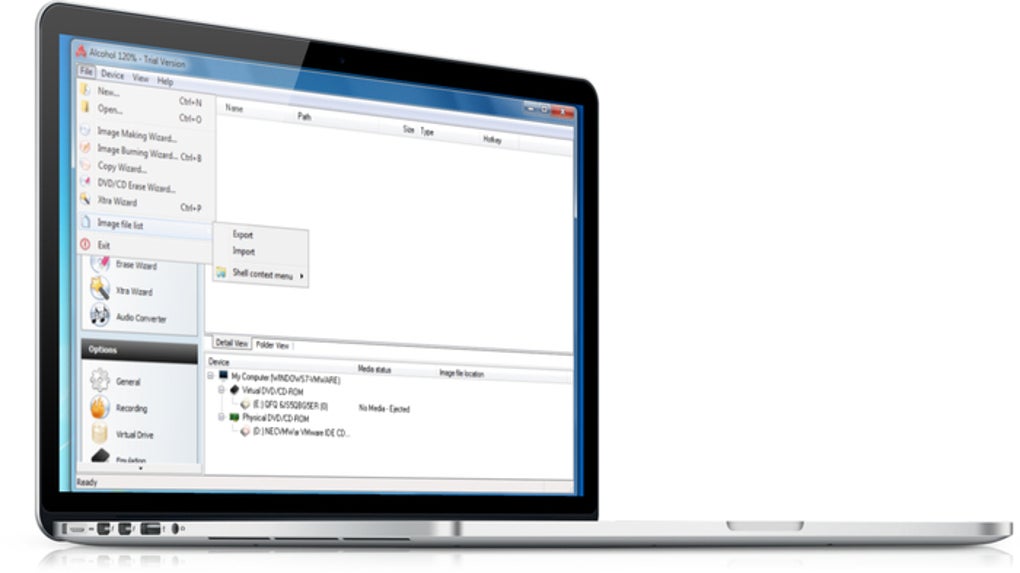
One of the standout features of Alcohol 120% is its virtual drive emulation capabilities. The software can create up to 31 virtual drives, allowing users to mount ISO images and access their contents as if they were physical discs. This functionality is especially beneficial for users running multiple games or applications from image files, eliminating the need to constantly switch physical discs. The speed advantage of accessing data from a virtual drive, compared to a physical drive, is also a significant improvement, particularly for larger files. Furthermore, it protects the physical media from wear and tear, extending its lifespan and mitigating the risk of damage through frequent use.
User Interface and Ease of Use
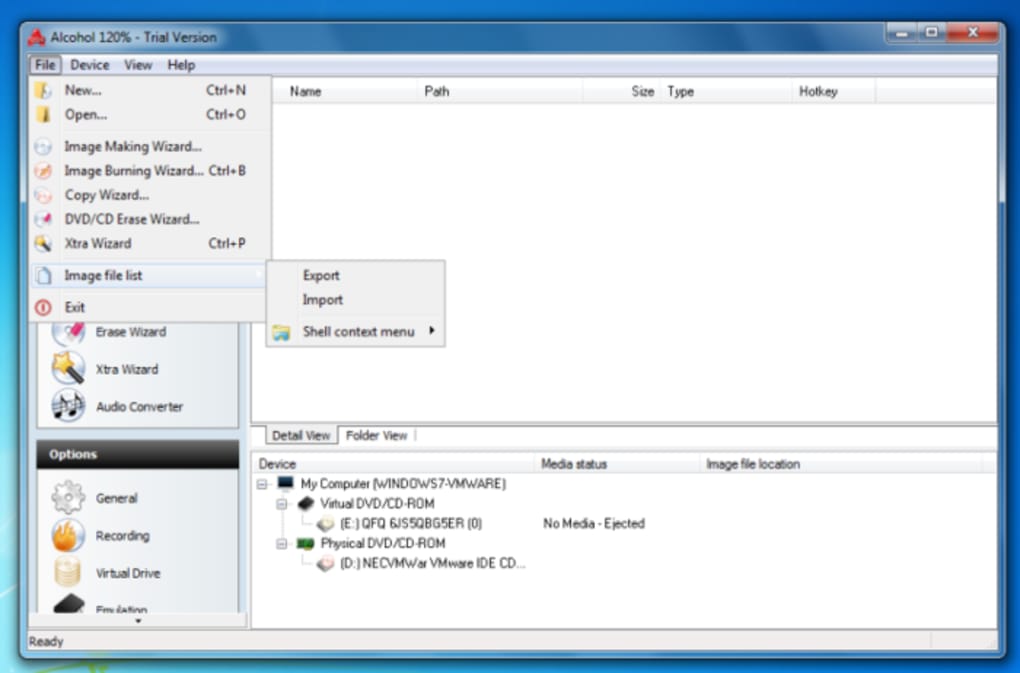
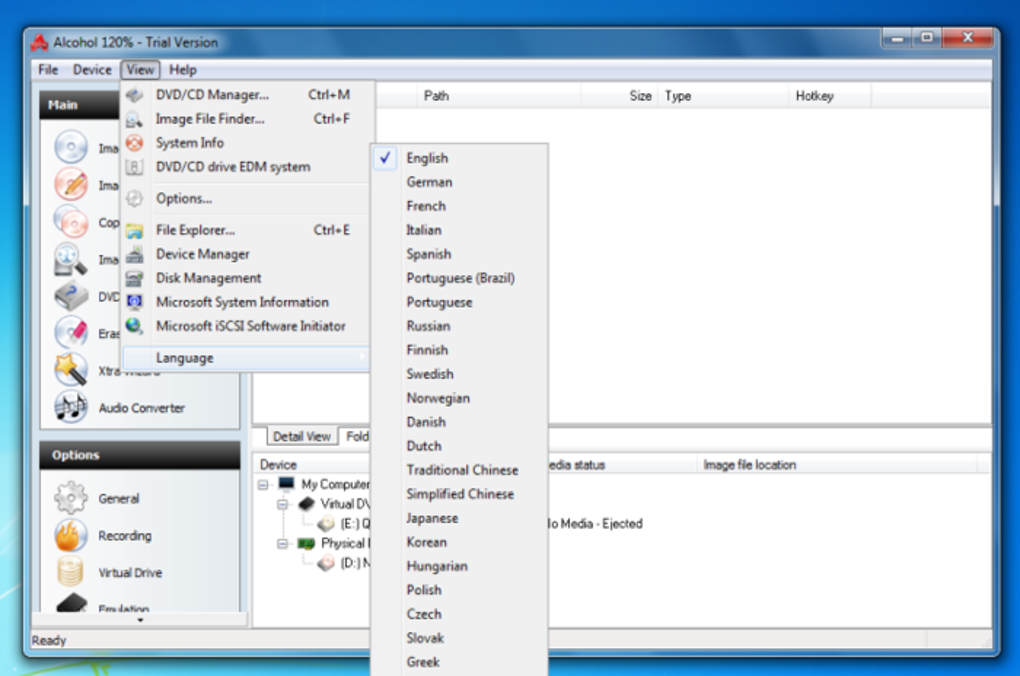
Alcohol 120% boasts a user-friendly interface, intuitive even for novice users. The program’s layout is straightforward and logical, following a familiar Windows Explorer-style structure. This design choice minimizes the learning curve, allowing users to quickly grasp the program’s core functionalities. The intuitive layout and logical arrangement of tools streamline the workflow and minimize confusion, even for those unfamiliar with disc burning software. The inclusion of a step-by-step wizard further simplifies the process of creating backups and images, guiding users through each stage with clear instructions and minimal complexity.
Advanced Features and Support
Beyond its core functionalities, Alcohol 120% offers several advanced features that enhance its versatility and appeal. Its Pre-Mastering function enables users to burn files directly from their hard drive, bypassing the need to create an intermediate ISO image. This feature is particularly beneficial for streamlining the burning process and efficiently creating custom compilations of files. Furthermore, support for various disc formats and recording speeds ensures flexibility and optimal performance across a wide range of hardware configurations.
The software also supports a plugin which, according to the original description, allowed for the conversion of discs to MP3 format, although this is not a central or prominent feature in the current iteration. This highlights the program’s historical effort to adapt to evolving user needs and multimedia trends. Further features such as enhanced read/write engines and robust folder management contribute to the overall efficiency and user experience of the program.
Compatibility and System Requirements
Alcohol 120% is designed for Windows operating systems. While the original description states compatibility up to Windows 7, its actual compatibility with later versions requires verification. Users should consult the software’s official documentation or support resources for the most up-to-date compatibility information to determine if it functions correctly on their particular version of Windows, and if any necessary updates are available. The software’s system requirements vary depending on the version. Checking the minimum system requirements is crucial to ensure smooth and optimal performance. It is important to note potential incompatibilities with newer operating systems or hardware configurations. Users should always exercise caution and verify compatibility before installing and using the software on their system.
Security Concerns and User Reviews
Alcohol 120% has a history of raising concerns, especially in older versions, related to bundled adware or potentially unwanted programs (PUPs). User reviews often highlight this issue, underscoring the need for caution during installation and the importance of carefully reviewing all installation options. It’s crucial to exercise due diligence and select custom installations to avoid installing any unwanted software alongside Alcohol 120%. Checking reputable antivirus reports before downloading the software is recommended to mitigate this risk. Users should carefully review the installation process, opting for a custom install and unchecking any unnecessary options to avoid potential malware or adware.
The mixed user reviews underscore the importance of cautious usage. While some users praise its performance and ease of use, others have voiced concerns about potentially unwanted software, underscoring the importance of careful installation and ongoing vigilance. The reputation of the software has been tarnished over the years due to the inclusion of adware and malware in some versions; therefore, only the most up-to-date versions should be used, and only downloaded from official and trustworthy sources.
Alternatives and Comparisons
Alcohol 120% competes with numerous other CD/DVD burning and image mounting software options, including both free and paid alternatives. Software like ImgBurn, CDBurnerXP, and UltraISO offer similar core functionalities, often with different strengths and weaknesses. The choice of which software to use depends on individual needs and priorities. Factors to consider include the specific features required, ease of use, compatibility, and cost. A thorough comparison of alternative software will help determine the most suitable option for particular users.
While Alcohol 120% offers a comprehensive feature set and user-friendly interface, alternatives exist, including open-source and free options. Evaluating the strengths and weaknesses of these alternatives, considering individual requirements and preferences, will ultimately determine the best choice.
Conclusion: A Powerful Tool with Cautions
Alcohol 120% remains a powerful and versatile CD/DVD burning and image mounting tool, especially helpful for creating backups, managing ISO images, and emulating virtual drives. However, potential security concerns and compatibility issues need to be addressed. Users should exercise caution during installation, opting for custom installations to avoid bundled software and ensure that the software is downloaded from official and trusted sources. Thorough research into compatibility with the user’s operating system is also strongly recommended. Weighing the software’s advantages against its drawbacks, alongside careful consideration of available alternatives, is crucial for an informed decision about whether Alcohol 120% is the right choice for a user’s needs.
File Information
- License: “Trial version”
- Latest update: “May 24, 2023”
- Platform: “Windows”
- OS: “Windows 8”
- Language: “English”
- Downloads: “989.6K”


