
Alice is a unique and innovative programming environment designed to simplify the process of creating 3D animations. Its intuitive interface and readily available resources make it accessible to a broad spectrum of users, from young children exploring their creativity to adults seeking a user-friendly introduction to programming concepts. This versatility positions Alice as both a powerful creative tool and a valuable educational resource, blurring the lines between entertainment and learning. This comprehensive guide explores the features, functionalities, and applications of Alice, examining its strengths and weaknesses to provide a complete understanding of this remarkable software.
Creating Animations with Ease: Alice’s User-Friendly Interface
Alice’s greatest strength lies in its accessible interface. Unlike many professional animation software packages that require extensive technical knowledge and complex commands, Alice employs a drag-and-drop system and a visually rich environment. This user-friendly approach makes animation creation intuitive, even for those with no prior experience in programming or 3D modeling. Users can manipulate pre-built 3D models, representing characters, objects, and backgrounds, within a 3D workspace. These models are easily selected, positioned, and animated using simple commands and scripts, minimizing the technical hurdles often associated with 3D animation software.
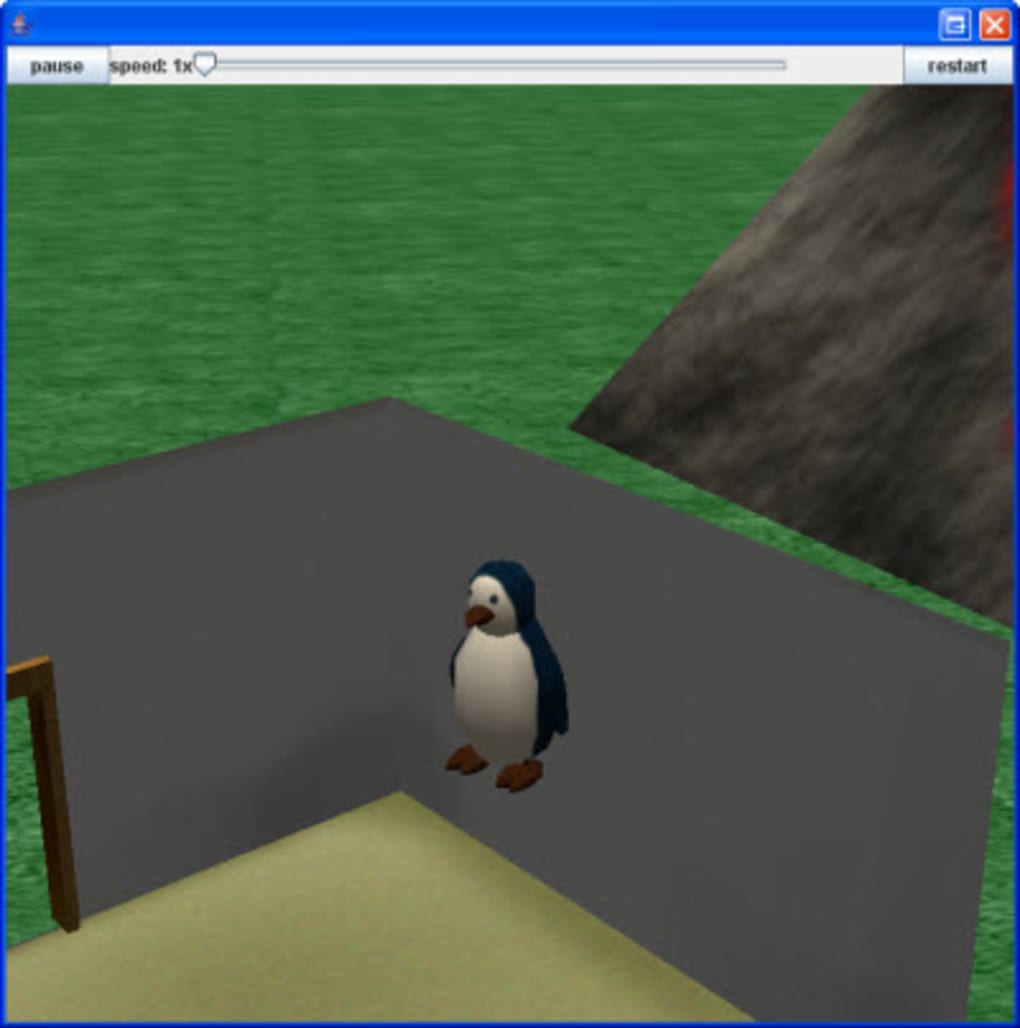
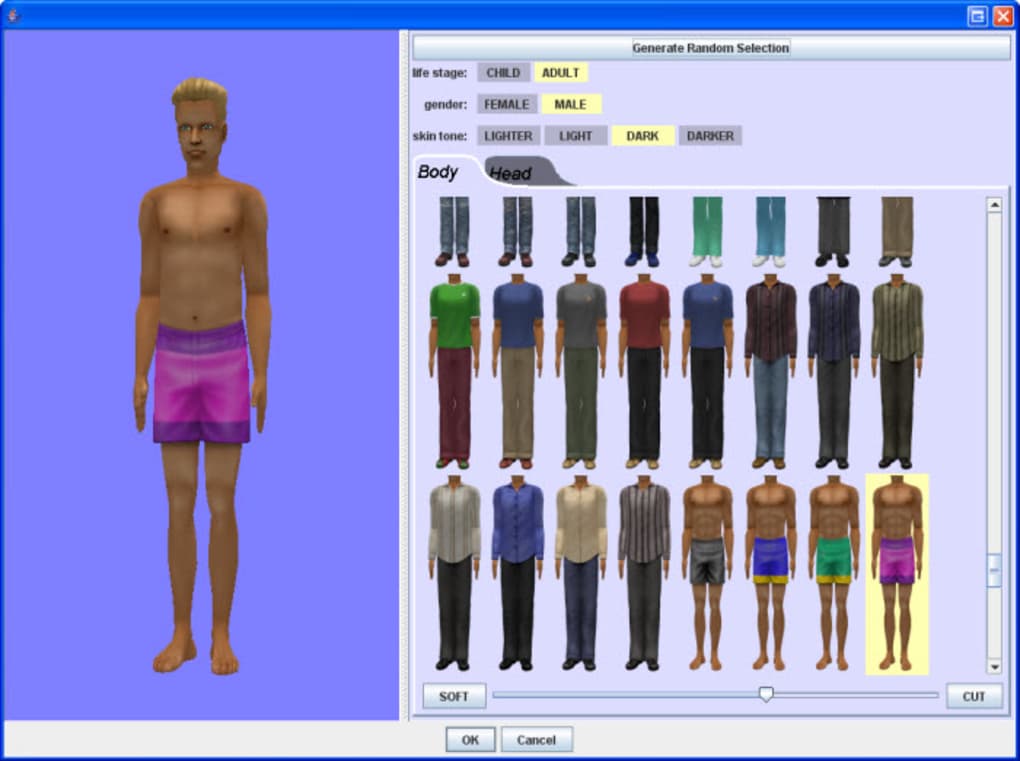
The software’s library of pre-existing models significantly reduces the learning curve. Instead of needing to create models from scratch, users can select from a variety of characters, objects, and backgrounds, allowing them to quickly construct scenes and begin animating. This feature is particularly beneficial for beginners, allowing them to focus on storytelling and animation techniques rather than grappling with the complexities of 3D modeling. While the library may contain some models that are aesthetically simplistic, their availability significantly accelerates the animation creation process, allowing users to experiment and learn at a faster pace.
The simple programming interface is another key component of Alice’s user-friendliness. Instead of using complex syntax and coding languages, Alice uses a simplified, visual approach to programming. Users can string together commands and actions using drag-and-drop functionality, making the programming process approachable and easy to understand. This visual approach helps users grasp fundamental programming concepts such as sequencing, loops, and conditional statements without needing to delve into the intricacies of conventional programming languages. This feature makes Alice an ideal tool for introducing fundamental programming concepts to young learners or individuals new to the field.
Learning to Program Through Storytelling: An Educational Approach
Alice’s design effectively intertwines creative animation with the principles of programming. Instead of presenting programming as an abstract and complex subject, Alice embeds it within a fun and engaging context. Users are encouraged to create narratives and stories using animation, naturally integrating programming concepts into the creative process. This approach fosters a hands-on learning experience, allowing users to see the direct results of their programming efforts within the animated world they are building.
The ability to create animated stories empowers users to explore programming concepts in a contextually relevant manner. The act of directing a character’s movement, triggering events, or controlling the environment becomes a way of learning about programming logic, conditional statements, and loops. This approach is significantly more engaging and less daunting than traditional programming tutorials, making learning more interactive and enjoyable.
Alice’s suitability for educational settings extends beyond its user-friendly design. It’s adaptable to different age groups and learning styles. Younger users can focus on the creative aspects, experimenting with animation and storytelling, while older users can delve into more advanced programming techniques. This adaptability makes it a versatile tool that can be used in various educational settings, from elementary schools to higher education institutions. The software’s capacity to introduce fundamental programming concepts in a visually rich and interactive manner makes it a valuable resource for computer science education.
Beyond the Basics: Alice’s Limitations and Alternatives
While Alice offers a valuable introduction to animation and programming, it’s important to acknowledge its limitations. One significant limitation is its relatively simple animation capabilities compared to professional animation software. Alice lacks the advanced features and tools found in professional packages, such as complex rigging, sophisticated physics engines, or high-resolution rendering. This restricts its capabilities for creating highly complex or realistic animations. The visual style tends toward a simpler, less photorealistic aesthetic which, while suitable for educational purposes, may not meet the standards of professional animation projects.
Furthermore, while Alice provides a range of pre-built models, the customization options for these models might be limited. Users seeking highly specific or intricately designed models might find themselves constrained by the available choices. The character-building tools, while functional, may not offer the level of detail and control found in professional 3D modeling software. This limitation might require users to find alternative solutions if their creative vision demands more sophisticated models.
The relatively simple nature of Alice’s programming language, while advantageous for beginners, also limits its expressiveness and functionality compared to full-fledged programming languages such as Python or C++. Although it’s ideal for learning fundamental programming concepts, users seeking to develop highly complex programs or specialized applications would eventually need to transition to more advanced programming languages.
For users who outgrow Alice’s capabilities or require more advanced features, several alternative software packages offer similar functionalities with greater complexity. Muvizu, for example, provides a more game-like interface suitable for creating 3D animations, while Shade 3D for Unity focuses on 3D modeling and animation for game development, especially Unity. These alternatives offer a wider range of features and tools, enabling users to create more sophisticated and visually appealing animations.
Alice’s Lasting Impact: A Gateway to Creativity and Programming
Despite its limitations, Alice’s impact on the world of animation and programming education is undeniable. Its user-friendly interface and innovative approach to teaching programming concepts have made it a valuable tool for countless individuals seeking to explore their creativity and gain a foundational understanding of computer programming. Alice has effectively lowered the barrier to entry for both 3D animation and programming, opening doors for individuals who may not have previously had access to these fields.
Alice’s success lies in its ability to seamlessly integrate creative expression with the learning process. By turning programming into an enjoyable and engaging activity, Alice effectively demystifies the complexities of coding, paving the way for future exploration and learning. It serves as a valuable gateway for individuals to discover their passion for either animation or programming or both, inspiring them to pursue further education and explore the vast possibilities within these fields. While it may not be the ultimate tool for professional animation production, Alice holds a unique and irreplaceable place in fostering creativity and nurturing a new generation of animators and programmers.
File Information
- License: “Free”
- Latest update: “May 23, 2023”
- Platform: “Windows”
- OS: “Windows 8”
- Language: “English”
- Downloads: “49K”


