
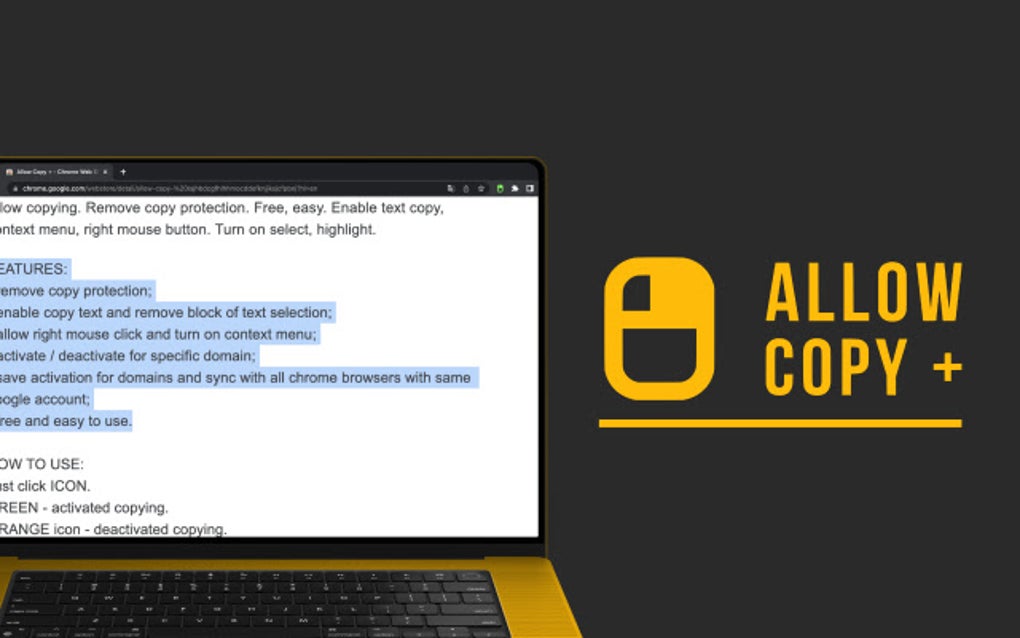
Allow Copy + is a free Chrome extension designed to overcome the frustration of copy-protected websites. Developed by pidevex, this handy tool removes restrictions on text selection and copying, restoring essential functionality for a smoother browsing experience. It’s a simple yet powerful solution for anyone who’s ever encountered the limitations imposed by websites that disable the standard copy-paste function. This comprehensive guide will explore the features, functionality, and benefits of Allow Copy +, demonstrating its value for various users and applications.
Apps, Games, and Beyond: Where Allow Copy + Shines
Allow Copy + isn’t confined to a single niche; its applicability spans across diverse digital landscapes. Its core function—enabling text copying—proves invaluable in numerous scenarios.
Apps: Many web applications, particularly those related to research, education, or professional development, employ copy protection measures. These restrictions can severely hinder the ability to extract information or complete tasks. Allow Copy + bypasses these limitations, allowing users to seamlessly copy text from web apps, whether for personal notes, academic research, or professional documentation. This capability transforms the user experience from a frustrating struggle to efficient information management.
Games: While seemingly unrelated, Allow Copy + can also be helpful for gamers. Certain online games, or websites associated with them, may prevent copying text containing strategic information, walkthroughs, or community discussions. Allow Copy + empowers players to overcome these restrictions, enabling them to access and utilize this information freely. This ability extends beyond simple gameplay; it also allows players to easily share information and strategies with others, fostering a more collaborative gaming community.
News and Information Gathering: Accessing and utilizing information is a cornerstone of modern life. Numerous websites, particularly those focused on news or research, employ copy protection to control content distribution or prevent unauthorized reproduction. Allow Copy + dismantles these barriers, providing users with the freedom to copy and share articles, research findings, and other vital information. This is especially important for researchers, students, and journalists who rely heavily on the ability to extract and disseminate information.
For Business: Streamlining Workflow and Enhancing Productivity
The implications of Allow Copy + extend significantly into the professional sphere. Businesses rely heavily on digital information, and copy restrictions can hinder workflow efficiency and productivity.
By removing the limitations imposed by copy protection, Allow Copy + facilitates smoother data handling within various business applications. Employees can effortlessly extract information from websites, compile data for reports, or gather insights for strategic planning. This streamlined approach translates directly into increased productivity and efficiency across departments.
Furthermore, Allow Copy + helps prevent the loss of valuable information. If a website featuring important data unexpectedly becomes inaccessible, the ability to preemptively copy relevant information becomes crucial. Allow Copy + ensures businesses maintain access to essential information even in the face of unpredictable website changes.
Consider the scenario of a marketing team conducting competitor analysis. Without Allow Copy +, extracting key data from competitor websites could become a tedious and time-consuming process. Allow Copy + simplifies this, allowing the team to quickly and efficiently gather the necessary data, ultimately saving time and resources.
Browsers and the Enhanced Browsing Experience
The true power of Allow Copy + is realized within the context of its integration with web browsers. As a Chrome extension, it works seamlessly within the browser’s environment, providing a non-intrusive yet highly effective solution.
The extension’s design is minimalistic, ensuring it doesn’t clutter the user interface. Its icon provides clear visual feedback: an orange icon indicates that copying is disabled, while a green icon signifies its activation for the current website. This simple visual cue eliminates guesswork and ensures users always know the extension’s status.
Allow Copy +’s functionality extends beyond simply enabling text copying; it also restores the right-click context menu, a feature often disabled on copy-protected websites. Restoring this functionality provides a more comprehensive and familiar browsing experience, empowering users with a wider range of options. The ability to quickly access options like “Inspect Element” or “View Page Source” becomes readily available, expanding the user’s ability to interact with and understand the underlying structure of a webpage.
Google Chrome Integration: A Seamless Extension
Allow Copy +’s integration with Google Chrome is exceptionally smooth. The installation process is straightforward, and the extension’s function is easily activated or deactivated with a single click of its icon. This user-friendly approach makes it accessible to users of all technical skill levels.
The extension also boasts cross-device syncing capabilities. By logging into Google Chrome with the same account across multiple devices, users can benefit from consistent access to the extension’s functionality, ensuring a seamless experience irrespective of the device they’re using. This level of synchronization enhances the overall user experience and simplifies management.
Furthermore, the developers actively engage in ongoing improvements. The inclusion of beta features, such as the ability to extract text from images on platforms like LinkedIn, Instagram, and Google Docs, signifies the developers’ commitment to expanding the extension’s functionality and adapting to evolving user needs. These beta features highlight the dynamic nature of the extension and its potential for future growth and development.
Allow Copy + for Google Chrome: Features and Functionality
Allow Copy + offers a range of capabilities designed to address various scenarios:
- Website-Specific Activation: Users can selectively enable or disable Allow Copy + for specific domains. This fine-grained control allows for tailored usage based on individual website needs and preferences. This means you can choose to activate the extension only on those sites where copy protection is particularly bothersome, leaving it inactive on others.
-
Context Menu Restoration: Besides enabling text copying, Allow Copy + reinstates the right-click context menu, providing a complete browsing experience. This essential functionality is often disabled on copy-protected websites, making its restoration a significant benefit.
-
Seamless Activation/Deactivation: The simple one-click activation and deactivation mechanism ensures effortless control over the extension’s functionality. The color-coded icon provides clear visual cues about the current status.
-
Cross-Device Syncing: Allows for consistent usage across all Chrome browsers synced to the same Google account. This seamless integration ensures functionality across devices and eliminates the need for repeated configuration.
-
Beta Features: The ongoing development of beta features demonstrates a commitment to continuous improvement and adaptation to user feedback.
In conclusion, Allow Copy + is a remarkably effective and user-friendly Chrome extension that addresses a common and frustrating web browsing issue. Its simple design, powerful functionality, and commitment to ongoing improvement make it an invaluable tool for users across various backgrounds and applications. From streamlining workflows in business settings to enhancing the gaming experience and simplifying research, Allow Copy +’s versatility and accessibility make it a must-have for any Chrome user.
File Information
- License: “Free”
- Version: “2.0.0.21”
- Latest update: “July 11, 2025”
- Platform: “chrome”
- Language: “English”
- Downloads: “1.9K”


