
Alpemix is a versatile, free remote desktop software designed for seamless connection and control of remote computers. Unlike many of its competitors, Alpemix stands out due to its ease of use, lack of installation requirements, and robust security features. This guide delves into the capabilities, applications, advantages, and limitations of Alpemix, providing a comprehensive overview for both novice and experienced users.
Easy Setup and Intuitive Interface
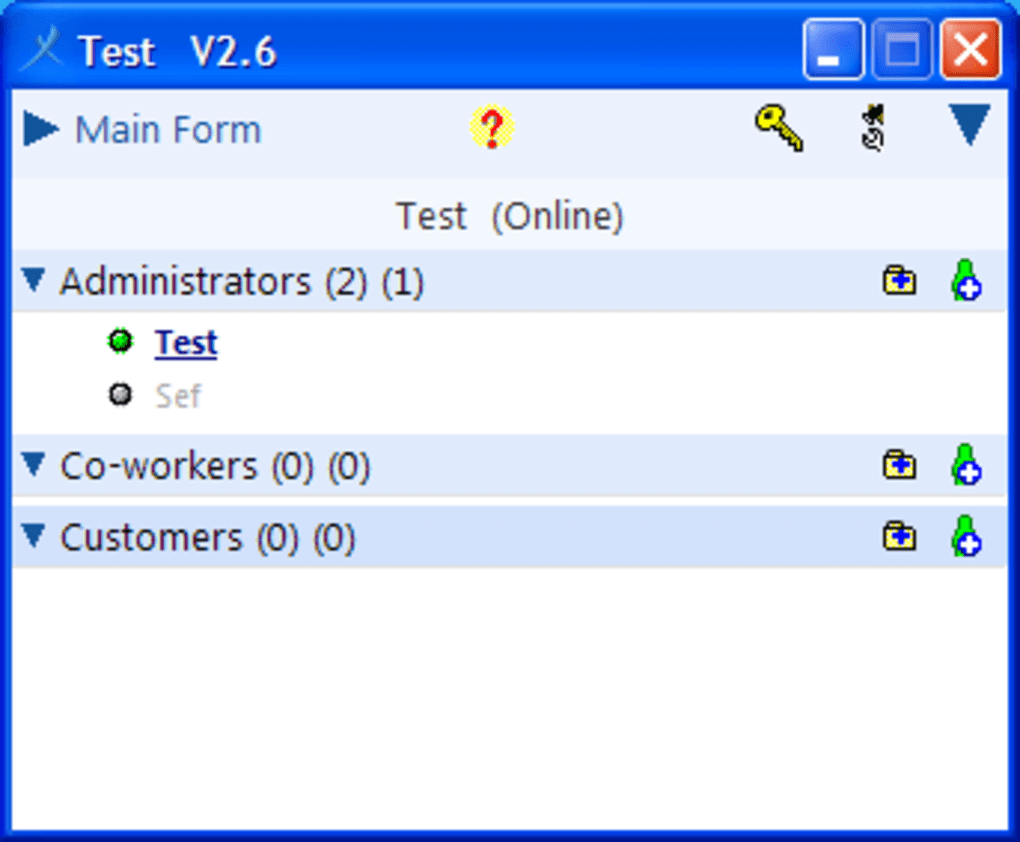
One of Alpemix’s most compelling features is its simplicity. No installation is required, meaning users can launch the application directly from the executable file. This eliminates the often cumbersome process of downloading, installing, and configuring software, making it accessible to users with varying levels of technical expertise. The streamlined interface minimizes complexity, allowing users to quickly establish a connection with a remote machine. The software operates seamlessly behind NAT proxies and firewalls, further simplifying the connection process, even in complex network environments. This “plug-and-play” approach significantly reduces the learning curve and enhances accessibility for a broader range of users, making it ideal for individuals who need quick and easy remote access capabilities without the technical hurdles.
To initiate a connection, both the host and client computers need to be running Alpemix. A unique user ID and password ensure secure access to the remote computer, safeguarding sensitive data and preventing unauthorized access. The software’s minimal footprint also reduces its impact on system resources, ensuring smooth performance even on less powerful machines. This is particularly beneficial for users with older systems or limited processing power, who might experience sluggish performance with more resource-intensive applications.
Feature Set: Beyond Basic Remote Control
Beyond simple remote control, Alpemix offers a range of valuable features that enhance its practicality and versatility. These features make it a compelling alternative to more complex and often more expensive remote desktop solutions.
-
Secure Communication: Alpemix prioritizes security, employing robust encryption protocols such as 1024-bit RSA and 256-bit AES to protect data transmitted between computers. This high level of encryption is crucial for ensuring the confidentiality and integrity of sensitive information exchanged during remote sessions, especially when dealing with sensitive business data or personal files.
-
Multifaceted Communication Options: Alpemix facilitates communication beyond simple screen sharing. It supports audio communication, allowing users to have real-time voice conversations while collaborating on tasks or troubleshooting issues. This is particularly useful for providing technical support or conducting online meetings, streamlining the collaborative process and eliminating the need for separate communication channels. In addition to voice, Alpemix integrates text messaging, providing a convenient alternative or supplement to audio communication. This option allows for asynchronous communication or for situations where audio might be impractical or disruptive.
-
File Transfer Capabilities: The software seamlessly integrates file transfer functionality, allowing users to easily transfer files between the host and remote computers. This is an essential feature for remote support, collaborative projects, and data backup, ensuring that files can be easily shared and managed without complicated workarounds.
-
Multiple Connection Methods: Alpemix offers multiple ways to establish a connection to a remote computer. These options include using a continuous access password, sending connection requests via a user list, or using a standard user ID and password combination. The flexibility of these options caters to different preferences and security protocols, allowing users to choose the method best suited to their needs and security requirements.
-
Cross-Platform Compatibility: While primarily discussed in the context of Windows, Alpemix’s availability on other platforms (iOS, Android, Mac) further expands its accessibility. This cross-platform compatibility eliminates limitations associated with specific operating systems, allowing users to connect and control remote computers regardless of the platform they are using.
Diverse Application Scenarios: From Tech Support to Education
Alpemix’s versatility extends to a wide range of applications, making it a valuable tool across various sectors. Its ease of use and robust feature set make it suitable for both personal and professional use.
Technical Support and Maintenance
Alpemix serves as an effective tool for providing remote technical support. Whether assisting family, friends, or clients, users can quickly connect to a remote computer to troubleshoot problems or perform maintenance tasks. The intuitive interface ensures that even users with limited technical knowledge on the receiving end can easily cooperate with the support provider. This eliminates the need for physical presence or advanced technical skills from the end-user, making support more efficient and accessible.
Education and Presentations
Alpemix is invaluable for remote education and online presentations. Teachers can share their computer screens with students, facilitating interactive learning sessions and providing real-time demonstrations. Similarly, it enables professionals to give presentations to remote audiences, showcasing their work or products effectively. The combined capabilities of screen sharing, audio, and text chat enhance the interaction and collaboration, ensuring a more engaging and effective remote learning or presentation experience.
Collaboration and Teamwork
Alpemix is instrumental in facilitating collaboration among team members located in different geographical locations. Team members can simultaneously work on a shared document or project, enhancing productivity and reducing the need for physical meetings. The ability to share screens, communicate through audio and text, and transfer files contributes to a smoother, more effective collaborative workflow.
Product Demonstrations
In the realm of product demonstrations, Alpemix allows developers or sales personnel to effectively present their products to prospective clients or partners. This method eliminates the need for physical travel and permits real-time interaction, enhancing the efficiency and engagement of the demonstration.
Advantages and Disadvantages of Alpemix
While Alpemix presents several advantages, it’s important to acknowledge its limitations to provide a balanced perspective.
Advantages:
-
Free of Charge: Alpemix is a free software, making it an attractive alternative to paid remote desktop solutions. This affordability significantly broadens its accessibility, making it suitable for individuals and organizations with limited budgets.
-
Ease of Use: Its simple interface and lack of installation requirements contribute to a user-friendly experience. The intuitive design minimizes the learning curve, making it accessible to users of all technical skill levels.
-
Robust Security: Alpemix utilizes strong encryption protocols to protect data transmitted during remote sessions. This focus on security is vital for safeguarding sensitive information and maintaining user confidentiality.
- Cross-Platform Compatibility: The availability on multiple platforms expands its reach and applicability, eliminating platform-specific limitations.
Disadvantages:
-
Limited Feature Set (Compared to Paid Alternatives): While Alpemix offers a substantial range of features, it may lack some advanced functionalities found in paid competitors. This could potentially restrict its capabilities for specialized needs or highly demanding tasks.
-
Potential for Occasional Bugs: Like any software, Alpemix may occasionally experience minor bugs. While these issues are generally infrequent and often quickly resolved, they can impact usability during specific instances.
-
Not the Only Game in Town: The market offers numerous remote desktop solutions, providing users with a wide selection. While Alpemix presents a strong offering, the competition warrants consideration based on individual needs and preferences.
Conclusion: A Solid Choice for Many Remote Access Needs
Alpemix provides a compelling solution for individuals and businesses requiring a reliable, user-friendly, and secure remote desktop application. Its simplicity, robust security features, and versatile applications make it a strong contender in the remote access software market. While it may not entirely replace more feature-rich, paid options for every circumstance, Alpemix’s free access and ease of use solidify its place as a valuable tool for a wide array of remote access scenarios. Its strength lies in its user-friendliness, and its ability to meet the needs of those seeking simple, yet secure, remote access capabilities without the complexities and costs of more advanced software.
File Information
- License: “Free”
- Version: “2.6”
- Latest update: “July 15, 2022”
- Platform: “Windows”
- OS: “Windows 8”
- Language: “English”
- Downloads: “42K”
- Size: “837.96 KB”


