
AltTunes is a powerful utility designed for seamless management and transfer of data between your iPhone or iPad and your Windows PC. It provides a streamlined alternative to iTunes and iCloud, offering a user-friendly interface and robust features for backing up, transferring, and organizing your iOS files. This comprehensive review delves into AltTunes’ capabilities, highlighting its strengths and weaknesses to help you determine if it’s the right tool for your iOS device management needs.
Streamlined iOS File Management: Beyond iTunes and iCloud
AltTunes’ primary appeal lies in its intuitive design and ease of use. Unlike the sometimes cumbersome processes involved with iTunes or the reliance on cloud storage with iCloud, AltTunes provides a direct, efficient method for interacting with your iOS device’s files. Whether you’re a seasoned tech user or a casual iPhone owner, you’ll find the interface simple and straightforward to navigate. The process of backing up information and files from your various iOS apps is simplified significantly, eliminating the need for complicated procedures or extensive technical knowledge.
This simplicity extends to the management of multiple devices. AltTunes allows you to connect and manage any number of iOS devices simultaneously, making it ideal for families or individuals with multiple iPhones or iPads. This eliminates the hassle of switching between devices or using separate management tools for each. The application’s core focus is on providing a user-friendly and efficient experience, freeing users from the complexities often associated with iOS data management.
Robust Backup and Security Features: Protecting Your Valuable Data
One of AltTunes’ standout features is its robust backup capabilities. The software allows you to create local backups of your iOS data directly to your Windows PC, providing a secure and readily accessible copy of your information. This offers a significant advantage over cloud-based solutions, particularly for users concerned about data privacy or those operating in environments with limited or unreliable internet access. The local backup functionality ensures that your crucial files and data are always within your immediate reach and control.
Furthermore, AltTunes enhances data security by offering optional encryption for your backups. This added layer of protection is crucial for safeguarding sensitive information, such as health data, passwords, and personal communications. The encryption feature ensures that even if your computer is compromised, your backed-up data remains inaccessible to unauthorized individuals, offering a significant improvement in data security compared to less secure methods. The ability to encrypt backups adds peace of mind and significantly enhances the overall security of your data.
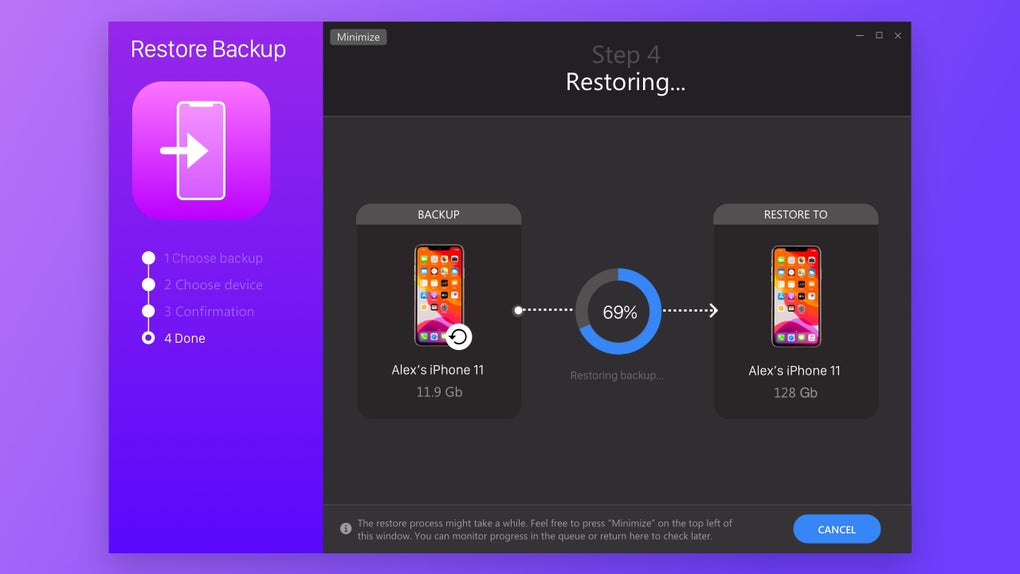
AltTunes extends its backup capabilities by allowing for the management of older backups. You can easily access and restore older backups even if the original iOS device is no longer available, providing a powerful tool for recovering data or transferring it to a new device. This archival capability makes AltTunes a valuable asset in data preservation and recovery scenarios, providing a seamless transition when upgrading to newer devices.
Versatile File Transfer Capabilities: Seamless Media Export
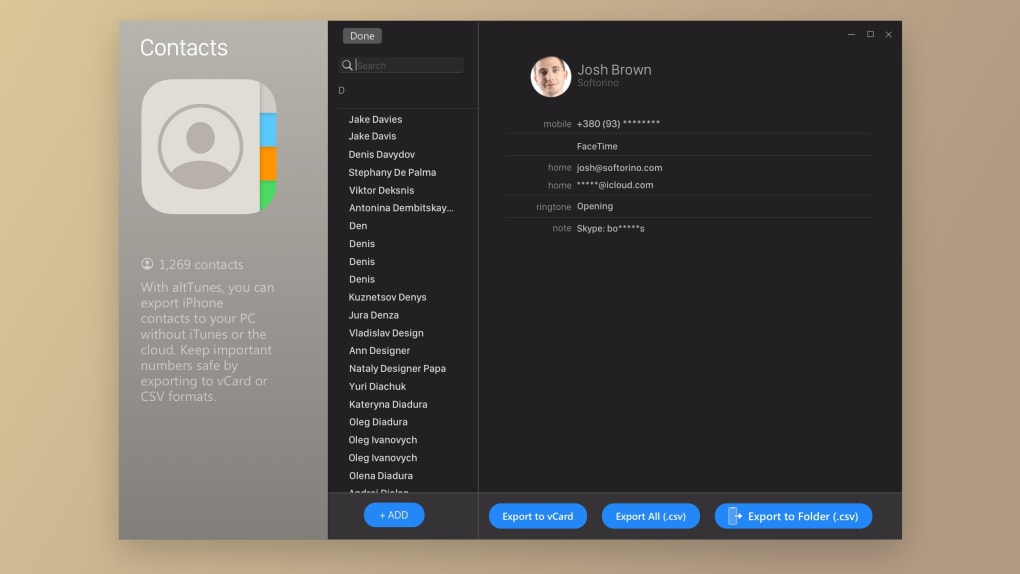
AltTunes excels in its seamless file transfer capabilities, allowing for the easy export of various media types from your iPhone to your computer. Whether you need to transfer music, videos, photos, contacts, or even ringtones, AltTunes facilitates a swift and efficient transfer process. This capability allows users to free up valuable storage space on their iOS devices while simultaneously maintaining access to their files from their desktop computers.
The convenience of transferring media to your PC offers several advantages. It allows for larger media libraries that may exceed the storage capacity of your iPhone. It also provides greater flexibility for organizing and accessing your media collection. You can easily access and share these media files without needing to connect your phone. This versatility makes AltTunes an invaluable tool for managing and utilizing your media collections.
Beyond media files, AltTunes also shines in its messaging management capabilities. The software enables you to export and store your text messages externally, providing a backup copy while simultaneously deleting them from your mobile device if desired. This feature maintains organized digital communication archives without impacting the performance of your iPhone. The ability to print these messages further enhances its practicality, especially for individuals who need a physical record of their communication for personal or professional reasons.
A Comprehensive Solution for iOS Device Management
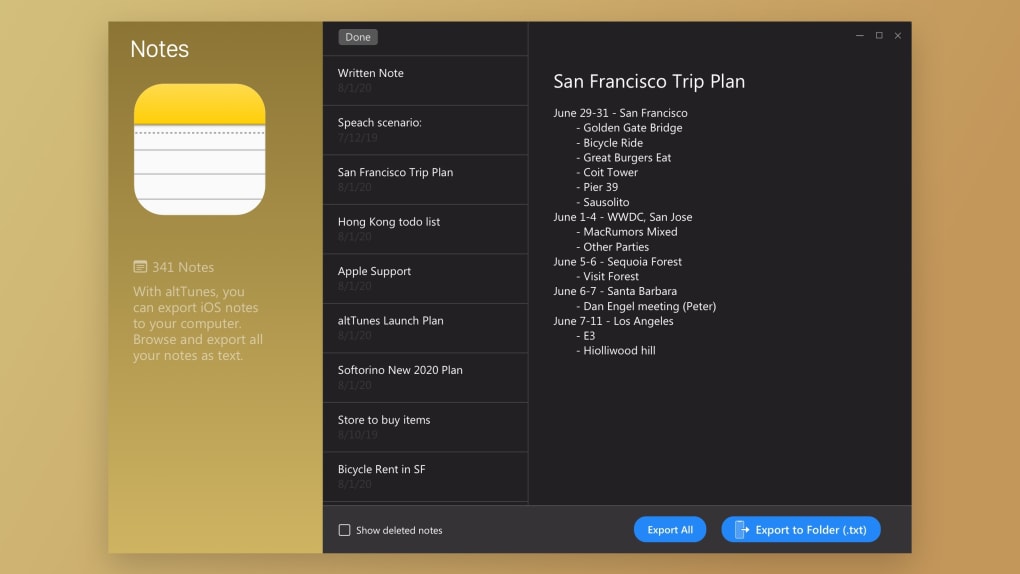
AltTunes presents itself as an all-in-one solution for managing your iOS data, offering a compelling alternative to the default Apple tools. It’s designed to simplify the complex processes often associated with backing up, transferring, and organizing your iOS files, providing a superior user experience. The integrated features of backup, transfer, and messaging management create a unified solution, simplifying the management of your iOS device.
Unlike relying solely on iTunes or iCloud, AltTunes allows you to maintain complete control over your data. You can securely back up your iOS devices and effortlessly transfer data to a new phone, choosing your preferred backup location and verifying your data before export. It also allows access to old backups even without the original device, ensuring data continuity across multiple iOS devices.
AltTunes surpasses the functionality of simply transferring data; it allows for a full management of iOS content and an enhanced security and backup options that provide a far more comprehensive user experience. Its ease of use, coupled with enhanced security features, makes AltTunes an attractive proposition for users seeking better control and management over their iOS data.
Licensing and Pricing: Understanding AltTunes’ Availability
While you can download AltTunes for free, accessing its full functionality requires purchasing a Universal License. This license provides instant activation, 24/7 customer support, and access to all other Softorino apps under the same license, eliminating the need for individual purchases. The license is available with various subscription options, including monthly, yearly, and lifetime subscriptions, allowing users to select the payment plan that best suits their needs and budget.
This licensing model is a crucial aspect to consider when evaluating AltTunes. While the free download allows for initial exploration, users must understand the necessity of a license for accessing the application’s full features and support. Weighing the cost of the license against the benefits of the application’s comprehensive features and support is crucial for making an informed decision.
Pros and Cons of Using AltTunes
Pros:
- Sleek and user-friendly interface: Easy navigation and intuitive design makes the software accessible to all users, regardless of technical expertise.
- Highly secure encryptions with support for local backup: Provides an enhanced level of security compared to cloud-based backup solutions, with optional encryption to protect sensitive data.
- Versatile media and file transfer capabilities: Allows for seamless transfer of various media types and file formats between iPhone and PC.
- Comprehensive data management: Offers an all-in-one solution for backups, transfers, and messaging management.
- Management of multiple devices: Simplifies the process of managing multiple iOS devices simultaneously.
- Access to older backups: Enables restoration of data from older backups even without the original device.
Cons:
- Full version requires Universal License: The full functionality of AltTunes is only available with a paid Universal License.
Conclusion: Is AltTunes Right for You?
AltTunes presents a compelling alternative to traditional iOS data management methods. Its intuitive interface, robust backup capabilities, and versatile file transfer functionalities make it a strong contender for users seeking a more streamlined and secure approach. The option for local backups and encryption addresses concerns surrounding data privacy and security, while the ability to manage multiple devices adds to its practicality.
However, the requirement for a paid Universal License to access all features is a significant consideration. While the free download allows exploration, users must carefully evaluate the cost and benefits of the license before committing. If you value a user-friendly, secure, and comprehensive solution for managing your iOS data, and are willing to invest in a license, AltTunes offers significant advantages. It’s a worthy investment for those seeking a superior alternative to the limitations of iTunes and iCloud.
File Information
- License: “Trial version”
- Version: “1.0.5.0”
- Latest update: “June 11, 2024”
- Platform: “Windows”
- OS: “Windows 8.1”
- Language: “English”
- Downloads: “1.9K”
- Size: “45.56 MB”


