
Amazing Photo Editor, once a prominent player in the image editing arena, offers a fascinating glimpse into the evolution of software. While significantly outdated by modern standards, its legacy reveals valuable insights into the capabilities and limitations of earlier image processing tools. This review examines its strengths, weaknesses, and overall place within the history of digital image manipulation.
Functionality and Features: A Blast from the Past
Amazing Photo Editor boasted a respectable array of features for its time. Its core functionality centered on image processing, viewing, and conversion, encompassing a wide range of file formats—a notable 53 formats were supported, ensuring compatibility with a broad spectrum of image types. This broad compatibility was a significant advantage, allowing users to work with various image sources without conversion hassles.
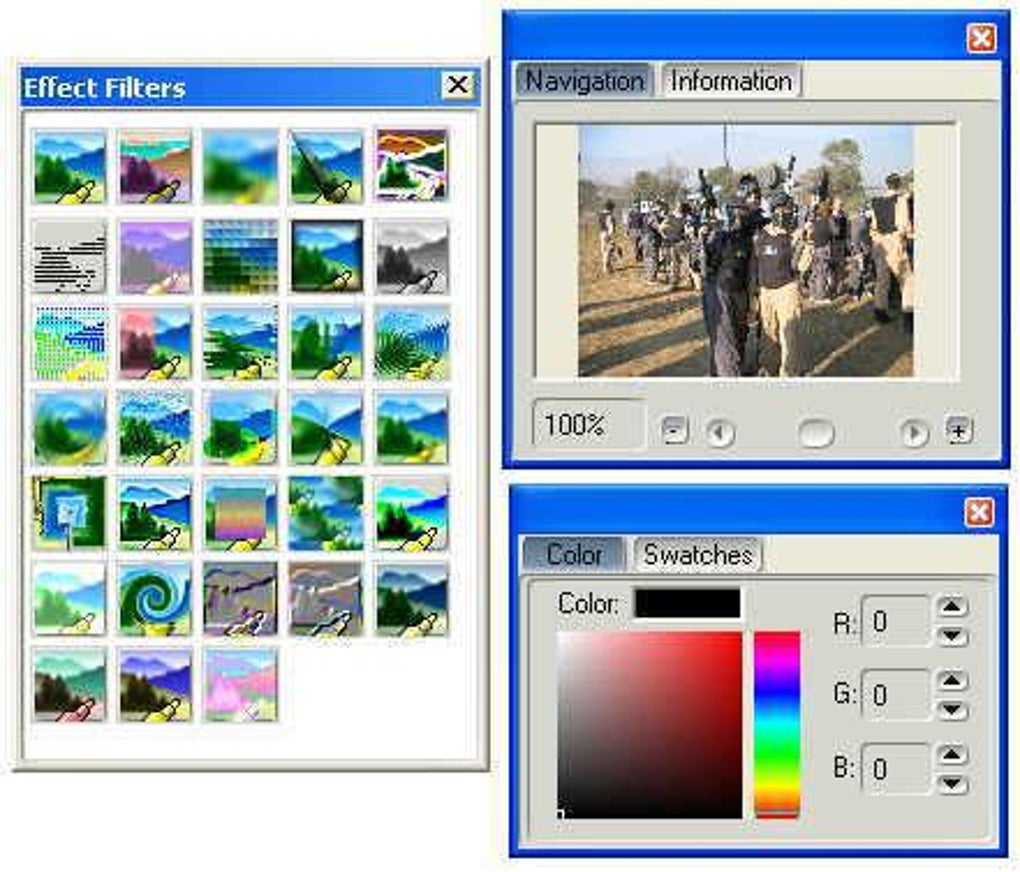
The software provided 33 distinct effects, enabling users to enhance, manipulate, and decorate their images. While the specific effects aren’t detailed, the sheer number suggests a reasonably comprehensive toolkit for adjusting brightness, contrast, color saturation, and applying various artistic filters. The ability to fine-tune images through these effects would have been a compelling selling point in the era of its release.
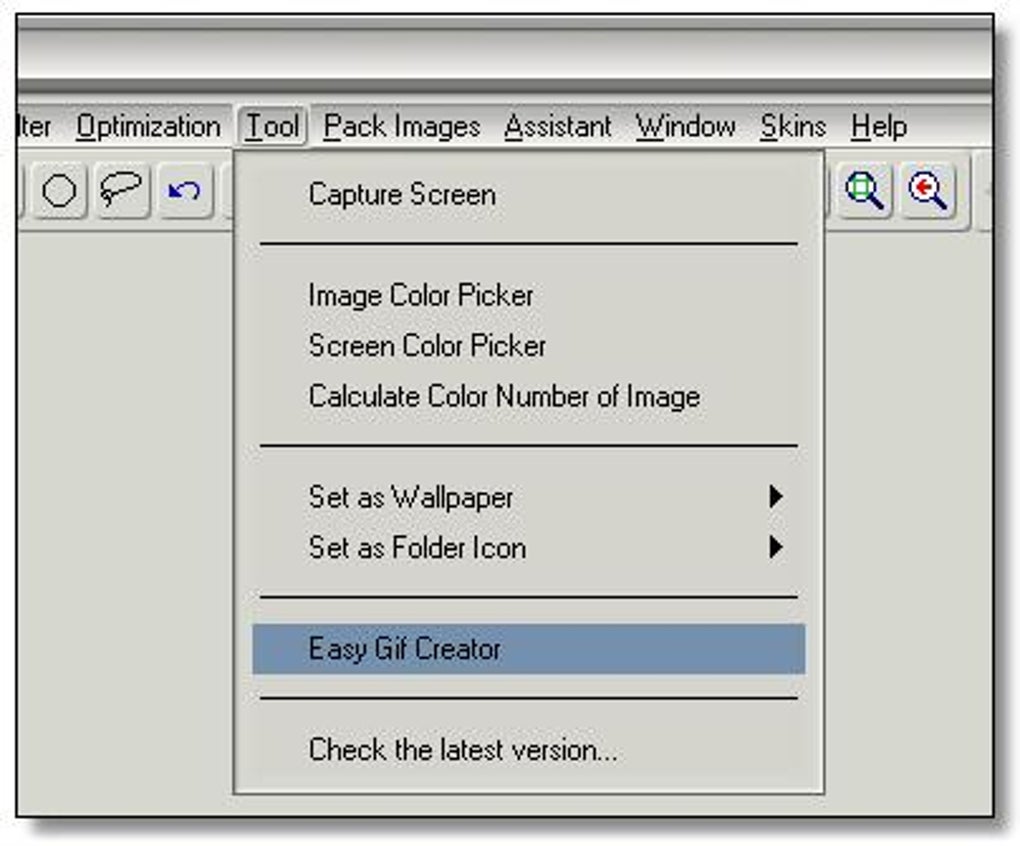
Beyond basic editing, Amazing Photo Editor incorporated several advanced features, showcasing its ambition to go beyond simple image retouching. A noteworthy inclusion was Easy GIF Animation, a tool allowing users to create and edit GIF animations. This feature extended the software’s functionality beyond still images, opening the door to creating simple animations from sequences of photos. The inclusion of an AVI and GIF animation converter further solidified its versatility, enabling seamless conversion between these popular animation formats.
Batch file conversion capabilities added another layer of efficiency. This feature allowed users to process multiple images simultaneously, a significant time-saver for users dealing with large numbers of photographs or needing to convert images to a uniform format. This functionality, often overlooked in simpler editors, highlights Amazing Photo Editor’s focus on streamlining the workflow for power users.
Interface and User Experience: A Product of its Time
While boasting a generous feature set, Amazing Photo Editor’s user interface significantly hampered its user experience. The interface is described as “cluttered and ugly,” a common criticism of software from this era. The lack of a streamlined, intuitive design would have presented a significant barrier to entry for casual users.
Further compounding the usability issues were the multiple windows. These were reportedly “temperamental,” frequently moving and becoming misplaced, disrupting the workflow and adding frustration to the editing process. The lack of a unified workspace, a staple of modern image editors, added significant complexity to the user experience.
While skins were available to improve the visual appeal, the review suggests these were inadequate, failing to significantly address the underlying interface shortcomings. The dated aesthetic and cumbersome interface ultimately detracts significantly from the overall user experience, emphasizing the substantial advancements in UI/UX design that have occurred since its release.
Technological Limitations: The Weight of Age
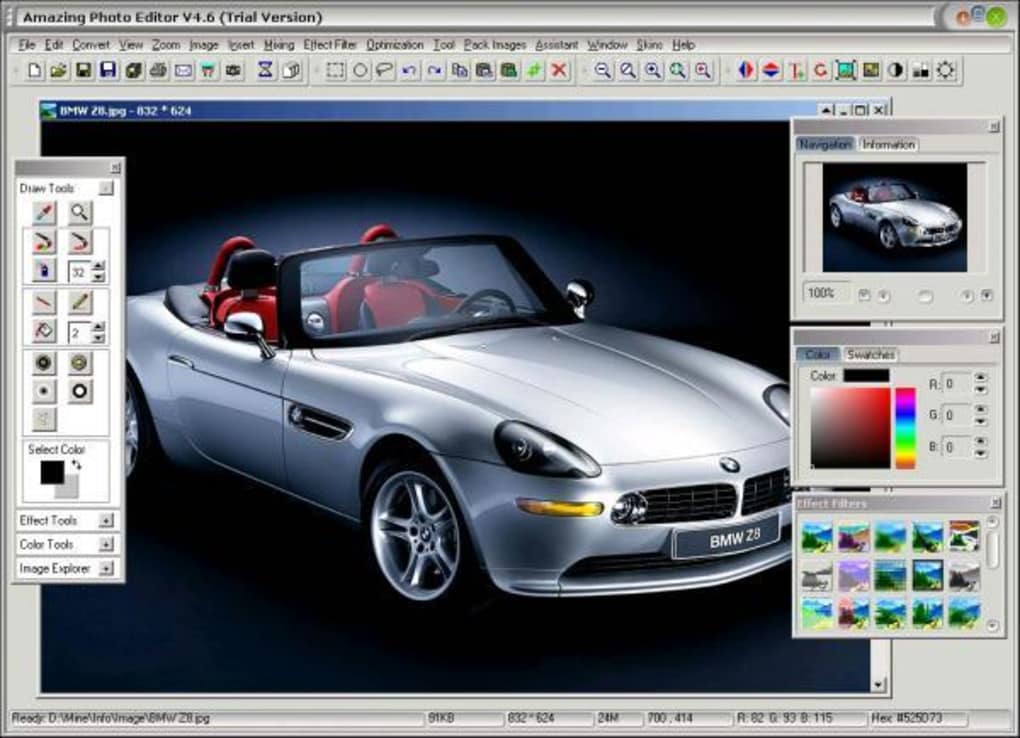
A significant drawback mentioned is the software’s compatibility limitation to Windows XP and earlier operating systems. This severely restricts its use in modern computing environments. The lack of compatibility with newer operating systems renders it obsolete for most users today.
The absence of layers, a fundamental feature in nearly all modern image editors, represents another critical limitation. Layers allow for non-destructive editing, enabling users to manipulate individual elements of an image without affecting others. The lack of this functionality severely restricts the editing possibilities and significantly reduces the software’s overall power compared to contemporary alternatives.
These technological limitations, coupled with the dated interface, contribute to the software’s obsolescence. While its features were impressive for its time, they pale in comparison to the capabilities of modern photo editors.
Comparison with Modern Alternatives: A Tale of Two Eras
Compared to modern photo editors like Adobe Photoshop, GIMP, or even simpler alternatives such as Paint.NET, Amazing Photo Editor’s capabilities are significantly limited. Modern editors offer far superior features, including vastly improved user interfaces, extensive support for layers, far more sophisticated effects and filters, and seamless integration with other creative software. Furthermore, modern editors often benefit from cloud integration, collaborative features, and access to a vast array of plugins and extensions.
The speed and efficiency of modern editors also eclipse those of Amazing Photo Editor. Modern processors and optimized code deliver significantly faster processing times, while the software’s dated codebase likely resulted in longer processing times for even relatively simple tasks.
Conclusion: A Historical Artifact
Amazing Photo Editor serves as a valuable historical artifact, demonstrating the evolution of image editing software. While its features were respectable in its time, its dated interface, technological limitations, and lack of crucial features like layers render it unusable for most modern applications. Its legacy underscores the dramatic advancements in software design, functionality, and user experience over the past two decades. While it may hold nostalgic value for those who used it in its heyday, its practicality in today’s digital landscape is significantly diminished. The software serves as a reminder of how rapidly technology advances, highlighting the constant evolution of software and the need for continuous adaptation and improvement to remain relevant in the competitive software market.
File Information
- License: “Trial version”
- Latest update: “February 13, 2019”
- Platform: “Windows”
- OS: “Windows 98 SE”
- Language: “English”
- Downloads: “437.5K”
- Size: “2.80 MB”


