The Amazon Fire TV Remote app transforms how you interact with your Fire TV device, offering a seamless and intuitive experience from your smartphone or tablet. This free Android application transcends the limitations of a physical remote, providing enhanced functionality and convenience for navigating and controlling your Fire TV’s vast library of content. This in-depth review will explore the app’s features, advantages, limitations, and overall usability, helping you determine if it’s the right addition to your streaming setup.
Enhanced Control and Navigation
The core functionality of the Amazon Fire TV Remote app centers around mirroring the actions of a physical remote, but with significant improvements. Instead of fumbling for the remote, you can effortlessly control your Fire TV using your Android device. This includes standard playback controls – play, pause, rewind, fast-forward – all accessible directly from the app’s user-friendly interface. The app’s intuitive design ensures a smooth transition for users familiar with traditional remotes, while the streamlined layout minimizes the learning curve for newcomers. Navigation through menus and content libraries is equally straightforward, making it effortless to browse through apps, movies, TV shows, and other available content. The app responds quickly to commands, avoiding the lag that can sometimes plague similar applications. This responsiveness enhances the overall viewing experience, eliminating frustrating delays when navigating menus or selecting content.
The Power of Voice Search
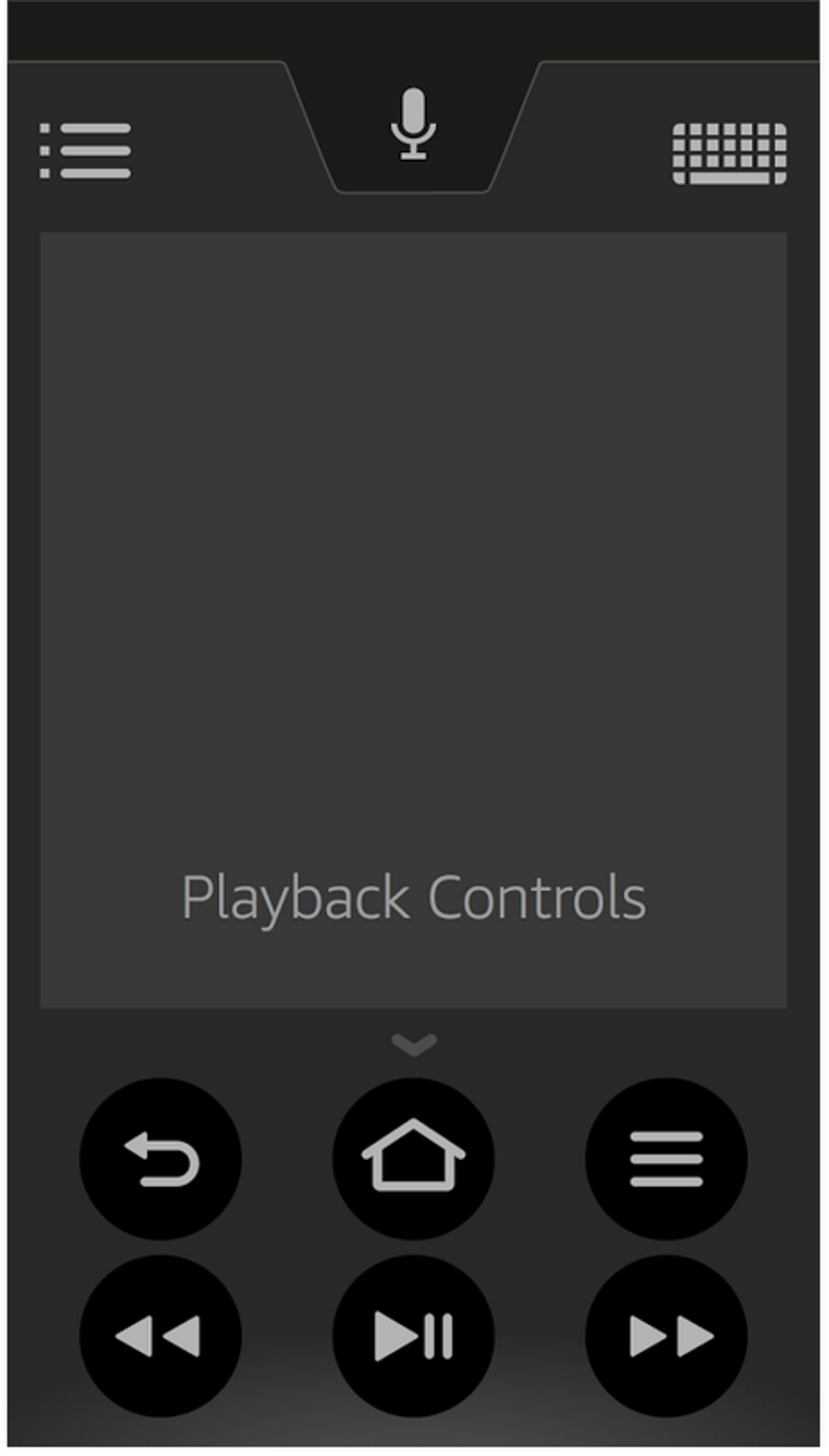
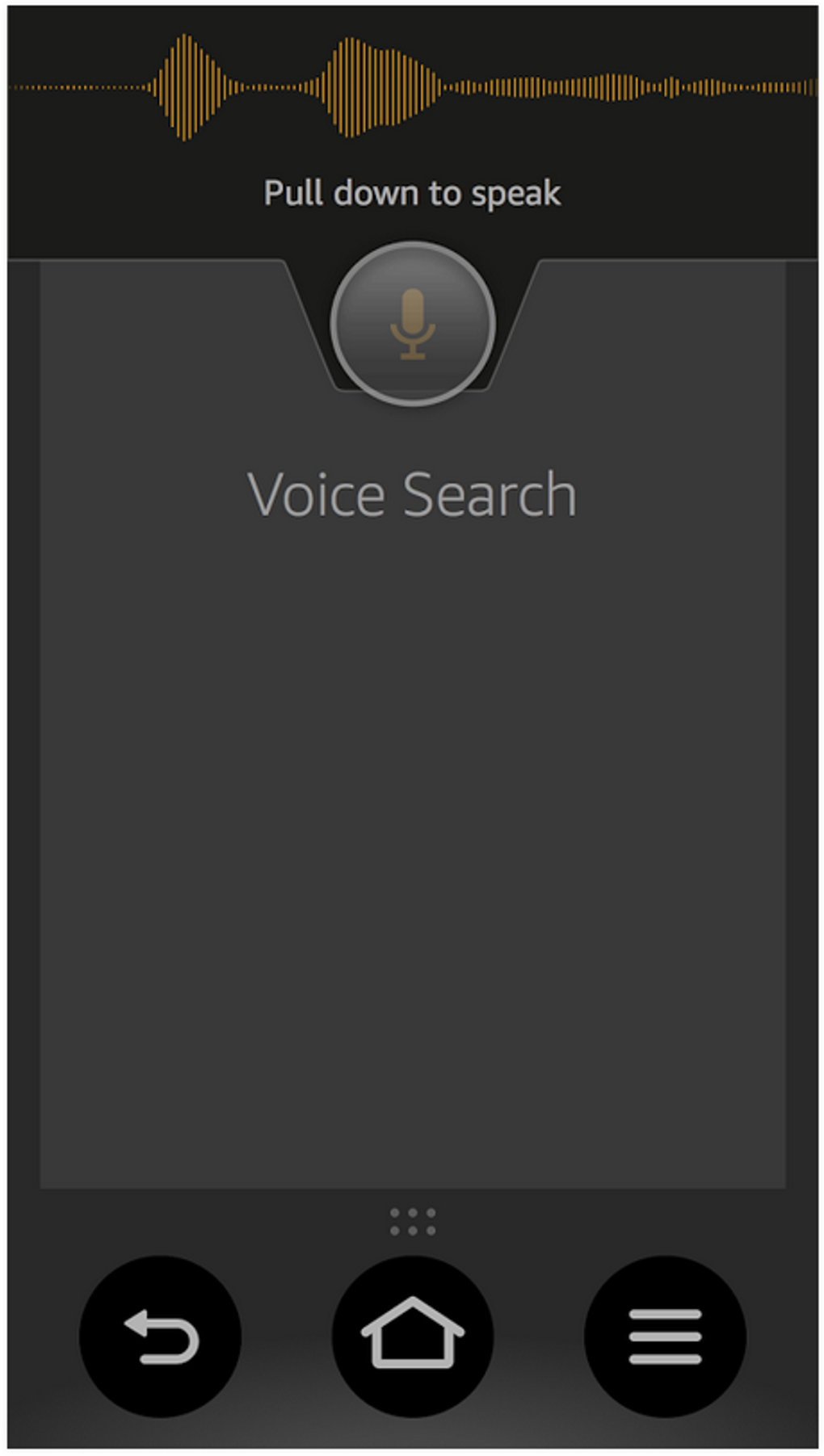
A standout feature of the Amazon Fire TV Remote app is its voice search functionality. Leveraging the same powerful search engine as the Fire TV itself, the app allows you to find content quickly and efficiently using voice commands. Simply speak the name of a movie, TV show, actor, or genre, and the app will instantly search Amazon’s extensive database. This is particularly advantageous when dealing with long or complex titles, or when you simply can’t remember the exact name of the content you’re looking for. This integrated voice search eliminates the tedious process of manually typing searches using the on-screen keyboard, significantly speeding up the content discovery process. The accuracy of the voice search is generally high, minimizing frustrating inaccurate results. This makes the app significantly more efficient than relying solely on on-screen keyboard input for searches.
Addressing Limitations: What the App Doesn’t Do
While the Amazon Fire TV Remote app offers substantial improvements over a physical remote, it’s crucial to acknowledge its limitations. One notable drawback is the limited compatibility with third-party streaming services. Voice search, for example, primarily focuses on Amazon’s own content library. When attempting to search within apps like Netflix or Hulu using voice commands, the functionality may be absent or significantly restricted. Users relying heavily on these platforms might find this a significant limitation, requiring them to revert to the on-screen keyboard or the physical remote for searching within those specific apps. This limitation underlines the app’s primary focus on enhancing the Amazon Fire TV ecosystem rather than offering universal control over all streaming platforms. The lack of universal compatibility is a key area where the app falls short of competing universal remote apps.
Beyond Basic Control: Enhanced Functionality
The Amazon Fire TV Remote app goes beyond basic remote control functionality by including several additional features that enhance usability. A virtual keyboard allows for accurate text input, particularly useful for searching for specific titles or entering login credentials. This virtual keyboard overcomes the limitations of navigating on-screen keyboards with a traditional remote, offering a much more intuitive typing experience. The app also features a dedicated button for launching the Fire TV’s Alexa voice assistant, providing quick access to all of Alexa’s capabilities. This integration streamlines the process of asking questions, setting reminders, or controlling smart home devices, all from the convenience of your smartphone. These added features further distinguish the Amazon Fire TV Remote app from standard remote control applications, providing a more comprehensive and versatile user experience.
Setting Up and Using the App: A Step-by-Step Guide
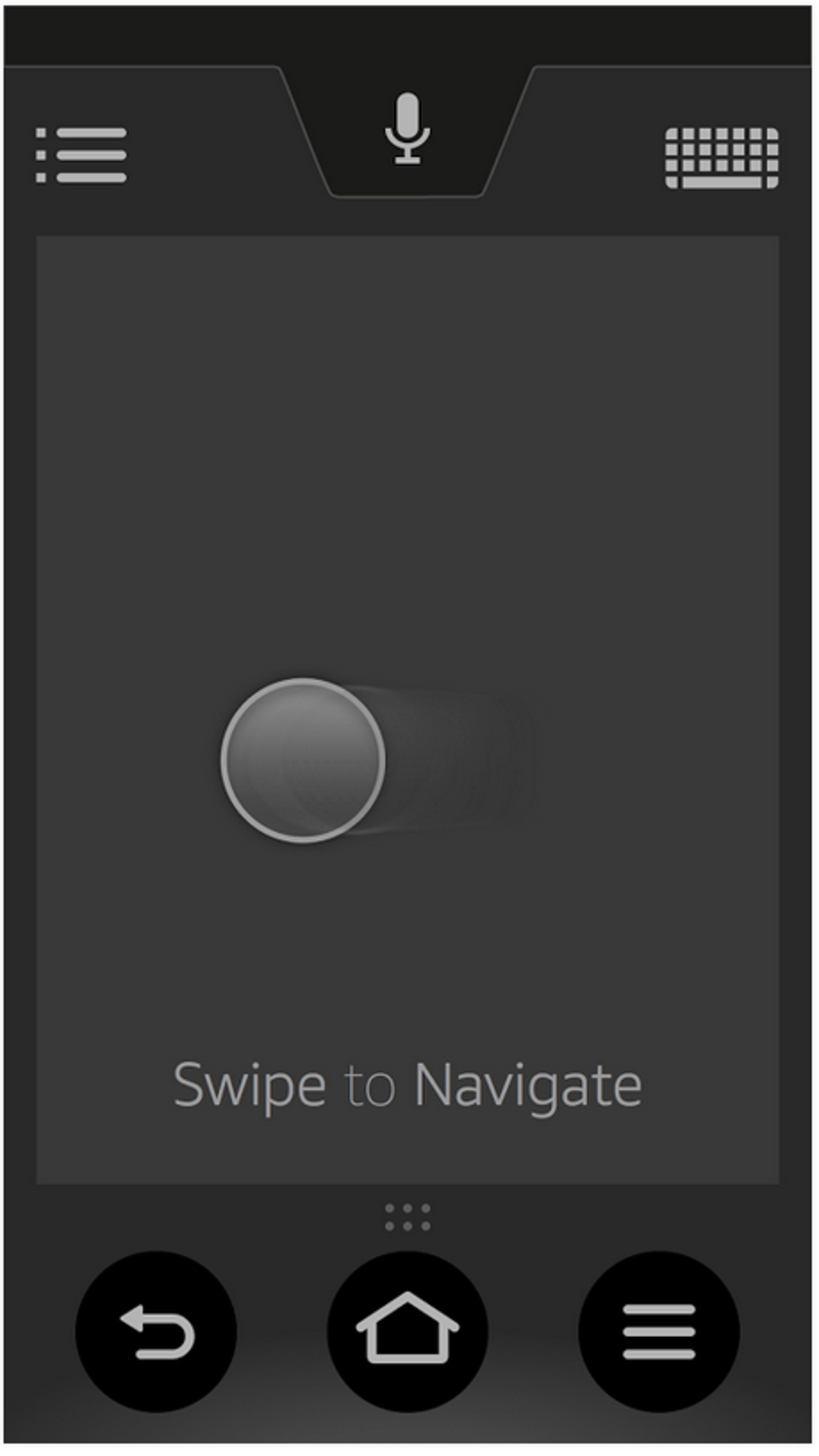
Getting started with the Amazon Fire TV Remote app is remarkably simple. After downloading and installing the app from the Google Play Store, you’ll need to ensure your smartphone or tablet and your Fire TV device are connected to the same Wi-Fi network. Once connected, the app will automatically detect your Fire TV. If the app fails to automatically detect your Fire TV, you can manually enter the device’s IP address. This process is generally straightforward, with clear instructions provided within the app. Once connected, you’re ready to control your Fire TV using your Android device. The app offers a clean and uncluttered interface, guiding you through the process with minimal steps. The simplicity of the setup process contributes to the app’s overall user-friendliness, ensuring a smooth onboarding experience for all users.
Comparing the Amazon Fire TV Remote App to Competitors
The Amazon Fire TV Remote app competes with a range of other universal remote control apps available on the Google Play Store. However, its integration with the Amazon Fire TV ecosystem sets it apart. While some competitors offer broader compatibility with various smart TV brands and streaming services, the Amazon Fire TV Remote app provides a superior experience specifically for Fire TV users. This targeted approach allows for tighter integration and seamless functionality within the Amazon ecosystem. This deep integration is a clear advantage for users invested in the Fire TV platform, while other universal remotes may struggle to replicate this level of seamless control. Choosing between the Amazon app and a universal remote depends on individual priorities: deep Fire TV integration versus broader compatibility with a larger range of devices.
Troubleshooting Common Issues: Addressing Connectivity Problems and More
Occasionally, users may encounter connectivity problems or other technical issues with the Amazon Fire TV Remote app. Common problems include the inability to connect to the Fire TV device, app crashes, or unresponsive controls. Many of these issues can be easily resolved by checking the Wi-Fi connection on both your Android device and your Fire TV. Ensuring both devices are connected to the same network and have a stable internet connection is often the solution to connectivity problems. If problems persist, restarting both devices can also resolve minor software glitches. For more persistent issues, checking for app updates on the Google Play Store can provide fixes for known bugs. The app’s support documentation provides further troubleshooting tips, but the majority of problems can be solved using these basic steps.
Conclusion: A Valuable Addition to Your Fire TV Experience
The Amazon Fire TV Remote app significantly enhances the overall Fire TV experience. While its limited compatibility with third-party apps is a notable drawback, the convenience and improved functionality it offers make it a valuable asset for most Fire TV users. The intuitive interface, fast response times, and powerful voice search capabilities make navigating and controlling your Fire TV significantly easier. The simplicity of setup and the inclusion of features like a virtual keyboard further bolster the app’s usability. Overall, the Amazon Fire TV Remote app remains a highly recommended companion application for anyone looking to elevate their Fire TV viewing experience. Its strengths lie in its focused design, offering a refined and efficient control solution specifically tailored for Amazon’s Fire TV platform.
File Information
- License: “Free”
- Latest update: “June 20, 2025”
- Platform: “Android”
- OS: “Android 13.0”
- Downloads: “14.9K”
- Size: “92.47 MB”
- Download Options: “Google Play”
- Filename: “com-amazon-storm-lightning-client-aosp-1225004269-70876629-db9b5271ee1ee1c4b58370cad1a06ad9.apk”