The Amazon Appstore offers a compelling alternative to the Google Play Store, providing a curated selection of apps and games, along with unique features that differentiate it from its more prominent competitor. While not boasting the sheer volume of applications found on Google Play, the Amazon Appstore compensates with a focus on ease of use, daily free app offerings, and a streamlined interface. This review delves into the specifics of the Amazon Appstore, exploring its strengths and weaknesses to provide a comprehensive understanding of its functionality and suitability for Android users.
Apps and Games: A Curated Selection
The Amazon Appstore houses a substantial collection of apps and games, although significantly smaller than Google Play’s extensive catalog. Instead of aiming for sheer quantity, Amazon prioritizes quality and user experience. The store features a curated selection, focusing on popular and highly-rated applications, making it easier for users to discover worthwhile software without being overwhelmed by a vast, unorganized library. While you won’t find every app available on Google Play, many popular applications are readily accessible on the Amazon Appstore, including mainstream titles such as Facebook, Messenger, Netflix, Spotify, and VLC media player. However, a notable absence is YouTube and most Google-developed apps. This is a key limitation, especially for users heavily invested in the Google ecosystem.
The Appstore’s focus on curation shines through in its user interface. Navigation is intuitive and straightforward, allowing for quick and efficient searching and browsing. The organized presentation of apps makes finding specific software simple, and the inclusion of a search bar facilitates quick access to desired applications. The homepage effectively highlights featured apps, promotions, and daily free offerings, presenting users with a concise overview of notable content.
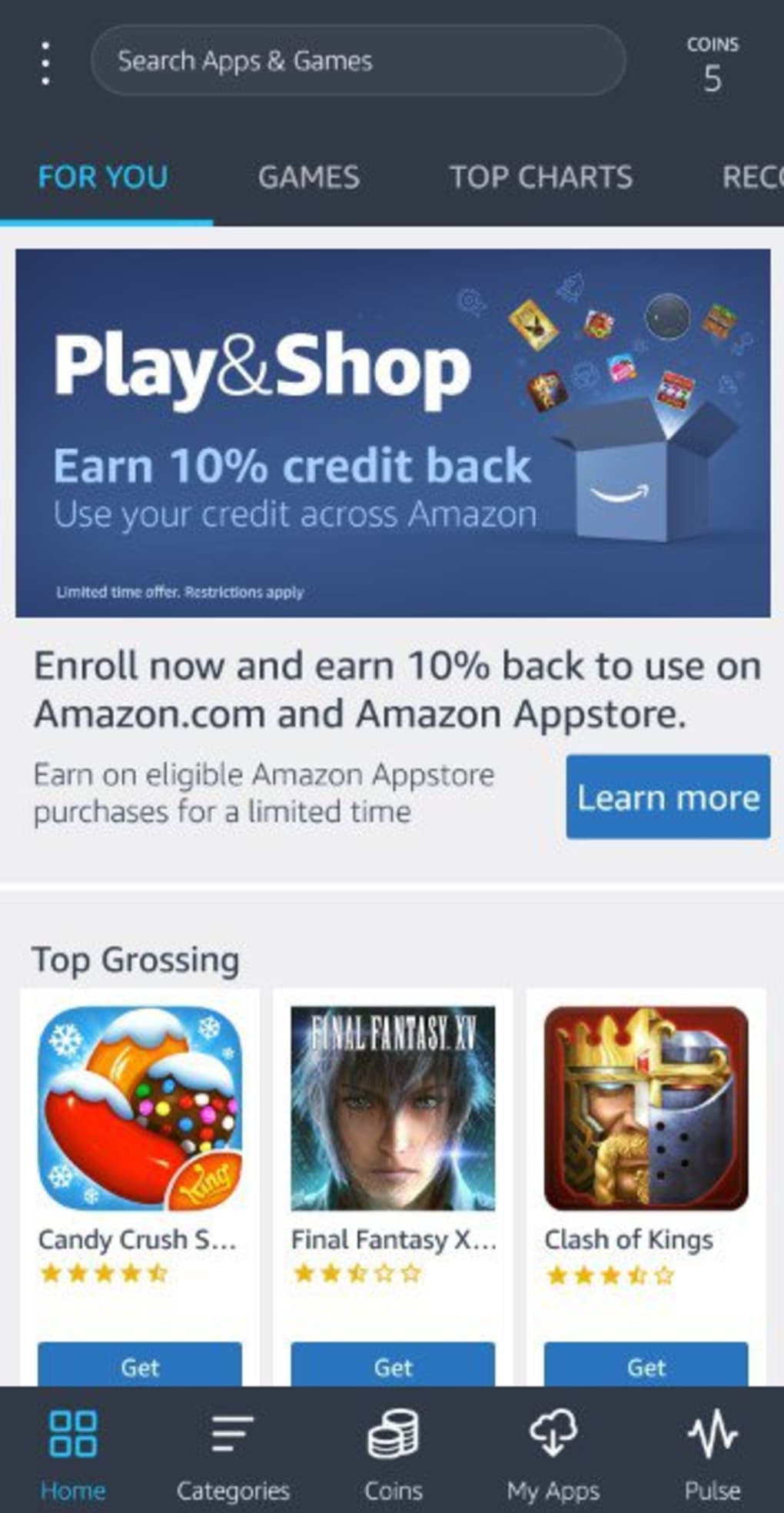
One of the Amazon Appstore’s most attractive features is its generous daily offering of free apps, games, and in-app purchases. This program, known for its “Actually Free” banner, includes both major titles and lesser-known gems, providing users with substantial value. Notable examples of past free offerings include popular applications like Office Suite Pro 8, DuckTales, and Monument Valley. Even free applications often contain in-app purchases; however, the Amazon Appstore frequently provides these in-app purchases at no cost as well, increasing the overall value proposition for users.
News and Updates: Staying Informed
While the Amazon Appstore doesn’t feature a dedicated “News” section in the traditional sense, it keeps users informed through several channels. The homepage prominently displays new releases, updated apps, and featured content, effectively showcasing the latest additions and significant updates to the app catalog. Furthermore, users can subscribe to email notifications regarding app updates, ensuring they stay current with any changes to their installed software. Amazon also occasionally publishes blog posts and press releases announcing updates and new features to the Appstore itself, though these are often separate from the app experience. The lack of a central news feed within the app itself could be considered a minor drawback, however, the information is readily available through other means.
Amazon Appstore for Business: A Niche Market
The Amazon Appstore also caters to businesses, although its presence in this market is comparatively smaller than Google Play’s enterprise solutions. While it lacks the extensive developer tools and enterprise management features offered by Google, the Amazon Appstore provides an avenue for businesses to distribute their own Android apps to a segment of the Android user base. Amazon offers various programs and resources to assist businesses in the app development and distribution process, though these are often less comprehensive than similar programs offered by Google for larger-scale enterprise deployments. For smaller businesses or developers looking for a simpler distribution channel, the Amazon Appstore can prove a viable alternative, especially if their target audience is already accustomed to using Amazon’s ecosystem. However, those seeking sophisticated enterprise solutions will likely find Google Play’s offerings more suitable.
Android Compatibility and Installation
The Amazon Appstore is primarily designed for Android devices and is readily available for download on most compatible devices. For devices running Fire OS, such as Fire Tablets and Fire TV devices, the Appstore is pre-installed. However, for users of other Android devices, manual sideloading is required, a process which may involve enabling “unknown sources” in the device’s security settings. This step is necessary because the Amazon Appstore is not directly accessible through the Google Play Store or other official app repositories. The APK file, which contains the application installation package, can be downloaded directly from the Amazon website or alternative sites like Phanmemfree.org.
Installing the Amazon Appstore involves several steps, which can be slightly more complex than installing apps from Google Play. First, users need to download the APK file, then manually install it, and finally allow the device to install applications from unknown sources. While this process presents a slight barrier to entry compared to the streamlined approach of Google Play, it’s a relatively straightforward procedure once users understand the necessary steps. Once installed, the Amazon Appstore functions seamlessly and offers a similar user experience to other app stores.
Utilities & Tools: A Focus on Practical Applications
The Amazon Appstore hosts a range of utility and tool applications, catering to diverse user needs. While the selection might not match the sheer breadth of Google Play, it provides a decent range of practical applications, from productivity tools to system utilities. The Appstore’s curation ensures that the available options are generally high-quality and well-regarded, offering users a selection of reliable and efficient tools. Users searching for specialized utilities will likely find some relevant options, though the smaller catalog might require more focused searching compared to the vast selection on Google Play.
The Verdict: A Valuable, Though Niche, Alternative
The Amazon Appstore is a valuable addition to the Android app ecosystem, offering a compelling alternative to Google Play, albeit with its limitations. Its strengths lie in its curated selection, streamlined interface, daily free app offerings, and ease of use. The frequent provision of high-quality apps and in-app purchases at no cost significantly enhances its value proposition. However, its smaller app catalog and the necessity of sideloading on non-Amazon devices may deter some users. The lack of apps from Google’s ecosystem is also a significant drawback.
For users who are already invested in the Amazon ecosystem or appreciate a less cluttered and more curated app store experience, the Amazon Appstore offers a distinct advantage. Its daily free apps provide excellent value, and the intuitive interface enhances the overall user experience. However, for users seeking access to a comprehensive catalog of apps and a seamless installation process, Google Play remains the more dominant and comprehensive option. The Amazon Appstore serves as a valuable alternative, particularly for users who prioritize value and ease of use over the sheer volume of apps available.
Pros:
- Generous Daily Free App Offerings: Provides significant value to users with free apps, games, and in-app purchases.
- Sleek and User-Friendly Interface: Easy to navigate and search for desired applications.
- Effective Curation: Focuses on quality and popularity, making it easier to find relevant and useful applications.
- Good Filtering Options: Allows users to easily filter and sort apps based on various criteria.
- Recommended Apps and Content: Provides personalized recommendations tailored to user preferences.
Cons:
- Smaller App Catalog: Significantly fewer apps available compared to Google Play.
- Requires an Amazon Account: Necessary for accessing and using the Amazon Appstore.
- Installation Requires Multiple Steps: Sideloading the APK file is more complex than installing from Google Play.
- Fewer Updates: Some applications may have slower update cycles compared to Google Play.
- Limited Integration with Google Services: Lacks many apps from Google’s ecosystem.
App Specs:
- License: Free
- Version: 33.08.1.0.210301.0-801847210
- Latest Update: November 22, 2024
- Platform: Android OS Android 6.0 and above
- Language: English (and potentially others)
- Downloads: 923.7K
- Size: 42.09 MB
- Developer: Amazon
Download Options: APK file (available from Amazon’s website and Phanmemfree.org)
Note: This review is based on information available at the time of writing. App availability and features may change over time.
File Information
- License: “Free”
- Latest update: “November 22, 2024”
- Platform: “Android”
- OS: “Android 6.0”
- Language: “English”
- Downloads: “923.4K”
- Size: “42.09 MB”
- Download Options: “APK, Google Play”
- Filename: “Amazon_App.apk”