
Amharic Keyboard FynGeez - Ethiopia - fyn ግዕዝ 2 is a free Android keyboard application designed to facilitate typing in Amharic and other Ethiopian languages. This review will delve into its features, strengths, weaknesses, and overall user experience, providing a comprehensive assessment of its suitability for various users.
Language Support and Functionality
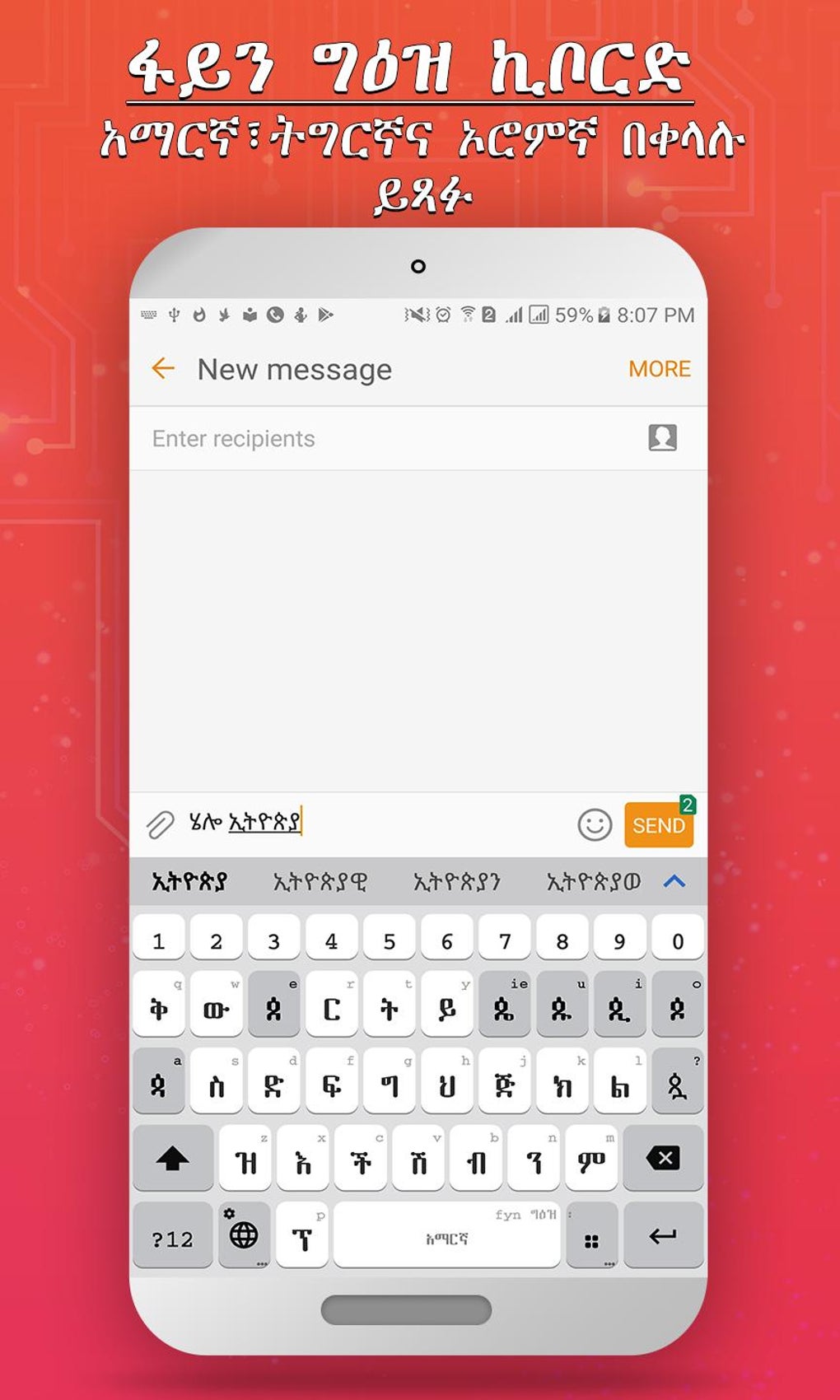
FynGeez boasts support for multiple languages beyond Amharic, including English, Afaan Oromoo, and Tigrigna – three of the most prevalent languages spoken in Ethiopia. This multilingual capability makes it a versatile tool for individuals who frequently switch between these languages while typing. The inclusion of predictive text further enhances typing speed and efficiency, learning user preferences and suggesting appropriate words as they type. This feature, while common in modern keyboards, is a significant benefit for users who want to type quickly and accurately in multiple languages. The application’s core functionality centers around its ability to accurately input text in the Amharic script, which is crucial for its target audience. The accuracy and responsiveness of the keyboard’s input are essential factors in determining user satisfaction.
Customization Options and Personalization
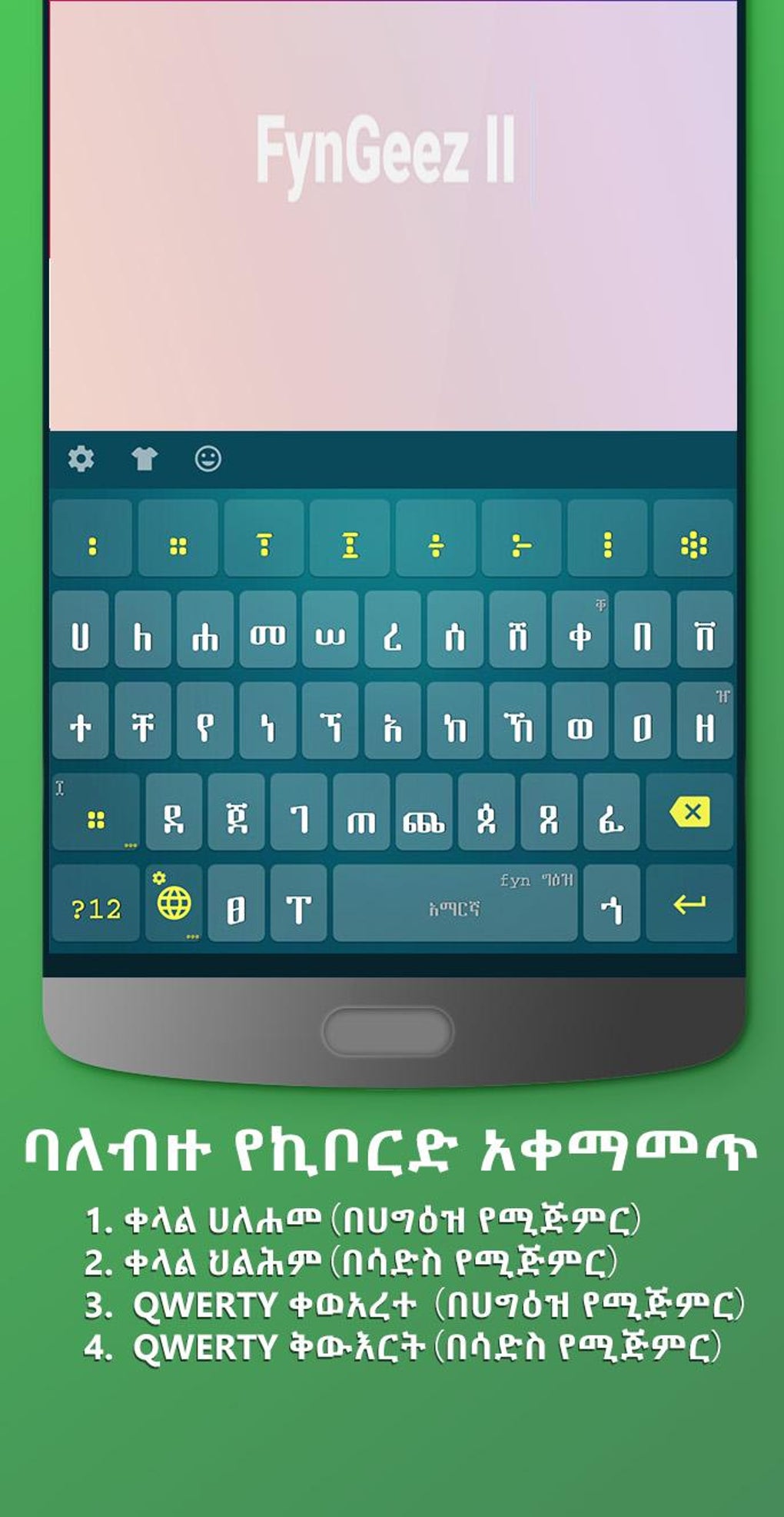
One of the notable strengths of Amharic Keyboard FynGeez is its extensive customization options. Users can personalize the keyboard’s appearance to a significant degree, adjusting various aspects to match their individual preferences. This includes the ability to add custom images as backgrounds, choose from a diverse range of pre-set themes (such as “Barcelona,” “bordered - blue & red,” and “RAIN DROPS II,”), and modify the color and transparency of buttons. The flexibility afforded by these features allows users to create a visually appealing and personalized typing experience tailored specifically to their taste. While the font selection might be limited, the existing options provide sufficient variety for most users.
The integration of emojis and emoji art further enhances the personalization aspect, enabling users to inject personality and emotion into their communication. However, the inability to create custom emoji art is a notable limitation. Furthermore, the report of some emojis appearing as boxes with crosses indicates a potential issue with emoji compatibility or rendering within the application, which needs attention from the developers for a seamless user experience.
User Interface and Experience
While the customization options are extensive, certain aspects of the user interface detract from the overall user experience. The placement of the emoji button is described as unintuitive, creating unnecessary friction in accessing emojis. This is further compounded by the reported poor layout of the emoji menu itself, leading to a less efficient and frustrating emoji selection process. These issues highlight the importance of thoughtful user interface design, which is crucial for a positive user experience, especially with frequent features like emojis. A better-organized emoji layout would greatly improve user satisfaction and make the emoji selection process more convenient.
The lack of a transliteration chart is a significant drawback, especially for users who are not fluent in Amharic script. Transliteration tools facilitate typing in the user’s native alphabet and then converting it to the target script, making it easier for non-native speakers to use the keyboard effectively. The absence of this feature severely limits the accessibility of the keyboard for users who are still learning Amharic or for those who prefer to type using a different alphabet. The keyboard is therefore most suitable for those already proficient in the Amharic script.
Strengths and Weaknesses Summary
To summarize, Amharic Keyboard FynGeez presents a mixed bag of features. The positive aspects include:
- Multilingual Support: The keyboard supports Amharic, English, Afaan Oromoo, and Tigrigna, catering to a broad range of users in Ethiopia.
- Predictive Text: This feature significantly improves typing speed and efficiency.
- Extensive Customization: Users can personalize the keyboard’s appearance with custom images, themes, and button adjustments.
- Emoji Integration: While limited in custom creation, the inclusion of a wide range of emojis and emoji art adds a personalized touch to communication.
However, the following limitations need to be addressed:
- No Transliteration Chart: This severely restricts usability for non-native Amharic speakers.
- Unintuitive Emoji Button Placement and Poor Emoji Menu Layout: These design flaws hinder efficient emoji use.
- Inability to Create Custom Emoji Art: This limits the level of personalization possible.
- Emoji Rendering Issues: Some emojis may appear incorrectly, indicating potential compatibility problems.
Comparison with Alternative Applications
While Amharic Keyboard FynGeez provides a functional Amharic keyboard, several alternative applications are available on the market. A comparison with these alternatives is necessary to fully evaluate its position within the competitive landscape. While specific comparisons require detailed analysis of competing applications, some key aspects to consider are the features offered, the user interface design, and the overall user experience. The availability of a transliteration chart, for instance, could be a deciding factor for many users. Similarly, the quality of the predictive text engine and the accuracy of the input mechanism are crucial factors.
Conclusion and Recommendations
Amharic Keyboard FynGeez offers a solid foundation for typing in Amharic and other Ethiopian languages. Its strong points lie in its multilingual support, predictive text, and extensive customization options. However, significant improvements are necessary to overcome the limitations posed by the absence of a transliteration chart and the flaws in the emoji system’s user interface. Addressing these issues would drastically improve the user experience and broaden the application’s appeal to a wider user base. Future development should prioritize improved user interface design, the addition of a transliteration chart, and the resolution of emoji rendering issues. Until these are addressed, the application remains best suited for users already familiar with the Amharic script. The developers should focus on improving the user experience by resolving the reported issues and considering user feedback to make the keyboard more accessible and user-friendly for a broader audience. Only with these improvements will the application reach its full potential.
File Information
- License: “Free”
- Version: “2021.1.9”
- Latest update: “May 28, 2025”
- Platform: “Android”
- OS: “Android 9.0”
- Language: “English”
- Downloads: “64.2K”
- Size: “16.18 MB”
- Download Options: “APK, Google Play”
- Filename: “com.fynsystems.fyngeez_2021.1.9.apk”


