
Ammyy Admin is a free, lightweight, and powerful remote access software designed primarily for Windows computers. Its ease of use, coupled with robust security features and a comprehensive set of functionalities, has made it a popular choice for both individual users and businesses. This review delves into the software’s features, usability, security, and compares it to other remote access solutions.
Ease of Use and Installation: A Seamless Remote Access Experience
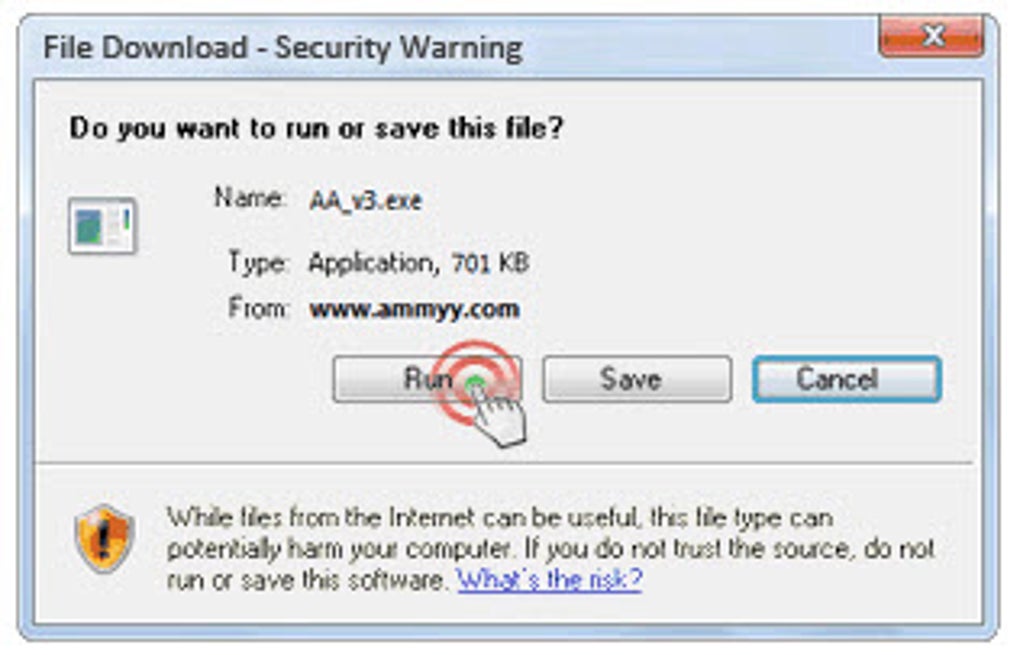
One of Ammyy Admin’s most significant strengths lies in its simplicity. Unlike many other remote access solutions that require complex installation procedures and system configurations, Ammyy Admin boasts a remarkably straightforward approach. The software is portable, meaning it doesn’t require installation. Users simply download the executable file, run it, and they’re ready to establish a remote connection. This eliminates the need for administrative privileges and minimizes the risk of interfering with the system registry or other crucial system files. The entire process, from download to connection establishment, typically takes only a few seconds. This ease of use extends to the user interface, which is intuitive and uncluttered, making it accessible even to users with minimal technical expertise. The program’s simple setup wizard guides users through the connection process, making it straightforward to remotely access multiple devices. The lightweight nature of the software, requiring only a mere 0.5 MB of disk space, further enhances its accessibility and usability, making it ideal for systems with limited storage capacity.
Security Features: Protecting Your Data in Remote Sessions
In the realm of remote access, security is paramount. Ammyy Admin addresses this concern through the implementation of a robust hybrid encryption algorithm that combines RSA and AES technologies. This multi-layered approach ensures that all data transmitted during a remote session remains confidential and protected from unauthorized access. This high level of security makes Ammyy Admin a reliable choice for businesses handling sensitive data and needing to maintain strict security protocols. The software also avoids the need for complex network configurations, circumventing the complexities of NAT (Network Address Translation), firewalls, and port mapping. This eliminates the need for any special configurations on your VPN or firewall, thereby simplifying the setup process significantly and ensuring that security protocols remain intact without requiring advanced network knowledge.
Functionality and Features: Beyond Remote Control
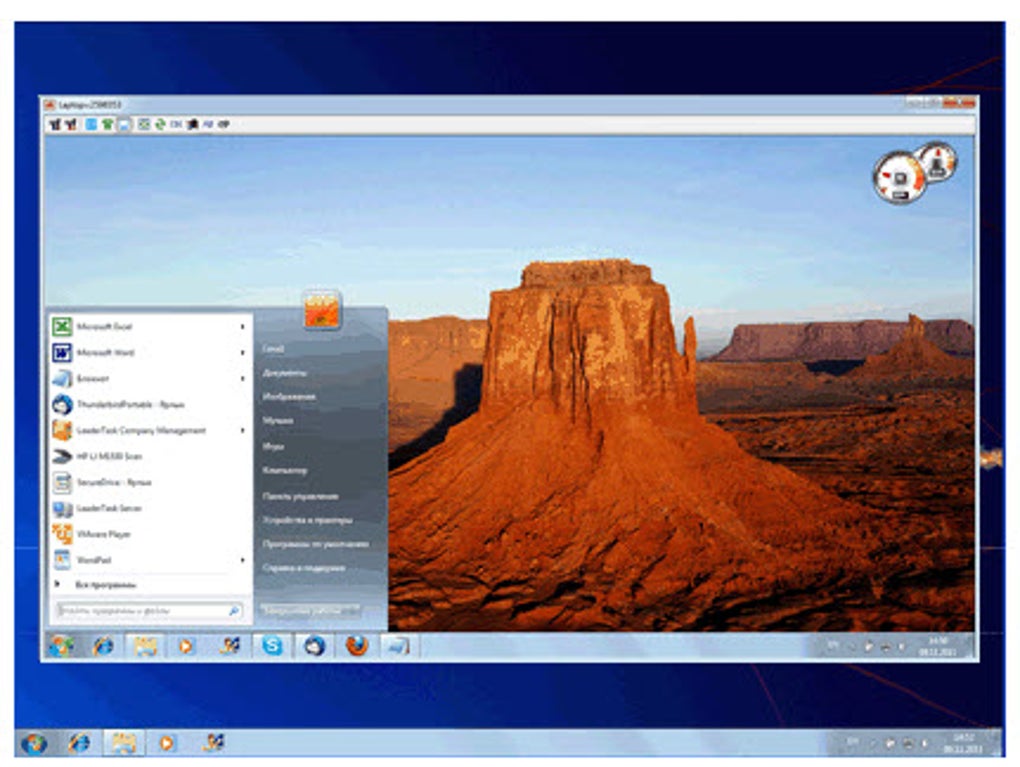
Ammyy Admin’s capabilities extend beyond basic remote desktop control. It offers a range of features designed to enhance productivity and streamline remote collaboration. The integrated voice chat feature allows for real-time communication between the host and remote computers, making it ideal for collaborative work, training sessions, and technical support scenarios. This is a particularly beneficial feature for businesses that need real-time communication during remote technical support or training sessions, adding a layer of efficiency to remote collaboration. Furthermore, the software includes a powerful file manager, allowing users to effortlessly transfer files between the local and remote computers. This file transfer functionality is capable of handling exceptionally large files, with a maximum transfer capacity of up to 140 TB. This massive transfer capacity minimizes the need for external storage devices and streamlines the process of exchanging large datasets. Users can easily create, rename, move, delete, and manage files during the remote session, providing a complete solution for file management during remote work. The ability to start and stop downloads without data loss further enhances the utility of this feature.
Comparison with Other Remote Access Solutions: Ammyy Admin’s Niche
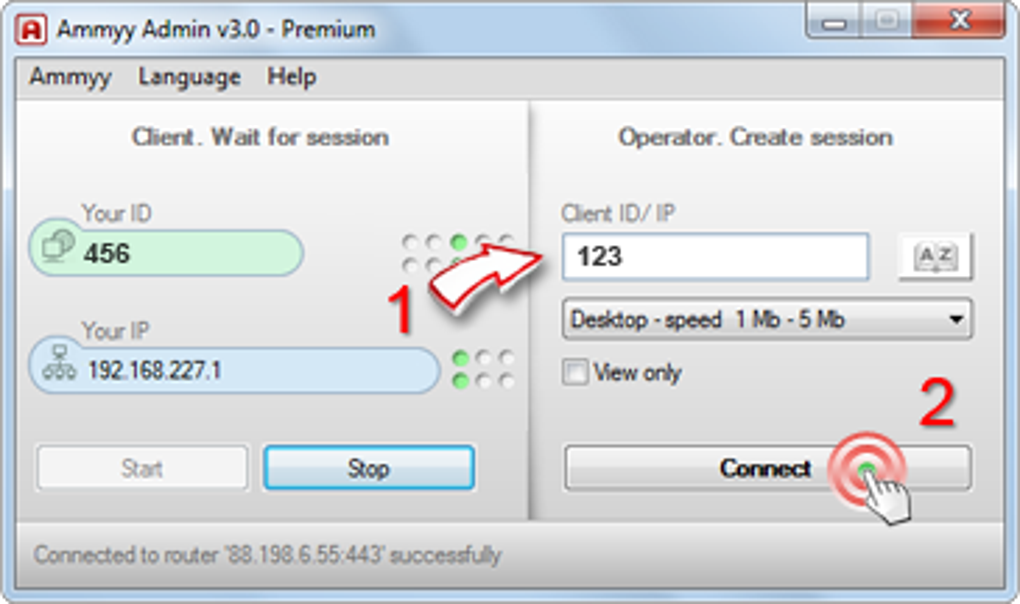
Ammyy Admin stands out from competing remote access solutions primarily through its exceptional ease of use and its portability. While other programs like AnyDesk, TeamViewer, and UltraViewer offer similar functionalities, they often involve more complex installation processes and require more system resources. Ammyy Admin’s unique selling proposition is its seamless, installation-free operation, making it an ideal choice for users who prioritize simplicity and quick access to remote computers. The ability to connect remotely without installing software on the client machine makes Ammyy Admin particularly valuable in situations where administrative rights are limited or where installing software is not feasible. The lack of a required installation also makes it a convenient tool for impromptu remote support sessions, where installing software would be inefficient or simply impossible. The absence of third-party plugins or browser extensions is also a notable advantage, simplifying the entire remote connection process.
Ammyy Admin: Suitable Use Cases and Target Audience
Ammyy Admin’s blend of simplicity, security, and functionality makes it suitable for a broad range of applications and user profiles. It’s a valuable tool for:
-
IT Professionals: For troubleshooting, system administration, and providing remote technical support to clients. The lightweight nature and ease of deployment make it perfect for quick troubleshooting and immediate support.
-
Educators: Conducting online classes, providing remote tutoring, and facilitating collaborative learning projects. The integrated voice chat enhances interaction in online learning environments.
-
Businesses: For internal collaboration, remote access to company resources, and facilitating remote meetings and presentations. The robust security features are essential for business use, ensuring that sensitive information remains protected during remote sessions.
- Individuals: For personal use, such as accessing files from home, providing remote support to family and friends, or remotely controlling computers for various personal tasks. The simplicity and lack of installation make it a perfect personal tool for everyday remote tasks.
In conclusion, Ammyy Admin offers a compelling combination of ease of use, robust security, and versatile functionality, solidifying its position as a powerful and accessible remote access solution. While it’s primarily designed for Windows, its strengths lie in its exceptional simplicity and swift connection establishment, making it an attractive option for both technical experts and novice users alike. Its free availability further enhances its appeal, making it a cost-effective and practical choice for a wide spectrum of remote access needs. However, potential users should be aware of its limitations, namely the lack of cross-platform compatibility, and consider its suitability based on their individual requirements and technical expertise.
File Information
- License: “Free”
- Latest update: “May 24, 2023”
- Platform: “Windows”
- OS: “Windows 7”
- Language: “English”
- Downloads: “1.8M”


