
AMPlayer is a free, lightweight media player designed for playing a range of audio and video files. While not supporting the latest codecs and formats, its simplicity and retro charm offer a unique alternative to modern, feature-rich media players. This review delves into its functionalities, strengths, and weaknesses, providing a comprehensive overview for potential users seeking a nostalgic or minimalist media playback experience.
AMPlayer’s Core Functionalities: A Simple Approach to Media Playback
AMPlayer’s primary function is straightforward: playing audio and video files. Its interface is intentionally minimalistic, prioritizing ease of use over extensive customization options. Users can open and play various video formats, including MPEG, AVI, WMV, and MP4, and audio files across a range of formats, though the exact compatibility is not exhaustively specified. This simplicity makes it easy to navigate, particularly for users who prefer a clean and uncluttered interface. The software allows for the creation of custom playlists, enabling users to organize and enjoy their media collections according to their preference. The inclusion of a playlist function, coupled with a straightforward filtering system, adds a layer of user control and organization beyond simple playback. Users can seamlessly switch between audio and video content within their playlists.
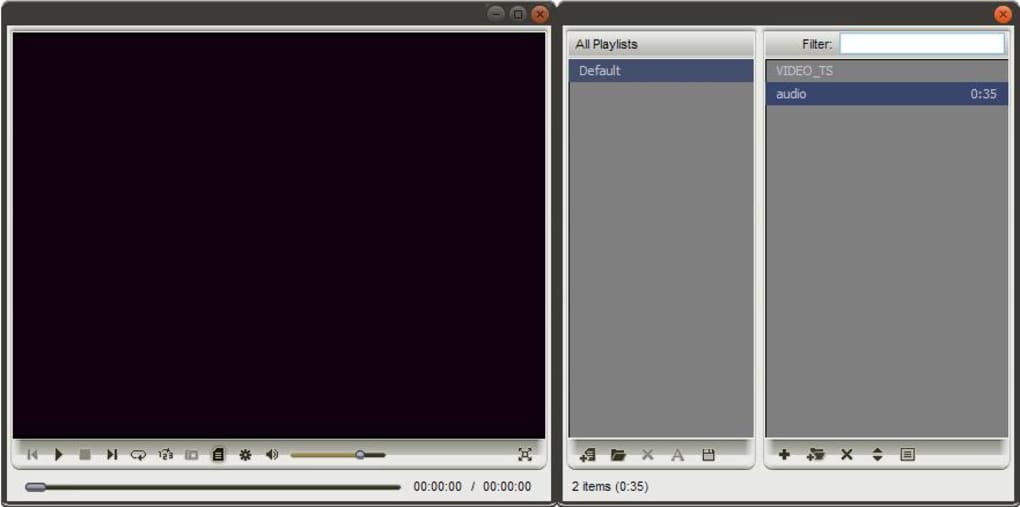
Beyond basic playback, AMPlayer offers some additional features to enhance the viewing and listening experience. These include adjustable brightness and contrast for video playback, allowing users to fine-tune the visual presentation to their liking and ambient conditions. While not boasting sophisticated equalization tools, AMPlayer offers basic sound-altering options, although the extent of these controls is limited compared to modern audio players. It also provides a surround sound effect, simulating a cinematic audio experience. Lastly, the slideshow functionality allows users to present image files as a slideshow, further showcasing AMPlayer’s multimedia capabilities, although the supported image formats might be limited.
Strengths of AMPlayer: Simplicity and Low System Resource Usage
One of AMPlayer’s significant strengths is its lightweight nature. The program utilizes minimal CPU power during playback, a crucial advantage for users with older or less powerful systems. This low resource consumption ensures smooth playback without significant impact on system performance, making it ideal for machines with limited processing capabilities. Its simplicity also makes it an excellent choice for users who prioritize ease of use over a plethora of features. The intuitive interface, with clear controls and minimal clutter, ensures a user-friendly experience, allowing even novice users to navigate and utilize the player effectively. The freeware nature of AMPlayer contributes further to its appeal, making it accessible to a wider range of users without any financial commitment. The ability to update to the latest freeware version through the in-application GUI is a beneficial feature, ensuring users can keep their version current and benefit from any bug fixes or performance enhancements.
Further enhancing its usability, AMPlayer’s playlist and filter system is both uncomplicated and efficient, allowing for quick and easy organization of media libraries. Users can effortlessly manage their playlists and apply filters to refine their media selections, streamlining their playback experience. The fact that it can be integrated into other programs suggests potential for use as a component within more complex applications, expanding its range of application beyond a standalone media player.
Weaknesses of AMPlayer: Limited Compatibility and Outdated Interface
Despite its advantages, AMPlayer has notable drawbacks. Its most significant limitation is the limited compatibility with modern audio and video files. It struggles to play many contemporary A/V formats, restricting its use to a narrower selection of media files compared to more versatile media players. This restriction could be a significant drawback for users with extensive libraries containing current-format media. The absence of support for a broader range of formats limits its versatility and potential usefulness.
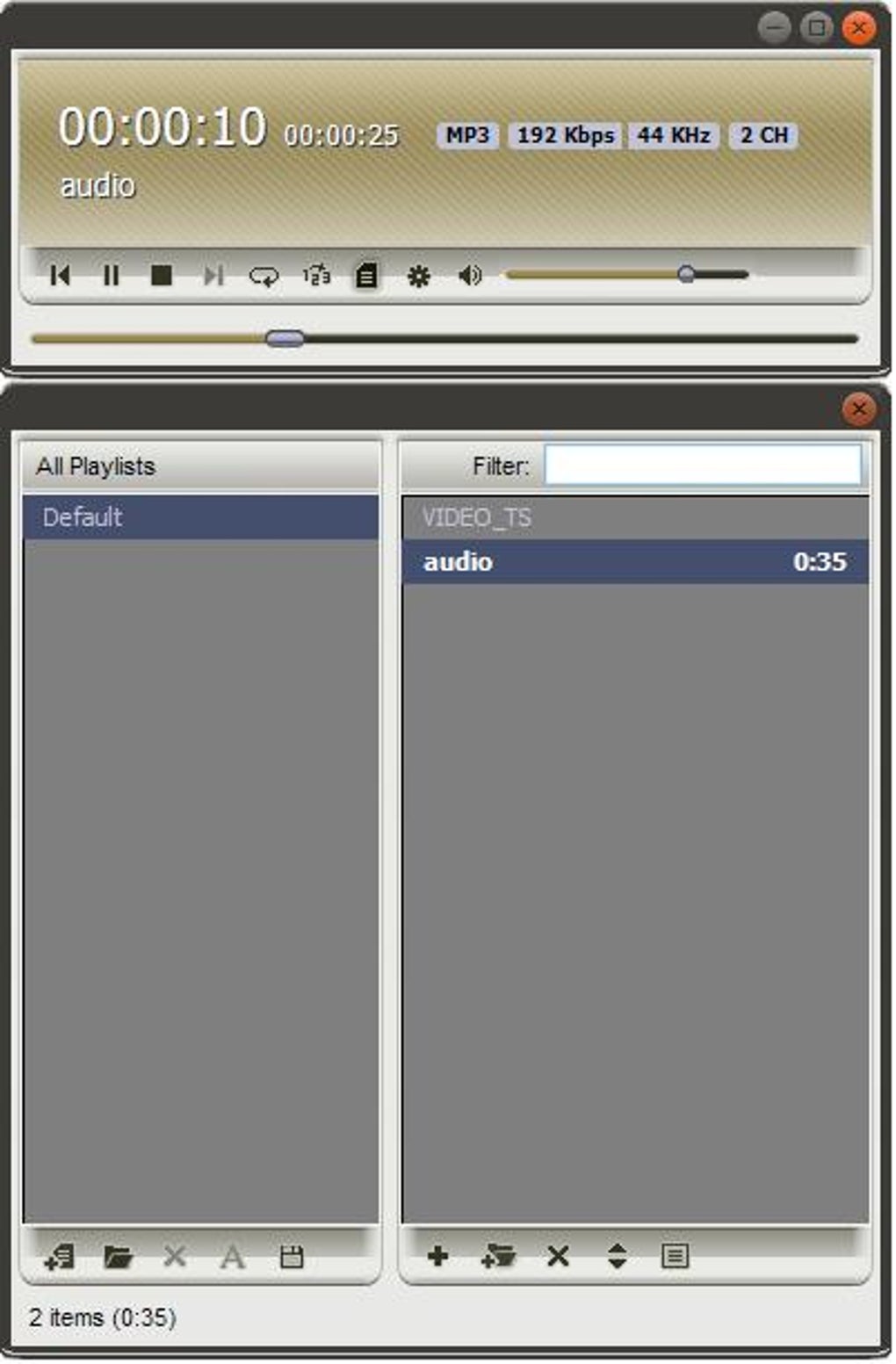
Furthermore, AMPlayer’s interface suffers from an outdated design. The old-fashioned appearance and small buttons can be unappealing to users accustomed to modern, visually engaging interfaces. The less modern visual design might not appeal to those seeking a visually polished or contemporary player. The limited sound-altering options present another weakness. While the basic controls suffice for some users, those seeking more advanced audio adjustments might find AMPlayer lacking in this regard. The absence of advanced features, such as equalization or effects processing, limits its flexibility for users who desire finer control over audio output.
AMPlayer Compared to Alternatives: Finding the Right Fit
Several alternative media players offer broader functionalities and more modern interfaces. uPlayer4Free, for example, provides a no-fuss media player experience with improved format compatibility and a more contemporary design. Flowplayer, another competitor, focuses on streaming media, providing a powerful platform for online video and audio consumption. ALLPlayer offers DVD playback capabilities, adding a dimension not present in AMPlayer. These alternatives might be more suitable for users who require broader format support, advanced features, or a more visually appealing interface.
However, AMPlayer remains a viable option for users who prioritize simplicity, lightweight performance, and a retro aesthetic. Its strengths lie in its ease of use and minimal resource consumption, making it an excellent choice for older systems or users who prefer a straightforward approach to media playback. The final decision depends entirely on the user’s needs and preferences, balancing functionality with user interface aesthetics and system resource usage.
Conclusion: A Niche Player with Specific Appeal
AMPlayer serves a niche but potentially valuable role in the media player market. Its simplicity and low resource usage offer advantages for users with limited system resources or those who value a clutter-free, easy-to-use experience. While its limited compatibility with modern formats and outdated interface might deter some users, it remains a functional and potentially appealing option for those seeking a lightweight, retro-style media player. Its freeware status further enhances its accessibility, making it a worthwhile consideration for individuals looking for a basic yet effective solution for their media playback needs. Ultimately, the suitability of AMPlayer depends on individual user preferences and the specific requirements of their media consumption habits. Weighing the advantages of simplicity and low system impact against the limitations in format support and interface design is crucial before deciding whether AMPlayer is the right fit.
File Information
- License: “Free”
- Latest update: “August 11, 2025”
- Platform: “Windows”
- OS: “Windows XP”
- Language: “English”
- Downloads: “28.7K”
- Size: “42.88 MB”


