
Android Commander is a free Windows utility designed to provide comprehensive management capabilities for Android devices directly from your desktop. This powerful tool allows users to interact with and control various aspects of their Android experience without the need to constantly navigate the small screen of their phone or tablet. However, its functionality relies on a few prerequisites: a rooted Android device, a USB cable for connection, and the installation of ADB (Android Debug Bridge) USB drivers. Once these requirements are met, Android Commander unlocks a suite of features designed to streamline Android management.
Managing Your Android Device with Ease
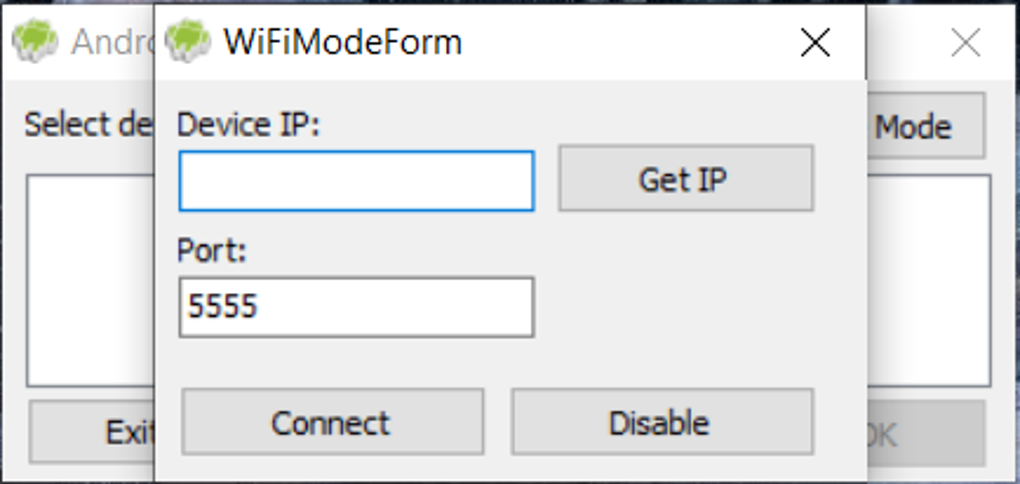
Android Commander offers a streamlined and intuitive interface, making the management of your Android device a straightforward process. Its user-friendly design simplifies complex tasks, ensuring accessibility for both novice and experienced users. The program leverages the familiar keyboard and mouse input methods of a desktop computer, eliminating the limitations of touchscreen interactions for some tasks. Key features include:
-
App Management: Easily install, uninstall, and view detailed information for all applications installed on the Android device. This includes the ability to install APK files directly from your computer, bypassing the Google Play Store if necessary. The simplified interface ensures that uninstalling unwanted apps or managing large app libraries becomes a quick and effortless task.
-
File Transfer: While not explicitly detailed as a primary feature, the connection to your Android device via USB inherently allows for easier file transfers between the computer and the device. This functionality eliminates the need for cloud services or other intermediary methods for moving files.
-
Device Information Monitoring: Android Commander provides a convenient overview of crucial device information, including real-time battery status. This allows users to keep an eye on their battery life and anticipate potential low-battery situations. Knowing your battery health can help optimize usage and prevent unexpected shutdowns.
-
Screenshot Capture: The ability to capture screenshots directly from the computer is a valuable addition. This feature simplifies the process of sharing images or documenting issues, eliminating the need to rely on the Android device’s built-in screenshot mechanism. Screenshots can be instantly saved to the computer for easier editing and sharing.
-
Seamless Interface: The design philosophy centers around user-friendliness. The software developers prioritized a clean, intuitive interface that reduces the learning curve, allowing users to quickly understand and utilize its full potential. The streamlined workflow makes even complex tasks simple and straightforward.
System Requirements and Limitations
While Android Commander offers a powerful set of tools, its functionality hinges on specific prerequisites which might present limitations for some users:
-
Rooted Android Device: This is the most significant requirement. Rooting your Android device grants elevated privileges that allow Android Commander to access and manage system-level functions. Rooting, however, can void warranties and potentially compromise your device’s security if not done carefully. Users unfamiliar with rooting their Android devices might find this step challenging or unappealing.
-
ADB USB Drivers: The Android Debug Bridge (ADB) is a command-line tool used for communicating with Android devices. Android Commander requires the ADB USB drivers to be installed on the Windows computer to establish a connection with the Android device. This requires some technical understanding to ensure correct installation and setup. Incorrect installation could prevent the software from functioning correctly.
-
USB Connection: A stable USB connection between the computer and the Android device is crucial for the software to function. Problems with the USB cable, drivers, or port could lead to connection issues and hinder the use of the application. This requirement limits the wireless capabilities of the management process.
These limitations might be seen as cumbersome by some users, especially those prioritizing ease of use and simplicity above extensive control. For individuals comfortable with these prerequisites, however, Android Commander provides a powerful tool set for managing their Android devices.
Android Commander: A Detailed Feature Breakdown
The software’s functionality extends beyond simply managing applications. Its feature set addresses several key aspects of Android device management, offering a holistic solution for streamlining the user experience:
-
Detailed App Information: Go beyond basic app names and icons. Access comprehensive information about each application, including size, permissions, and installation details. This detailed insight helps users make informed decisions about app management.
-
Efficient App Installation: Install APK files directly from your computer, simplifying the process of sideloading applications. This bypasses the Play Store and provides flexibility for users needing to install applications not found in the official store.
-
Simplified App Removal: Uninstall unwanted apps quickly and easily with a single click, decluttering your device and improving performance. This intuitive functionality simplifies app management, particularly for users with a large number of installed apps.
-
Real-time Battery Monitoring: Track your Android device’s battery level in real-time, enabling you to anticipate low battery situations and manage power consumption effectively.
-
Convenient Screenshot Utility: Capture screenshots of your Android device screen directly from your computer. This enhances productivity by streamlining the sharing of visual information.
-
User-Friendly Interface: The developers clearly prioritized a smooth and intuitive user experience. The interface design is straightforward, making the software accessible to a wide range of users, regardless of their technical expertise.
Comparison to Alternative Android Management Solutions
Several alternative solutions exist for managing Android devices from a computer, each offering different strengths and weaknesses. Android Commander stands out with its focus on providing a simple, yet effective, interface that balances functionality with ease of use.
While some alternatives offer more extensive remote control functionalities or cloud integration, Android Commander’s strength lies in its direct, wired connection and its straightforward app management tools. This approach simplifies the user experience, avoiding the complexities of cloud setups and potentially unstable remote connections.
Conclusion: A Valuable Tool for the Technically Inclined
Android Commander provides a compelling solution for users seeking a desktop-based Android management tool. While the requirements of a rooted device and ADB drivers might deter some users, its straightforward interface and comprehensive features make it a valuable asset for those who meet these prerequisites. Its ability to streamline application management, monitor device health, and capture screenshots directly from a desktop computer significantly improves workflow efficiency. The intuitive design and overall ease of use make it an attractive alternative for those willing to meet the necessary technical requirements. For users who value a simple, yet powerful, tool for managing their Android device, Android Commander is certainly worth considering.
File Information
- License: “Free”
- Version: “0.7.9.11”
- Latest update: “July 1, 2024”
- Platform: “Windows”
- OS: “Windows 11”
- Language: “English”
- Downloads: “220”
- Size: “1.51 MB”


