
AniDub: Ani TV is a free, user-friendly iPhone application designed for creating personalized anime-style videos. This innovative app empowers users to transform their photos and leverage the vast catalog of The Movie Database (TMDB) to craft unique anime sequences. With its intuitive interface and robust editing tools, AniDub: Ani TV makes anime video creation accessible to everyone, regardless of prior video editing experience. This detailed review explores the app’s features, functionality, and its place within the broader landscape of iOS multimedia applications.
Apps: AniDub: Ani TV’s Core Functionality and Features
At its heart, AniDub: Ani TV is a video creation app specializing in anime aesthetics. The app’s primary function is to facilitate the easy transformation of images into short anime-style videos. This is achieved through a streamlined process that combines image import, content filtering, and intuitive editing tools.
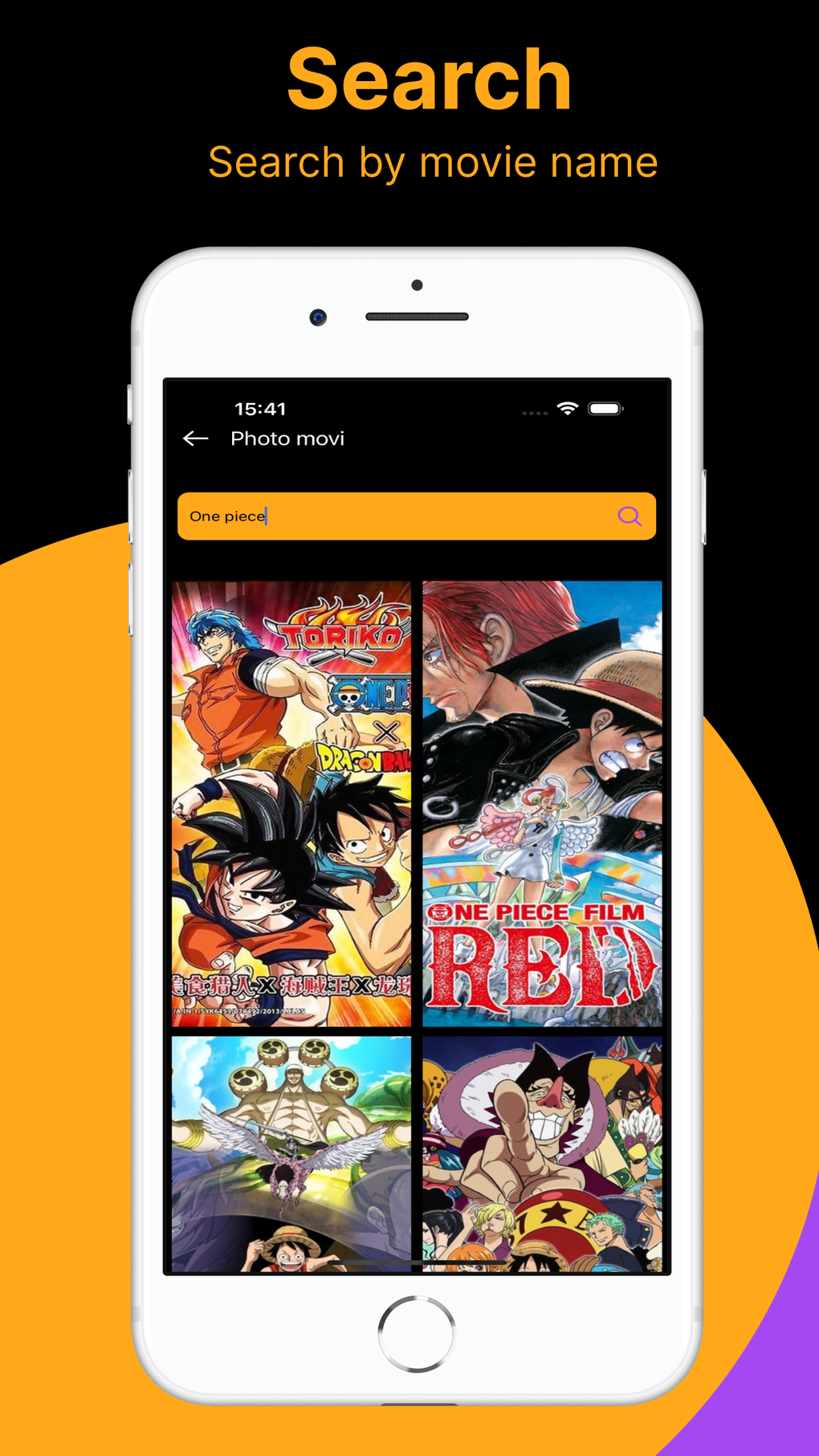
Image Import and Sourcing: Users can import images directly from their iPhone’s photo library. This allows for immediate access to personal photos and existing collections, providing a readily available source of content for anime video creation. Beyond personal photos, the app integrates with TMDB, a comprehensive database of movies and television shows. This integration allows users to search for and select anime-related images directly from the TMDB library, expanding the range of visual material available for use. The intelligent filtering system within AniDub: Ani TV helps streamline this process by focusing on anime-style imagery, ensuring users quickly find suitable assets.
Editing and Customization: Once images are selected, the app’s editing interface provides a range of options for crafting the final video. Users can adjust the timing of each image in the sequence, determining how long each frame appears on screen. The ability to add captions allows for further personalization and storytelling within the video. This feature enhances the expressive possibilities of the app, enabling users to create videos with narrative elements and personalized messages. Furthermore, the arrangement of images is completely customizable, letting users create unique sequences and visual flows to match their artistic vision. The app’s intuitive interface ensures that these editing functions are easy to navigate and use, even for users with minimal video editing experience.
Export and Sharing: AniDub: Ani TV offers versatile export options, providing users with the flexibility to share their creations across various platforms. Users can directly export their completed anime videos to their iPhone’s photo album for easy access and storage. The app also facilitates direct sharing to popular social media platforms, allowing users to showcase their work to friends, family, and a wider online audience. The ability to send videos through messaging apps adds another convenient sharing option, making it simple to share personalized anime videos with specific contacts.
Games: AniDub: Ani TV and the Gamified Approach to Video Creation
While not a game in the traditional sense, AniDub: Ani TV incorporates game-like elements into its video creation process. The app’s intuitive interface and ease of use contribute to a sense of playful experimentation. The act of selecting images, arranging them into a sequence, and adding captions can be seen as a form of creative play, engaging users in a fun and rewarding process. The immediate feedback loop of seeing the video come to life as edits are made encourages experimentation and iterative design. This process rewards creativity and exploration, making the app more than just a tool; it becomes a platform for creative expression and playful exploration.
News and Updates: Staying Current with AniDub: Ani TV
As with any application, AniDub: Ani TV’s developers regularly release updates to improve performance, add features, and address any bugs or issues. While there isn’t a dedicated news section within the app itself, users can stay informed about new updates through the app store listing. These updates often bring improvements to the user interface, add new editing capabilities, or enhance the app’s integration with TMDB. By keeping the app updated, users can benefit from the latest features and a consistently improved user experience. Therefore, checking the app store regularly for updates is recommended to ensure users have access to the most current version of AniDub: Ani TV and all of its functionalities.
For Business: Potential Applications of AniDub: Ani TV
Beyond personal use, AniDub: Ani TV holds potential applications for business purposes. The app’s ability to create short, engaging anime videos can be leveraged for marketing campaigns, social media content, and even internal communications. The anime style lends itself to creating visually striking and memorable content, which can help brands stand out in a crowded digital landscape. The ease of use makes it possible for businesses with limited video editing expertise to create high-quality promotional materials.
For example, AniDub: Ani TV could be used to:
- Create short animated explainer videos: Transforming static images into a concise animated video can effectively communicate complex ideas or product features.
- Generate social media content: Quickly creating eye-catching video content for platforms like Instagram, TikTok, and YouTube can boost brand visibility and engagement.
- Develop internal training materials: Animated videos can make internal training and communication more engaging and easier to digest.
- Produce promotional materials: Creating short anime-style advertisements can offer a unique and memorable way to promote products or services.
The low barrier to entry and user-friendly nature of the application make it a powerful tool for businesses seeking to leverage the visual appeal of anime-style videos without extensive video production resources.
iPhone Multimedia: AniDub: Ani TV’s Place in the iOS Ecosystem
AniDub: Ani TV occupies a unique niche within the vast landscape of iPhone multimedia applications. While many apps focus on specific aspects of video editing or animation, AniDub: Ani TV offers a streamlined and specialized approach to creating anime-style videos directly from photos and TMDB assets. Its ease of use distinguishes it from more complex professional video editing software, making it accessible to a broader audience. The app’s integration with TMDB also provides a significant advantage, offering a vast library of anime-related images readily available for use. This feature makes it a powerful tool for users who are seeking an effortless way to create professional-looking anime videos without the need to source their own images.
Compared to other anime-themed video creation apps, AniDub: Ani TV stands out due to its user-friendly interface and integrated TMDB access. Many competing applications may lack this intuitive user experience or the convenience of a readily-available image library. This advantage makes AniDub: Ani TV a more efficient and user-friendly option for creating anime-style videos directly on an iPhone. Its straightforward process and ease of use ensure that users can create high-quality videos without facing a steep learning curve associated with many professional-grade video editing applications. The app’s ability to quickly produce short, engaging videos makes it a versatile tool for personal use and potentially for various business applications as well.
In conclusion, AniDub: Ani TV provides a valuable and user-friendly addition to the iPhone multimedia app ecosystem. Its intuitive interface, innovative features, and efficient process make it an ideal choice for anyone wishing to explore the world of anime video creation with ease and creativity. The app’s strength lies in its simplicity and accessibility, empowering users to create unique and personalized anime videos without needing extensive technical skills or professional video editing experience.
File Information
- License: “Free”
- Version: “4.0”
- Latest update: “May 28, 2024”
- Platform: “iPhone”
- OS: “iOS 16.4”
- Language: “English”
- Downloads: “1.4K”


