
Animalese Typing is a lighthearted and engaging Google Chrome extension created by DageXVIII. Categorized as a browser add-on and tool, it injects a playful element into your online typing experience by emitting charming Animal Crossing villager sound effects with every keystroke. This unique extension is a testament to the developer’s self-taught HTML and CSS skills, serving as a practical project to test their abilities and explore the possibilities of Chrome extension development.
How Animalese Typing Works
The extension’s core functionality revolves around associating specific sounds from the popular Animal Crossing game with your keyboard inputs. Each keypress triggers a corresponding sound bite, transforming the mundane act of typing into an interactive auditory experience. While the sounds themselves are delightful and reminiscent of the game’s atmosphere, the implementation isn’t without its limitations. The extension may not function consistently across all websites and online platforms. In particular, compatibility issues have been reported with the Google search bar and specific websites, indicating potential limitations in its overall implementation or compatibility with diverse web technologies.
A Developer’s Journey: From Learning to Creation
DageXVIII’s journey to creating Animalese Typing offers a compelling narrative of independent learning and creative problem-solving. The extension wasn’t conceived as a commercially viable product, but rather as a personal endeavor to validate their newly acquired HTML and CSS skills. The project allowed them to transform theoretical knowledge into a tangible application, demonstrating their capability to design and implement a functional Chrome extension. This serves as an inspirational story for aspiring web developers, highlighting the importance of practical application and personal projects in solidifying programming skills. The creation of Animalese Typing reflects a commitment to both skill-building and creative expression, merging technical prowess with a playful appreciation for popular culture.
Limitations and Compatibility
While Animalese Typing offers a unique and entertaining typing experience, it’s crucial to acknowledge certain limitations. Its functionality may not be consistent across all websites or web applications. The developer acknowledges compatibility issues with specific platforms, including the Google search bar. These limitations might stem from the way different websites implement their JavaScript frameworks or handle user input events. The extension relies on interacting with these events to trigger its sound effects, and discrepancies in how these events are handled across different platforms can lead to inconsistencies in functionality. Therefore, users should expect variations in the extension’s performance depending on the website being used. The extension’s functionality is highly reliant on the underlying architecture and coding practices of the websites it interacts with. Variations in JavaScript frameworks and the manner in which websites handle user input are key factors impacting the reliability of the sound effects.
Future development could focus on enhancing compatibility and addressing reported issues. This might involve refining the extension’s code to better handle various web technologies and JavaScript frameworks, potentially leading to broader compatibility and more seamless integration with diverse online environments. Further refinements in the event-handling mechanisms would also contribute towards improved reliability and reduced conflicts with existing website functionalities. The current implementation seems reliant on relatively basic event listeners, and more sophisticated mechanisms could resolve compatibility challenges.
User Experience and Appeal
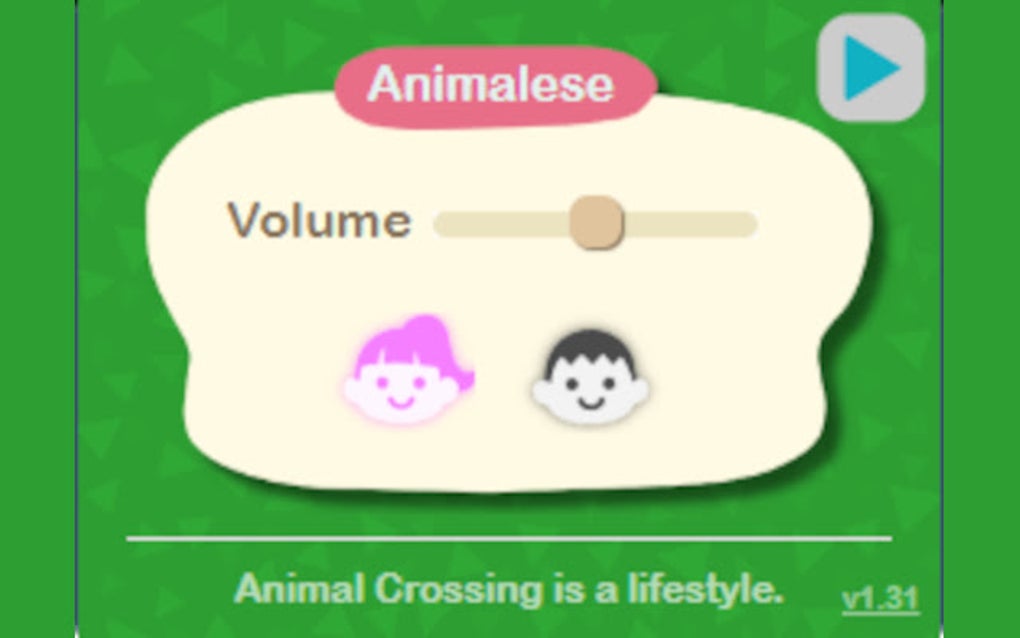
Despite its limitations, Animalese Typing’s user experience is largely positive for its intended audience: fans of Animal Crossing. The whimsical soundscape generated with every keystroke creates a lighthearted and engaging atmosphere, making typing feel less tedious and more enjoyable. The simple design keeps the focus on the sound effects, ensuring that the extension does not detract from the primary online task. For users familiar with the game, the auditory cues serve as a nostalgic touch, transporting them back to the playful world of Animal Crossing.
The extension’s success stems from its effective combination of simplicity and novelty. It cleverly repurposes recognizable sound effects to create a novel interaction. The user experience is not overloaded with unnecessary features; instead, it focuses on delivering a consistent, lighthearted auditory experience. This simplicity is key to its charm and ease of use. The absence of complex settings or options allows for effortless installation and immediate enjoyment.
The extension’s unique approach to enriching the typing experience speaks to a trend of infusing technology with playful and personalized elements. It demonstrates that even simple applications can elevate user engagement through clever design and a focus on user experience. It caters to a niche market of Animal Crossing enthusiasts but effectively fulfills its purpose of enhancing the typing experience for that specific audience.
Animalese Typing: Technical Aspects and Development
The creation of Animalese Typing provides a valuable case study in independent software development. The developer’s decision to undertake this project as a means of honing their HTML and CSS skills highlights the practical advantages of applying theoretical knowledge to real-world projects. The project likely involved a multifaceted process, starting with the identification of suitable Animal Crossing sound effects and progressing through the development of the extension’s code. This involved carefully managing the mapping of keystrokes to sound files, ensuring efficient execution and minimal impact on system performance.
The core functionality likely relies on event listeners, which monitor keypresses. Each keypress triggers the corresponding sound file through JavaScript’s audio API. The extension’s design and implementation likely prioritize efficiency to minimize latency between keypresses and sound playback. The use of optimized sound files is crucial to ensure smooth and responsive feedback. Minimizing file sizes is also paramount to ensure that the extension doesn’t consume excessive bandwidth or system resources.
The developer’s experience highlights the learning curve inherent in web development, and the iterative nature of software development is likely visible through the evolution of the extension. The initial version may have had fewer features or exhibited more limitations, gradually improving through subsequent iterations. Testing and debugging would have played a significant role in identifying and addressing compatibility issues and bugs.
The decision to distribute the extension through the Chrome Web Store demonstrates a commitment to wider accessibility and community involvement. The public availability of the extension allows for community feedback and the opportunity for future improvements. The release also showcases the developer’s confidence in their project and their ability to deliver a functional and enjoyable user experience. Moreover, the availability of the extension for broader use provides opportunities for improved user feedback, accelerating any necessary debugging and enhancement of the extension’s functionality.
Animalese Typing’s Place in the Chrome Extension Ecosystem
Animalese Typing sits within a large and diverse ecosystem of Chrome extensions. It occupies a niche segment focusing on user experience enhancement and adding personalized elements to browser interactions. While many extensions cater to productivity, security, or specific functionalities, Animalese Typing’s primary appeal lies in its entertainment value and novelty. It stands out for its unique approach of enhancing the typing experience through game-themed sound effects.
The success of Animalese Typing showcases the potential for creating engaging extensions that cater to specific interests and communities. It inspires other developers to explore creative avenues for enhancing browser functionality, showing that even seemingly trivial ideas can result in fun and well-received extensions. The extension’s success also demonstrates the effectiveness of targeted marketing, by appealing to a niche community of Animal Crossing fans, maximizing its potential for engagement within that community.
The extension’s relatively small size and straightforward functionality contribute to its easy integration into the browser. This straightforward implementation reduces the likelihood of conflicts with other extensions or interference with browser performance. The simplicity of design enhances the user experience and ensures immediate accessibility. Its lack of intrusive features and streamlined functionality make it a desirable addition to a user’s Chrome setup.
The extension highlights the flexibility and breadth of the Chrome extension platform, allowing for a wide range of applications beyond productivity and utility. It proves that the platform is not merely confined to practical tools but can also embrace recreational and creative software, enriching user interactions with the web browser.
In conclusion, Animalese Typing serves as a compelling example of a successfully implemented Chrome extension, demonstrating the blend of technical skill, creative vision, and user-centric design. It highlights the importance of independent projects in skill development, the potential for niche applications, and the broader possibilities of enhancing the user experience through well-designed and fun software. Its limitations aside, its positive reception underscores the potential for creative and engaging browser extensions.
File Information
- License: “Free”
- Version: “1.45.3”
- Latest update: “July 11, 2025”
- Platform: “chrome”
- Language: “English”
- Downloads: “13.9K”


