
The internet is a vast repository of information, and videos have become one of the most prevalent and effective ways to share knowledge and entertainment. This has led to a surge in demand for efficient and reliable video download managers. With a plethora of options available, choosing the right software can be challenging. This review focuses on Ant Download Manager and Video Downloader, a popular choice for downloading and managing various online content, particularly videos. We’ll delve into its features, usability, pros and cons, and compare it to alternative solutions.
Installation and Initial Impressions
The installation process for Ant Download Manager and Video Downloader is straightforward and uncomplicated. It’s quick, requiring no additional software beyond the program itself. However, the developers strongly recommend installing the browser extension for optimal performance and download speed. While the program functions without the extension, utilizing it significantly streamlines the downloading process.
Upon launching the application, users are initially greeted by a collage of images offering tips and instructions. This introductory screen, however, is widely considered confusing and unhelpful, often described as visually overwhelming and lacking clarity. It’s best to simply close this screen and proceed directly to the main interface.
Design and User Interface
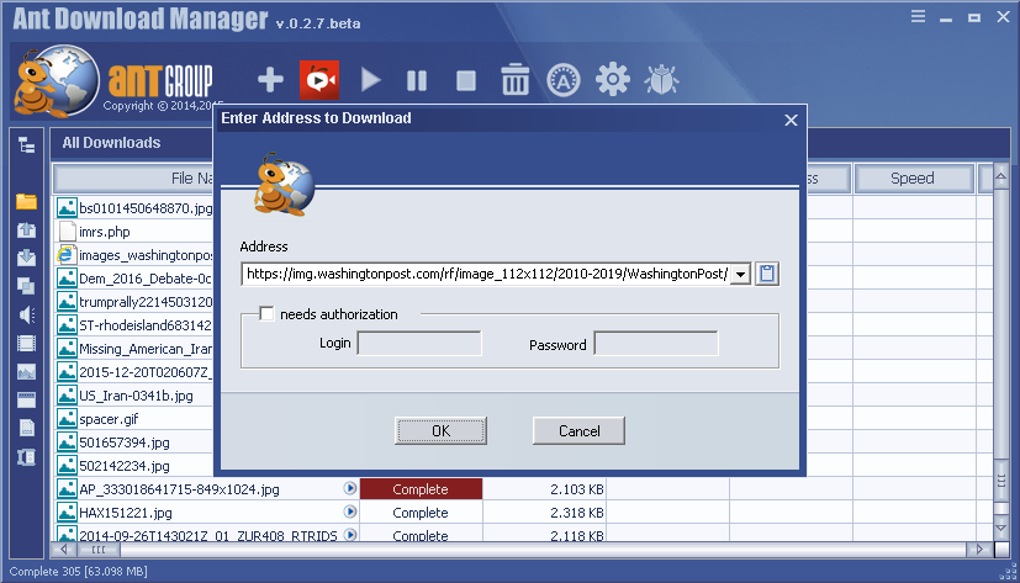
Ant Download Manager and Video Downloader boasts a distinctive design, characterized by a vibrant color scheme of blue, white, and orange. The font is large and bold, and the program incorporates a cartoonish ant mascot prominently displayed in the interface and iconography. While the visual style is appealing to some, its cartoonish nature might not resonate with all users. The design might be considered somewhat childish or unprofessional by some users. However, some find the icons particularly charming and interactive, with the download speed icon dynamically changing to reflect a rocket (high speed), a car (medium speed), or a snail (low speed), offering a playful and engaging user experience.
The interface itself is initially perceived as somewhat complex. However, upon closer examination, its functionality becomes more intuitive and straightforward. Command buttons located at the top provide quick access to functions like adding, pausing, stopping, and deleting downloads, adjusting download speeds, configuring settings, submitting bug reports, and closing the program. Below the command buttons, a central window displays active and completed downloads. To the left of the download window, a panel containing various filters allows users to efficiently organize and sort their downloads. This sorting feature greatly enhances the manageability of large download collections.
Functionality and Performance
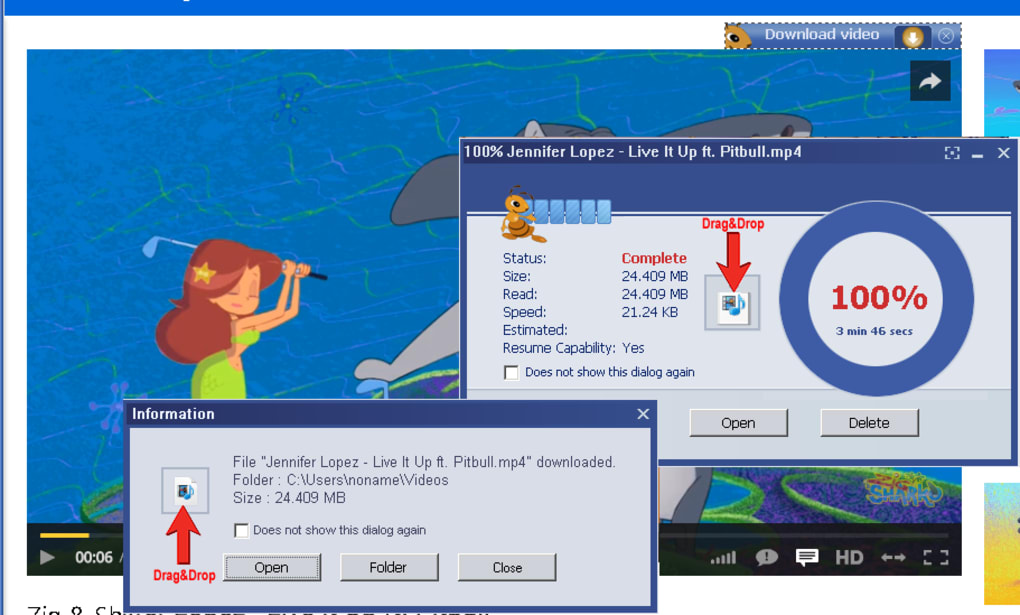
Ant Download Manager and Video Downloader proves to be a highly effective download manager despite its initially confusing interface. Once users become accustomed to its layout, downloading videos and other online content becomes remarkably easy and efficient. The software supports a wide range of video platforms and file types, enabling users to download content from various sources without encountering significant difficulties.
The program effectively manages multiple downloads simultaneously, utilizing available bandwidth efficiently. Its speed optimization features, enhanced by the browser extension, contribute to faster download speeds. Furthermore, the program provides detailed information about each download, including file size, download progress, and estimated completion time. These features combine to ensure a smooth and user-friendly download experience. The software supports pausing and resuming downloads, allowing for flexibility in managing download sessions.
Comparison with Alternative Download Managers
Ant Download Manager and Video Downloader stands out from other download managers due to its integrated browser extension, which significantly speeds up the downloading process. While many competitors offer similar core features, this browser extension provides a notable advantage in convenience and speed. Its support for a wide range of video platforms and file types sets it apart.
Other download managers may offer more advanced features or a cleaner, less cartoonish interface. Some might prioritize a more minimalist design, prioritizing functionality over visual appeal. Others might incorporate more sophisticated features, such as download scheduling or cloud integration. However, Ant Download Manager and Video Downloader provides a solid balance of features, performance, and ease of use for many users. The choice ultimately depends on individual preferences and specific needs. A thorough comparison of similar software, considering factors like download speed, supported platforms, user interface, and advanced features, is crucial for making an informed decision.
Pros and Cons
Pros:
- Effective Download Management: Handles multiple downloads efficiently and effectively.
- Adorable Icons: The playful icons contribute to a more engaging user experience.
- Comprehensive Download Information: Provides detailed information about downloads.
- Quick Installation: The installation process is straightforward and fast.
- Browser Extension Integration: Significantly enhances download speed and convenience.
- Supports Various Video Services: Downloads from YouTube, Vimeo, DailyMotion, and more.
- Multi-language Support: Catering to a wider user base.
- Portable Version Available: Allows for use without traditional installation.
Cons:
- Confusing Initial Screen: The introductory screen with tips is often criticized for being confusing and poorly designed.
- Initially Confusing Interface: The interface might feel overwhelming to new users.
- Cartoonish Design: The cartoonish aesthetic might not appeal to all users.
- Download Complexity: For users unfamiliar with download managers, the process might seem complex initially.
Conclusion
Ant Download Manager and Video Downloader offers a robust solution for downloading and managing online content, especially videos. While the initial interface and introductory screen might present a challenge to some users, its efficient download management, browser extension integration, and support for various video services outweigh these drawbacks for many. Its unique and playful design, although potentially polarizing, adds a distinct personality to the software. Ultimately, its effectiveness as a download manager and its broad compatibility make it a worthy contender in the crowded field of download management software. Potential users should weigh the pros and cons in relation to their individual needs and preferences before deciding if it’s the right choice for them.
File Information
- License: “Free”
- Latest update: “July 11, 2023”
- Platform: “Windows”
- OS: “Windows Vista”
- Language: “English”
- Downloads: “38.3K”
- Size: “30.45 MB”


