
In the digital age, our personal computers have become indispensable tools for work, entertainment, communication, and countless other aspects of daily life. From critical business operations to casual web browsing and gaming, we rely on our PCs to perform flawlessly. However, the complex interplay of hardware, software, drivers, and user applications makes these machines susceptible to a myriad of issues that can lead to frustrating slowdowns, debilitating freezes, and ultimately, system crashes. These events, often heralded by the dreaded Blue Screen of Death (BSOD) or a completely unresponsive system, not only interrupt our workflow but also pose a significant risk of data loss and system corruption. It’s in this challenging landscape that utilities like Anticrash emerge as vital guardians, promising to detect and fix these underlying errors before they escalate into full-blown crises.
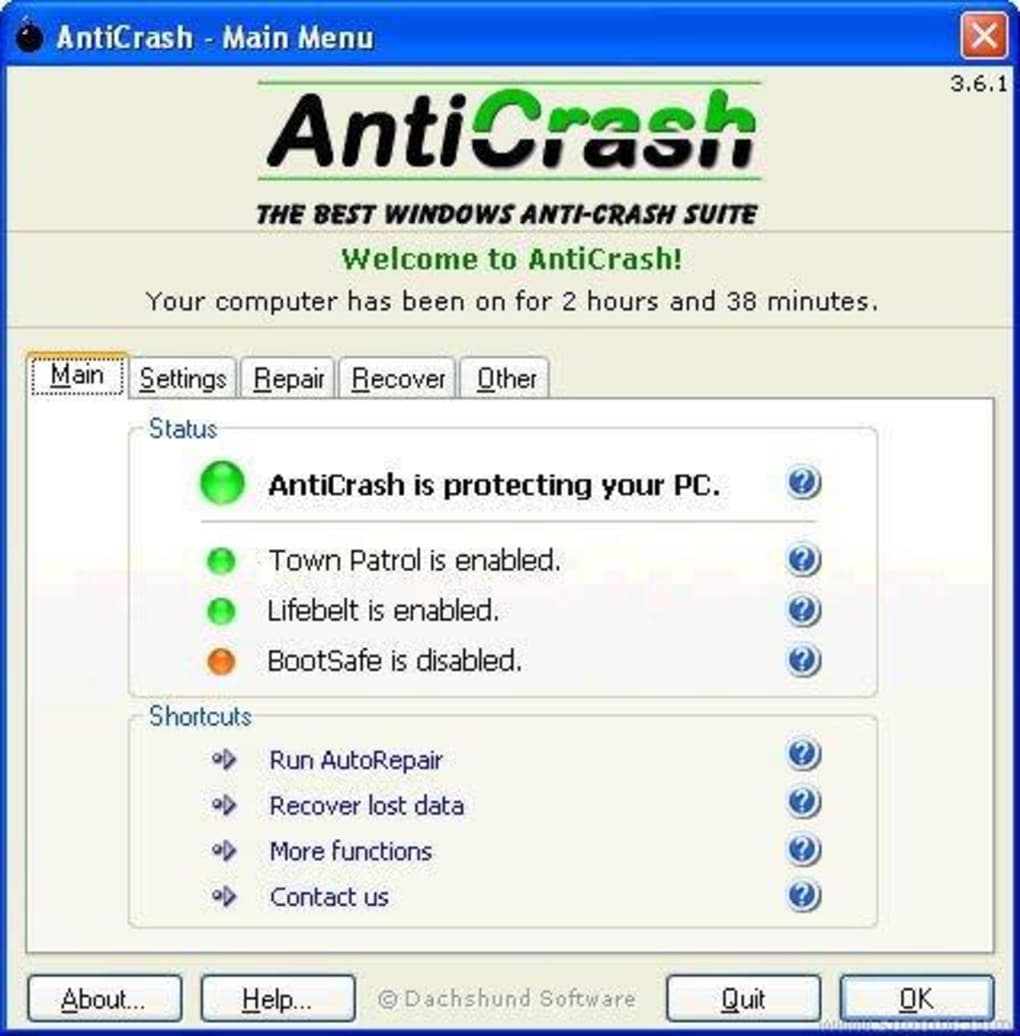
Anticrash, developed by Dachshund Software, is a lightweight and straightforward utility designed with a singular, critical purpose: to scan your computer for potential errors that can precipitate system freezes and crashes. Its core appeal lies in its automation – it identifies and rectifies these issues proactively, often without requiring any direct user intervention. This ‘set it and forget it’ approach ensures that your PC remains stable and performs optimally, minimizing the disruptive impact of unexpected system failures. By working quietly in the background, Anticrash aims to preserve your productivity, protect your valuable data, and extend the lifespan of your computer by maintaining its operational integrity.
The promise of a utility like Anticrash resonates deeply with anyone who has experienced the sudden cessation of their PC’s functions. The loss of unsaved work, the corruption of important files, or the sheer frustration of having to hard-reboot a machine can be incredibly demoralizing. Anticrash seeks to eliminate these pain points by acting as an early warning system and a first responder, addressing vulnerabilities before they manifest as critical errors. It’s positioned as a simple yet powerful tool, especially for those who prefer not to delve into complex system diagnostics but still desire a reliable and smooth computing experience.
Understanding PC Crashes and Their Impact
To truly appreciate the value of a utility like Anticrash, it’s crucial to understand the nature of PC crashes and the profound impact they can have on users. A crash isn’t just an inconvenience; it’s a fundamental breakdown in the system’s ability to operate, signaling deeper underlying problems that, if left unaddressed, can lead to escalating issues and even permanent hardware damage or data corruption.
The Menace of the Blue Screen of Death (BSOD)
Perhaps the most iconic and terrifying symbol of a PC crash is the Blue Screen of Death, or BSOD. This abrupt halt to all operations, replaced by a stark blue screen displaying white text, indicates a critical system error from which Windows cannot recover. While modern versions of Windows have made the BSOD less frequent and somewhat more user-friendly with QR codes and simpler error messages, its appearance still signifies a serious issue.
BSODs typically stem from a variety of sources:
- Corrupt or incompatible drivers: Device drivers are essential software that allows hardware components to communicate with the operating system. Faulty, outdated, or incorrectly installed drivers are a leading cause of BSODs.
- Hardware failures: Malfunctioning RAM, a failing hard drive, an overheating CPU, or issues with the graphics card can all trigger a system-wide shutdown to prevent further damage.
- Software conflicts: Poorly coded applications, malware, or conflicts between different software components can destabilize the operating system.
- Operating system file corruption: Critical Windows system files can become damaged due to improper shutdowns, disk errors, or malicious software, leading to instability.
- Overheating: Excessive heat can cause components to malfunction and lead to sudden shutdowns or performance throttling.
When a BSOD occurs, all unsaved work is lost immediately. The system requires a restart, which can sometimes lead to a cycle of repeated crashes or even prevent the computer from booting up entirely. Diagnosing the exact cause of a BSOD often requires technical expertise, involving analysis of crash dumps, driver updates, hardware testing, and potentially operating system reinstallation. This is where a utility like Anticrash aims to step in, preventing these critical errors from reaching the BSOD stage in the first place, by identifying and mitigating their precursors.
Beyond BSOD: Freezes, Lag, and Data Loss
While the BSOD is the most dramatic form of a system crash, it’s by no means the only one. Users frequently encounter a range of other stability issues that, while less catastrophic, are equally disruptive and frustrating. These include:
- Application Freezes: A single application becomes unresponsive, requiring it to be force-closed via Task Manager or, in severe cases, forcing a system restart. This often points to memory leaks, software bugs, or resource contention.
- System Freezes: The entire operating system becomes unresponsive – the mouse cursor may stop moving, keyboard input is ignored, and background processes cease. This is a severe form of instability, often indicating an impending crash or a high-level driver issue.
- Persistent Lag and Slowdowns: The system generally feels sluggish, applications take an unusually long time to open, and switching between tasks is met with significant delays. While not a crash, this degraded performance signals inefficiencies and potential problems that could eventually lead to a crash.
- Random Restarts: The computer suddenly reboots without warning, sometimes without displaying a BSOD. This can be indicative of power supply issues, overheating, or critical system errors that bypass the standard crash reporting mechanism.
The most significant consequence of these issues, beyond the sheer frustration, is the risk of data loss. Every time a system crashes or freezes unexpectedly, any unsaved work in open applications is gone. For users working on documents, creative projects, or complex data entries, this can mean hours of lost effort. Moreover, an unexpected shutdown can interrupt write operations to the hard drive, potentially corrupting critical system files or user data. This data corruption can range from a single file becoming unreadable to an entire hard drive partition becoming inaccessible, leading to significant headaches and potentially costly data recovery efforts.
Anticrash directly addresses these concerns by continuously monitoring for the subtle anomalies and errors that typically precede these various forms of instability. By catching and correcting these issues early, it aims to maintain a consistently responsive system, minimize unexpected disruptions, and, critically, safeguard your valuable data from the arbitrary dangers of a PC crash.
Anticrash: Your Proactive PC Guardian
In a world where digital continuity is paramount, Anticrash positions itself as a proactive defender against the unpredictable nature of PC errors. Its design philosophy centers around automation and efficiency, ensuring that maintaining system stability doesn’t become another chore for the user.
Automatic Error Detection and Resolution
The cornerstone of Anticrash’s functionality is its ability to automatically scan your computer for errors that could lead to crashes and freezes. Unlike diagnostic tools that require manual initiation or complex interpretation of reports, Anticrash operates with a high degree of autonomy. While the exact technical mechanisms are proprietary to Dachshund Software, such utilities typically employ a combination of techniques:
- System Registry Analysis: The Windows Registry is a hierarchical database that stores low-level settings for the operating system and applications. Over time, it can accumulate obsolete entries, corrupted keys, or incorrect references due to software installations, uninstalls, and updates. These inconsistencies can lead to system instability. Anticrash likely scans for such anomalies, identifying and rectifying them to ensure a clean and consistent registry state.
- File System Integrity Checks: Errors within the file system itself, such as corrupted files, bad sectors on the hard drive, or inconsistencies in file permissions, can cause applications and the operating system to malfunction. While not a full-fledged disk repair utility, Anticrash might monitor for common file system errors that directly contribute to software crashes.
- Driver Health Monitoring: Although it doesn’t explicitly state driver management, many crash-prevention tools implicitly monitor the stability of drivers. Incompatible or faulty drivers are a leading cause of BSODs and freezes. Anticrash might identify processes or system calls that are failing due to driver issues, prompting corrective actions or flagging them for the user.
- Resource Management Oversight: Sometimes, crashes occur due to critical system resources (like memory or CPU time) being exhausted or improperly managed by applications. While Anticrash is not a system optimizer in the traditional sense, its underlying mechanisms could involve detecting patterns of resource mismanagement that lead to instability.
The beauty of Anticrash’s approach is that “no user intervention is required.” Once installed, it’s designed to run in the background, performing its scans and fixes seamlessly. This means that users, from beginners to advanced, can benefit from enhanced system stability without needing to understand the intricacies of system diagnostics or error codes. It abstracts away the complexity, providing a peace of mind that their digital workspace is being looked after. This automatic nature is particularly valuable for users who lack the technical expertise or simply don’t have the time to regularly troubleshoot their systems.
Keeping Your System Lean and Fast
A common misconception is that system utilities inevitably add overhead, slowing down the very system they aim to optimize. Anticrash defies this stereotype by being described as “lightweight and very fast.” This characteristic is crucial for any utility that intends to run continuously in the background. A heavy program would counteract its own purpose by consuming excessive CPU cycles, memory, or disk I/O, thereby contributing to system slowdowns rather than preventing them.
Anticrash’s minimal footprint ensures that it doesn’t interfere with the performance of your PC. This translates to several benefits:
- Uninterrupted Workflow: Users can continue with their tasks, whether it’s gaming, video editing, or complex computations, without noticing a dip in performance caused by the crash prevention utility itself.
- Faster Boot Times: A lightweight utility means quicker startup times for the operating system, as fewer resources are being contended for during the boot sequence.
- Efficient Resource Utilization: It leaves more system resources available for demanding applications, ensuring that your PC performs at its peak potential for the tasks you intend it for.
Moreover, by preventing crashes and freezes, Anticrash indirectly contributes to overall system speed and responsiveness. A system that frequently crashes or becomes unresponsive often requires hard reboots, which can leave temporary files, fragmented data, and an inconsistent state that slows down subsequent operations. By maintaining stability, Anticrash helps keep the system ‘clean’ and running smoothly, avoiding the performance degradation that typically follows frequent instability. A stable PC is inherently a faster and more efficient PC, as it spends less time recovering from errors and more time executing user commands.
Safeguarding Your Valuable Data
Perhaps the most critical, yet often overlooked, benefit of a crash prevention utility like Anticrash is its role in safeguarding data. In today’s interconnected world, data is gold – from personal memories captured in photos and videos to critical business documents and creative projects. The sudden loss or corruption of this data due to a system crash can have devastating consequences.
Anticrash directly mitigates the risk of data loss in several ways:
- Prevention of Unsaved Work Loss: When a PC crashes or freezes, any work in progress that hasn’t been explicitly saved is instantly lost. This could be a complex spreadsheet, a meticulously written report, or a half-finished graphic design. By preventing these unexpected shutdowns, Anticrash ensures that users have the opportunity to save their work before any potential issue arises.
- Protection Against File Corruption: Hard shutdowns, especially those caused by system crashes, can interrupt file write operations. If the operating system is in the middle of writing critical data to a file or performing an update when a crash occurs, that file can become corrupted and unusable. Over time, repeated corruptions can even affect the integrity of the entire file system or key operating system components, potentially leading to an unbootable system. Anticrash’s proactive error fixing helps maintain a stable environment, drastically reducing the chances of such write interruptions.
- Maintaining System Health for Backups: A stable PC is also more reliable for performing regular backups. If your system is prone to crashing, your backup software might fail mid-process, or the system might not even boot up to allow you to perform a backup when you need it most. By ensuring stability, Anticrash supports a robust backup strategy, allowing users to regularly secure their data without fear of system interruptions.
The implicit value of data protection offered by Anticrash is immense. While it doesn’t perform backups itself, it creates the stable environment necessary for effective data management and security. For users who might not rigorously adhere to backup routines, or those working on time-sensitive projects, Anticrash acts as a crucial safety net, preserving their digital assets by maintaining the underlying stability of their computing environment. It offers peace of mind, knowing that the likelihood of losing precious data due to system instability is significantly reduced.
Diving Deeper into Anticrash’s Features and User Experience
Anticrash, while boasting a straightforward purpose, presents a nuanced user experience that merits a closer look. Its design choices, both intentional and incidental, shape how effectively it serves its users and how it stands against the broader landscape of PC utilities.
Simplicity and Automation at Its Core
The defining characteristic of Anticrash is its emphasis on simplicity and automation. In a world saturated with complex software that often demands extensive configuration and technical know-how, Anticrash aims to be the antithesis. This approach is particularly appealing to a wide segment of PC users who prioritize functionality and ease of use over granular control.
- Minimal User Input: One of the most frequently cited pros is that it “doesn’t require too much user input.” This means that after installation, users can largely forget about it. It operates in the background, autonomously performing its scans and applying fixes. This hands-off approach liberates users from the burden of regular manual system checks, allowing them to focus on their primary computing tasks without interruption. For casual users or those intimidated by system settings, this feature is invaluable.
- Intuitive Operation: While the interface is described as “outdated,” its core functions are evidently simple enough to be understood without extensive tutorials. The utility’s primary goal is to “detect and fix errors before your PC crashes,” and it reportedly does so with minimal fuss. This aligns with the ‘utility’ paradigm – a tool designed to perform a specific task efficiently and without unnecessary embellishments.
- Lightweight Design: As previously mentioned, its lightweight nature ensures it integrates seamlessly into the operating system without becoming a drain on resources. This allows it to run continuously without impacting daily performance, reinforcing the feeling of an invisible guardian rather than a resource-hungry application.
The philosophy here is clear: provide a solution that works effectively without adding to the user’s cognitive load. For many, a simple, automated tool that prevents problems is far more desirable than a powerful, complex one that requires constant attention.
Weighing the Pros and Cons
Like any software, Anticrash comes with a distinct set of advantages and disadvantages. Understanding these allows potential users to make an informed decision about whether it aligns with their specific needs and expectations.
The Pros:
- Keeps your PC running faster: This is the primary benefit. By proactively fixing errors that would otherwise lead to slowdowns and crashes, Anticrash contributes to a consistently smoother and more responsive computing experience. A stable system is inherently more efficient.
- Doesn’t require too much user input: As elaborated, the automated nature is a significant draw, especially for non-technical users. It reduces the need for manual troubleshooting and constant monitoring, saving time and effort.
- Comes with a full trial version: The availability of a trial allows users to test the software’s efficacy on their own system before committing to a purchase. This transparency builds trust and helps users verify if it truly addresses their stability issues. The trial allows for 20 scans, providing ample opportunity to assess its performance.
- Can avoid data loss: This is perhaps the most critical benefit. By preventing unexpected system shutdowns, Anticrash significantly reduces the risk of losing unsaved work or corrupting valuable files, offering invaluable peace of mind.
The Cons:
- Outdated interface: This is a common criticism for older software. An outdated interface might lack modern design aesthetics, intuitive navigation elements, or responsiveness found in newer applications. While it doesn’t necessarily impact functionality, it can make the user experience less pleasant and might suggest a lack of ongoing development attention.
- Trial version allows just 20 scans: While a trial is good, a limit of 20 scans might be too restrictive for some users to fully evaluate its long-term benefits or to confirm if it solves intermittent problems that don’t occur frequently. It forces a quicker decision.
- No frequent updates: This is a significant concern for any system utility. Operating systems (especially Windows) receive regular updates, and hardware drivers are constantly evolving. Software that isn’t frequently updated might struggle to keep pace with these changes, potentially leading to compatibility issues, reduced effectiveness on newer systems, or failure to address newly discovered types of errors. The last update date (October 8, 2018) mentioned on PhanMemFree.org reinforces this concern, suggesting a lack of active development for several years. This could severely limit its utility on modern Windows 10 or 11 systems.
- In depth scans can take a lot of time: While the utility is described as “very fast,” this con implies that for comprehensive checks, users might still experience longer scan durations. This could be a minor inconvenience, particularly if these deeper scans are necessary for truly resolving persistent issues. It suggests a trade-off between speed for quick checks and thoroughness for deep diagnostics.
User reviews, such as those by Anonymous on PhanMemFree.org, highlight both the enduring loyalty of long-term users (“i’ve use anti-crash 12 years & find it very usefully.. Excellently when my computer crashed.”) and the practical challenges, especially with product licensing and developer support (“My problem is now that my Unlock Code is no longer working…and I think it’s because the Dachshund website where I bought it years ago is no longer up and running.”). This further underscores the issue of infrequent updates and potentially defunct developer support, which can be critical for a utility that requires ongoing compatibility with evolving OS environments.
In summary, Anticrash offers compelling advantages in its automation and data protection capabilities, making it an attractive option for users seeking a simple crash prevention solution. However, the concerns regarding its outdated nature and infrequent updates are substantial, particularly for users of newer operating systems, and must be carefully weighed against its perceived benefits.
The Broader Landscape of PC Maintenance and Alternatives
While Anticrash provides a targeted solution for crash prevention, it’s crucial to understand that it operates within a much broader ecosystem of PC maintenance. Optimal system health often requires a multi-faceted approach, and Anticrash is one tool among many that can contribute to this goal. Examining its role in this larger context, and considering available alternatives, helps to position it accurately for potential users.
Beyond Reactive Fixes: The Role of Preventive Maintenance
Anticrash’s primary function is preventative – it aims to fix errors before a crash occurs. This aligns perfectly with the philosophy of preventive maintenance, which is far more effective and less stressful than reactive troubleshooting. Waiting for a system to crash before taking action is like waiting for an engine to seize before checking its oil.
Effective preventive maintenance encompasses several key practices:
- Regular Software and Driver Updates: Keeping your operating system, applications, and hardware drivers up-to-date is paramount. Updates often include critical bug fixes, security patches, and performance enhancements that improve stability and compatibility.
- Antivirus and Anti-Malware Protection: Malicious software can severely destabilize a system, leading to crashes, data corruption, and security breaches. A robust and regularly updated security suite is non-negotiable.
- Disk Cleanup and Defragmentation: Over time, temporary files, old installers, and fragmented data can accumulate, leading to slower performance and potential errors. Regular disk cleanup (or using tools like Windows’ built-in Disk Cleanup) and occasional defragmentation (for traditional HDDs, not generally needed for SSDs) can maintain disk health.
- Hardware Monitoring (Temperature, Disk Health): Overheating is a common cause of crashes. Monitoring CPU and GPU temperatures, along with the health status of hard drives (using SMART data), can provide early warnings of impending hardware failures.
- Regular Data Backups: While Anticrash helps prevent data loss from crashes, it’s not a backup solution. A comprehensive backup strategy – local, cloud, or both – is the ultimate safeguard against data loss from any cause, be it crashes, hardware failure, theft, or natural disaster.
- Power Supply Integrity: A stable and sufficient power supply is critical for PC stability. Fluctuations or an inadequate PSU can lead to inexplicable crashes.
Anticrash fits into this preventive framework by specifically addressing the software and configuration errors that can lead to crashes. It acts as an automated “health check” for underlying system inconsistencies, complementing other maintenance tasks. For instance, while it might fix a registry error, it won’t update your graphics driver or scan for malware – these are tasks that require other specialized tools or manual intervention. Its value is maximized when integrated into a holistic maintenance routine rather than being seen as a standalone panacea.
Exploring Other Utilities for System Stability
The market is rich with various utilities designed to enhance PC performance and stability. These tools often overlap in functionality but also offer specialized capabilities. When considering Anticrash, it’s useful to look at its alternatives and how they compare:
- Crash Reporting and Analysis Tools (e.g., WhoCrashed, BlueScreenView): These utilities, like “WhoCrashed” and “BlueScreenView” mentioned in the PhanMemFree.org alternatives, are reactive rather than proactive. They analyze crash dump files (memory dumps created after a BSOD) to identify the specific driver or module that caused the crash. While incredibly useful for diagnosing what went wrong, they don’t prevent the crash from happening. Anticrash, by contrast, aims to prevent the situation that necessitates such analysis.
- System Optimization Suites (e.g., Hare, Error Fixer): Tools like “Hare” and “Error Fixer” generally offer a broader set of features, often including registry cleaning, temporary file removal, startup optimizer, and sometimes even memory management. They aim to improve overall system speed and stability. Anticrash is more narrowly focused on crash prevention through error fixing. While an optimizer might prevent some crashes by improving resource allocation, Anticrash specifically targets the ’error’ aspect.
- Registry Cleaners (e.g., Remo Repair Registry): These tools focus exclusively on scanning and fixing issues within the Windows Registry. While Anticrash likely incorporates some registry cleaning, dedicated registry repair tools might offer more in-depth scanning and repair options. However, aggressive registry cleaning can sometimes lead to new problems if not done carefully.
- Alternative Task Managers/Freeze Recovery Tools (e.g., AntiFreeze): “AntiFreeze,” also listed as an alternative, is designed to help users regain control of a frozen system or application. Instead of rebooting, it provides an alternative way to manage processes and unfreeze components. This is a reactive tool to manage a freeze, whereas Anticrash aims to prevent the conditions that lead to the freeze in the first place.
- Disk Utilities (e.g., DriveScrubber, Duplicate Cleaner Pro): These tools focus on disk management, such as securely erasing data (DriveScrubber) or finding and deleting duplicate files (Duplicate Cleaner Pro). They contribute to overall system hygiene but are distinct from crash prevention.
Anticrash carves out a niche by focusing on automatic, proactive error detection and fixing specifically to prevent crashes and freezes, with minimal user interaction. Its lightweight nature and clear purpose make it distinct from the more comprehensive, sometimes more complex, system optimization suites. For users who want a simple “install and forget” solution primarily for stability, Anticrash remains an option, especially if its compatibility issues with newer OS versions due to infrequent updates are not a concern. However, for a fully robust and modern PC maintenance strategy, a combination of tools—including Anticrash for its specific purpose, alongside up-to-date security software, a reliable backup solution, and general system optimizers—is often the most effective approach.
Conclusion
The pursuit of a stable, fast, and crash-free personal computer is a perennial challenge for users across all experience levels. In an environment where the intricate dance of hardware and software can easily falter, leading to frustrating freezes, agonizing slowdowns, and the dreaded Blue Screen of Death, a utility designed to proactively safeguard system integrity holds significant appeal. Anticrash, from Dachshund Software, emerges as one such tool, offering a compelling promise: to detect and rectify the underlying errors that cause system instability before they manifest as critical failures.
Its core strengths lie in its simplicity, automation, and lightweight design. Anticrash is built for the user who desires reliability without complexity; it scans, identifies, and fixes issues largely unnoticed in the background, preserving system performance and, crucially, protecting against the arbitrary loss of valuable data. For many years, users have lauded its ability to rescue their systems from erratic behavior and impending crashes, attributing to it a sense of quiet reliability. The “install and forget” nature, coupled with its minimal impact on system resources, makes it an attractive proposition for maintaining an always-on, always-ready computing experience.
However, a candid assessment of Anticrash also reveals its limitations. The primary concerns revolve around its “outdated interface” and, more critically, the explicit mention of “no frequent updates.” In the rapidly evolving landscape of operating systems and hardware drivers, software that is not regularly maintained risks falling behind, potentially leading to compatibility issues with newer versions of Windows (such as Windows 10 or 11) or failing to address contemporary types of system errors. The practical implication of a potentially defunct developer website and non-working unlock codes, as highlighted by user reviews on PhanMemFree.org, further underscores the challenges associated with supporting an older piece of software in a dynamic digital world. Furthermore, while the trial version offers a glimpse into its capabilities, the restriction to just 20 scans might not provide ample opportunity for a thorough evaluation, especially for intermittent issues.
Ultimately, Anticrash serves a specific niche: a straightforward, automated tool for proactive crash prevention. For users running older operating systems or those who prioritize hands-off simplicity above all else, it may still offer some benefits. However, for those seeking a comprehensive, future-proof solution for modern PCs, a more robust and actively developed suite of utilities that addresses everything from driver management and system optimization to malware protection and regular backups might be a more prudent choice.
In the journey towards a perfectly stable PC, Anticrash stands as a testament to the enduring need for tools that simplify system maintenance. While its era may be fading in light of newer technologies and the critical need for continuous updates, its fundamental premise—a proactive guardian against digital chaos—remains as relevant as ever. The pursuit of a crash-free experience is ongoing, and whether through Anticrash or its more modern successors, ensuring the stability and responsiveness of our digital companions will always be a priority.
File Information
- License: “Trial version”
- Version: “3.6.1”
- Latest update: “October 8, 2018”
- Platform: “Windows”
- OS: “Windows 98 SE”
- Language: “English”
- Downloads: “29.8K”
- Size: “1.80 MB”


