
AntiMicro is a free, open-source software application designed to remap keyboard and mouse inputs to a gamepad controller. This allows users to play PC games using a gamepad, joystick, or other similar input devices, offering several advantages, particularly in terms of customization and reaction time optimization. This article delves into the functionalities, usage, benefits, and potential drawbacks of AntiMicro.
What is AntiMicro and How Does it Work?
AntiMicro acts as a bridge between your gamepad and your computer’s keyboard and mouse. It essentially intercepts the signals from your gamepad and translates them into keyboard presses, mouse clicks, and mouse movements. This allows you to control in-game actions using your gamepad, even if the game itself doesn’t natively support gamepad controls. The software is particularly beneficial for games that might have sluggish keyboard and mouse controls, allowing for faster, more precise actions.
AntiMicro boasts a user-friendly interface, making the configuration process relatively straightforward. Upon launching the application, it automatically detects connected controllers, displaying them as individual tabs in the main window. Each tab represents a specific controller (gamepad, joystick, etc.) and provides a visual representation of its buttons and axes. The software supports a wide variety of gamepads, including those from PlayStation, Xbox, and Nintendo Wii, amongst others.
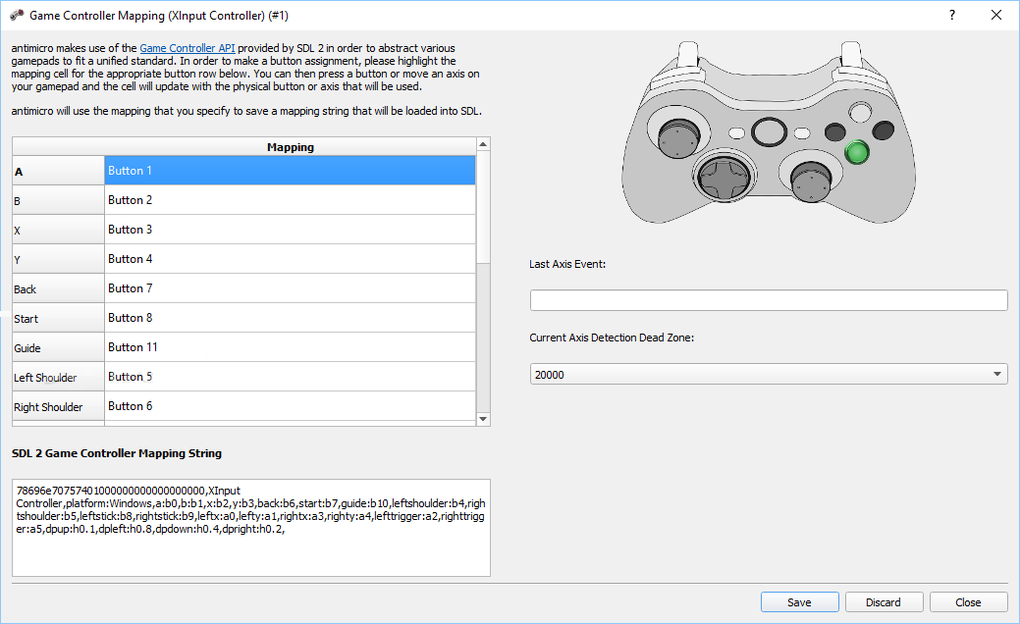
The core functionality lies in its mapping capabilities. Users can assign keyboard keys (from the entire keyboard layout) and mouse actions (left-click, right-click, scrolling, etc.) to individual buttons and axes of the controller. For instance, you can map the A button on your gamepad to the “jump” key, the left joystick to mouse movement, and the right trigger to firing a weapon. This level of customization allows for highly personalized control schemes tailored to the player’s preferences and the specific game being played.
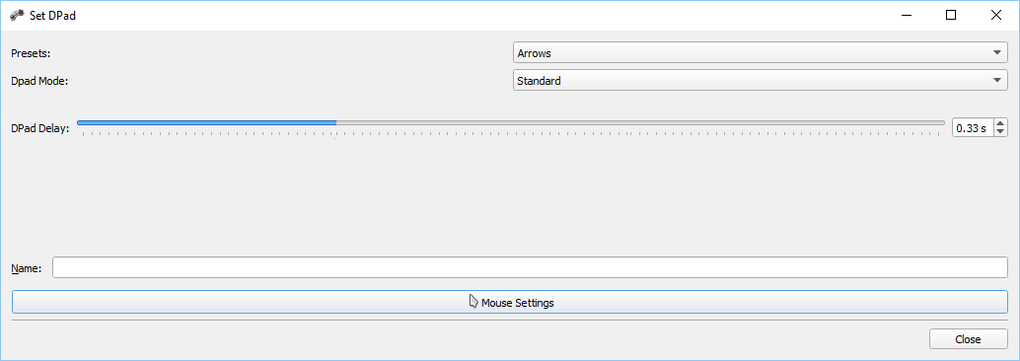
The software’s ability to map axes is particularly noteworthy. Axes refer to the analog sticks and directional pads on gamepads. These can be mapped to various mouse functions such as movement, giving a more natural and intuitive feel to aiming and maneuvering in games. The software also allows for the adjustment of sensitivity and dead zones for each axis, allowing fine-tuning of control responsiveness.
AntiMicro’s Features and Ease of Use
AntiMicro’s strength lies in its simple yet effective design. The clean and intuitive user interface makes navigation and configuration a breeze, even for users with limited technical expertise. The tabbed interface neatly organizes controllers and their associated settings, making it easy to manage multiple devices.
The software provides pre-set configurations for common gamepads, allowing for quick setup for users who prefer a quick start. However, the ability to manually map controls offers unparalleled flexibility for those who want to fine-tune their control schemes to their specific needs. The visual feedback provided by the changing button colors as you press buttons on the controller aids in the mapping process, making the entire experience intuitive and user-friendly.
Beyond basic mapping, AntiMicro offers advanced features such as “Turbo” mode. This feature increases the repetition rate of button presses, resulting in faster actions and potentially enhanced reaction times in games. However, it’s important to remember the potential consequences of using this feature (discussed in a later section). The advanced settings also allow users to fine-tune the speed and delay of the “Turbo” mode to achieve optimal performance.
Potential Risks and Ethical Considerations
While AntiMicro offers numerous advantages, it’s crucial to address the potential drawbacks and ethical implications of its use. The primary concern revolves around its potential for use in online competitive gaming. Since AntiMicro essentially modifies input signals, it can be classified as a form of cheating in many online games. Game developers actively monitor for such modifications, and players using AntiMicro in competitive settings risk being banned from those games.
The use of AntiMicro’s “Turbo” feature in particular raises ethical concerns. This feature significantly accelerates input repetition rate, giving the user an unfair advantage over players who are not using similar tools. This can be considered cheating, especially in competitive environments where fair play is paramount.
It’s important to emphasize responsible use. AntiMicro is best suited for single-player games or cooperative modes where the use of such tools is not explicitly prohibited. It can also be a valuable tool for players with disabilities or physical limitations who may require alternative control schemes to participate in gaming. Always consult the terms of service for any online game before using AntiMicro to avoid account bans or penalties.
AntiMicro’s Alternatives and Comparisons
Several alternative applications offer similar functionalities to AntiMicro, each with its own set of features and advantages. Some notable alternatives include Xpadder, JoyToKey, and reWASD.
- Xpadder: A popular alternative known for its ease of use and extensive support for various controllers. It offers similar mapping capabilities to AntiMicro but might lack some of the advanced features.
- JoyToKey: Primarily focuses on remapping gamepad buttons to keyboard keys, making it a simpler option compared to AntiMicro. It lacks the mouse control functionalities provided by AntiMicro.
- reWASD: A more feature-rich and powerful option compared to the others, offering advanced features such as macro creation and profile management. However, it’s a commercial product (though it offers a free trial).
The best choice amongst these alternatives depends on individual preferences and requirements. AntiMicro stands out due to its free and open-source nature, simple interface, and combined keyboard and mouse mapping capabilities. However, users who need advanced macro functionality or extensive controller profile management may find reWASD more suitable. The simpler alternatives, like JoyToKey, may be preferred by users who only need basic keyboard remapping capabilities.
Conclusion: Is AntiMicro Right for You?
AntiMicro is a powerful and versatile tool for enhancing gameplay and customizing controller configurations. Its ease of use, comprehensive mapping capabilities, and free availability make it an attractive option for a wide range of users. However, the potential risks associated with its use in online competitive gaming must be carefully considered. Responsible use, confined to single-player games or cooperative modes where such tools are permitted, is paramount. If you need advanced features or prefer a more commercial product with extensive support, consider the alternatives mentioned above. Ultimately, the suitability of AntiMicro depends on your specific needs and gaming preferences. Weigh the benefits of customized control against the potential risks before using this software.
File Information
- License: “Free”
- Latest update: “June 9, 2025”
- Platform: “Windows”
- OS: “Windows 7”
- Language: “English”
- Downloads: “42.8K”
- Size: “32.71 MB”


