
Anvi Folder Locker Free is a Windows-based application designed to enhance the security of your digital files by allowing you to password-protect and manage access to selected folders. This review delves into its functionality, ease of use, security features, and limitations, providing a comprehensive assessment of its capabilities and suitability for various users.
Ease of Use and Installation
One of Anvi Folder Locker Free’s key strengths lies in its simplicity. The installation process is remarkably straightforward, requiring minimal user intervention. Even users with limited computer experience should find the setup intuitive and hassle-free. The application boasts a clean, uncluttered interface, making navigation and file management uncomplicated. The lack of complex configuration options contributes to its user-friendly nature. You can quickly lock folders and set passwords without needing to navigate through numerous menus or understand intricate settings. This ease of use is a significant advantage, making it accessible to a wide range of users who may not be tech-savvy. However, this simplicity also comes with limitations, as discussed in the following sections.
Security Features and Limitations
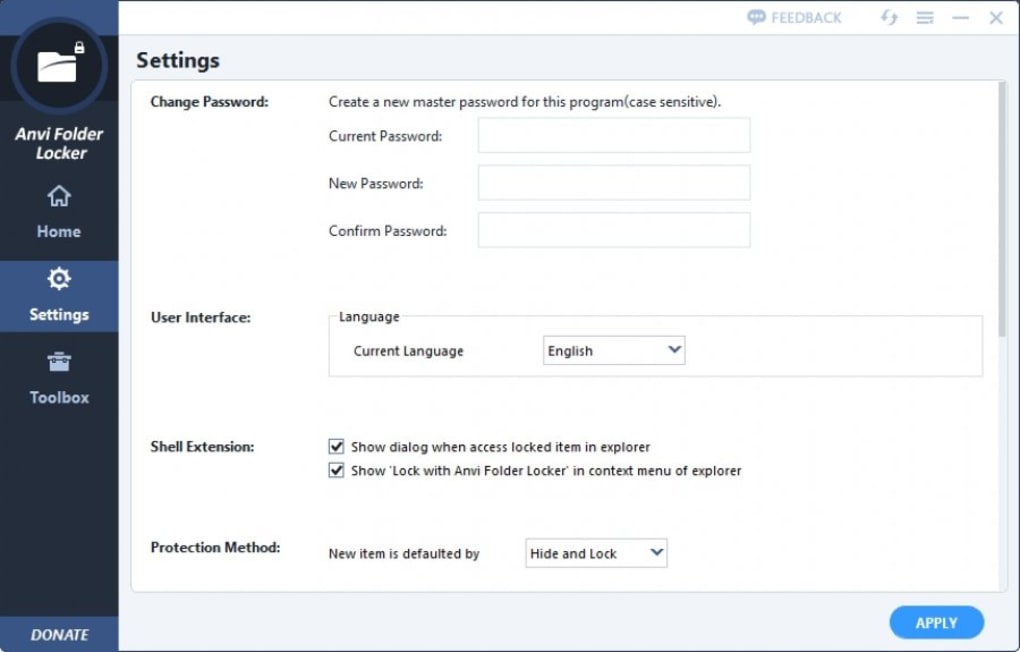
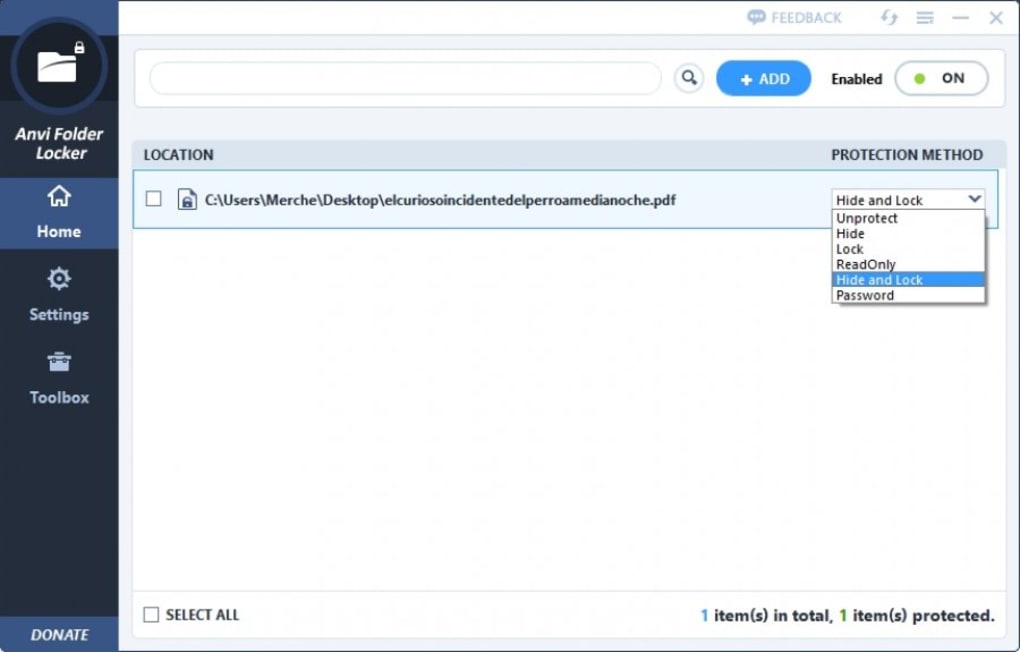
While Anvi Folder Locker Free provides a basic level of file protection, its security features are relatively limited compared to more sophisticated encryption software. The core functionality revolves around password protection; users can set passwords to restrict access to chosen folders. This prevents unauthorized individuals from viewing or modifying the protected files. This password protection, while fundamental, lacks advanced encryption algorithms that could offer stronger protection against determined attackers. The application doesn’t provide the option to select specific encryption methods, relying instead on its default settings. This lack of customization in encryption limits its overall security robustness. For users needing advanced encryption options or granular control over security protocols, Anvi Folder Locker Free might fall short.
Furthermore, Anvi Folder Locker Free lacks cloud storage integration. This absence means that your protected files remain solely on your local computer. While this might be advantageous for users prioritizing offline data privacy, it also means there’s no redundancy or offsite backup for your protected data. If your computer is lost, stolen, or damaged, your locked files could be inaccessible unless a backup was created independently.
The absence of features like file versioning or granular permission control represents another limitation. You can lock a folder, but you cannot set individual permissions for different users, limiting fine-grained access control. There are no audit trails to track access attempts, making it harder to monitor or detect unauthorized access.
The default settings, while convenient for ease of use, also limit the customization options that a user might need for tailored security. For instance, there’s no option to change the encryption algorithm to a more robust one.
In summary, Anvi Folder Locker Free offers a basic layer of security through password protection, but its limitations in terms of encryption options, cloud integration, and advanced features might concern users needing a higher degree of security and control over their files.
Performance and Resource Usage
Anvi Folder Locker Free is a lightweight application that consumes minimal system resources. This contributes to its smooth performance and lack of noticeable impact on overall system responsiveness. The application doesn’t significantly affect system speed or cause delays in other processes. Its small footprint makes it suitable for users with older or less powerful computers. Its speed and efficiency make it a convenient option for users who need a fast and simple solution.
Comparison with Alternative Software
Several alternative applications offer similar file locking functionalities but often include more advanced features and security options. Some alternatives offer stronger encryption algorithms, cloud integration, version control, and more granular access control mechanisms. These programs typically come at a price, however. Anvi Folder Locker Free’s primary advantage is its free availability and ease of use. Users must balance the simplicity and free access of Anvi Folder Locker Free with the potentially enhanced security and features offered by paid alternatives. The choice depends heavily on individual needs and priorities regarding file security and management. If strong encryption, cloud backups, and advanced features are essential, paid alternatives should be considered. If a simple, free solution for basic file protection is sufficient, then Anvi Folder Locker Free might meet the requirements.
User Reviews and Feedback
User reviews reflect a mixed perception of Anvi Folder Locker Free. While many users appreciate its ease of use and straightforward interface, some express concerns about the limited security features. Some users report satisfaction with its ability to protect sensitive files from unauthorized access, highlighting its simplicity as a key advantage. However, other reviews express disappointment with the lack of advanced options, the absence of cloud storage, and the potential vulnerability due to the limited encryption algorithms. The absence of user-configurable security settings is a recurring point of criticism. It’s crucial for potential users to weigh these mixed opinions against their specific needs and expectations.
Conclusion
Anvi Folder Locker Free provides a basic, accessible, and free solution for protecting sensitive files through password-locking. Its ease of use and minimal resource consumption are significant advantages. However, its limitations in encryption strength, lack of cloud integration, absence of advanced features, and reliance on default settings represent significant drawbacks. Users seeking robust, highly secure file protection should explore more feature-rich (and typically paid) alternatives. Anvi Folder Locker Free is best suited for users needing a simple, free method to add a basic layer of security to their files without the complexity of configuring advanced security settings or investing in paid software. It serves as a convenient entry point into file protection but should not be considered a complete solution for advanced security needs. Users should carefully assess their specific requirements before choosing Anvi Folder Locker Free, carefully weighing its simplicity against its limitations.
File Information
- License: “Free”
- Version: “1.2.1370.0”
- Latest update: “June 6, 2025”
- Platform: “Windows”
- OS: “Windows 7”
- Language: “English”
- Downloads: “96.6K”


