
Anvil Studio is a powerful and versatile music creation tool designed for composing, recording, and editing MIDI music. While boasting a comprehensive feature set, it presents a slightly dated interface that might initially deter some users. However, its robust functionality and extensive documentation make it a compelling choice for both experienced musicians and those just starting their musical journey. This in-depth review explores Anvil Studio’s strengths and weaknesses, providing a comprehensive understanding of its capabilities and limitations.
Core Functionality: Composition, Recording, and Editing
At its heart, Anvil Studio functions as a multi-track MIDI sequencer. This means users can create musical compositions by arranging multiple independent tracks, each containing different musical elements like melodies, harmonies, drums, or bass lines. The software supports the standard MIDI file format (.mid), allowing users to import, export, and share their projects easily.
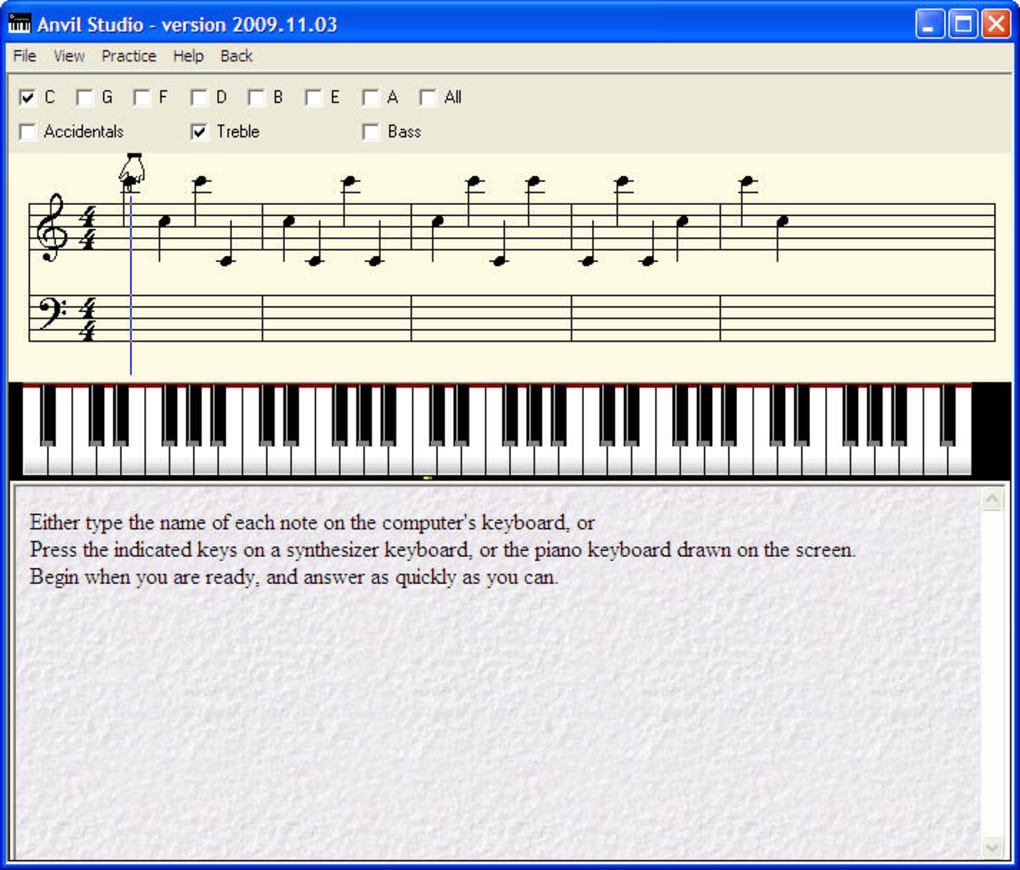
The recording process is straightforward, enabling users to capture MIDI data from external MIDI keyboards, controllers, or software instruments. This captured data can then be meticulously edited within the multi-track interface. Editing features include precise note placement, velocity adjustments (controlling the loudness of individual notes), and various other parameters that allow for fine-tuning of the musical performance. Beyond simple note editing, Anvil Studio allows for comprehensive manipulation of MIDI events, enabling sophisticated compositional techniques and nuanced musical expression.
Anvil Studio’s multi-track environment provides a clear and organized workspace, facilitating efficient workflow. Tracks can be easily muted, soloed, or rearranged, allowing for experimentation and refined arrangements. The software also offers a comprehensive range of tools for manipulating MIDI data, enabling users to create complex and expressive musical compositions.
The Integrated Sample and Loop Library
One of Anvil Studio’s significant advantages is its integrated library of samples and loops. This extensive collection offers a wealth of ready-to-use sounds and musical phrases, providing a valuable resource for musicians of all skill levels. The loops can be easily dragged and dropped onto the timeline, instantly adding rhythmic and melodic elements to compositions. This functionality significantly accelerates the creative process, allowing users to focus on arrangement and musical expression without the time-consuming process of creating all musical elements from scratch. The library is particularly helpful for beginners, providing access to a variety of musical styles and textures. Experienced users will find the library a valuable source of inspiration and a convenient way to incorporate pre-made elements into their projects.
The Piano Roll Editor: A Hands-On Approach to Note Entry
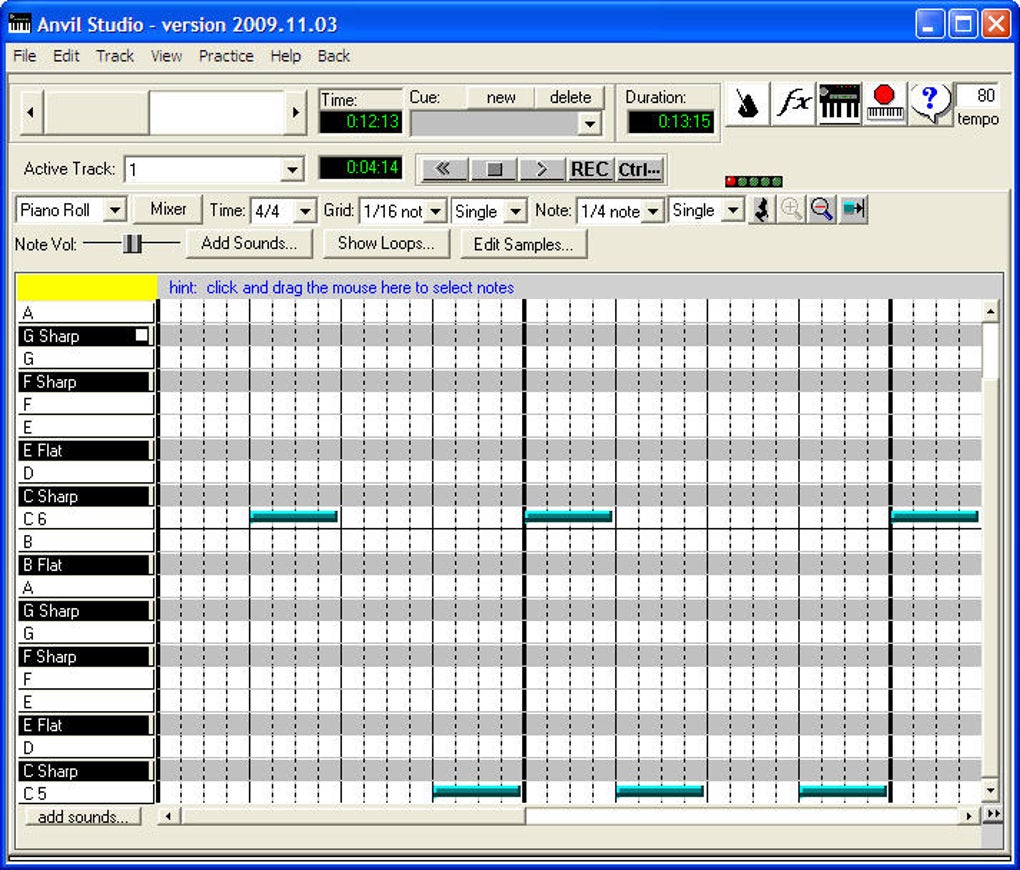
Complementing its multi-track functionality, Anvil Studio includes a comprehensive piano roll editor. This visual tool allows users to input notes directly onto a graphical representation of the musical keyboard. The piano roll offers a more intuitive and precise method of note input compared to traditional keyboard shortcuts. Users can easily edit the pitch, duration, and velocity of individual notes, offering complete control over the musical details. The piano roll’s intuitive interface simplifies note entry, making it an excellent tool for both composing and editing MIDI data. The visual representation of notes and their relationships enhances the overall creative workflow.
Audio Capabilities and Limitations
While primarily a MIDI sequencer, Anvil Studio also offers limited audio capabilities. Users can record and edit audio tracks, though the free version imposes limitations on the number and length of audio tracks. This is a significant aspect to consider, particularly for users who require extensive audio integration within their projects. The paid version offers a substantial increase in audio track capacity, addressing this limitation. However, the audio functionality is less extensive than dedicated digital audio workstations (DAWs). Users seeking advanced audio mixing and mastering capabilities might find it necessary to use Anvil Studio in conjunction with other professional audio software.
User Interface and Learning Curve
Anvil Studio’s user interface, while functional, displays a noticeably dated appearance. Its design lacks the modern aesthetic and intuitive layout found in many contemporary music production applications. This might initially present a challenge for users accustomed to more visually appealing and streamlined interfaces. However, the software’s comprehensive built-in help section and extensive documentation effectively mitigate this challenge. The documentation meticulously details every aspect of the software, ensuring that users can quickly learn to navigate the interface and utilize its features. Despite the dated appearance, the program’s logical organization and clear structure make it relatively easy to master with sufficient time and effort. The intuitive nature of the core functionalities eases the learning curve significantly, making it accessible to both novice and seasoned musicians.
System Requirements and Compatibility
Anvil Studio is designed for Windows operating systems, providing seamless integration with common audio interfaces and MIDI controllers. The software’s system requirements are generally modest, making it compatible with a wide range of Windows-based computers. The specific system requirements vary depending on the version of Anvil Studio and the complexity of projects being created. However, the program’s efficiency generally allows users to utilize it effectively even on less powerful systems. This accessibility makes Anvil Studio a viable option for musicians who may not have access to high-end computing resources. However, users should consult the software’s documentation for the most up-to-date information regarding system requirements.
Anvil Studio’s Strengths and Weaknesses: A Summary
Strengths:
- Comprehensive MIDI Sequencing: Offers a robust set of tools for composing, recording, and editing MIDI music.
- Integrated Sample and Loop Library: Provides a large collection of sounds and musical phrases, accelerating the creative process.
- Intuitive Piano Roll Editor: Offers a visual method for precise note entry and editing.
- Extensive Documentation: Includes detailed help files, making the software easier to learn and use.
- Modest System Requirements: Compatible with a broad range of Windows computers.
- Free Version Available: Allows users to explore the software’s features before committing to a purchase.
Weaknesses:
- Dated User Interface: The interface’s visual appearance is outdated compared to modern music software.
- Limited Audio Capabilities (Free Version): The free version’s restrictions on audio tracks might limit functionality for some users.
- Limited Platform Support: Currently only available for Windows.
Conclusion: Is Anvil Studio Right for You?
Anvil Studio is a powerful MIDI sequencer with a wealth of features, making it a valuable tool for musicians of all levels. Its integrated sample library, piano roll editor, and extensive documentation are significant advantages. However, its outdated interface and limitations in audio functionality in the free version should be carefully considered. Users seeking a modern, visually appealing interface and extensive audio capabilities might prefer other music production software. However, for musicians primarily focused on MIDI composition, Anvil Studio offers a potent and cost-effective solution, particularly its robust capabilities within its price point. The extensive documentation and free version allow for a risk-free exploration of the software before committing to a purchase. Ultimately, whether Anvil Studio is the right choice depends on individual needs and preferences. Considering its strengths and weaknesses carefully will assist in making an informed decision.
File Information
- License: “Free”
- Latest update: “September 19, 2024”
- Platform: “Windows”
- OS: “Windows 7”
- Language: “English”
- Downloads: “205.4K”
- Size: “3.94 MB”


